
Introduction
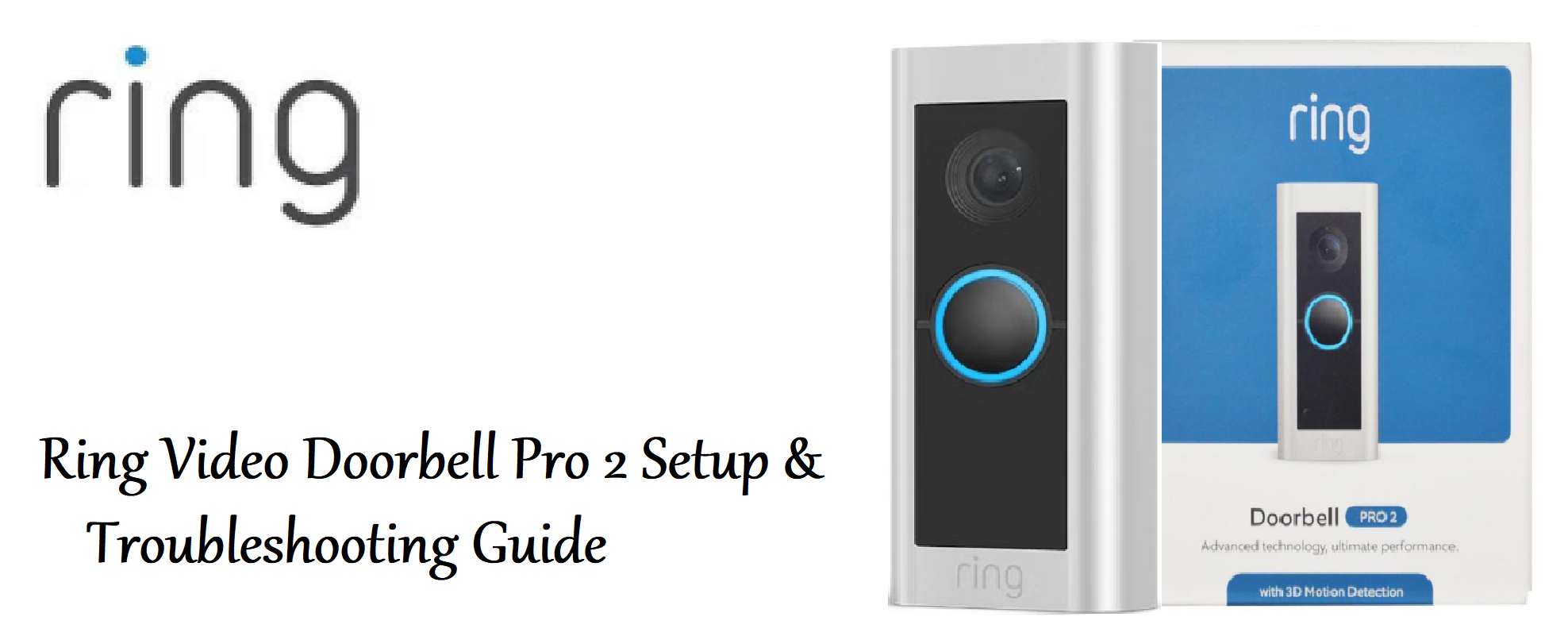
The Ring Video Doorbell Pro 2 is a wired smart doorbell that delivers a sharper picture, advanced motion detection, and reliable performance for your front door. It requires existing doorbell wiring and a compatible transformer (16‑24 VAC). This guide walks you through installation, app setup, motion zones, and troubleshooting so you can secure your home with confidence.
Product Overview
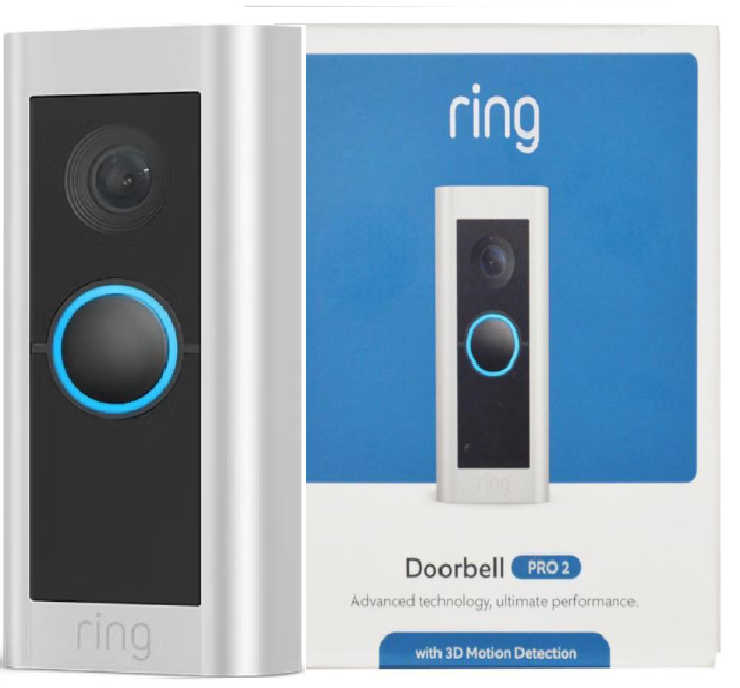
The Ring Video Doorbell Pro 2 is a slim, rectangular doorbell that replaces your existing wired doorbell. It captures video in 1536p HD+ resolution with a 150° horizontal and 150° vertical field of view. It connects to your home Wi‑Fi (2.4 GHz and 5 GHz) and sends real‑time notifications to the Ring app. It includes advanced 3D motion detection with radar‑based Bird’s Eye View, colour pre‑roll, and two‑way talk with noise cancellation. The device is powered by your existing doorbell wiring and includes a Ring Pro Power Kit for compatibility with most mechanical or digital chimes.
Full Specifications
| Specification | Detail |
|---|---|
| Model | 8VR1P2‑0EU0 (Ring Video Doorbell Pro 2) |
| Video Resolution | 1536p HD+ (1536 x 1536 square format) |
| Field of View | 150° horizontal, 150° vertical |
| Night Vision | Colour night vision |
| Motion Detection | 3D Motion Detection with radar‑based Bird’s Eye View, customizable motion zones |
| Two‑Way Talk | Yes, with noise cancellation |
| Audio | Two‑way audio with echo cancellation |
| Connectivity | Wi‑Fi 2.4 GHz and 5 GHz (802.11 a/b/g/n/ac) |
| Power | Hardwired (16‑24 VAC transformer required) |
| Operating Temperature | ‑20°C to 50°C (‑4°F to 122°F) |
| Dimensions | 11.4 cm x 4.9 cm x 2.2 cm (4.5 in x 1.9 in x 0.9 in) |
| Weight | 0.3 kg (0.66 lbs) |
| Included Accessories | Pro Power Kit, mounting bracket, screws, screwdriver, masonry drill bit, wire nuts, user manual |
Key Features
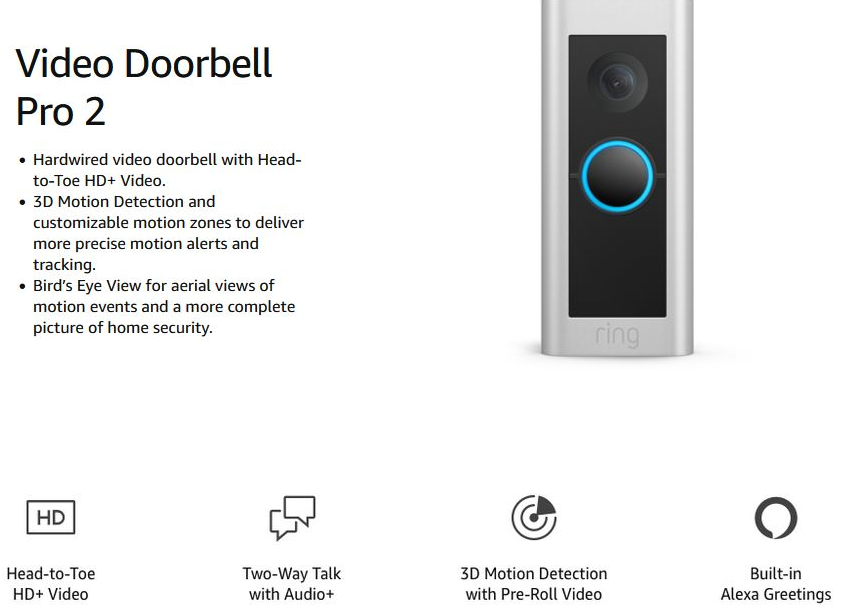
- 1536p HD+ Video: Head‑to‑toe view with a square aspect ratio so you can see packages at the base of the door and visitors’ faces.
- 3D Motion Detection with Bird’s Eye View: Radar technology pinpoints the exact location and distance of motion events, showing an aerial map view in the Ring app. You can set motion zones more accurately than ever before.
- Colour Pre‑Roll: The camera captures 4 seconds of colour video before motion is triggered, so you see what happened before the event.
- Customizable Motion Zones: Draw up to three zones in the Ring app, and adjust sensitivity. Reduce false alerts from passing cars or swaying branches.
- Two‑Way Talk with Noise Cancellation: Hear and speak to visitors clearly, even in noisy environments. The microphone and speaker are optimized for front door use.
- Works with Existing Chime: The included Pro Power Kit allows the doorbell to ring your existing mechanical or digital chime. You can also connect Ring Chime or Chime Pro for additional volume.
- Alexa Integration: View live video on Echo Show, get voice announcements, and talk to visitors through Alexa.
How to Use
What’s in the Box
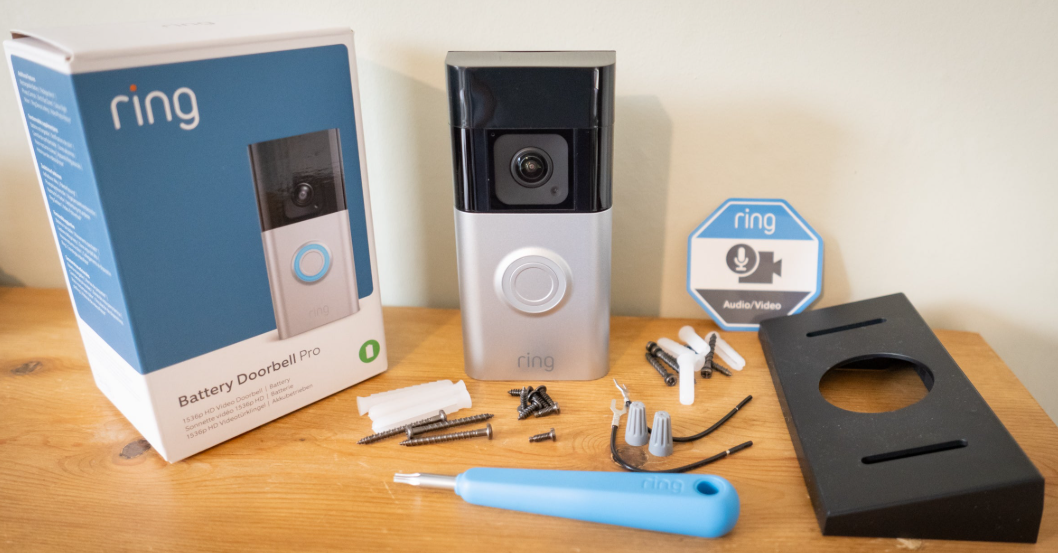
- Ring Video Doorbell Pro 2
- Pro Power Kit (for chime compatibility)
- Mounting bracket (with level)
- Screws, anchors, and wire nuts
- Screwdriver and masonry drill bit
- Quick‑Start Guide and safety card
No transformer is included. You must have existing doorbell wiring with a 16‑24 VAC transformer. If you don’t, Ring sells a plug‑in adapter (sold separately) or you can hire an electrician.
Installation (Summary)
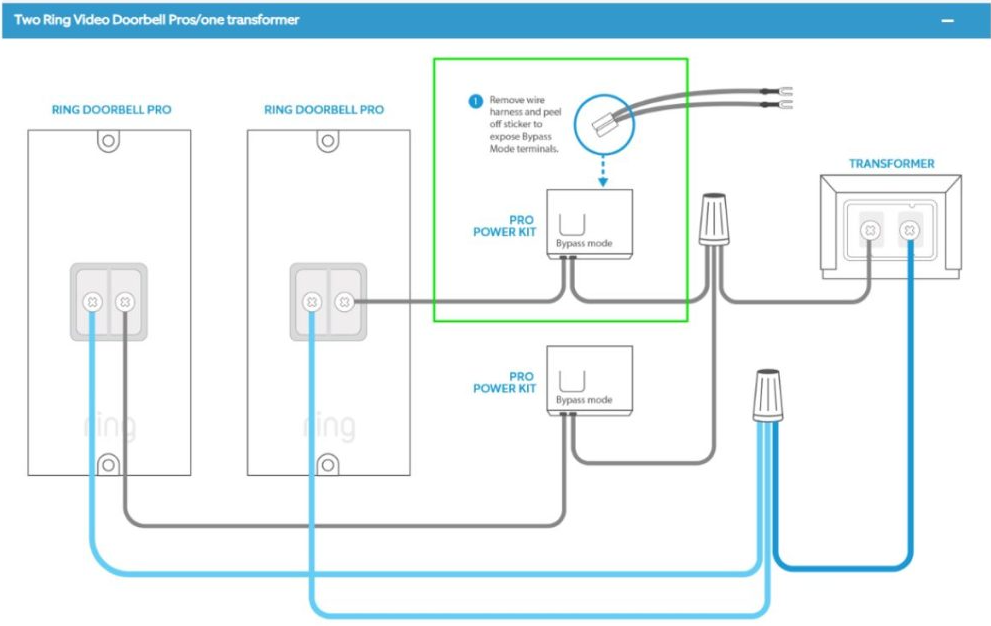
Installation requires turning off power at the circuit breaker. If you’re not comfortable with electrical work, hire a qualified electrician.
- Turn off power to your existing doorbell at the circuit breaker. Confirm the doorbell no longer rings.
- Remove your old doorbell from the wall. Disconnect the two wires from the back.
- Install the Pro Power Kit at your chime box. The kit includes a small module that connects across the “Front” and “Trans” terminals. Follow the wiring diagram in the app or manual.
- Mount the bracket using the included screws and level. Use the masonry bit if drilling into brick or stucco.
- Connect the doorbell wires to the two terminals on the back of the Ring Pro 2. Polarity doesn’t matter.
- Attach the doorbell to the bracket and secure the security screw at the bottom (anti‑theft).
- Turn power back on. The doorbell will power up and enter setup mode.
Setting Up in the Ring App
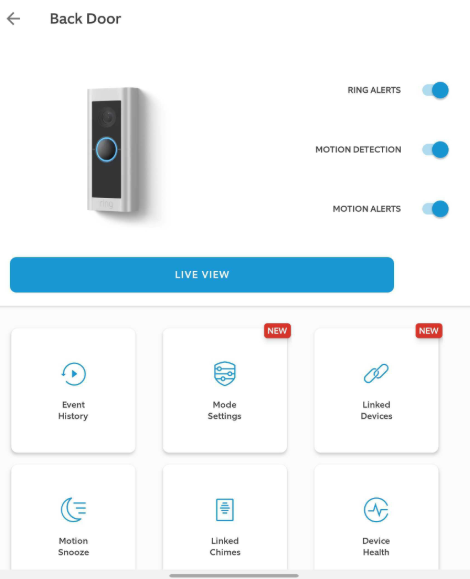
- Download the Ring app (iOS or Android). Create a Ring account or sign in.
- Tap “Set Up a Device” and select “Doorbells” > “Video Doorbell Pro 2.”
- Follow the on‑screen instructions to scan the QR code on the back of the doorbell.
- Connect the doorbell to your Wi‑Fi network (2.4 GHz or 5 GHz). Enter the password when prompted.
- Test the doorbell by pressing the button. You should hear your existing chime (if the Pro Power Kit is installed) and receive a notification.
- Configure motion settings, zones, and privacy zones in the app.
Motion Settings & Zones
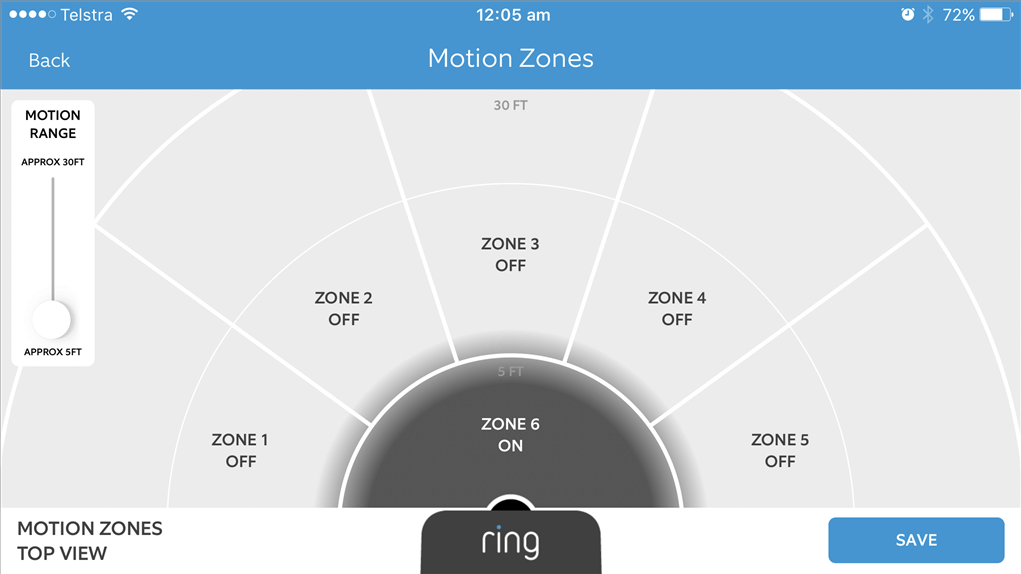
In the Ring app, go to your doorbell > Device Settings > Motion Settings.
- Motion Zones: Draw up to three custom zones on the camera view. Only motion within these zones triggers alerts. For example, exclude the sidewalk and road.
- Motion Sensitivity: Slide the bar to adjust sensitivity. Lower it to reduce alerts from trees and shadows.
- Bird’s Eye View: This radar‑based feature shows a top‑down map and the path of motion events. It helps you understand if someone approached your door or just passed by.
- Smart Alerts (with Ring Protect): Person detection and package detection available with a subscription. You can set alerts to notify you only when a person is detected.
- Privacy Zones: Draw areas that the camera will ignore completely (e.g., a neighbour’s window).
Live View & Two‑Way Talk
- Live View: Tap the doorbell in the Ring app to see a real‑time video feed. You can also start live view from Alexa devices.
- Two‑Way Talk: Press and hold the microphone button in live view to speak. Release to listen. The noise cancellation helps in windy or traffic conditions.
- Siren (optional): If you have Ring Protect, you can trigger a loud siren from the app to deter intruders.
Colour Pre‑Roll & Recording
With Ring Protect, the Pro 2 records all motion events. Colour Pre‑Roll captures the 4 seconds before motion, so you see what led to the event. Recordings are stored in the cloud for up to 180 days (depending on plan).
Troubleshooting & Common Problems
| Problem | Likely Cause | What to Try |
|---|---|---|
| Doorbell won’t power on | Insufficient voltage, or wiring issue | Check that the transformer is 16‑24 VAC. Test with a multimeter. If below 16 VAC, replace the transformer. Ensure wires are tightly connected. |
| Poor video quality | Weak Wi‑Fi signal, or interference | Move the router closer to the doorbell. Connect to 5 GHz if range allows. Remove metal objects between router and doorbell. |
| No chime inside house | Pro Power Kit not installed correctly, or chime incompatible | Re‑check the Pro Power Kit wiring. Ensure the chime is mechanical or digital (some chimes require the bypass mode in the app). |
| Motion alerts too frequent | Sensitivity too high, or zones cover a busy area | Reduce sensitivity and adjust zones. Enable person detection (with Ring Protect) to only alert for people. |
| Live view not loading | Network issue, or device offline | Check the doorbell’s Wi‑Fi signal strength in the app (Device Health). Restart the router and doorbell. |
| Night vision is blurry | Dirty lens, or infrared reflection | Clean the lens with a soft, dry cloth. Ensure no overhang or wall is close to the camera causing IR reflection. |
(FAQ)s
- Do I need a Ring Protect subscription?
Without a subscription, you can use live view, two‑way talk, and motion notifications, but video is not recorded. A Ring Protect plan (starting at $3.99/month) enables cloud recording, smart alerts, and sharing. - Can I use the Pro 2 with battery power?
No, it requires hardwired power (16‑24 VAC). If you don’t have wiring, consider the battery‑powered Ring Video Doorbell 4 or Battery Doorbell Plus. - Does it work with my existing chime?
Yes, the included Pro Power Kit allows it to work with most mechanical and digital chimes. Follow the app’s chime setup instructions. - Is the doorbell weatherproof?
Yes, it’s rated for outdoor use with an operating temperature range of ‑20°C to 50°C (‑4°F to 122°F). It’s water‑resistant but not waterproof; avoid direct high‑pressure water. - Can I view the doorbell on my TV?
With Ring Protect and a compatible Fire TV or Echo Show, you can say “Alexa, show the front door.” You can also use the Ring app on a smart TV. - How do I transfer ownership if I move?
In the Ring app, go to Device Settings > General Settings > Remove Device. Then the new owner can set it up as new.
Tips
- Install at the right height: Mount the doorbell about 1.2 metres (4 feet) above the ground for the best field of view.
- Secure the security screw: After installation, tighten the small security screw on the bottom of the doorbell to prevent theft.
- Adjust zones after installation: Walk around your yard and watch the motion events to fine‑tune zones and sensitivity.
- Use two‑factor authentication: Enable two‑step verification in the Ring app to protect your account.
- Share access: Give family members access via the Ring app without sharing your password.
Safety Information
- Electrical safety: Always turn off power at the breaker before installing or adjusting the doorbell. If you’re unsure, hire an electrician.
- Transformer: Use a 16‑24 VAC, 30 VA (or higher) transformer. Using a higher voltage can damage the doorbell.
- Mounting: Ensure the bracket is screwed into a solid surface. Use anchors for brick or stucco.
- Privacy: Respect your neighbours’ privacy by setting privacy zones and not pointing the camera directly at their property.
- Children: The doorbell and small parts are not toys. Keep screws and tools out of reach.
Completing setup and customisation
The Ring app will suggest multiple options for you to customise your doorbell, such as adding Shared Users, adjusting motion settings, and more.
If you have a battery-powered doorbell, the Ring app will give instructions on how to physically install your doorbell.
Related Manuals
If this guide was helpful, here are a few more popular manuals from productsmanuals.com that you might find useful:
- Samsung Galaxy Watch 7 Manual – Health Sensors, Galaxy AI & Battery Tips
Master ECG, body composition, sleep apnea detection, and more. - Amazon Echo Dot 5th Gen Manual – Alexa Setup, Wi‑Fi Tips & Common Fixes
Get the most from your smart speaker with routines, privacy controls, and more. - iPhone 12 Mini Manual – Settings, Camera & Hidden Features Guide
Explore Dynamic Island, Action button, and battery‑health tricks. - Dell Inspiron 15 3520 Manual – Laptop Setup, Upgrades & Troubleshooting
Upgrade RAM and SSD, and fix common performance issues. - HP DeskJet 3755 Manual – Wireless Printer Setup & Common Fixes
Print, scan, and solve paper jams with clear step‑by‑step instructions.
Browse all guides at productsmanuals.com .
Copyright 2026 productsmanuals.com All rights reserved. This Ring Video Doorbell Pro 2 manual is original content and may not be copied, republished, or redistributed without written permission. Ring and the Ring logo are trademarks of Ring LLC, an Amazon company. This guide is unofficial and not affiliated with Ring or Amazon.

[…] Ring Video Doorbell Pro 2 Manual – Setup, Motion Zones & Troubleshooting Explore Ring’s premium wired doorbell with 3D motion detection and Bird’s Eye View. […]