
Introduction
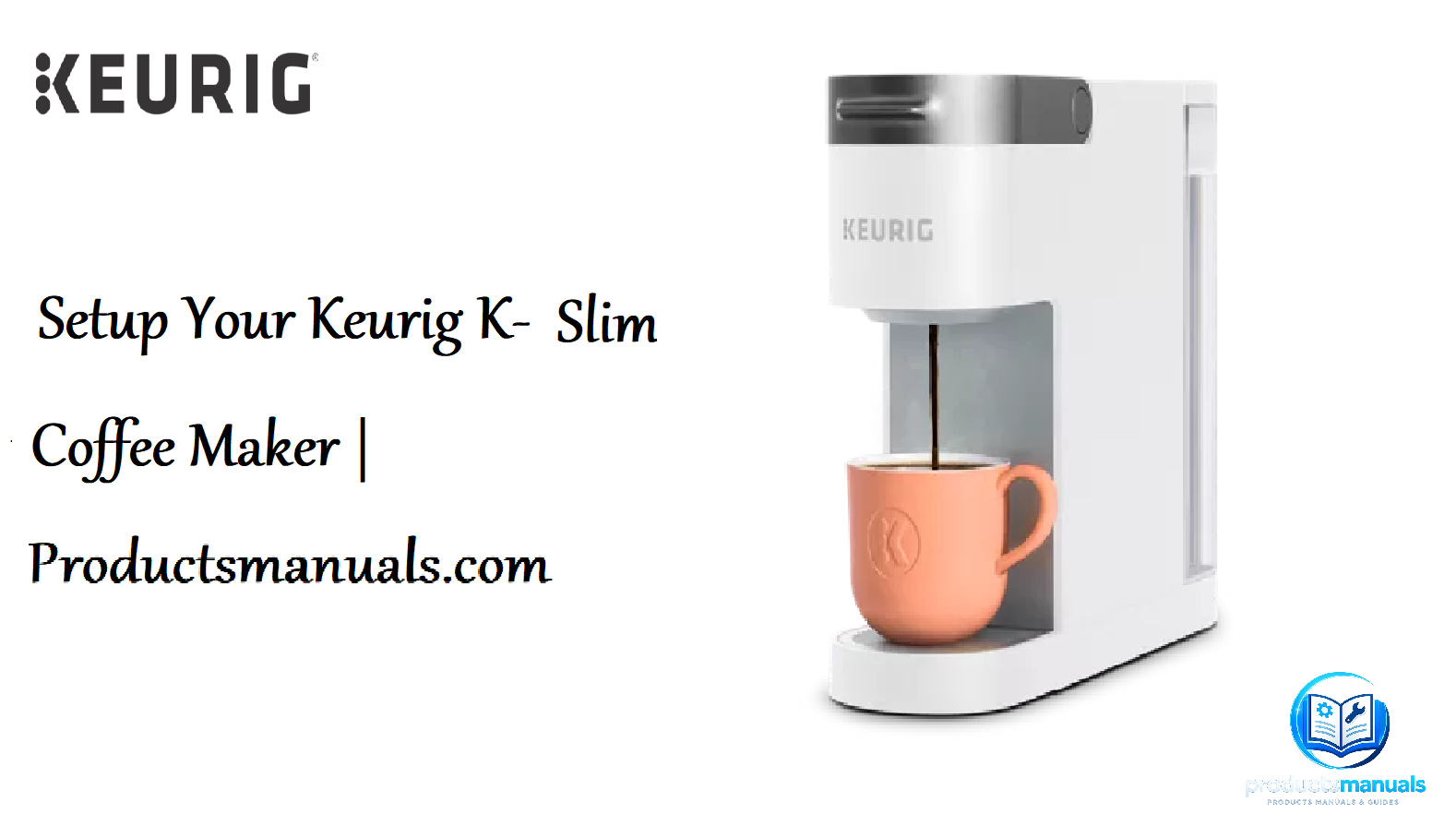
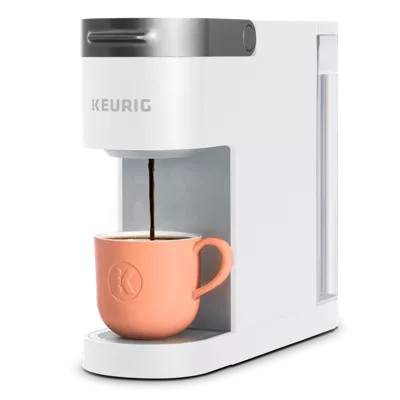
The Keurig K-Slim is a compact single-serve coffee maker designed for small spaces—dorm rooms, offices, apartments, and kitchens with limited counter space. It brews multiple cup sizes, uses K-Cup pods, and has a 46-ounce removable water reservoir. It’s one of Keurig’s best-selling budget models and one of the most searched for setup and descaling instructions.
This manual is built from the official Keurig owner’s guide, support documentation, and real-world usage. It covers everything from unboxing and first brew to descaling, troubleshooting, and maintaining your K-Slim for years of reliable coffee. Whether you just bought your K-Slim or you’re trying to fix a blinking light, this guide has the answers.
Product Overview
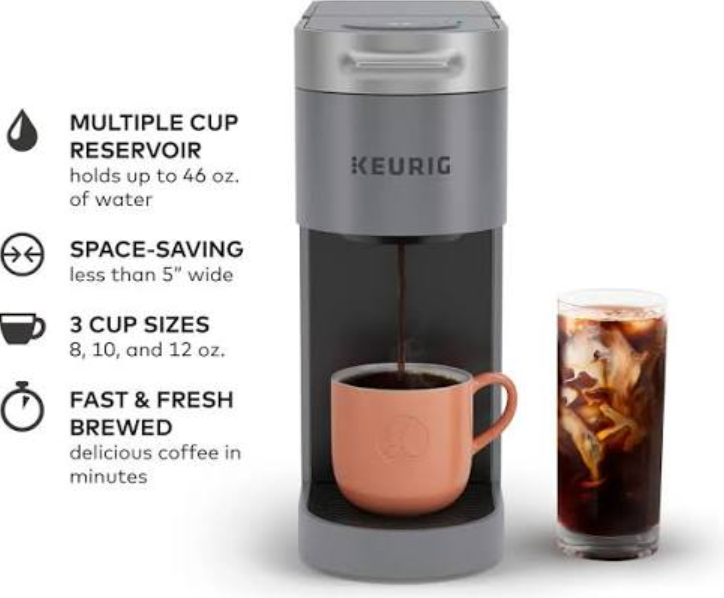
The Keurig K-Slim is a slim, space-saving coffee maker that brews in three cup sizes: 8 oz, 10 oz, and 12 oz. It uses K-Cup pods and has a 46-ounce removable water reservoir. The brewer is compatible with the My K-Cup Universal Reusable Coffee Filter (sold separately) for using your own ground coffee. It features a simple one-button operation: lift the handle, insert a pod, close, select your cup size, and brew. The K-Slim has a compact footprint—less than 5 inches wide—making it ideal for tight spaces. It does not have a frother or iced coffee setting on the standard model; the K-Slim + ICED version includes a “Brew Over Ice” button.
Full Specifications
| Specification | Detail |
|---|---|
| Model | K-Slim (standard), K-Slim + ICED |
| Type | Single-serve K-Cup pod coffee maker |
| Cup Sizes | 8 oz, 10 oz, 12 oz |
| Water Reservoir | 46 oz removable |
| Dimensions (W x D x H) | 4.76″ x 15.2″ x 12.14″ |
| Weight | Approximately 6.3 lbs |
| Power | 120V, 60Hz |
| Wattage | 1,470 W |
| Brew Time | Approximately 2–3 minutes |
| Compatibility | K-Cup pods, My K-Cup Universal Reusable Filter |
| Descaling | Manual descaling required every 3–6 months |
| Auto Off | Yes, after 5 minutes of inactivity |
| Warranty | 1-year limited warranty |
| In-the-Box | Brewer, 46 oz water reservoir, drip tray, owner’s guide |
Key Features
- Slim, Space-Saving Design: At less than 5 inches wide, the K-Slim fits on crowded counters, in dorm rooms, and in small kitchens.
- Three Cup Sizes: Choose 8 oz, 10 oz, or 12 oz with the touch of a button.
- 46 oz Removable Water Reservoir: Brew multiple cups before refilling. The reservoir lifts off for easy filling at the sink.
- One-Touch Brewing: Simple operation—lift, insert pod, close, select size, brew.
- Auto Off: The brewer turns off automatically after 5 minutes of inactivity, saving energy.
- K-Cup Pod Compatibility: Works with all Keurig K-Cup pods, plus the My K-Cup reusable filter for ground coffee.
- Brew Over Ice (K-Slim + ICED only): The ICED model includes a dedicated “Brew Over Ice” button for stronger, colder coffee over ice.
How to Use
What’s in the Box
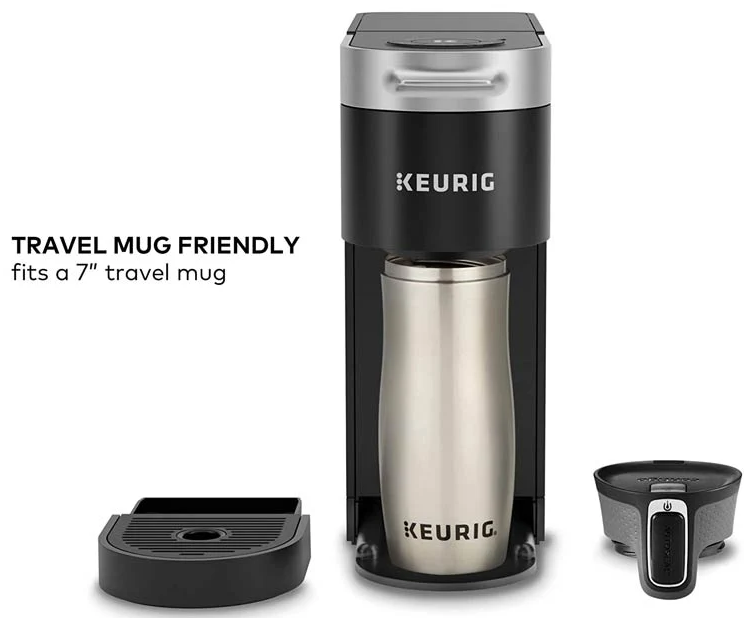
- Keurig K-Slim brewer
- 46 oz removable water reservoir
- Drip tray
- Owner’s guide and quick-start guide
Before First Use
- Remove all packaging: Remove tape, stickers, and protective film from the brewer and reservoir.
- Wash the reservoir and drip tray: Wash both in warm, soapy water. Rinse and dry thoroughly.
- Wipe the brewer: Wipe the exterior with a damp cloth. Never immerse the brewer in water.
- Place the brewer: Set it on a level, stable countertop. Leave adequate space above and around the brewer for airflow. Do not use an extension cord.
First Brew (Cleaning Cycle)
Before brewing coffee, run a cleansing brew to rinse the internal components:
- Fill the reservoir with fresh water to the MAX line and place it on the brewer.
- Plug in the brewer. The power button will illuminate.
- Press the power button to turn on the brewer. The brew size buttons will illuminate.
- Place a large mug (at least 12 oz) on the drip tray.
- Do not insert a K-Cup pod. Lift the handle, then close it without inserting a pod.
- Press the 12 oz button. The brewer will dispense hot water.
- Discard the hot water. Your K-Slim is now ready to brew coffee.
Brewing Coffee
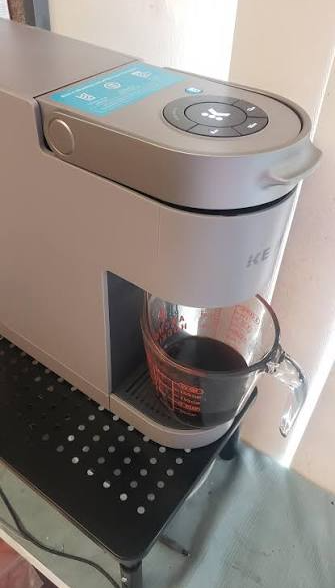
- Fill the reservoir with fresh water.
- Plug in the brewer and press the power button. Wait for the brew size buttons to illuminate (about 30 seconds).
- Lift the handle and insert a K-Cup pod. Do not remove the foil lid.
- Close the handle firmly. The brewer will puncture the pod.
- Place a mug (8–12 oz) on the drip tray.
- Press the desired brew size button: 8 oz, 10 oz, or 12 oz.
- The brewer will begin brewing. When brewing is complete, the brewer will beep and the brew size buttons will illuminate again.
- Lift the handle and remove the used pod. Dispose of it properly.
For the K-Slim + ICED:
Press the “Brew Over Ice” button. The brewer will brew a stronger, concentrated cup. Fill a large plastic tumbler with ice, then brew directly over the ice.
Using the My K-Cup Reusable Filter
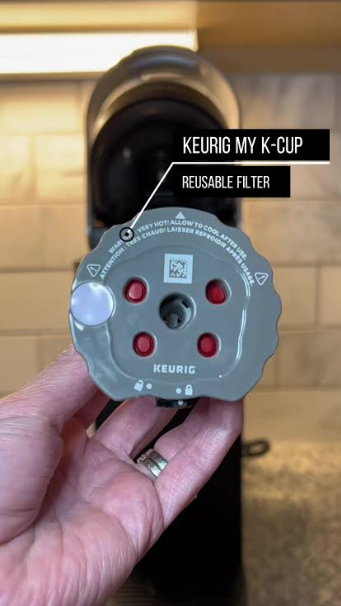
- Remove the My K-Cup filter from the pod holder (sold separately).
- Fill the filter with ground coffee (about 1–2 tablespoons, depending on your desired strength).
- Replace the lid and place it in the pod holder.
- Follow the same brewing steps as a K-Cup pod.
Descaling
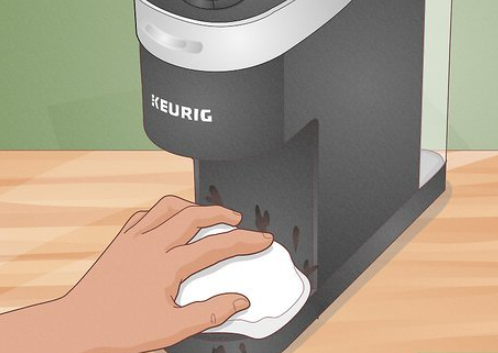
Descaling removes mineral buildup that accumulates over time. Keurig recommends descaling every 3–6 months, depending on water hardness.
Steps:
- Fill the reservoir with a descaling solution and water per the solution’s instructions (or use a 1:1 mixture of white vinegar and water).
- Place a large mug on the drip tray.
- Open the handle and close it without inserting a pod.
- Press the 8 oz button and brew. Discard the hot water.
- Repeat until the reservoir is empty. Refill the reservoir with fresh water and run two full reservoirs through the brewer (without pods) to rinse.
- Wash the reservoir and drip tray with warm, soapy water.
Descaling indicator: Some models display a “Descale” light. When it appears, descale the brewer immediately.
Troubleshooting & Common Problems
| Problem | Likely Cause | What to Try |
|---|---|---|
| Brewer won’t turn on | Power cord loose, or outlet issue | Check that the power cord is securely plugged into a working outlet. Try a different outlet. |
| Brewer won’t brew | Handle not closed properly, or pod not inserted correctly | Open and close the handle firmly. Ensure the K-Cup pod is properly seated. |
| Brew size buttons won’t illuminate | Brewer not turned on, or not warmed up | Press the power button and wait 30 seconds for the buttons to illuminate. |
| Brewing is slow | Mineral buildup in the brewer | Descale the brewer. |
| Coffee tastes weak | Water level too low, or pod not fresh | Check the water level. Use a fresh K-Cup pod. |
| Coffee is not hot enough | Brewer not warmed up, or mug is cold | Let the brewer warm up fully. Rinse the mug with hot water before brewing. |
| Water leaks from the brewer | Water reservoir not seated properly, or drip tray overflowing | Remove and reinsert the reservoir. Empty the drip tray. |
| Blinking light on brewer | Descale needed, or brewing error | Descale the brewer. Unplug for 1 minute, then plug back in. |
| Auto Off triggers mid-brew | No issue | The K-Slim does not have an auto-off mid-brew. The auto-off only activates after brewing is complete and the unit is idle. |
| Pod not punctured | Handle not fully closed | Close the handle firmly. The needle may be clogged—clean it with a paperclip. |
Frequently Asked Questions
- What cup sizes does the Keurig K-Slim brew?
It brews 8 oz, 10 oz, and 12 oz cups. - What is the water reservoir capacity?
The removable reservoir holds 46 ounces. - How often should I descale the K-Slim?
Every 3–6 months, depending on water hardness and usage. If you see a Descale light, descale immediately. - Can I use my own ground coffee?
Yes, with the My K-Cup Universal Reusable Coffee Filter (sold separately). - Does the K-Slim have an auto-off feature?
Yes. The brewer turns off automatically after 5 minutes of inactivity. - Does the standard K-Slim brew iced coffee?
No. The standard K-Slim does not have a Brew Over Ice setting. The K-Slim + ICED model does. - Why is my coffee not hot enough?
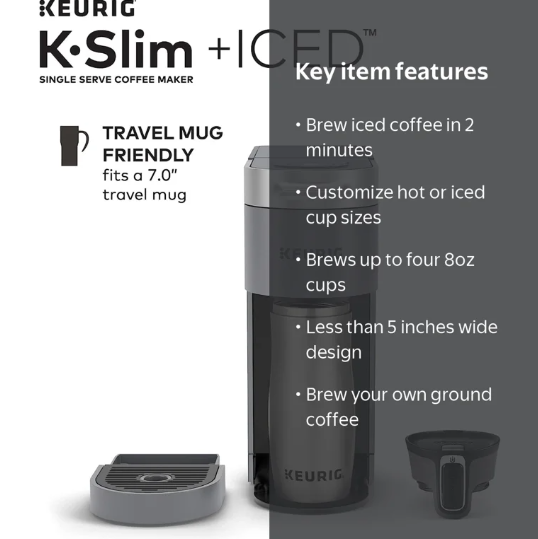
The brewer may not be fully warmed up. Let it warm up for 30 seconds after turning on. Also rinse the mug with hot water before brewing. - Can I use a travel mug with the K-Slim?
Yes, the drip tray is removable to accommodate a travel mug. - How do I clean the K-Slim?
Wash the reservoir and drip tray with warm, soapy water. Wipe the exterior with a damp cloth. Descale every 3–6 months. - What should I do if the brewer won’t brew?
Open and close the handle firmly. Ensure the pod is properly seated. Check the water level. If the problem persists, descale the brewer. - How do I reset the K-Slim?
Unplug the brewer for 1 minute, then plug it back in. - What is the warranty on the Keurig K-Slim?
It comes with a 1-year limited warranty.
Tips
- Rinse the mug with hot water before brewing: This keeps your coffee hotter for longer.
- Use fresh water: The quality of your water affects the taste of your coffee. Use filtered water if your tap water has a strong taste.
- Descale regularly: Mineral buildup is the most common cause of slow brewing and weak coffee.
- Store pods in a cool, dry place: K-Cup pods can dry out over time, affecting the taste.
- Use the My K-Cup filter for ground coffee: It’s a budget-friendly alternative to pods and allows you to use your favourite beans.
- Keep the reservoir filled: The K-Slim does not have a low-water indicator. Check the water level before brewing.
- Clean the puncture needle: If pods aren’t puncturing properly, unplug the brewer and clean the needle with a straightened paperclip.
- Do not use distilled water: Keurig recommends using bottled or filtered water for best results. Distilled water can cause the brewer to malfunction.
Safety Information
- Electrical: Plug the brewer into a grounded outlet only. Do not use an extension cord.
- Hot water and steam: The brewer dispenses hot water and steam. Use caution when brewing and when removing the pod after brewing.
- Children: Keep the brewer and hot water out of reach of children. Do not allow children to operate the brewer.
- Moving the brewer: Do not move the brewer while it is brewing.
- Cleaning: Unplug the brewer before cleaning. Do not immerse the brewer in water. Do not use abrasive cleaners.
- Descaling solution: Keep descaling solution out of reach of children. Follow the instructions on the solution bottle.
- Pod disposal: Used pods are hot. Allow them to cool before disposing of them.
PDF Resources
For the official PDF manual and additional documentation, visit:
- Keurig K-Slim Support Page: https://www.keurig.com/support/product-support/k-slim
- Keurig K-Slim Owner’s Manual (PDF): Available for download on the support page under “Manuals & Guides.”
- Keurig Descaling Guide: Available on the Keurig support site.
You can also save this guide as a PDF by opening it in your browser and using File > Print > Save as PDF.
Related Manuals
If this guide was helpful, here are a few more popular manuals from productsmanuals.com:
- Ninja AF161 Air Fryer Manual – Setup, Cooking Functions & Troubleshooting Guide
- LG WM4000HWA Manual – Setup, Cycles, Error Codes & Troubleshooting Guide
- Instant Pot Duo 6 QT Manual – Programs, Steam Release & Error Codes
- Nespresso Vertuo Next Manual – Setup, Descaling & Troubleshooting
- Breville Barista Express Manual – Setup, Grind Settings & Troubleshooting
Browse all guides at productsmanuals.com .
Copyright 2026 productsmanuals.com All rights reserved. This Keurig K-Slim manual is original content and may not be copied, republished, or redistributed without written permission. Keurig, K-Slim, K-Cup, and the Keurig logo are trademarks of Keurig Green Mountain, Inc. This guide is unofficial and not affiliated with Keurig.
