
Introduction
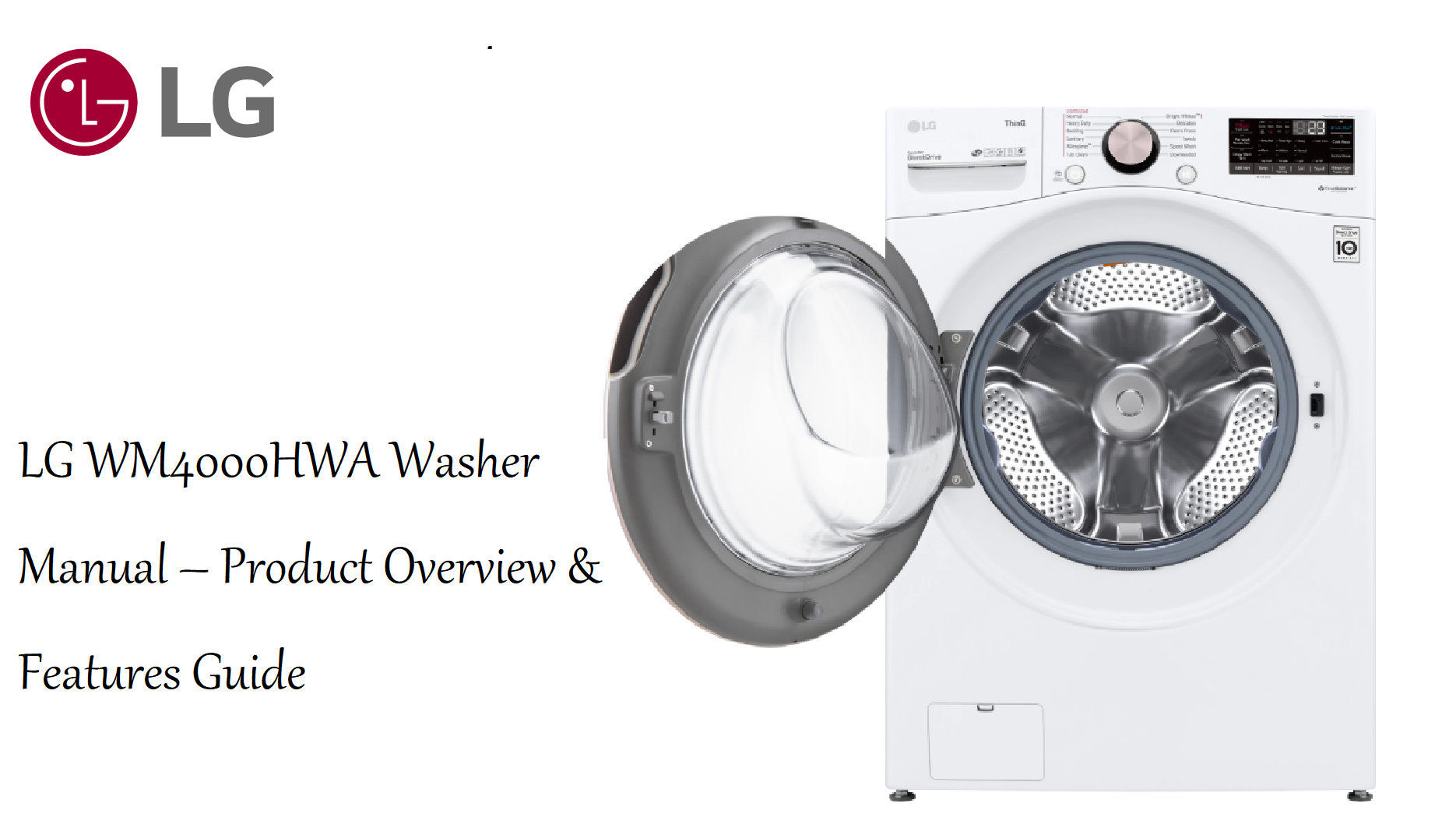
The LG WM4000HWA is a 4.5 cu. ft. smart front load washing machine with steam cleaning, TurboWash 360, and built-in Wi-Fi for remote control. It’s designed for large families, offering a sleek, stackable design and a wide range of wash cycles. This guide covers installation, cycle selection, app connectivity, maintenance, and common issues.
Product Overview
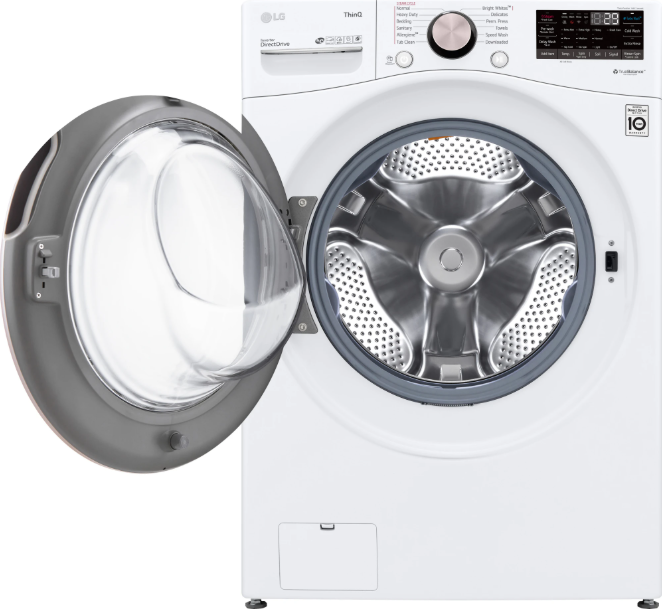
The WM4000HWA features a black stainless steel finish and an easy-to-use control panel with a dial and touch buttons. It uses LG’s AI Fabric Sensor and TurboWash 360 technology to reduce wash times while delivering thorough cleaning. The washer supports the LG ThinQ app for cycle download, monitoring, and troubleshooting. It has a 4.5 cu. ft. capacity, which can handle a king-size comforter. The direct drive motor is backed by a 10-year warranty. The washer is Energy Star certified and has a maximum spin speed of 1,300 RPM.
Full Specifications
| Specification | Detail |
|---|---|
| Model | WM4000HWA |
| Type | Front load washer |
| Capacity | 4.5 cu. ft. (large) |
| Dimensions (W x D x H) | 27 x 30 x 39 inches (68.6 x 76.2 x 99.1 cm) |
| Weight | 193 lbs (87.5 kg) |
| Spin Speed | Up to 1,300 RPM |
| Wash Programs | 12 cycles: Normal, Heavy Duty, Bedding, Speed Wash, Delicates, Sanitary, Allergiene, etc. |
| Steam | Yes (Steam option on select cycles) |
| TurboWash 360 | Yes |
| AI Fabric Sensor | Yes (auto-dispense and cycle optimization) |
| Smart Connectivity | Wi-Fi (2.4 GHz), LG ThinQ app, Amazon Alexa, Google Assistant |
| Motor | Inverter Direct Drive motor, 10-year warranty |
| Energy Star | Certified |
| Water Usage | ~14 gallons per cycle (average) |
| Noise Level | 50 dB (wash), 70 dB (spin) |
| Included Accessories | Inlet hoses (hot and cold), drain hose, wrench, owner’s manual |
Key Features
- TurboWash 360: Uses four multi-directional spray jets to cut wash time by up to 30 minutes while improving cleaning performance.
- Steam Cleaning: Steam penetrates fabrics to reduce wrinkles, remove allergens, and sanitise clothes without harsh chemicals. The Allergiene cycle is certified by the Asthma and Allergy Foundation.
- AI Fabric Sensor: Automatically detects fabric type and load size, then adjusts wash motions and water temperature for optimal care.
- Auto-Dispensing (ezDispense): The washer automatically dispenses the right amount of detergent and softener, holding enough for up to 18 loads. You can also manually dispense if preferred.
- ThinQ App: Start/stop cycles, download new cycles, receive alerts, and troubleshoot from your phone. Works with Alexa and Google Assistant for voice control.
- NeveRust Stainless Steel Drum: Durable and gentle on fabrics. The tilted drum and large door opening make loading and unloading easier.
- Quiet Operation: The inverter direct drive motor reduces vibration and noise, allowing the washer to be installed near living areas.
How to Use
What’s in the Box
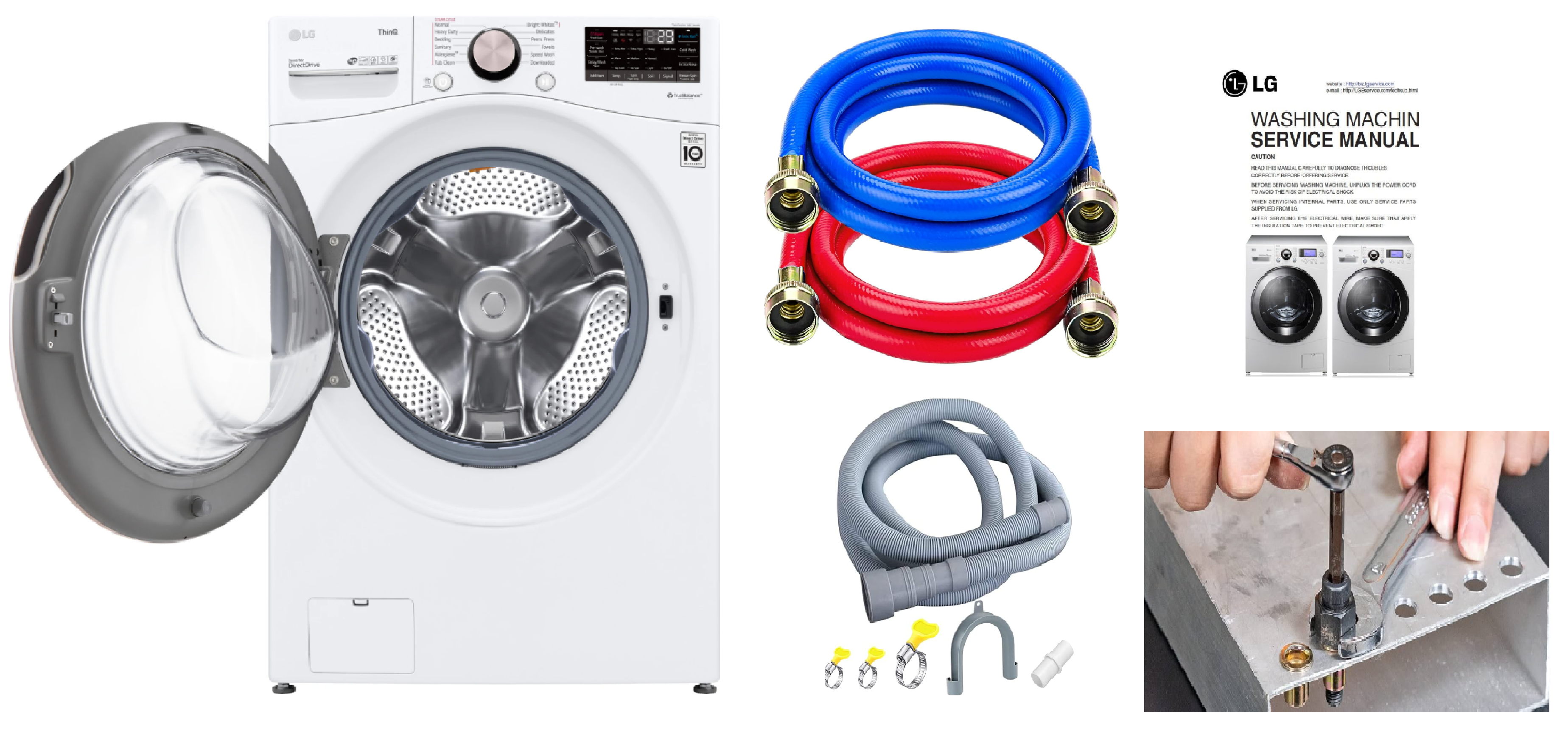
- LG WM4000HWA front load washer
- Two water inlet hoses (hot and cold, colour-coded)
- Drain hose with clamp
- Installation wrench and bolt hole covers
- Owner’s manual and quick start guide
Installation Summary
Installation should be performed by a qualified plumber or experienced DIYer.
- Remove shipping bolts: The rear panel has four shipping bolts that must be removed before use. Use the included wrench. Save the bolts for future moves. Insert the plastic bolt hole covers.
- Connect water hoses: Connect the red hose to the hot water tap and the blue hose to the cold water tap. Hand-tighten, then a quarter turn with pliers. Open both taps and check for leaks.
- Install drain hose: Attach the drain hose to the standpipe or laundry sink. The standpipe must be at least 29 inches high. Use the provided clamp to secure the hose.
- Level the washer: Adjust the four levelling legs until the washer is perfectly level (use a spirit level). Tighten the lock nuts. A level washer reduces vibration and noise.
- Plug in: Connect to a grounded 120V outlet (for US model). Turn on the washer by pressing Power.
First-Time Setup & ThinQ App
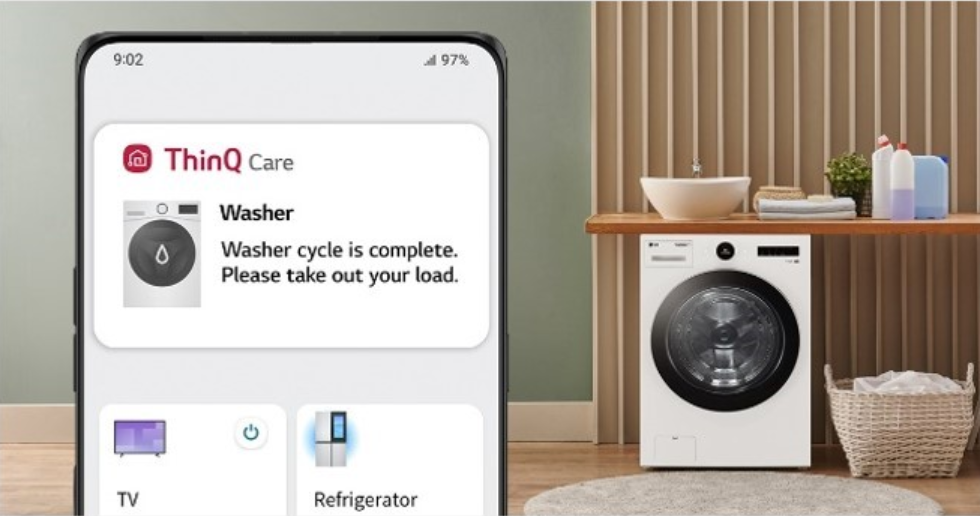
- Press Power. The display lights up. Select a cycle using the dial.
- To connect to Wi-Fi: Press and hold the Wi-Fi button (if equipped) or go to Settings > Wi-Fi on the display. Follow the on-screen prompts or use the LG ThinQ app.
- Download the LG ThinQ app on your phone. Create or sign in. Tap Add Device and select Washer. The app will guide you through connecting to the washer.
- Once connected, you can download cycles, start cycles remotely, and receive notifications.
Cycle Guide
| Cycle | Best For |
|---|---|
| Normal | Everyday cottons, mixed fabrics |
| Heavy Duty | Jeans, towels, heavily soiled items |
| Bedding | Comforters, blankets, sheets |
| Speed Wash | Lightly soiled small loads (about 30 min) |
| Delicates | Lingerie, blouses, sheer fabrics |
| Sanitary | Heavily soiled items, high temperature wash (kills bacteria) |
| Allergiene | Allergy sufferers; steam removes dust mites and pet dander |
| Tub Clean | Cleans the drum (run monthly with no clothes) |
Using Auto-Dispense (ezDispense)
- Open the detergent drawer. The left compartment is for liquid detergent, the middle for fabric softener, and the right is for manual detergent (if you prefer).
- Fill the detergent and softener compartments. The washer will automatically dispense the right amount per load.
- To disable auto-dispense and use manual, press the ezDispense button on the control panel.
Maintenance
- Tub Clean: Run the Tub Clean cycle monthly with a washing machine cleaner tablet or liquid chlorine bleach. This removes residue and odours.
- Clean the detergent drawer: Remove the drawer and rinse under warm water monthly. Wipe the drawer housing with a damp cloth.
- Clean the door seal: Wipe the rubber gasket after each use and leave the door slightly open to dry. Check for small items caught in the seal.
- Clean the drain pump filter: The filter is behind the small access door at the bottom left. Place a towel underneath, unscrew the filter slowly, and clean out debris. Do this every 2-3 months.
Troubleshooting & Common Problems
| Problem | Likely Cause | What to Try |
|---|---|---|
| Washer won’t start | Door not closed, or power issue | Press firmly on the door until it clicks. Check the circuit breaker. Ensure the washer is plugged in. |
| No water entering | Taps closed, or inlet filters clogged | Open both taps fully. Clean the inlet hose screens (small mesh filters inside the hose connectors). |
| Washer vibrates excessively | Unlevel, or shipping bolts not removed | Remove shipping bolts if still installed. Re-level the washer. Ensure it’s on a solid floor. |
| Water leaks from door | Door gasket dirty or torn | Clean the gasket. If torn, replace it. Ensure no clothing is caught between door and gasket. |
| Error code OE | Drain issue | Check drain hose for kinks. Clean the drain pump filter. Ensure the standpipe is not blocked. |
| Error code UE | Unbalanced load | Redistribute clothes evenly. For single heavy items (like a blanket), add a few towels to balance. |
| Wi-Fi not connecting | 2.4 GHz only, or router issue | The washer only supports 2.4 GHz. Temporarily disable 5 GHz on router, or use a separate 2.4 GHz guest network. Restart router and washer. |
| Odour from drum | Moisture buildup | Leave the door slightly open after use. Run Tub Clean with bleach or cleaner. Wipe the gasket. |
Frequently Asked Questions
- Does the WM4000HWA have a steam cycle?
Yes, steam is an option on select cycles (Normal, Heavy Duty, Allergiene). It reduces wrinkles and allergens. - Can I stack a dryer on top?
Yes, the washer is designed to be stacked with a compatible LG dryer using the LG stacking kit (sold separately). - How do I disable the chime?
Press and hold the Signal button (or go to Settings > Sound) to turn off the end-of-cycle chime. - What is TurboWash 360?
It’s a technology that uses four spray jets to reduce wash time by up to 30 minutes while maintaining cleaning performance. - Does the washer work with Alexa?
Yes, after linking the LG ThinQ skill in the Alexa app, you can use voice commands like “Alexa, start the washer.” - How often should I run Tub Clean?
Once a month, or more often if you notice odours.
Tips
- Use HE detergent: The washer is designed for high-efficiency (HE) detergent. Regular detergent creates too many suds and can cause errors.
- Load clothes loosely: Don’t overload; the drum should be about ¾ full. Overloading reduces cleaning and increases wear.
- Leave the door open after cycles: This prevents mould and mildew inside the drum.
- Update firmware: The LG ThinQ app will alert you to firmware updates. Keep the washer updated for new cycles and stability.
- Use the AI Fabric Sensor: Let the washer automatically select the best settings; you can override if needed.
Safety Information
- Electrical: Plug into a grounded outlet only. Do not use an extension cord.
- Water: Use new inlet hoses. Replace old hoses every 5 years. Turn off taps when not in use for long periods.
- Children: Keep the detergent drawer and door closed. Children can climb into the washer; supervise at all times.
- Fire: Do not wash items that have been in contact with flammable liquids.
- Ventilation: The washer should have adequate airflow around it. Do not install in a closet without proper ventilation.
Related Manuals
If this guide was helpful, here are a few more popular manuals from productsmanuals.com that you might find useful:
- Samsung Galaxy Watch 7 Manual – Health Sensors, Galaxy AI & Battery Tips
Master ECG, body composition, sleep apnea detection, and more. - LG Dual Inverter AC Manual – Remote, Self-Clean & Error Codes
Cool efficiently and fix blinking lights with simple steps. - iPhone 13 Manual – Settings, Camera & Hidden Features Guide
Explore Dynamic Island, Action button, and battery-health tricks. - Dell Inspiron 15 3520 Manual – Laptop Setup, Upgrades & Troubleshooting
Upgrade RAM and SSD, and fix common performance issues. - HP DeskJet 3755 Manual – Wireless Printer Setup & Common Fixes
Print, scan, and solve paper jams with clear step-by-step instructions.
Browse all guides at productsmanuals.com .
Copyright 2026 productsmanuals.com All rights reserved. This LG WM4000HWA washer manual is original content and may not be copied, republished, or redistributed without written permission. LG, ThinQ, TurboWash, and the LG logo are trademarks of LG Electronics. This guide is unofficial and not affiliated with LG.

[…] LG WM4000HWA Washer – TurboWash 360, ThinQ App & Troubleshooting Explore LG’s front-load washer with smart features and steam cleaning. […]
[…] LG WM4000HWA Manual – Setup, Cycles, Error Codes & Troubleshooting Guide […]
[…] LG WM4000HWA Manual – Setup, Cycles, Error Codes & Troubleshooting Guide […]