
Product Overview
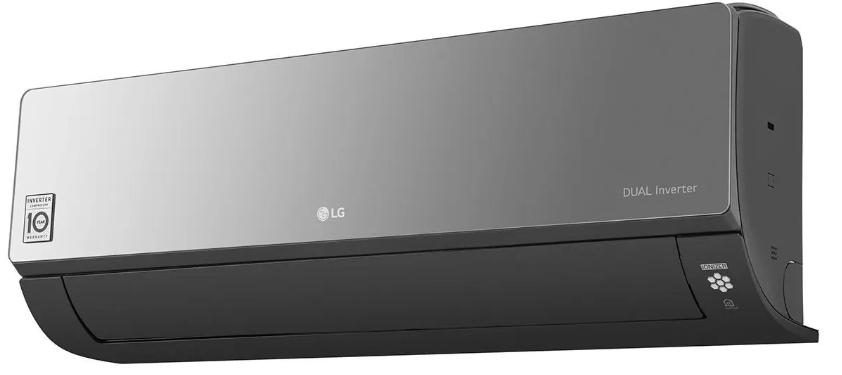
The LG Dual Inverter 1.5 Ton split air conditioner (Model LS-Q18CNZD) uses a variable-speed compressor to maintain the desired temperature with less energy and less noise. It cools rooms up to 180 square feet efficiently and runs on R-32 refrigerant. The unit includes a wireless remote, multiple cooling modes, and an auto-clean function to prevent mold. It operates quietly and has a 4-star energy rating.
Key Features
- Dual Inverter Compressor: The variable-speed motor adjusts cooling output continuously, which reduces electricity consumption, keeps temperature fluctuations small, and lowers noise compared to non-inverter models.
- 4-in-1 Convertible Cooling: You can adjust the cooling capacity to match the number of people in the room. This helps save energy when fewer occupants are present.
- Monsoon / Dry Mode: Dehumidifies the room during humid weather without overcooling. The fan runs at low speed while the compressor cycles on and off to pull moisture from the air.
- Auto Clean: After you turn off the AC, the indoor unit runs a short drying cycle to remove moisture from the evaporator coil. This prevents mold and bad odors.
- Low Gas Detection: The unit alerts you if refrigerant levels drop due to a leak. A specific error code or blinking LED sequence indicates the issue.
- Quiet Operation: In low fan speed, the indoor unit produces as little as 26 dB of noise, making it suitable for bedrooms.
- R-32 Refrigerant: More energy-efficient and environmentally friendly than older refrigerants like R-410A. The system is designed to handle it safely.
How to Use
What’s in the Box
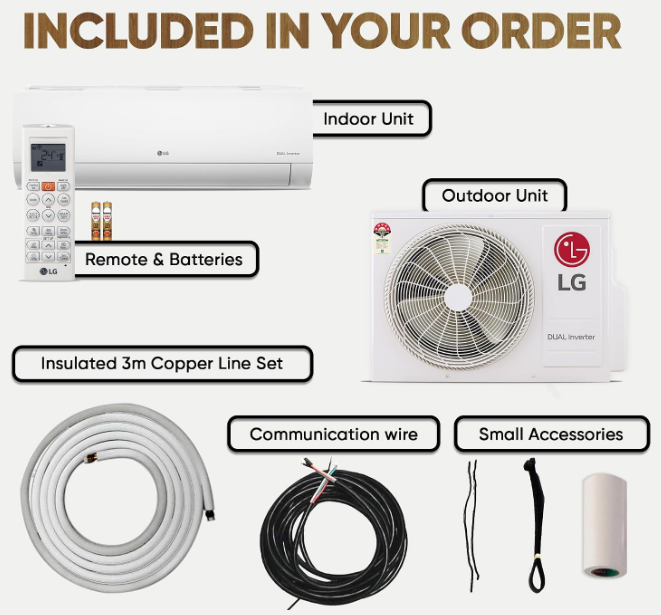
- Indoor wall-mounted unit (white, with a hidden digital display)
- Outdoor condenser unit (pre-charged with R-32 refrigerant)
- Wireless remote control (batteries included)
- Installation kit (copper pipes, drain hose, connecting cables) – handled by the technician
- User manual and warranty card
The AC must be installed by a qualified technician. Keep the outdoor unit in a shaded, well-ventilated area with at least 30 cm clearance on all sides.
Understanding the Remote Control
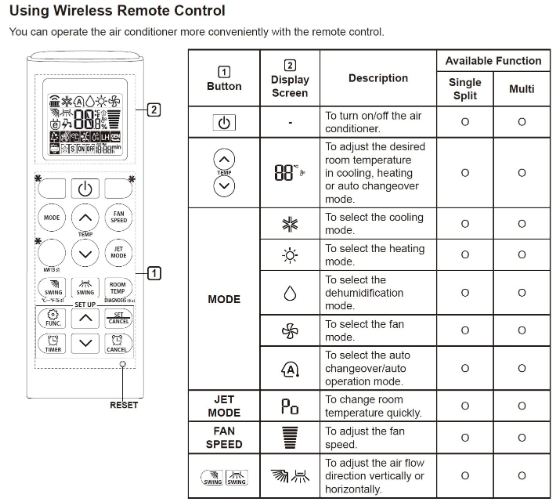
The remote is your primary interface. Here are the essential buttons:
| Button | Function |
|---|---|
| Power | Turns the AC on or off. |
| Mode | Cycles through Cool (snowflake), Dry (water drop), Fan (fan blades), and Auto (automatic mode selection). |
| Temp ▲/▼ | Sets the desired temperature (16–30 °C in Cool mode). |
| Fan Speed | Chooses Low, Medium, High, or Auto fan speed. Auto adjusts the fan based on the temperature difference. |
| Swing (▲▼) | Starts or stops the vertical louvers (up/down movement). |
| Swing (◄►) | Starts or stops the horizontal louvers (left/right movement). |
| Energy Saving | Limits power consumption. The compressor runs at a reduced capacity to save electricity. |
| Timer | Sets a delayed start or stop. Use the ▲/▼ arrows to set hours (1-24). |
| Auto Clean | Starts the self-cleaning cycle after cooling. Press and hold for about 3 seconds. |
| Jet Mode | Fast cooling at maximum fan speed for 30 minutes. |
First-Time Operation
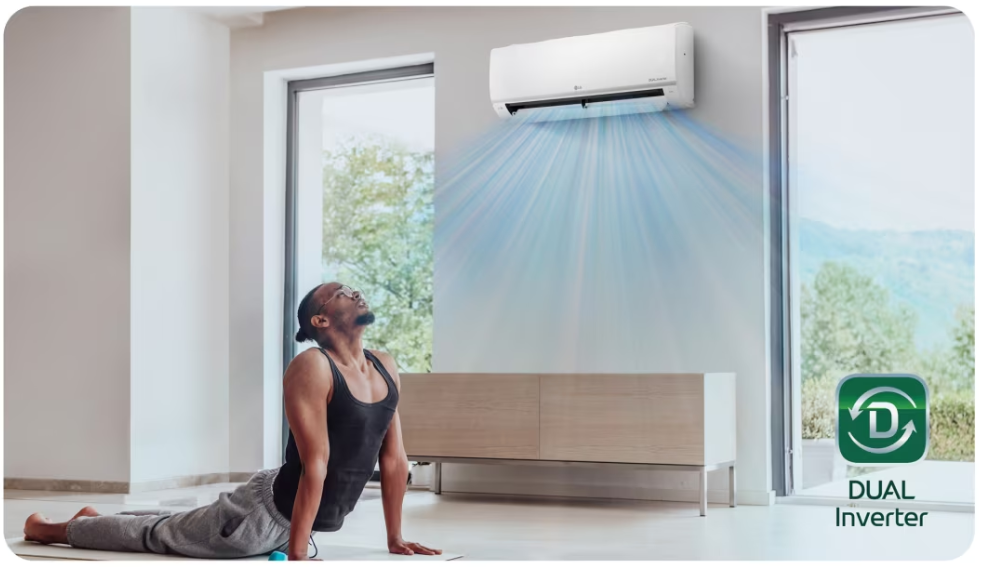
- After installation, insert the batteries into the remote. Point the remote at the indoor unit and press Power. The unit will beep and the louvers will open.
- Press Mode until the snowflake icon appears. Set the temperature to 24 °C for a comfortable start.
- Press Fan Speed to Auto. The AC will adjust the airflow based on the room temperature.
- If the room is very hot, press Jet Mode to quickly bring down the temperature. The AC will return to normal settings after 30 minutes.
Cleaning the Air Filters
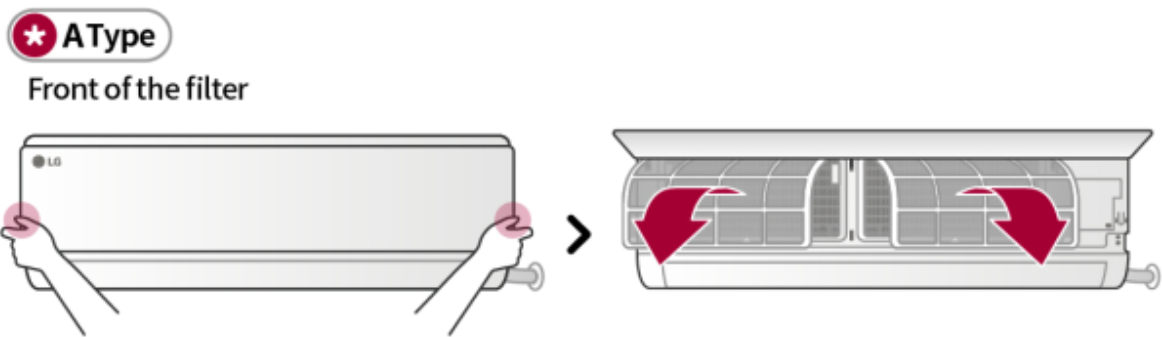
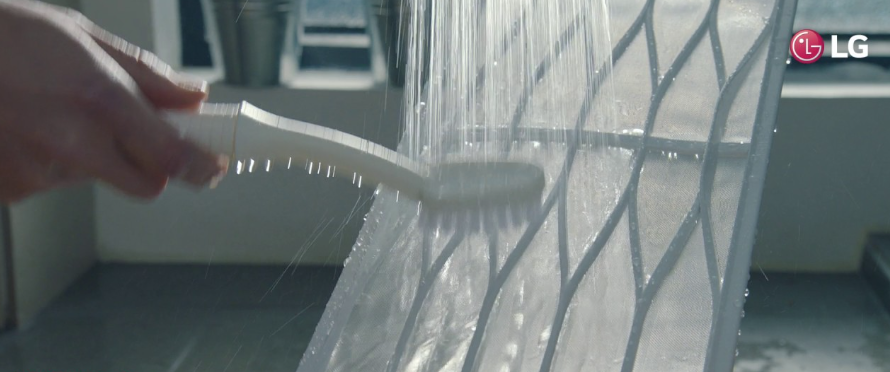
Clean the filters every 2 weeks during heavy use.
- Turn off the AC and unplug the outdoor unit (or switch off the breaker).
- Lift the front panel from both sides until it clicks open.
- Slide out the two rectangular filters. Rinse them under lukewarm water. Use a soft brush and mild soap if very dirty.
- Dry the filters completely in the shade before reinstalling. Never run the AC without filters.
Troubleshooting & Common Problems
| Problem | Likely Cause | What to Try |
|---|---|---|
| AC not cooling enough | Dirty filter or low refrigerant | Clean the filters. Check that the outdoor unit is running. If the air is still warm, a technician should check the refrigerant level. |
| Remote not working | Dead batteries or blocked sensor | Replace the AAA batteries. Point the remote directly at the receiver on the indoor unit. |
| Water leaking from indoor unit | Clogged drain pipe | Pour a cup of warm water mixed with a tablespoon of vinegar down the drain pipe. Ensure the unit is mounted level. |
| AC turns on and off frequently | Thermostat setting, or unit oversized for the room | Clean the filter. The inverter cycles the compressor off when the room reaches the set temperature; this is normal. If it cycles every few minutes, the unit may be oversized. |
| Display light blinking continuously | Error code | Count the number of blinks. Common codes: 1 blink (indoor room temp sensor), 2 blinks (indoor coil sensor), 3 blinks (communication error). Power cycle the unit. If it persists, contact LG. |
| Bad smell from indoor unit | Mold or clogged drain | Run the Auto Clean function. Clean the filters. If the smell persists, the evaporator coil may need professional cleaning. |
Frequently Asked Questions
- What is the Dual Inverter technology?
It’s a variable-speed compressor that adjusts its speed to maintain the set temperature without frequent on/off cycles. This saves energy and reduces noise. - Does the AC work on an inverter or generator?
Yes, the inverter compressor handles voltage fluctuations well. For generator use, ensure the generator’s output is stable and the breaker is rated correctly. - How often should I service the AC?
Clean the filters every 2 weeks. Have a professional service the unit once a year (coil cleaning, refrigerant check, electrical connections). - Can I use the AC in winter?
This model is cooling-only. It does not have a heat pump. If you need heating, look for a hot/cool model. - What does the Auto Clean function do?
It runs a short drying cycle after the AC is turned off, removing moisture from the indoor unit to prevent mold and odors. - What is the difference between Dry mode and Cool mode?
Dry mode dehumidifies the room with minimal cooling. The fan runs at low speed, and the compressor cycles on and off. Cool mode runs the compressor and fan at the set temperature to cool the room.
Tips
- Use Energy Saving mode: Press the Energy Saving button to reduce power consumption by limiting the compressor’s maximum capacity.
- Close doors and windows: This helps the AC cool the room faster and maintain temperature efficiently.
- Clean the outdoor unit: Remove leaves and debris from the outdoor unit’s coils. A clean condenser improves efficiency.
- Set a comfortable temperature: 24-25 °C is recommended for a balance of comfort and energy efficiency.
- Use the timer: Set the AC to turn on 30 minutes before you arrive home, and turn off an hour before you wake up.
Safety Information
- Installation: The AC must be installed by a qualified technician. The outdoor unit should be placed on a stable surface with proper clearance for airflow.
- Electrical: Connect the AC to a dedicated circuit with a properly rated breaker. Do not use an extension cord.
- Refrigerant: The unit contains R-32 refrigerant, which is mildly flammable under certain conditions. Do not puncture or expose the outdoor unit to open flames.
- Cleaning: Turn off the AC and unplug it (or switch off the breaker) before cleaning. Do not spray water directly on the indoor unit.
- Children and pets: Keep the remote control out of reach. The indoor unit’s louvers can pinch fingers.
Related Manuals
If this guide was helpful, here are a few more popular manuals from productsmanuals.com that you might find useful:
- Samsung Galaxy Watch 7 Manual – Health Sensors, Galaxy AI & Battery Tips
Master ECG, body composition, sleep apnea detection, and more. - Haier Super T3 AC Manual – Remote, Self-Clean & Error Codes
Cool efficiently and fix blinking lights with simple steps. - iPhone 12 mini Manual – Settings, Camera & Hidden Features Guide
Explore Dynamic Island, Action button, and battery-health tricks. - Samsung Galaxy S22 Manual – S Pen, 200 MP Camera & Galaxy AI
Get the most from the 200 MP sensor, Space Zoom, and built-in S Pen. - Dell Inspiron 15 3520 Manual – Laptop Setup, Upgrades & Troubleshooting
Upgrade RAM and SSD, and fix common performance issues.
Browse all guides at productsmanuals.com .
Copyright 2026 productsmanuals.com All rights reserved. This LG Dual Inverter LS-Q18CNZD manual is original content and may not be copied, republished, or redistributed without written permission. LG, Dual Inverter, and the LG logo are trademarks of LG Electronics. This guide is unofficial and not affiliated with LG.

[…] LG Dual Inverter AC Manual – Remote, Self‑Clean & Error Codes Cool efficiently and fix blinking lights with simple steps. […]
[…] LG Dual Inverter AC Manual – Remote, Self‑Clean & Error Codes Cool efficiently and fix blinking lights with simple steps. […]
[…] LG Dual Inverter AC Manual – Remote, Self-Clean & Error Codes Cool efficiently and fix blinking lights with simple steps. […]