
Introduction
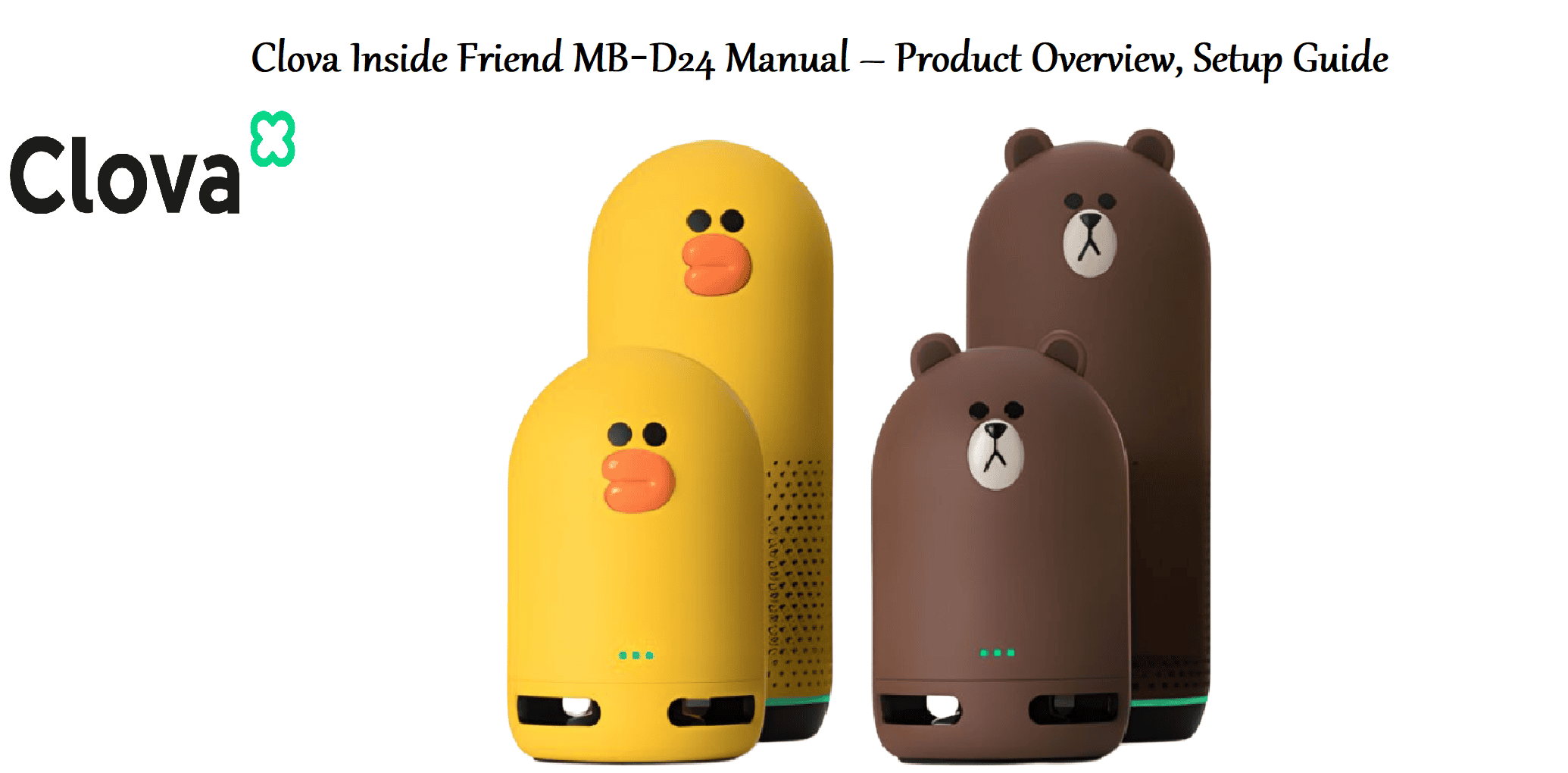
The Clova Inside Friend MB‑D24 is a compact smart speaker powered by Naver’s Clova AI platform. It acts as a voice‑controlled assistant for playing music, setting alarms, checking the weather, and controlling compatible smart home devices. With a single full‑range driver and a far‑field microphone array, it hears you from across the room. The speaker connects via Wi‑Fi and Bluetooth, and it supports LINE Music, Naver VIBE, and other streaming services. It’s designed for Korean‑speaking households but works in other languages with limited functionality.
Product Overview
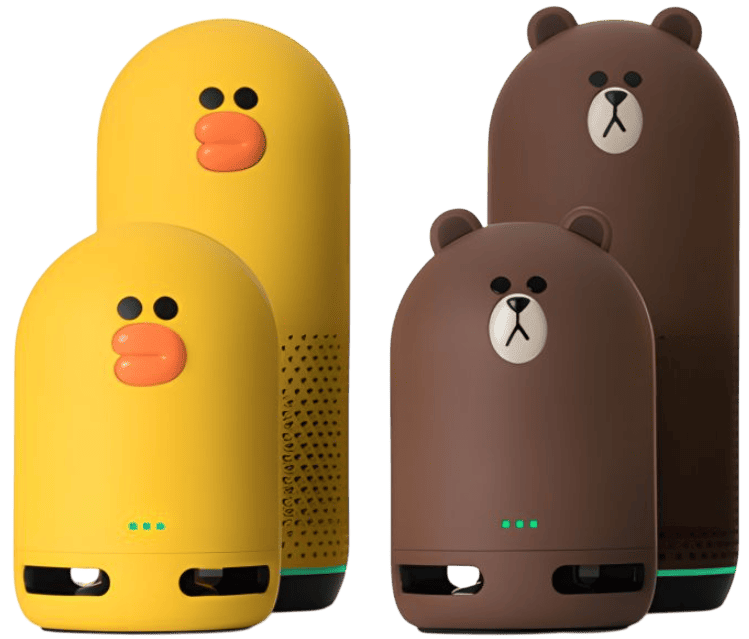
The MB‑D24 is a small, fabric‑wrapped cylinder with a simple LED ring on top that indicates Alexa/Clova status. It has physical buttons for volume and microphone mute. The speaker uses an AC power adapter (included) and stays plugged in at all times. It’s primarily controlled by voice, though the Clova app offers additional settings, routines, and music controls. It can also act as a Bluetooth speaker for phones and tablets.
Key Features
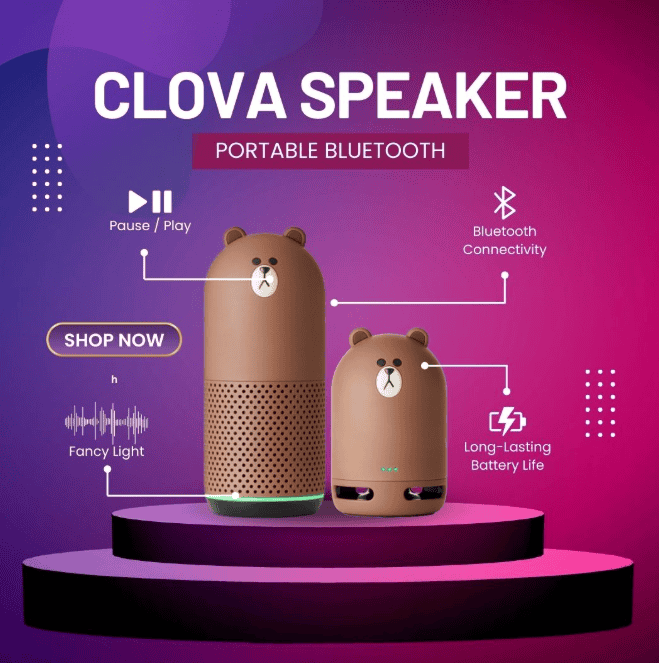
- Clova AI Assistant: Built‑in Korean‑language voice assistant (with some English support). Ask questions, set timers, get weather and news updates.
- Voice‑Controlled Music: Plays songs from Naver VIBE, LINE Music, Bugs, and other supported streaming services. You can also listen to podcasts and radio.
- Far‑Field Microphones: Two microphones with noise reduction pick up your voice from across the room, even while music is playing.
- Bluetooth Speaker Mode: Stream audio directly from your phone or tablet when Wi‑Fi is unavailable or you prefer a direct connection.
- Smart Home Control: Works with Clova‑compatible lights, plugs, and switches. Use voice commands to turn devices on/off.
- Customizable LED Ring: The ring glows different colours to indicate status: blue for listening, red for muted microphone, green for incoming call, etc.
- Compact Design: Small footprint fits on a bedside table, kitchen counter, or desk.
How to Use
What’s in the Box
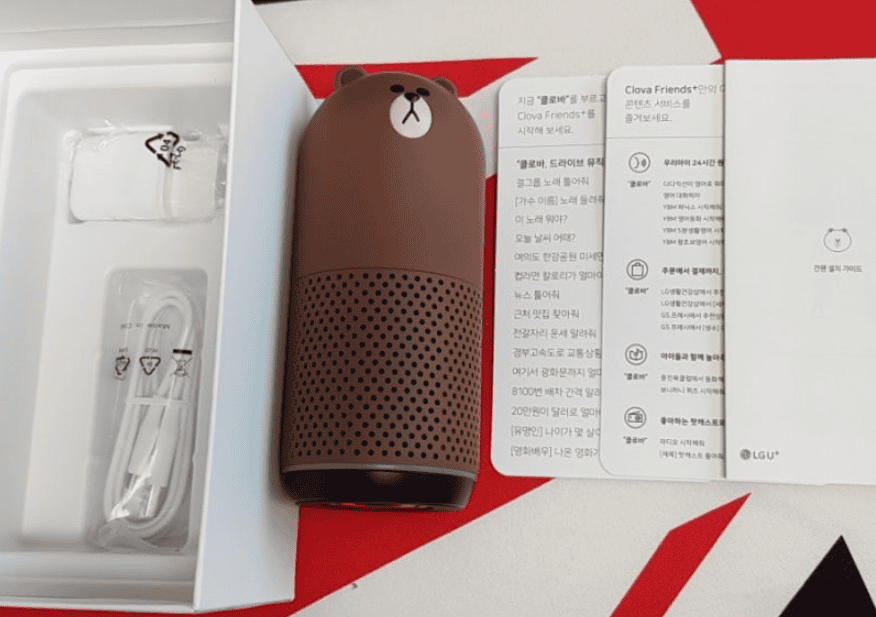
- Clova Inside Friend MB‑D24 smart speaker
- AC power adapter (5 V / 2 A, region‑specific plug)
- Quick‑Start Guide and warranty card
No additional cables or batteries required. The speaker is not battery‑powered; it must be plugged in to work.
Physical Buttons & Ports
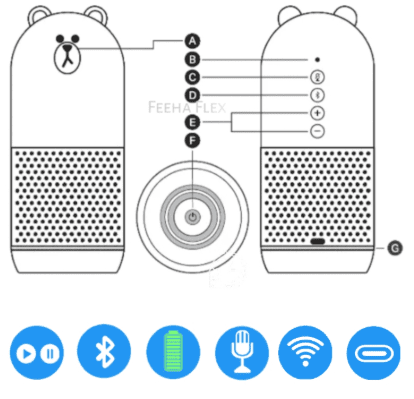
| Component | Location | Function |
|---|---|---|
| Volume + | Top | Increase speaker volume. |
| Volume – | Top | Decrease speaker volume. |
| Microphone mute | Top | Press to mute/unmute the microphones. The LED ring glows red when muted. |
| Action button | Top | Press to wake Clova without saying the wake word. Press and hold for 8 seconds to enter Wi‑Fi setup mode. |
| Power port | Rear | DC barrel jack for the included adapter. |
| Reset button (recessed) | Bottom | Use a paperclip to press and hold for 10 seconds to factory reset. |
First‑Time Setup & Wi‑Fi Connection
- Plug the AC adapter into the speaker and a wall outlet. The LED ring will pulse orange, indicating setup mode. If it doesn’t, press and hold the Action button for 8 seconds until the ring pulses orange.
- Download the Clova app on your smartphone (iOS or Android). Sign in with your Naver account or create one.
- In the app, tap “Add a device” and select Clova Inside Friend MB‑D24. The app will guide you through connecting the speaker to your 2.4 GHz Wi‑Fi network. Enter your Wi‑Fi password when prompted.
- Once connected, the LED ring will turn solid blue briefly, then turn off. The speaker is now ready. Say “Clova” (or “Hey Clova”) to wake it.
- The app will ask you to set up your preferred music services, location, and news sources.
Voice Commands
The wake word is “Clova” (or “헤이 클로바” in Korean). The LED ring glows blue when Clova is listening. Here are common commands:
- “Clova, play some music.” – Starts a personalized music mix from your linked service.
- “Clova, set a timer for 10 minutes.” – Sets a timer.
- “Clova, what’s the weather today?” – Gives current weather and forecast.
- “Clova, turn on the bedroom light.” – Controls compatible smart lights (requires setup in the Clova app).
- “Clova, call Mom.” – Makes a voice call to another Clova device or the Clova app (LINE integration).
- “Clova, tell me the news.” – Plays the latest news from your selected sources.
Using as a Bluetooth Speaker
If you want to play audio from your phone without Wi‑Fi:
- Press and hold the Action button for 5 seconds until the LED ring blinks blue rapidly.
- On your phone, open Bluetooth settings and select “Clova Inside Friend MB‑D24” from the device list.
- Once paired, the LED will turn solid blue for a moment. Audio from your phone will now play through the speaker. To disconnect, turn off Bluetooth on your phone.
Resetting the Speaker
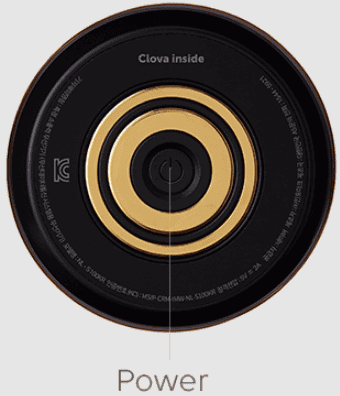
Soft restart: Unplug the power adapter, wait 10 seconds, and plug it back in. Settings are retained.
Factory reset (clear Wi‑Fi and all data): With the speaker powered on, use a paperclip to press and hold the recessed Reset button on the bottom for about 10 seconds. The LED ring will flash orange and the speaker will restart. You’ll need to set it up again in the Clova app.
Troubleshooting & Common Problems
| Problem | Likely Cause | What to Try |
|---|---|---|
| Speaker won’t respond to “Clova” | Microphone muted, or wrong wake word | Check that the microphone is not muted (LED ring should not be red). The wake word is “Clova” (or “헤이 클로바”). Speak clearly. |
| LED ring solid red | Microphone is muted | Press the microphone mute button on top. The LED will turn off. |
| Wi‑Fi connection fails (orange ring persists) | Wrong network or password | Check that your Wi‑Fi network is 2.4 GHz (the speaker does not support 5 GHz). Temporarily disable 5 GHz on your router if the network name is the same for both bands. Restart your router and try again. |
| Music stops playing randomly | Network drop, or timer/alarm went off | Check your Wi‑Fi stability. Ask “Clova, what timers are set?” – a timer ending may have interrupted playback. |
| Bluetooth won’t connect | Speaker already connected to another device, or not in pairing mode | Turn off Bluetooth on previously connected devices. Put the speaker in pairing mode (hold Action button 5 seconds until LED blinks blue). |
| Speaker makes a crackling noise | Interference, or hardware fault | Move the speaker away from routers and other electronic devices. Unplug for a minute and plug back in. If the noise persists, contact support. |
Frequently Asked Questions
- Can I use the Clova Inside Friend MB‑D24 outside of Korea?
Yes, the hardware works anywhere, but many Clova services (Naver VIBE, LINE Music, news, etc.) are region‑specific and primarily in Korean. You can still use Bluetooth mode and some basic voice commands. - Is it compatible with Alexa or Google Assistant?
No, the MB‑D24 runs Clova AI only. It does not support third‑party assistants. - Can I pair two speakers for stereo sound?
No, the MB‑D24 does not support stereo pairing. - How do I change the wake word?
In the Clova app, go to Device Settings > Wake Word. You can choose “Clova” or “헤이 클로바.” - What streaming services are supported?
Naver VIBE, LINE Music, Bugs, and podcasts. Spotify is not natively supported on this model. - How do I adjust the bass and treble?
In the Clova app, go to Device Settings > Equaliser and adjust the bass and treble sliders.
Tips
- Place the speaker centrally: For the best voice recognition, put the speaker on an open surface, at least 20 cm from walls and away from noisy appliances.
- Create a morning routine: In the Clova app, set up a Routine that reads the weather, news, and turns on lights when you say “Clova, good morning.”
- Use Bluetooth for private listening: When you want to listen without activating Clova, use Bluetooth mode. The microphone stays active for calls, but Clova won’t respond to accidental commands.
- Keep firmware updated: The Clova app will notify you of firmware updates. Keep the speaker updated for the latest features and security patches.
Safety Information
- Power adapter: Use only the included adapter (5 V / 2 A). Using a different adapter may damage the speaker.
- Placement: The speaker is not water‑resistant. Keep it away from sinks, bathtubs, and outdoor elements.
- Ventilation: The speaker has a fabric cover. Do not block the speaker grille or place the speaker in a closed cabinet.
- Microphone mute: The physical microphone mute button completely disconnects the microphone. The red LED ring indicates mute status.
- Cleaning: Unplug the speaker before cleaning. Wipe with a soft, dry cloth. Do not use liquids or sprays.
- Children: The speaker contains small parts and is not a toy. Keep out of reach of small children.
Related Manuals
If this guide was helpful, here are a few more popular manuals from productsmanuals.com that you might find useful:
- Samsung Galaxy Watch 7 Manual – Health Sensors, Galaxy AI & Battery Tips
Master ECG, body composition, sleep apnea detection, and more. - Amazon Echo Dot 5th Gen Manual – Alexa Setup, Wi‑Fi Tips & Common Fixes
Get the most from your smart speaker with routines, privacy controls, and more. - iPhone XS Max Manual – Settings, Camera & Hidden Features Guide
Explore Dynamic Island, Action button, and battery‑health tricks. - Dell Inspiron 15 3520 Manual – Laptop Setup, Upgrades & Troubleshooting
Upgrade RAM and SSD, and fix common performance issues. - HP DeskJet 3755 Manual – Wireless Printer Setup & Common Fixes
Print, scan, and solve paper jams with clear step‑by‑step instructions.
Browse all guides at productsmanuals.com .
Copyright 2026 productsmanuals.com . All rights reserved. This Clova Inside Friend MB‑D24 manual is original content and may not be copied, republished, or redistributed without written permission. Clova, Naver, and the Clova logo are trademarks of Naver Corporation. This guide is unofficial and not affiliated with Naver.
