
Introduction
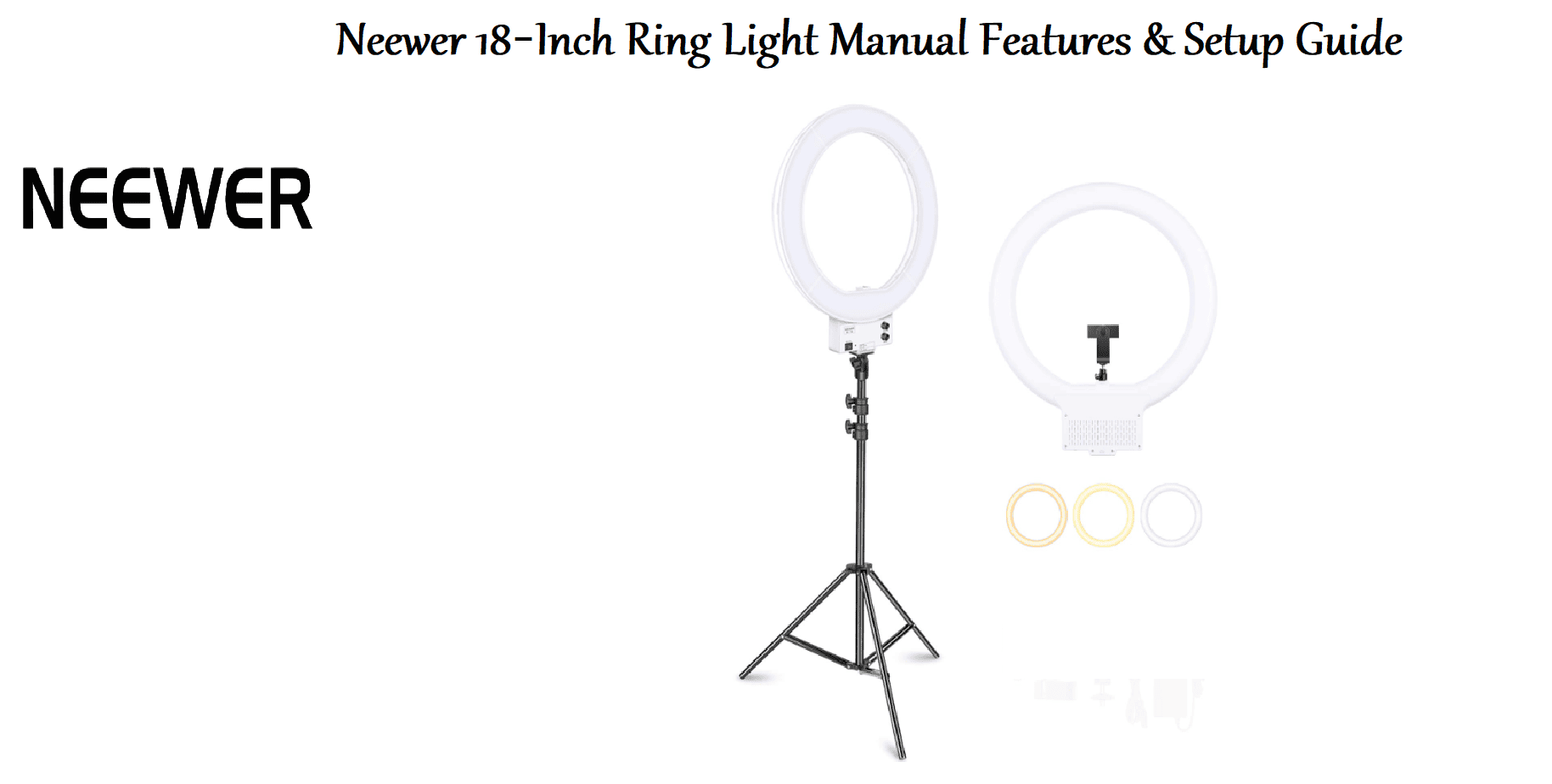
The Neewer 18‑inch LED ring light is a versatile lighting tool used by vloggers, makeup artists, and photographers to create soft, even illumination with a flattering circular catchlight in the eyes. It features a dimmable LED panel, colour temperature adjustment, a sturdy tripod, and multiple mounting options for phones and cameras. This guide covers assembly, settings, and common fixes.
Product Overview
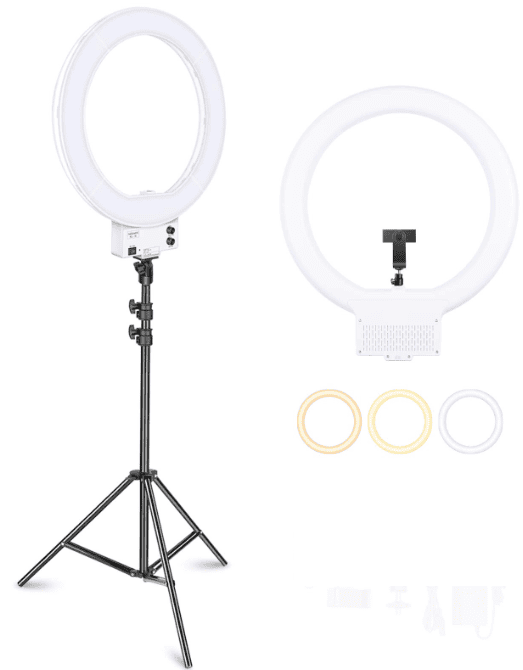
The Neewer 18‑inch ring light (Model 10086097) is an outer 18‑inch (46 cm) diameter LED light powered by an AC adapter. It includes a 61‑inch (155 cm) aluminium tripod stand, a phone holder, a camera ball head mount, and a Bluetooth remote shutter. The light panel is dimmable from 1 % to 100 % and offers three colour modes: warm (3200 K), natural (4500 K), and cool (5600 K). The light is controlled via a wired inline controller. It works for YouTube videos, TikTok, makeup tutorials, video calls, and product photography.
Key Features
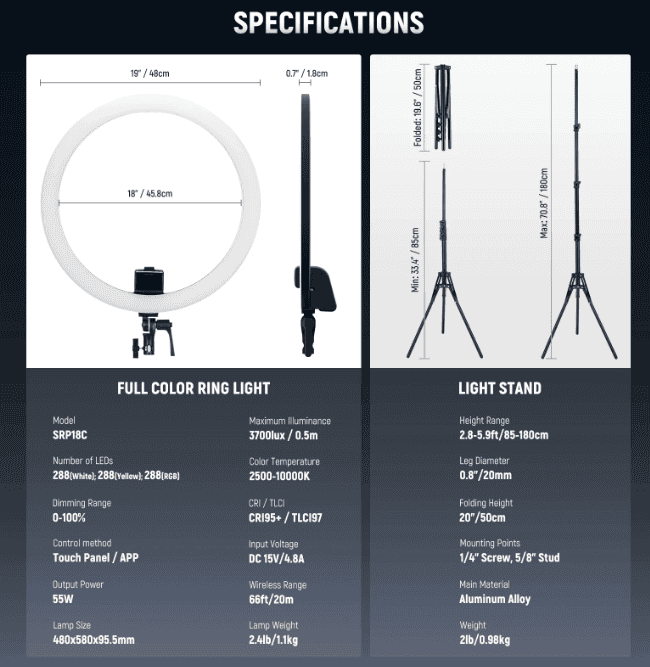
- 18‑Inch Dimmable LED Ring: 240 high‑CRI LEDs produce flicker‑free, natural‑looking light. Brightness can be adjusted smoothly from very dim to full power using the inline controller.
- 3 Colour Modes: Choose warm white (3200 K), natural white (4500 K), or cool white (5600 K). Each mode can be dimmed independently.
- Sturdy Tripod: The 61‑inch aluminium tripod extends from 45 cm to 155 cm (17.7 in to 61 in). It has a centre column and a locking mechanism at each joint. A carry bag is often included.
- Phone & Camera Mounts: The kit includes a universal phone holder (spring‑loaded, fits most smartphones) and a 1/4‑inch ball head for DSLR/mirrorless cameras. Both attach to the central hot‑shoe mount on the ring.
- Bluetooth Remote Shutter: A small wireless remote pairs with your phone to take photos or start/stop video without touching the screen. It uses a CR2032 battery (included).
- 180 ° Swivel Head: The ring can tilt forward or backward, allowing you to angle the light for the best look.
How to Use
What’s in the Box
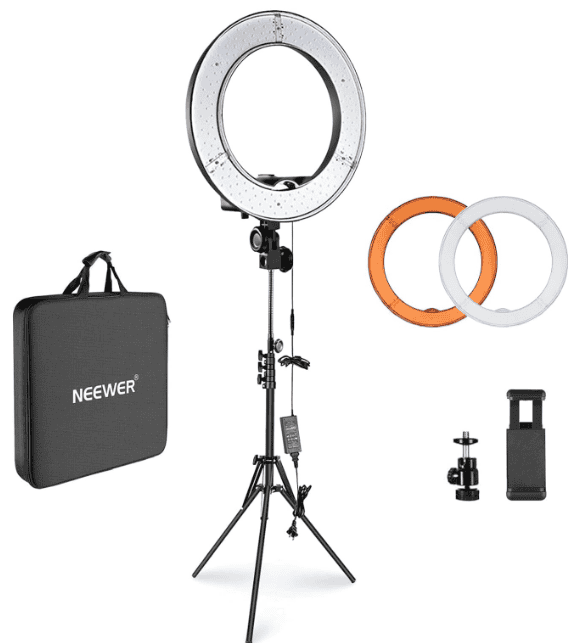
- 18‑inch LED ring light panel (with a 6‑foot AC power cable and inline controller)
- 61‑inch aluminium tripod stand (folded)
- Universal phone holder (spring‑loaded clamp)
- 1/4‑inch ball head mount for cameras
- Bluetooth remote shutter (CR2032 battery pre‑installed)
- AC power adapter (12 V / 2 A)
- User manual and warranty card
Assembly
- Set up the tripod: Loosen the leg locks, extend the legs to the desired height, and retighten. Spread the legs evenly. The centre column can be raised using the crank handle.
- Attach the ring light: The tripod has a standard 1/4‑inch screw on top. Align the threaded hole on the bottom of the ring light (or on its mounting bracket) and screw it onto the tripod until tight.
- Install the phone or camera holder: Slide the phone holder or ball head onto the cold‑shoe mount at the very centre of the ring. Tighten the locking screw.
- Power on: Plug the AC adapter into a wall outlet and connect the barrel connector to the inline controller. The controller has an On/Off switch, a brightness dial, and a mode switch (Warm / Natural / Cool).
Using the Light Controls
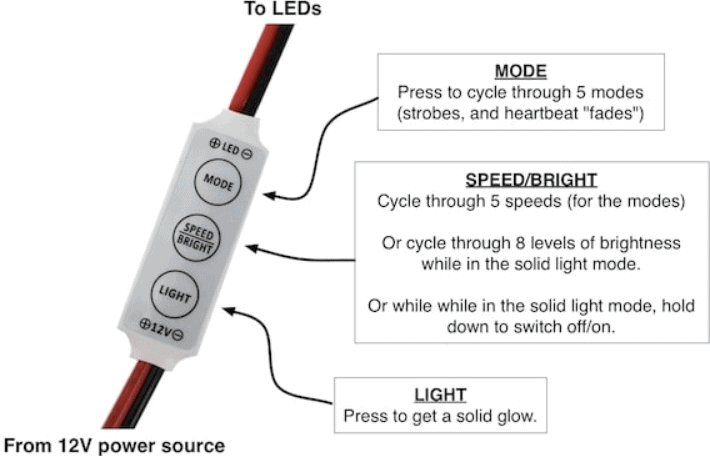
- Power: Flip the switch to turn the light on/off. There’s a small LED indicator on the controller.
- Colour mode: Slide the three‑position switch to select Warm (W) , Natural (N) , or Cool (C) . The LEDs will change colour temperature.
- Brightness: Turn the knob clockwise to brighten, counter‑clockwise to dim. The knob has a very wide range – you can go from a very subtle glow to full brightness. The light does not have preset stops; it’s a continuous dimmer.
Bluetooth Remote Shutter
- Slide the battery tab to activate the remote (or open the battery cover and ensure a CR2032 battery is inserted).
- On your phone, open Bluetooth settings. Turn on Bluetooth. Search for a device named “AB Shutter 3” (or similar). Pair it.
- Open your camera app or any app that uses the volume button as a shutter (most camera apps, Instagram, TikTok). Press the iOS/Android button on the remote (the switch selects which system). The phone will take a photo or start/stop video.
- The remote does not need to be paired again for future use; it will reconnect automatically when Bluetooth is on.
Positioning for Best Results
- Makeup/Portraits: Position the ring light directly in front of you at eye level. Sit about 1 metre away. Use warm or natural white light for a pleasing skin tone.
- Vlogging: Place the phone in the centre holder. The ring creates a soft, even light on your face with a circular catchlight in your eyes.
- Product Photos: Angle the light slightly above and in front of the product to avoid harsh shadows. Experiment with brightness and colour mode.
Troubleshooting & Common Problems
| Problem | Likely Cause | What to Try |
|---|---|---|
| Light won’t turn on | No power, or controller switch off | Check that the AC adapter is securely plugged into the wall and the barrel connector is fully inserted into the controller. Flip the switch on the controller. |
| Light flickers or blinks | Loose connection, or adapter faulty | Unplug and re‑plug both ends of the power cable. Try a different wall outlet. If flickering continues, the adapter may be failing. |
| Brightness doesn’t change | Knob issue, or mode switch is between positions | Turn the knob fully to the right. Make sure the mode switch is fully clicked into one of the three positions (not stuck between). |
| Bluetooth remote won’t pair | Battery dead, or already connected to another phone | Replace the CR2032 battery. Turn off Bluetooth on other phones. In your phone’s Bluetooth settings, forget the “AB Shutter 3” device and re‑pair. |
| Phone holder is loose or won’t grip | Spring mechanism stiff or obstructed | Check that the spring clamp moves freely. If the phone is very heavy, position the holder so the phone sits vertically; the spring tension is stronger in that orientation. |
| Tripod wobbles | Legs not locked, or centre column too high | Ensure all leg locks are tightened. Lower the centre column if fully extended – a lower centre of gravity is more stable. |
Frequently Asked Questions
- Can I use the ring light without the tripod?
Yes, the ring light has a standard 1/4‑inch thread that fits most tripods, light stands, and desk‑mount arms. You can remove it from the included tripod and mount it elsewhere. - Is the light suitable for video conferencing all day?
Yes, at lower brightness settings the LEDs produce very little heat and are comfortable for extended use. The natural white mode is the best for video calls. - Can I replace the LED bulbs?
No, the LEDs are integrated into the panel and not user‑replaceable. The panel is designed to last for tens of thousands of hours. - How do I clean the ring light?
Unplug the light and wipe the panel gently with a dry microfiber cloth. Do not use water or cleaning sprays. Dust the tripod legs with a dry cloth. - Does the phone holder fit large phones like the iPhone Pro Max or Galaxy Ultra?
Yes, the spring‑loaded clamp extends wide enough to hold phones up to about 4 inches wide, which covers most large phones, even with a case. Just ensure it’s gripped securely. - Can I use the ring light as a reading lamp?
It’s very bright at full power and designed for camera use. At its lowest brightness setting with warm light, it can work as a gentle reading light, but it’s not ideal due to its circular shape and large size.
Tips
- Use the remote for selfies: Pair the Bluetooth shutter and set your phone on the tripod. Step back and press the remote to take hands‑free photos.
- Soften shadows with distance: The closer the ring light is to your subject, the softer the shadows. For a more dramatic look with sharper shadows, move the light farther away.
- Avoid max brightness for close‑ups: For close‑up makeup tutorials, keep the brightness around 50‑60 % to prevent squinting and overexposure.
- Secure the tripod on uneven floors: If the floor is slightly uneven, adjust individual leg lengths (instead of using the centre column) to level the light.
Safety Information
- Power adapter: Use only the included 12 V / 2 A adapter. Using a higher voltage adapter can permanently damage the LEDs.
- Tripod: Always ensure the tripod legs are fully locked before mounting the light. The ring light is lightweight, but an unlocked leg can cause the whole setup to tip.
- Heat: The LEDs generate very little heat, but after hours of continuous use at full brightness, the panel may become warm. This is normal. Do not cover the back of the panel, as it dissipates heat.
- Eyes: Do not stare directly into the LEDs at close range for long periods at full brightness. It can cause eye discomfort.
- Children: The light is not a toy. Keep the remote (choking hazard) and the tripod out of reach of small children.
Related Manuals
If this guide was helpful, here are a few more popular manuals from productsmanuals.com that you might find useful:
- Samsung Galaxy Watch 7 Manual – Health Sensors, Galaxy AI & Battery Tips
Master ECG, body composition, sleep apnea detection, and more. - iPhone Air A3312 Manual – Settings, Camera & Hidden Features Guide
Explore Dynamic Island, Action button, and battery‑health tricks. - Gigabyte AORUS 15G Manual – Laptop Setup, Upgrades & Troubleshooting
Upgrade RAM and SSD, and fix common performance issues. - Xiaomi Electric Scooter 4 Pro Manual – Folding, Battery & App Setup
Get the most range and smoothest ride from your commuter scooter. - HP DeskJet 3755 Manual – Wireless Printer Setup & Common Fixes
Print, scan, and solve paper jams with clear step‑by‑step instructions.
Browse all guides at productsmanuals.com .
Copyright 2026 productsmanuals.com All rights reserved. This Neewer 18‑inch ring light manual is original content and may not be copied, republished, or redistributed without written permission. Neewer and the Neewer logo are trademarks of Neewer Technology. This guide is unofficial and not affiliated with Neewer.
