
Introduction
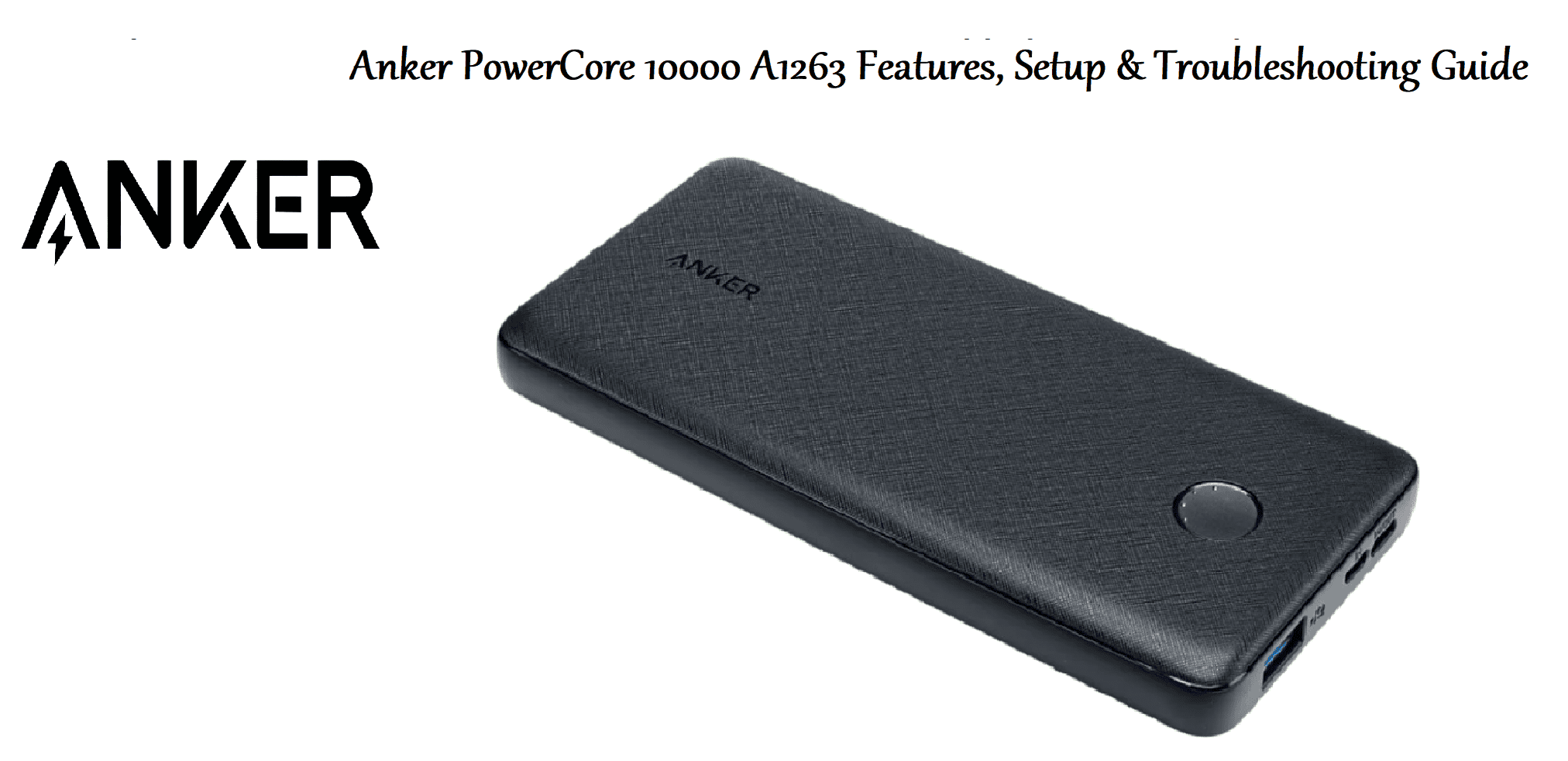
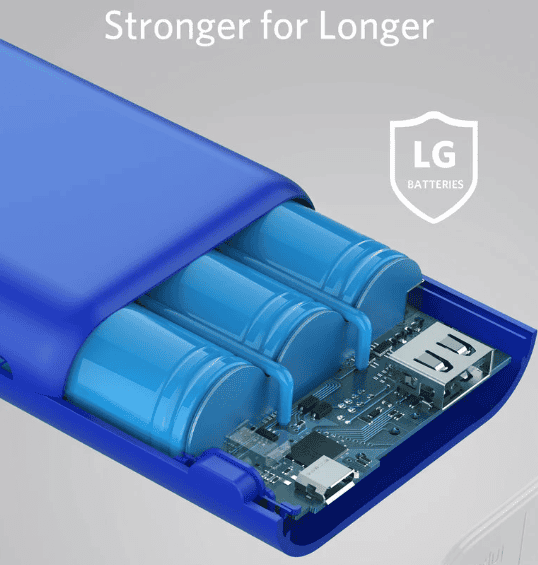
The Anker PowerCore 10000 is a compact, lightweight portable charger that holds enough power to refill your phone about two to three times. It uses a high‑capacity 10,000 mAh lithium‑polymer battery, supports fast charging up to 12 W, and includes a Micro‑USB input and a USB‑A output. It’s small enough to slip into a pocket or bag and includes Anker’s MultiProtect safety system.
Product Overview
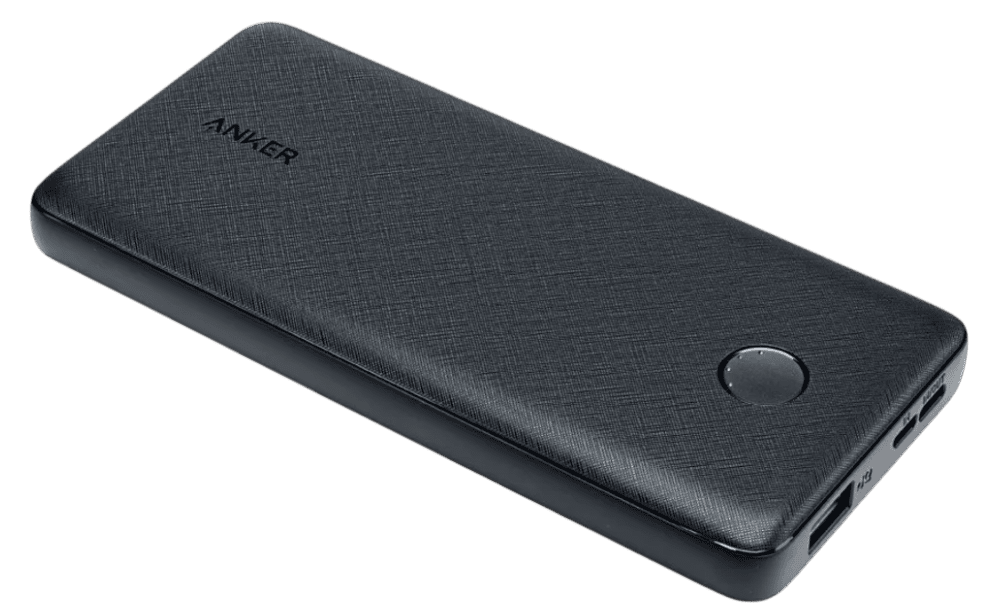
The PowerCore 10000 (model A1263) is shaped like a slightly thick smartphone, with a soft matte finish and rounded edges. It has a single USB‑A output port, a Micro‑USB input port, a power button with four LED charge indicators, and a trickle‑charging mode for low‑power devices like earphones. The power bank is built with Anker’s PowerIQ and VoltageBoost technologies to deliver the fastest possible charge to your devices.
Key Features
- 10,000 mAh Capacity: Provides roughly 2.2 charges for an iPhone 15, or about 1.7 charges for a Samsung Galaxy S23. Enough for a full day of heavy use.
- PowerIQ & VoltageBoost: Detects the connected device and adjusts the output voltage to maximise charging speed, up to 5 V / 2.4 A (12 W) per port.
- Trickle‑Charging Mode: Double‑press the power button to enter low‑current mode (green LED). Ideal for Bluetooth earphones, smartwatches, and other small gadgets. Press again to exit.
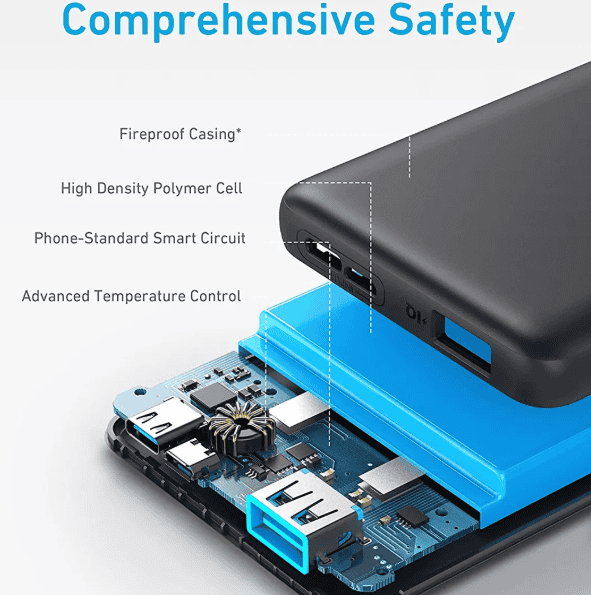
- MultiProtect Safety: Overcharge protection, temperature control, short‑circuit prevention, and more. Certified by UL and CE.
- Compact Design: Measures 91 x 60 x 23 mm (3.6 x 2.4 x 0.9 in) and weighs about 180 g (6.3 oz). Slides easily into a pocket.
- LED Battery Indicator: Four white LEDs on the side show remaining capacity (25 % per LED). A single press of the power button wakes the display.
How to Use
What’s in the Box
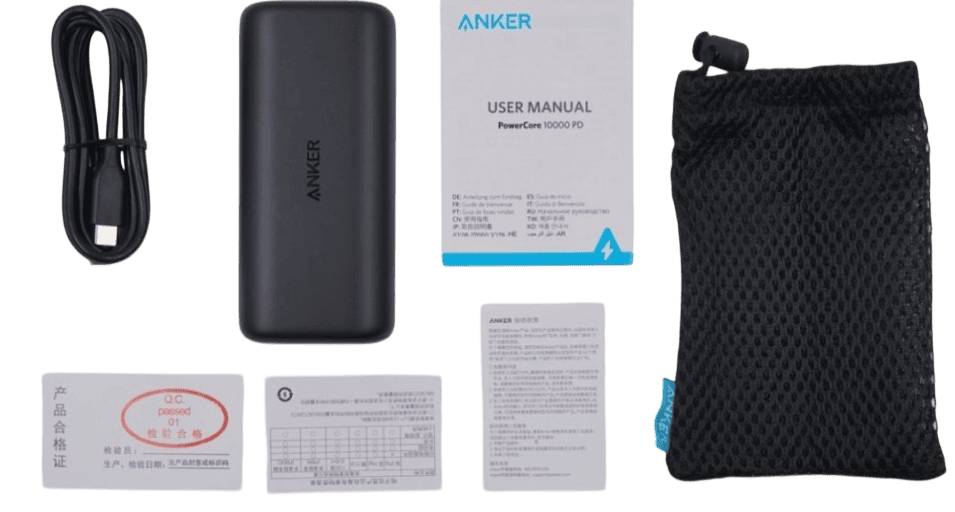
- Anker PowerCore 10000 portable charger
- Micro‑USB charging cable (short, about 30 cm)
- Travel pouch (soft drawstring bag)
- User manual and warranty card
No wall adapter is included. Use any standard USB‑A charger (5 V / 2 A recommended).
Charging the Power Bank
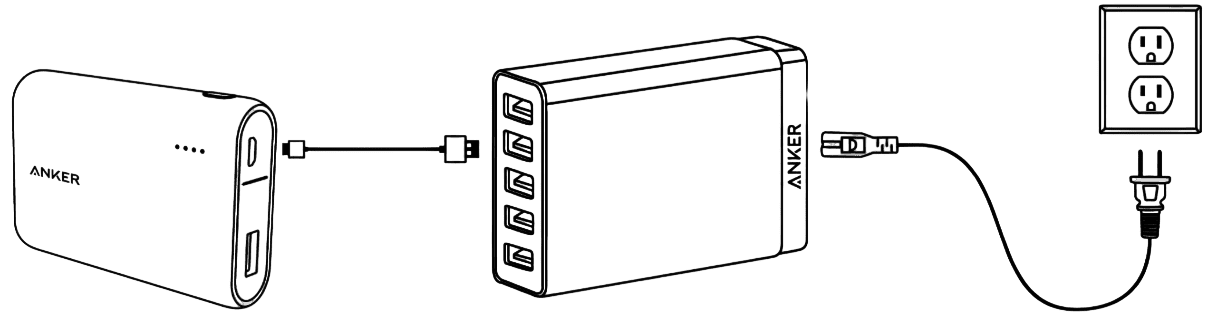
- Connect the included Micro‑USB cable to the input port on the power bank.
- Plug the USB‑A end into a USB wall charger (not included). The LED indicators will blink white to show the current charge level.
- When all four LEDs are solid (no blinking), the power bank is fully charged. This takes about 4–5 hours with a 2 A charger, or longer with a 1 A charger.
Charging Your Devices
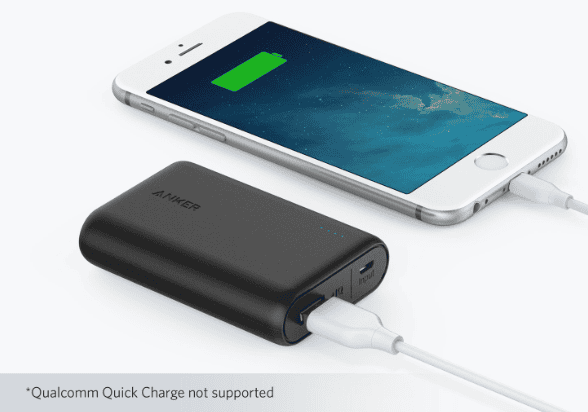
- Connect your device’s charging cable to the USB‑A output port on the power bank.
- The power bank should automatically begin charging. If it doesn’t, press the power button once.
- The LEDs will turn off after a few seconds to save power. Press the button again to check remaining capacity.
- When your device is full, the power bank will stop delivering current (auto‑off). Disconnect the device.
Trickle‑Charging Mode
For low‑power devices (fitness bands, wireless earbuds, smartwatches):
- Connect the device to the USB‑A port.
- Press the power button twice quickly. The top LED will turn green, indicating trickle‑charge mode.
- To exit, either disconnect the device or press the power button twice again.
Troubleshooting & Common Problems
| Problem | Likely Cause | What to Try |
|---|---|---|
| Power bank won’t charge a phone | Cable or port issue | Try a different USB cable. Clean the USB‑A port gently with a dry toothpick. Ensure the power bank has charge (press the button). |
| Power bank not charging (LEDs off) | Charger or input cable faulty | Use a different Micro‑USB cable and USB wall charger. The LEDs should light up within a few seconds. If not, the battery may be deeply discharged; leave it plugged in for 30 min. |
| Only one or two LEDs light up when fully charged | Battery aging | Over time and many cycles, the battery capacity degrades. This is normal. The power bank still works but holds less charge. |
| Device charges slowly | Wrong output, or trickle‑charge mode active | Ensure trickle‑charge mode is off (LEDs should be white, not green). Use a high‑quality short cable. Some devices draw only 1 A. |
| Power bank feels warm while charging | Normal during charging/discharging | Warmth is normal, especially when charging two devices or using a fast charger. If it’s too hot to touch, unplug and let it cool. |
| LEDs don’t turn off after disconnecting | Stuck button or minor glitch | Press the power button firmly once. If they stay on, the power button may be jammed. Leave the power bank to auto‑sleep (20 seconds). |
Frequently Asked Questions
- How many times can it charge my phone?
A rough formula: (10,000 mAh x 0.85 efficiency) / phone battery capacity. For an iPhone 15 (3,349 mAh), about 2.5 full charges. For a Galaxy S23 (3,900 mAh), about 2.2 full charges. Actual results vary. - Can I take the PowerCore 10000 on a flight?
Yes. It’s well under the 100 Wh limit for carry‑on lithium batteries. Do not place it in checked baggage. - Is it compatible with fast charging (Quick Charge, Power Delivery)?
This model supports standard 5 V charging up to 2.4 A (12 W). It does not support Qualcomm Quick Charge or USB‑C Power Delivery. For those features, consider Anker’s PowerCore III or PowerCore Slim models. - How do I know when the power bank itself is fully charged?
All four LEDs will be solid (not blinking) when charging is complete. - Can I charge the power bank and a device at the same time?
Yes, the PowerCore 10000 supports pass‑through charging. However, it will charge your device more slowly because some power is diverted to recharge the power bank itself. - What does the green LED mean?
It indicates trickle‑charging mode is active. Double‑press the power button to toggle it.
Tips
- Use a 2 A wall charger for faster recharge: The power bank accepts up to 5 V / 2 A input. A 1 A charger will take twice as long.
- Recharge the power bank every 3 months: Even if you don’t use it, lithium‑polymer batteries slowly self‑discharge. Keep it above 50 % for storage.
- Carry a short USB‑C to USB‑C cable: Most modern phones use USB‑C. You’ll need a USB‑A to USB‑C cable (not included) to charge your phone from this power bank.
- Keep the contacts clean: Dust in the ports can cause poor connections. Use a dry toothpick or compressed air.
- Avoid extreme heat: Don’t leave the power bank in a hot car. High temperatures degrade the battery.
Safety Information
- Battery: Do not puncture, crush, or expose to fire. If the power bank swells, stop using it and dispose of it at a battery recycling facility.
- Charging: Use only certified USB chargers. Unplug when not in use.
- Children: Keep out of reach of small children. The power bank is not a toy.
- Water: The power bank is not waterproof. Keep it dry.
Related Manuals
If this guide was helpful, here are a few more popular manuals from productsmanuals.com that you might find useful:
- Samsung Galaxy Watch 7 Manual – Health Sensors, Galaxy AI & Battery Tips
Master ECG, body composition, sleep apnea detection, and more. - iPhone 16 Manual – Settings, Camera & Hidden Features Guide
Explore Dynamic Island, Action button, and battery‑health tricks. - Dell Inspiron 15 3520 Manual – Laptop Setup, Upgrades & Troubleshooting
Upgrade RAM and SSD, and fix common performance issues. - Xiaomi Electric Scooter 4 Pro Manual – Folding, Battery & App Setup
Get the most range and smoothest ride from your commuter scooter. - Gigabyte AORUS 15G User Manual & Setup Guide
Print, scan, and solve paper jams with clear step‑by‑step instructions.
Browse all guides at productsmanuals.com .
Copyright 2026 productsmanuals.com All rights reserved. This Anker PowerCore 10000 A1263 manual is original content and may not be copied, republished, or redistributed without written permission. Anker, PowerCore, and the Anker logo are trademarks of Anker Innovations. This guide is unofficial and not affiliated with Anker.
