
 Introduction
The Olight Baton 3 is a pocket‑sized EDC flashlight that packs 1,200 lumens into a body the size of a AA battery. It includes a wireless charging case that also acts as a power bank. This guide covers every feature, from turbo mode to the magnetic tail cap, so you can get the most from your light.
Product Overview
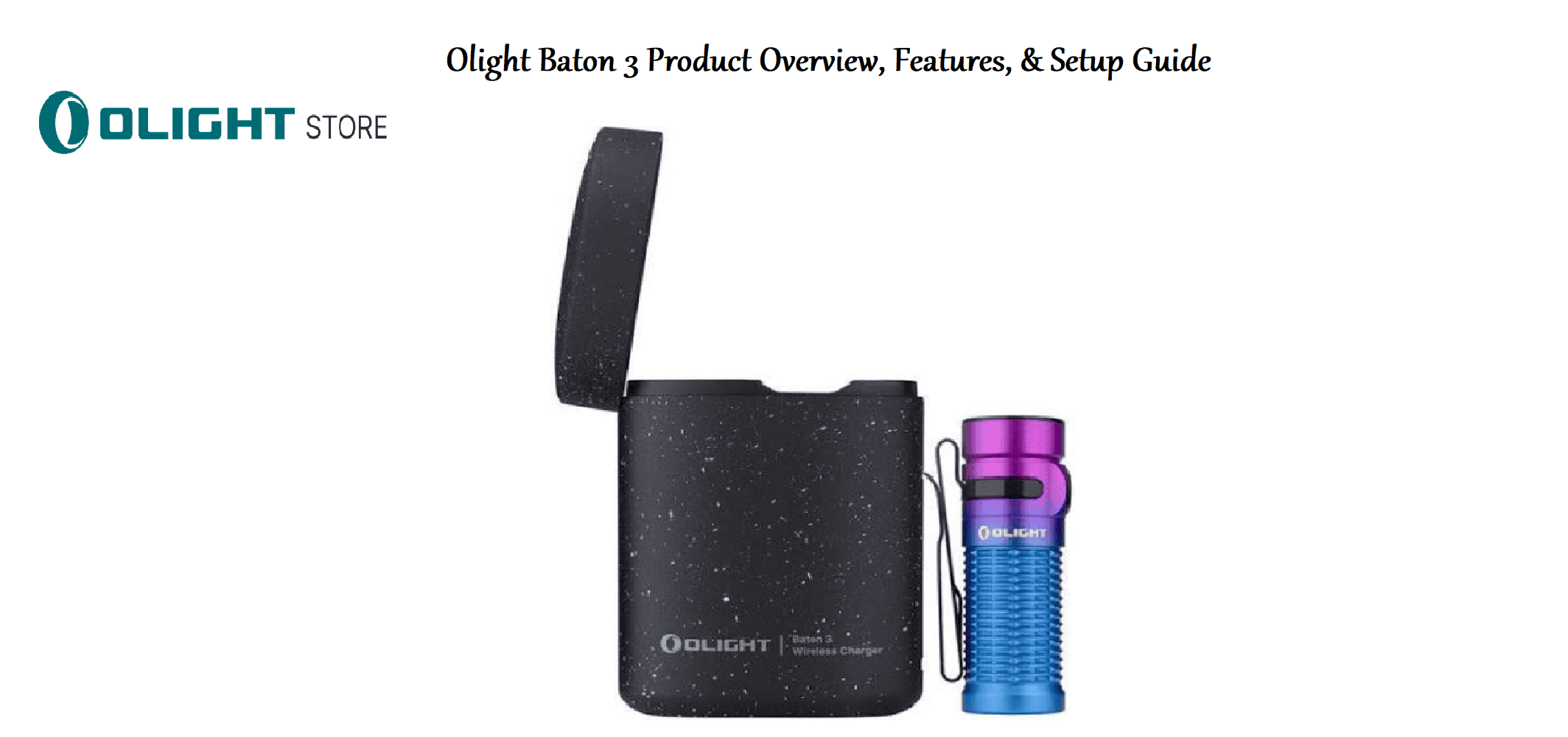
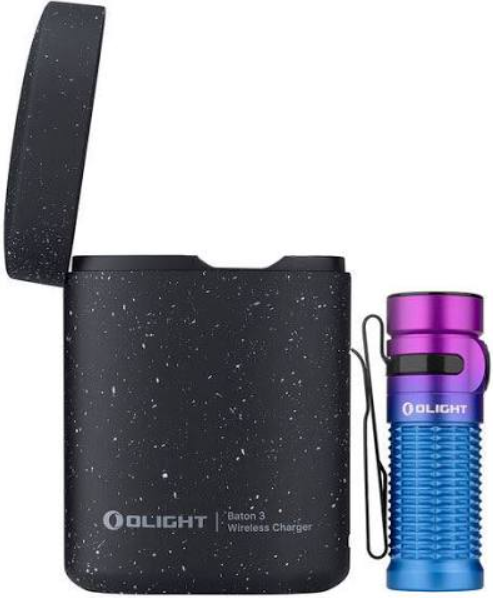
The Olight Baton 3 Premium Edition consists of the Baton 3 flashlight and a portable wireless charging case. The flashlight uses a cool white Luminus SST‑40 LED and a TIR optic lens to produce a smooth, balanced beam. The body is machined from aluminium alloy with a hard‑anodised finish. It features a single side switch, a magnetic tail cap for hands‑free use, and a bidirectional pocket clip. The charging case is made of durable plastic with a soft‑touch coating, holds enough charge to refill the flashlight about 3.7 times, and doubles as a protective storage box.
Key Features
- 1,200 Lumens Max Output: Turbo mode delivers an intense burst of light that can illuminate objects up to 166 metres away.
- Five Brightness Levels + Strobe: Moon (1 lm), Low (15 lm), Medium (60 lm), High (300 lm), Turbo (1,200 lm), and Strobe. You can access Moon, Turbo, and Strobe directly from off.
- Magnetic Tail Cap: The base of the flashlight contains a strong magnet. Stick it to any metal surface (car hood, fridge, steel cabinet) for hands‑free illumination.
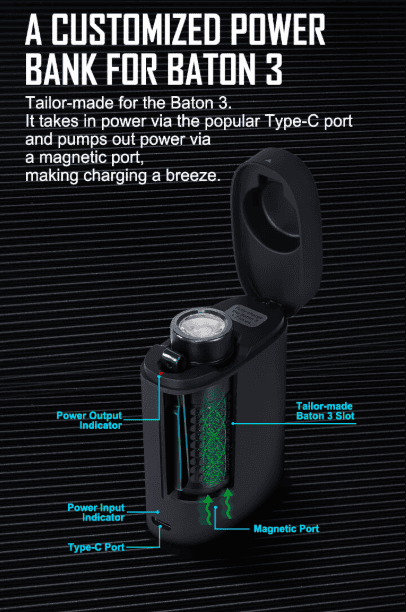
- Wireless Charging Case (Premium Edition): Simply drop the flashlight into the case, and it charges automatically. The case itself recharges via USB‑C and can also be used as a power bank to charge your phone.
- Bidirectional Pocket Clip: The clip can be attached for bezel‑up or bezel‑down carry, and it’s deep‑carry, so the flashlight sits nearly flush in your pocket.
- Lockout Mode: Prevents accidental activation in a pocket or bag. A single press while locked only flashes a low‑power red indicator.
- TIR Optic Lens: The total internal reflection lens creates a balanced beam with a bright hotspot and generous spill, perfect for both close‑up tasks and walking at night.
How to Use
What’s in the Box
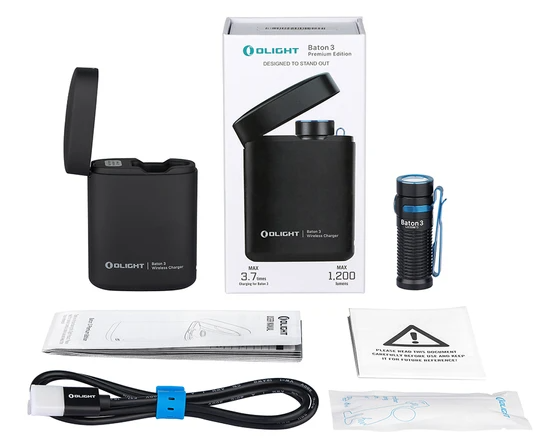
- Baton 3 flashlight (with a pre‑installed battery inside – do not open the body)
- Wireless charging case (with a built‑in 3.6 V / 3500 mAh battery)
- USB‑A to USB‑C charging cable
- Lanyard (attaches to the flashlight’s tail cap)
- User manual and warranty card
First‑Time Setup
- The flashlight ships in lockout mode (the switch is protected). Press and hold the side switch for about 2 seconds until the light blinks to unlock and turn it on in Moon mode.
- To charge the flashlight, simply drop it into the charging case. The LED indicator on the case glows red while charging and turns green when full. The flashlight magnetically aligns itself in the case.
- To charge the case itself, connect the included USB‑C cable to the port on the back of the case and a USB‑A power source (5 V / 2 A recommended). The case LEDs show the remaining charge.
Using the Side Switch
The single side switch controls everything. It’s located on the body, opposite the pocket clip.
| Action | Result |
|---|---|
| From off: Press and hold for 1 second | Turn on in Moon mode (1 lm) |
| From off: Single click | Turn on in last‑used brightness (memory) |
| From off: Double click | Turn on in Turbo mode (1,200 lm) |
| From off: Triple click | Turn on in Strobe mode |
| When on: Press and hold | Cycle through Low → Medium → High → Low… (release at desired level) |
| When on: Single click | Turn off |
| When on: Double click | Jump to Turbo |
| When on: Triple click | Jump to Strobe |
Lockout: From off, press and hold the side switch for about 2 seconds until the light blinks red. The flashlight is now locked. To unlock, press and hold again for 2 seconds until Moon mode activates.
Charging the Flashlight & Case
- Charging the flashlight: Place it in the charging case. The outer ring LED on the case glows red while charging, and turns green when full. A full charge takes about 2.5 hours.
- Charging the case: Connect the USB‑C cable to the case. The four white LEDs on the front of the case indicate the charge level (each LED ≈ 25 %). All four solid = full. The case recharges in about 3 hours.
Using the Charging Case as a Power Bank
The Premium Edition case can charge your phone or other USB devices. Connect your phone’s USB‑C cable to the USB‑C port on the back of the case. Press the small button on the case to start charging. The case LEDs will show the remaining power. The case provides up to 1,000 mAh at 5 V.
Troubleshooting & Common Problems
| Problem | Likely Cause | What to Try |
|---|---|---|
| Flashlight won’t turn on | Lockout mode, or battery depleted | Press and hold the switch for 2 seconds to unlock. If no light, place in the charging case for 10 minutes. |
| Turbo mode only lasts a few seconds | Thermal regulation, or low battery | Turbo generates heat and steps down to High after about 1‑2 minutes. This is normal. If it steps down immediately, the battery may be low – charge it. |
| Charging case not charging the flashlight | Poor contact, or case battery depleted | Clean the gold contacts on the flashlight and inside the case with a dry cloth. Ensure the case has power (check its LEDs). |
| USB‑C port on case not working | Cable or adapter issue | Try a different USB‑C cable and USB‑A adapter. The case only accepts standard 5 V input. |
| Switch feels loose or unresponsive | Dirt around the switch, or internal issue | Clean around the rubber switch with a dry cloth. If the switch still fails, contact Olight. |
| Magnet picks up debris | Normal | The magnetic tail cap attracts iron dust. Wipe it regularly with a damp cloth. |
Frequently Asked Questions
- How long does the battery last on a single charge?
It depends on the brightness. On Moon mode (1 lm), it can run for 33 days. On Medium (60 lm), about 12 hours. Turbo lasts about 1.5 minutes before stepping down, then continues at a lower level. - Can I replace the battery?
The Baton 3 uses a customized 16340 Li‑Ion battery (550 mAh). The battery is not user‑replaceable in the traditional sense – the flashlight body is sealed. If the battery fails, contact Olight for service. - Is the flashlight waterproof?
It has an IPX8 rating, meaning it can be submerged in up to 2 metres of fresh water for 30 minutes. The charging case is not waterproof – keep it dry. - What is the difference between the Premium Edition and the standard Baton 3?
The Premium Edition includes the wireless charging case and a larger overall battery capacity (flashlight + case). The standard Baton 3 includes a magnetic USB charging cable instead of the case. - How do I clean the TIR lens?
Use a soft, dry microfiber cloth. If dirt is stuck, dampen the cloth with water. Do not use solvents or abrasive materials, as they can scratch the lens. - Does the flashlight have a memory function?
Yes, it remembers the last brightness level used (except Moon, Turbo, and Strobe). Single‑click from off returns to that level.
Tips
- Use Moon mode at night: It preserves night vision and is perfect for reading or finding your way around a dark room without waking others.
- Attach the lanyard for extra security: Thread it through the small hole in the tail cap to prevent dropping the flashlight.
- Keep the contacts clean: The gold charging contacts on the flashlight and case need to be free of dust and oil for reliable charging. Wipe them with a dry cloth every few months.
- Lock it before pocket carry: The switch can be pressed accidentally. Lockout mode prevents the flashlight from turning on and wasting battery or overheating.
- Use the magnetic tail cap wisely: The magnet is strong but can interfere with compasses and medical devices. Keep it away from pacemakers.
Safety Information
- LED radiation: Do not stare directly into the LED at close range. The beam is intense and can damage eyes.
- Heat: Turbo mode generates significant heat. The flashlight will step down automatically, but the head can get hot. Do not cover the head or place it on heat‑sensitive surfaces while in Turbo.
- Battery: The internal Li‑Ion battery should not be punctured or exposed to fire. Dispose of the flashlight properly at end of life.
- Magnet: The tail cap magnet can affect pacemakers, defibrillators, and magnetic stripe cards. Keep the flashlight away from medical devices and credit cards.
- Charging: Use only the included charging case or Olight‑approved chargers. Do not attempt to charge the flashlight with other methods.
Related Manuals
If this guide was helpful, here are a few more popular manuals from productsmanuals.com that you might find useful:
- Samsung Galaxy Watch 7 Manual – Health Sensors, Galaxy AI & Battery Tips
Master ECG, body composition, sleep apnea detection, and more. - iPhone 17 Manual – Settings, Camera & Hidden Features Guide
Explore Dynamic Island, Action button, and battery‑health tricks. - Gigabyte AORUS 15G Manual – Laptop Setup, Upgrades & Troubleshooting
Upgrade RAM and SSD, and fix common performance issues. - Xiaomi Electric Scooter 4 Pro Manual – Folding, Battery & App Setup
Get the most range and smoothest ride from your commuter scooter. - HP DeskJet 3755 Manual – Wireless Printer Setup & Common Fixes
Print, scan, and solve paper jams with clear step‑by‑step instructions.
Browse all guides at productsmanuals.com .
Copyright 2026 productsmanuals.com All rights reserved. This Olight Baton 3 manual is original content and may not be copied, republished, or redistributed without written permission. Olight, Baton, and the Olight logo are trademarks of Olight Technology Co., Ltd. This guide is unofficial and not affiliated with Olight.
