
Introduction
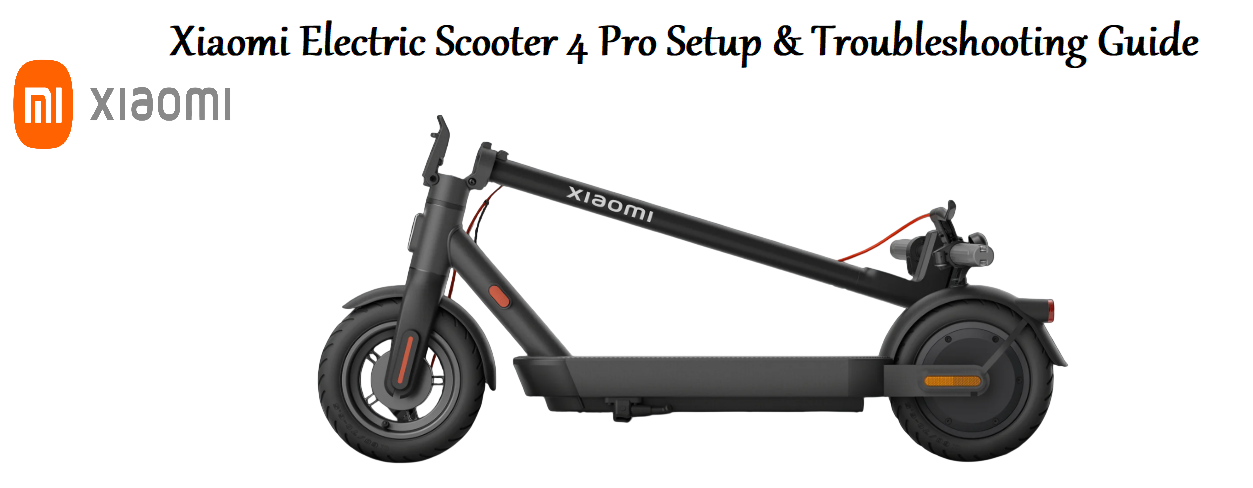
The Xiaomi Electric Scooter 4 Pro is a sleek, powerful commuter scooter built for city riding. It upgrades the popular Mi Scooter line with a 700 W motor, a larger battery, and a bright headlight. This guide covers every feature, setting, and fix you need to ride safely and keep your scooter in top shape.
Product Overview
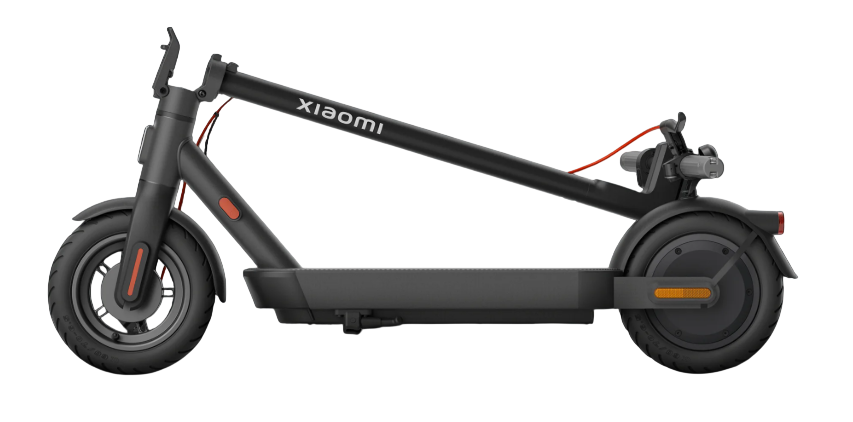
The Xiaomi Electric Scooter 4 Pro is a folding e‑scooter with a 700 W peak motor, a 474 Wh battery, and a top speed of 25 km/h (15.5 mph). It features a large, bright LED headlight, dual disc brakes, and 10‑inch tubeless self‑sealing tyres. The scooter syncs with the Mi Home app for firmware updates, lock mode, and detailed ride stats. It’s built with an aerospace‑grade aluminium frame and can carry riders up to 120 kg (265 lbs). The folding mechanism is quick and secure, making it easy to carry onto public transport or store under a desk.
Key Features
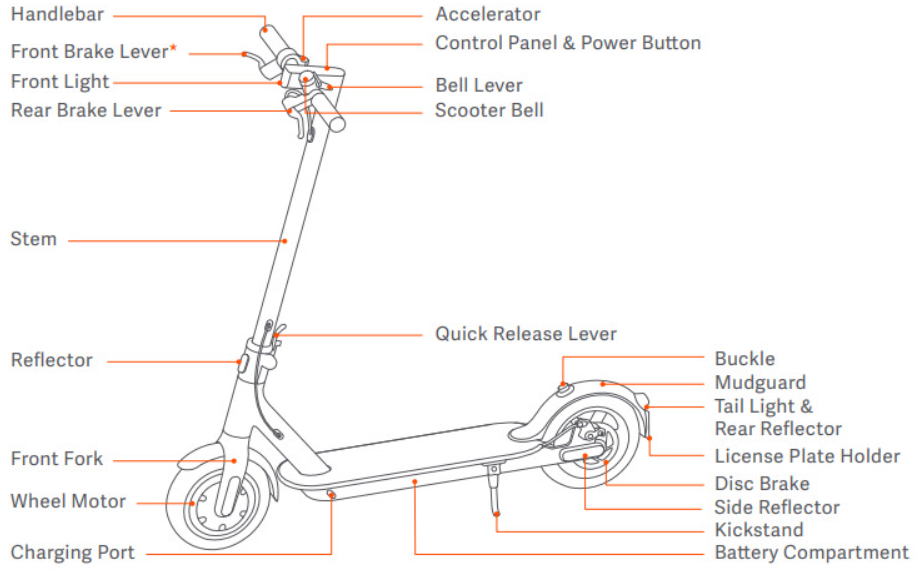
- 700 W Peak Motor: The rear
hub motor provides strong acceleration and tackles inclines up to a 20 % grade. It maintains 25 km/h even as the battery drains. - 474 Wh Lithium‑Ion Battery: A high‑capacity pack with a real‑world range of up to 55 km (34 miles) in Eco mode. It charges in about 8‑9 hours.
- 10‑inch Tubeless Self‑Sealing Tyres: The wider tyres absorb bumps and include a gel layer that plugs small punctures automatically. They’re maintenance‑free and provide excellent grip.
- Dual Disc Brakes: A front and rear disc brake system gives strong, controlled stopping power. The front brake lever includes a motor cut‑off switch for added safety.
- Folding Mechanism: A single lever folds the stem down onto the rear fender, where a hook locks it. The folded scooter can be wheeled by the front wheel or carried by the stem.
- Mi Home App: Connect via Bluetooth to enable cruise control, lock the motor, check battery health, and update firmware. The app also provides a digital dashboard with trip data.
- LED Display: The handlebar unit shows speed, battery bars, riding mode (Walk, Standard, Sport), and Bluetooth status. It’s bright enough to read in sunlight.
How to Use
What’s in the Box
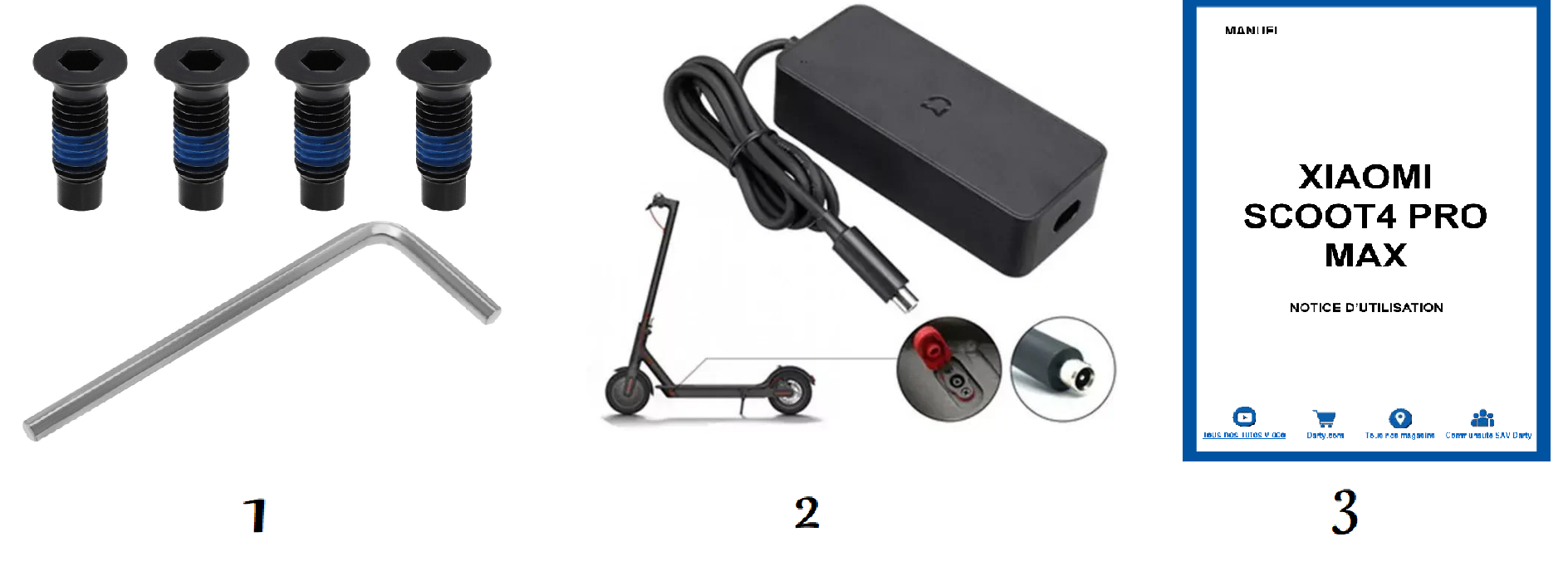
- Xiaomi Electric Scooter 4 Pro (folded)
- AC charger (region‑specific plug) with barrel connector
- 4 × M5 screws (spare) and an Allen key
- Quick‑Start Guide and warranty card
No side mirrors, phone mount, or helmet is included. The scooter arrives partially charged – charge it fully before first use.
Unfolding & Folding
- Unfolding: Push the folding lever (near the front wheel) downward. Lift the stem until it clicks into the upright position. Push the folding lever back up to lock. Shake the stem to make sure it’s secure.
- Folding: Pull the folding lever down, then push the stem forward until the hook on the stem catches the clip on the rear fender. The rear fender clip locks automatically. To carry, hold the stem near the hook.
First‑Time Setup & App Pairing
- Turn on the scooter by pressing and holding the power button on the handlebar display. The screen lights up.
- Download the Mi Home app (iOS or Android). Create a Xiaomi account or sign in.
- In the app, tap “+” > Add device. The app will scan for the scooter via Bluetooth. Select the Electric Scooter 4 Pro. Follow the on‑screen steps to pair.
- After pairing, the app will check for firmware updates. Install any pending updates.
- The app offers several settings: cruise control, energy recovery strength, lock mode (motor lock and alarm), and start speed (kick‑to‑start threshold).
Riding & Controls
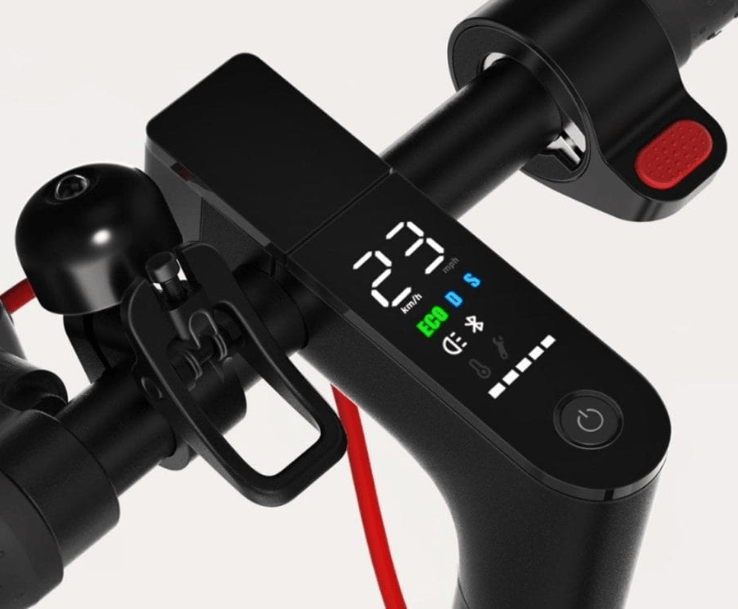
- Power on/off: Press and hold the power button for 2 seconds.
- Change riding mode: Double‑press the power button to cycle through Walk (W) , Standard (S) , and Sport (S with a dot) . Walk mode is limited to 6 km/h, Standard tops out around 20 km/h, Sport reaches 25 km/h.
- Accelerate: Press the thumb throttle (right handlebar) gently. The motor engages after you kick off (default safety feature).
- Brake: Squeeze the left brake lever (rear disc) and the right brake lever (front disc) together for the shortest stop.
- Lights: Press the power button once to turn the headlight on/off. The rear light is always on when the scooter is powered on and brightens when braking.
- Battery indicator: Five bars on the display. Each bar represents about 20 % charge. When the last bar blinks, you have roughly 5 km left in Eco mode.
Charging the Battery
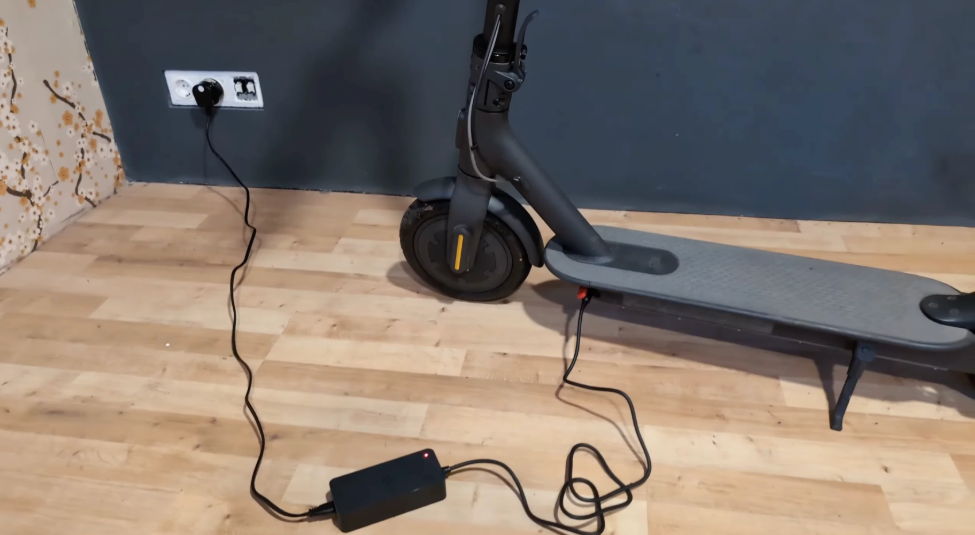
- Open the rubber charging port cover on the right side of the deck (near the front).
- Connect the charger’s barrel plug to the scooter first, then plug the charger into a wall outlet. The charger LED glows red while charging and turns green when full.
- A full charge takes about 8‑9 hours from empty. Unplug the charger when the light turns green. Close the rubber cover securely to keep water and dust out.
Troubleshooting & Common Problems
| Problem | Likely Cause | What to Try |
|---|---|---|
| Scooter won’t turn on | Battery depleted, or power button not held long enough | Charge for at least 30 minutes. Press and hold the power button for 3‑4 seconds. |
| Motor not engaging | Kick‑to‑start feature active, or brake lever stuck | Kick off to about 3 km/h before pressing the throttle. Check that both brake levers are fully released. |
| Error code on display (e.g., 14, 21, 18) | Throttle, battery, or motor fault | Error 14: throttle issue (restart). Error 21: battery communication (check connections). Error 18: motor Hall sensor (restart, if persistent, service). Power cycle the scooter (turn off, wait 10 sec, turn on). |
| Reduced range | Low tyre pressure, cold weather, or Sport mode | Inflate tyres to 35‑40 PSI. Ride in Standard or Walk mode. Battery range drops in temperatures below 10 °C (50 °F). |
| Folding mechanism is stiff | Dirt or lack of lubrication | Clean the hinge area with a dry brush. Apply a small amount of silicone lubricant to the hinge pin. Do not use WD‑40. |
| Bluetooth not connecting | App permission, or scooter already paired to another phone | Turn off Bluetooth on other devices. In Mi Home, remove the scooter and re‑pair. Ensure location services are enabled on your phone. |
Frequently Asked Questions
- What is the maximum speed?
25 km/h (15.5 mph) in Sport mode. The speed is limited by firmware to comply with regulations in most countries. - Can I ride in the rain?
The scooter is IPX5 water‑resistant, meaning it can handle light rain and splashes. Do not ride through deep puddles, and avoid heavy downpours. The charging port must be dry before plugging in. - How do I reset the scooter to factory settings?
In the Mi Home app, go to the scooter’s settings and choose Remove device or Factory reset. This clears Bluetooth pairings and restores default settings. - Can I lock the scooter remotely?
Yes, in the Mi Home app you can activate Lock mode. The motor locks, and if someone tries to move the scooter, it will beep and resist. This is a deterrent, not a physical lock – always use a U‑lock. - How long does the battery last?
About 500 full charge cycles before noticeable degradation. Avoid fully draining the battery regularly; recharge when it drops to 20‑30 %. - What should I do if the tyres lose pressure?
The tyres are tubeless; you can inflate them using a standard bicycle pump with a Presta/Schrader adapter. Recommended pressure is 35‑40 PSI. If the self‑sealing gel doesn’t plug a puncture, you’ll need to replace the tyre or add sealant.
Tips
- Engage cruise control: In the Mi Home app, enable cruise control. Once you hold a steady speed for a few seconds, the scooter will maintain it automatically. Tap the brake or throttle to cancel.
- Check tyre pressure weekly: Low tyres reduce range and make handling sluggish.
- Clean the scooter with a damp cloth: Do not use a pressure washer – high‑pressure water can force its way past seals and damage electronics.
- Store indoors in winter: Extreme cold degrades the battery. Keep the scooter in a heated room and charge it to about 50‑60 % for storage.
- Update firmware: The Mi Home app will prompt you when a firmware update is available. Updates can improve range estimation and fix bugs.
Safety Information
- Helmet: Always wear a certified helmet. Many jurisdictions require it for e‑scooters.
- Laws: Check your local traffic laws. Some areas require a driver’s licence, insurance, or restrict scooter use on sidewalks and roads.
- Braking: Use both brakes together for controlled stops. The front brake is powerful; squeeze gently to avoid flipping over the handlebars.
- Charging: Charge in a dry, well‑ventilated area. Do not charge a damaged battery or leave the charger plugged in unattended for days.
- Weight limit: Maximum rider weight is 120 kg (265 lbs). Exceeding this can damage the frame and reduce braking performance.
- Children: The scooter is not a toy. Keep away from small children.
Related Manuals
If this guide was helpful, here are a few more popular manuals from productsmanuals.com that you might find useful:
- Samsung Galaxy Watch 7 Manual – Health Sensors, Galaxy AI & Battery Tips
Master ECG, body composition, sleep apnea detection, and more. - Segway Ninebot MAX G30P Manual – Scooter Setup, App & Riding Tips
Learn to pair, maintain, and safely ride your electric scooter. - iPhone 17 Manual – Settings, Camera & Hidden Features Guide
Explore Dynamic Island, Action button, and battery‑health tricks. - Fujitsu Lifebook U9310X Setup & Troubleshooting Guide
Upgrade RAM and SSD, and fix common performance issues.
- HP DeskJet 3755 Manual – Wireless Printer Setup & Common Fixes
Print, scan, and solve paper jams with clear step‑by‑step instructions.
Browse all guides at productsmanuals.com .
Copyright 2026 productsmanuals.com All rights reserved. This Xiaomi Electric Scooter 4 Pro manual is original content and may not be copied, republished, or redistributed without written permission. Xiaomi, Mi, and the Xiaomi logo are trademarks of Xiaomi Corporation. This guide is unofficial and not affiliated with Xiaomi.
