
Introduction
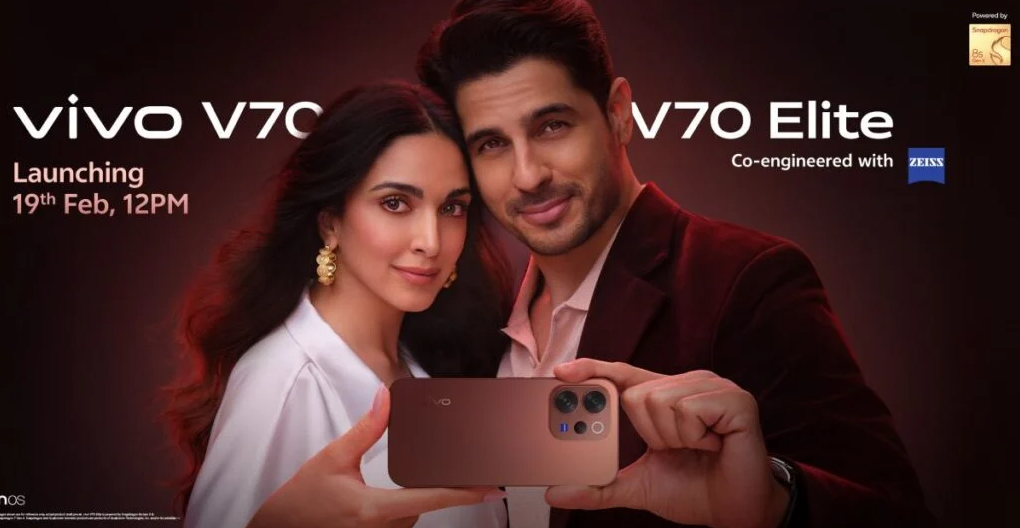
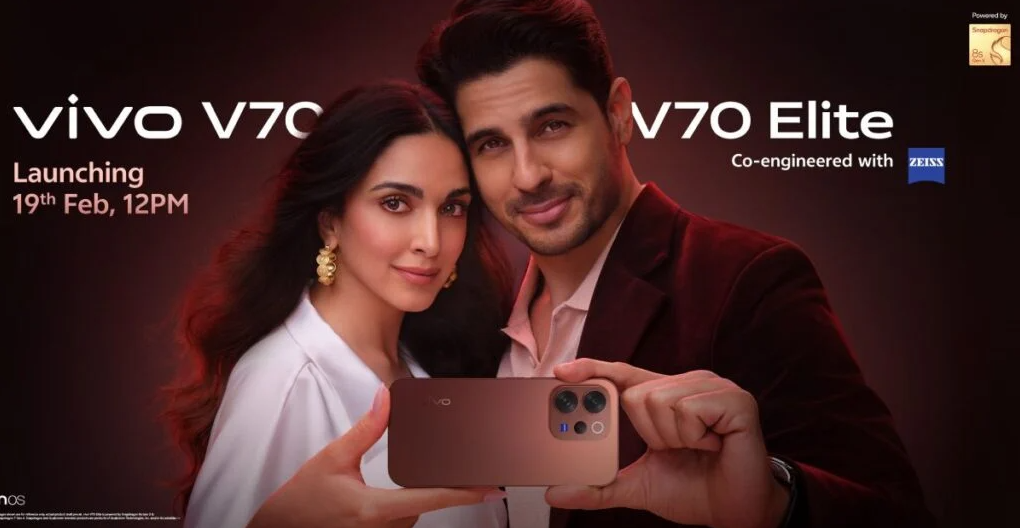
The Vivo V70 Elite is a premium smartphone that focuses on camera performance, fast charging, and a stunning AMOLED display. It features a 50 MP main camera with Zeiss optics, a 5,500 mAh battery with 80 W FlashCharge, and a Snapdragon 8 Gen 3 processor. This guide walks through setup, camera features, battery management, and troubleshooting so you can get the most from your device.
Product Overview
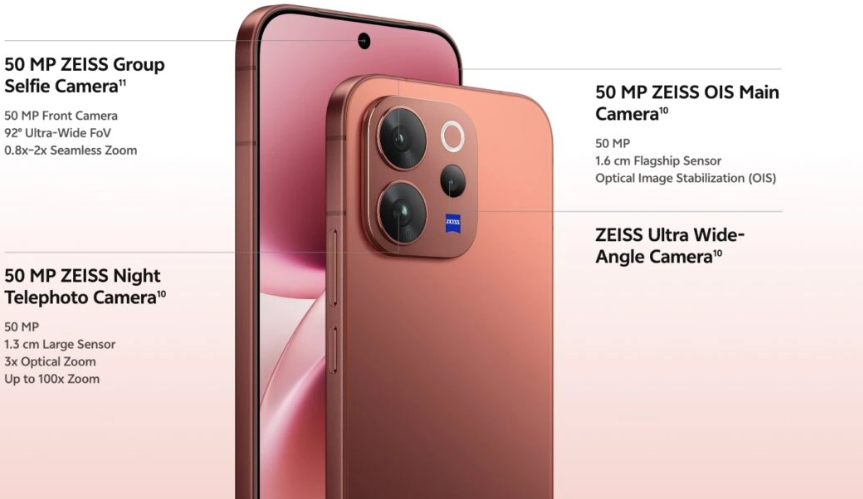
The Vivo V70 Elite measures 164.2 × 74.9 × 7.9 mm and weighs 198 g. It has a 6.78‑inch curved AMOLED display with 120 Hz refresh rate and 1,800 nits peak brightness. The rear camera includes a 50 MP main sensor with OIS, a 50 MP ultra‑wide lens, and a 12 MP telephoto with 3x optical zoom. The front camera is 50 MP with autofocus. The phone runs Funtouch OS 15 based on Android 15 and supports 80 W wired charging and 50 W wireless. It’s available in Midnight Black, Glacier Silver, and Sunset Orange.
Full Specifications
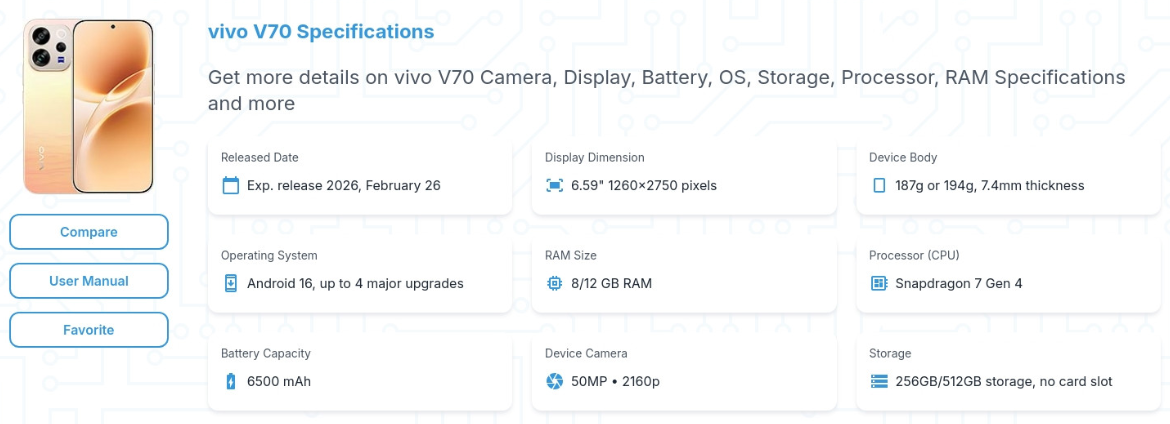
| Specification | Detail |
|---|---|
| Model | V2429 (Vivo V70 Elite) |
| Display | 6.78‑inch AMOLED, 1260 x 2800 pixels, 120 Hz adaptive refresh |
| Processor | Qualcomm Snapdragon 8 Gen 3 (4 nm) |
| RAM | 12 GB / 16 GB LPDDR5X |
| Storage | 256 GB / 512 GB UFS 4.0 (non‑expandable) |
| Rear Camera | 50 MP main (f/1.75, OIS) + 50 MP ultra‑wide (f/2.0, 120°) + 12 MP telephoto (f/2.2, 3x optical) |
| Front Camera | 50 MP (f/2.0, autofocus) |
| Battery | 5,500 mAh, 80 W wired FlashCharge, 50 W wireless, reverse wireless |
| Operating System | Funtouch OS 15 (Android 15) |
| Fingerprint Sensor | Under‑display (ultrasonic) |
| Face Unlock | Yes |
| Connectivity | 5G, Wi‑Fi 7, Bluetooth 5.4, NFC, USB‑C 3.2 |
| Audio | Stereo speakers, no 3.5 mm headphone jack |
| Water Resistance | IP68 |
| Dimensions | 164.2 x 74.9 x 7.9 mm |
| Weight | 198 g |
| Colours | Midnight Black, Glacier Silver, Sunset Orange |
| Included Accessories | Phone, 80W charger, USB‑C cable, clear case, SIM tool, quick start guide |
Key Features
- Zeiss Triple Camera with 50 MP Main: Pro‑grade imaging with Zeiss T* coating for reduced flare and natural colour. The main sensor has optical image stabilization for sharp low‑light photos.
- 50 MP Ultra‑Wide & 12 MP Telephoto: Capture 120° landscapes and 3x optical zoom portraits without quality loss.
- 6.78‑inch Curved AMOLED 120 Hz: Stunning visuals with HDR10+ support, deep blacks, and a peak brightness of 1,800 nits for outdoor use.
- Snapdragon 8 Gen 3: Flagship performance for gaming, multitasking, and on‑device AI. Vivo’s Ultra Game Mode optimizes frame rates and reduces touch latency.
- 5,500 mAh Battery with 80 W FlashCharge: Charge from 0 to 60% in about 15 minutes. Wireless charging at 50 W and reverse wireless for earbuds.
- Funtouch OS 15: Clean, customizable interface with AI features like AI Eraser, AI Photo Enhancer, and Smart Sidebar.
- IP68 Water & Dust Resistance: Survives submersion in fresh water up to 1.5 metres for 30 minutes.
How to Use
What’s in the Box
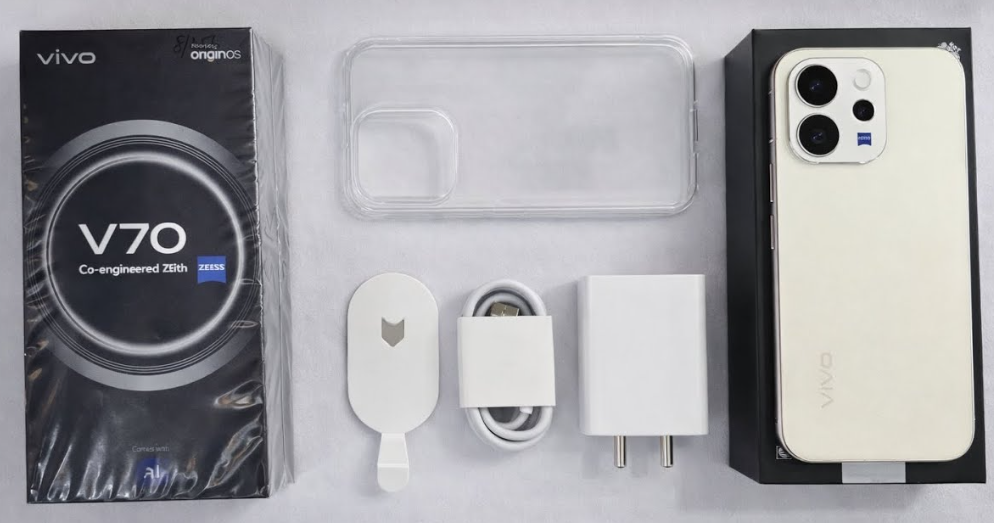
- Vivo V70 Elite smartphone (with pre‑applied screen protector)
- 80 W FlashCharge power adapter
- USB‑C charging cable
- Clear protective case
- SIM card ejector tool
- Quick Start Guide and warranty card
No earphones are included. Use USB‑C earbuds or Bluetooth headphones.
First‑Time Setup
- Insert your nano‑SIM(s) using the ejector tool. The tray holds two SIMs; no microSD slot.
- Press and hold the Power button until the Vivo logo appears.
- Select language, region, and connect to Wi‑Fi (Wi‑Fi 7 supported). Sign in with your Google account.
- Set up the under‑display fingerprint scanner: go to Settings > Security > Fingerprint. Press firmly on the screen.
- Once on the home screen, go to Settings > System update and install any pending updates.
- In Settings > Display, set Screen refresh rate to Smart Switch for automatic 120 Hz.
Buttons & Ports
| Component | Location | Function |
|---|---|---|
| Power button | Right edge | Press to wake/sleep. Press and hold for power menu. |
| Volume rocker | Right edge (above power) | Adjust volume. |
| USB‑C port | Bottom edge | Charging, data transfer, video output (DisplayPort). No headphone jack. |
| SIM tray | Bottom edge (left) | Two nano‑SIMs. No microSD. |
| Fingerprint sensor | Under display (ultrasonic) | Register up to 5 fingerprints. |
Camera Tips
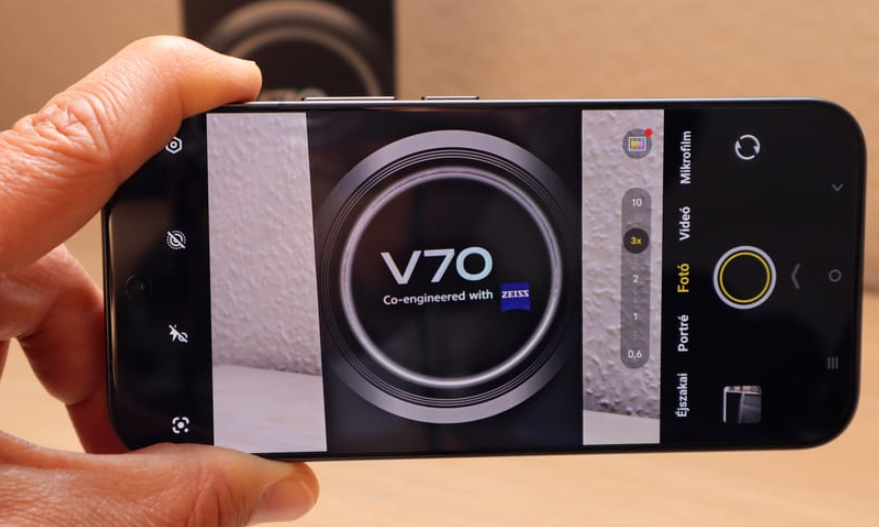
- Zeiss Natural Color Mode: In the camera settings, enable Zeiss Natural Colour for accurate, true‑to‑life photos. The default Vivid mode boosts saturation.
- 3x Optical Telephoto: Tap the 3x preset for lossless zoom. The 12 MP sensor with OIS keeps portraits sharp.
- Ultra‑Wide 50 MP: Use for landscapes, architecture, and group shots. The high resolution allows cropping without losing detail.
- Night Mode: Automatic in low light. Keep the phone steady for 2–3 seconds. For astrophotography, use Pro mode with long exposure on a tripod.
- AI Eraser: In Gallery, tap edit and use AI Eraser to remove photobombers or unwanted objects.
- Portrait Video: Select Portrait Video from More menu. Adjust bokeh in real time.
Ultra Game Mode & Performance
- Open Game Center (pre‑installed) and add your games.
- During gameplay, swipe from the left edge to open Game Assistant. Options include:
- Esports Mode: Closes background apps for maximum performance.
- Block Notifications & Calls: Prevents interruptions.
- Touch optimization: Reduces latency.
- Frame rate priority: Keeps the frame rate stable.
Battery & Charging
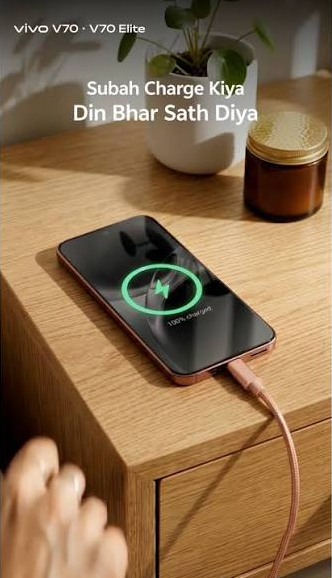
- 80 W FlashCharge: Use the included 80 W charger and USB‑C cable. The phone charges from 0 to 60% in about 15 minutes. A full charge takes approximately 35 minutes.
- Wireless charging: Up to 50 W with a compatible Vivo wireless charger. Reverse wireless at 10 W for earbuds.
- Battery protection: Go to Settings > Battery > Battery health & charging and enable Optimized charging.
- Power saving: Swipe down Quick Settings and toggle Power saving mode.
Troubleshooting & Common Problems
| Problem | Likely Cause | What to Try |
|---|---|---|
| Under‑display fingerprint not working | Dirty screen, or dry finger | Clean the screen. Delete and re‑register fingerprints. Register the same finger twice. |
| Camera app crashes | Software glitch, or low storage | Restart. Clear camera cache: Settings > Apps > Camera > Storage > Clear cache. |
| 80 W charging not working | Wrong charger or cable | Use the original 80 W charger and Vivo USB‑C cable. Ensure the USB‑C connector is fully inserted. |
| Battery drains quickly | 120 Hz + high brightness, or rogue apps | Switch to 60 Hz, reduce brightness. Check battery usage in Settings. |
| Wi‑Fi or Bluetooth not connecting | Router or interference | Restart router and phone. Forget network and reconnect. For Bluetooth, toggle off/on and re‑pair. |
| Phone overheats during gaming | Intensive load | Remove case, lower graphics, avoid direct sunlight. The phone will throttle to protect itself. |
| Face unlock not working | Low light, or front camera dirty | Clean front camera. Re‑scan face. Use fingerprint as backup. |
Frequently Asked Questions
- Does the V70 Elite have a headphone jack?
No, it uses USB‑C audio or Bluetooth. - Can I expand storage?
No, there is no microSD slot. Choose 256 GB or 512 GB at purchase. - Is it waterproof?
Yes, IP68 rated for submersion in fresh water up to 1.5 metres for 30 minutes. - How do I take a screenshot?
Press the Power button and Volume Down together. For a long screenshot, tap the scrolling icon. - Does it support reverse wireless charging?
Yes, 10 W reverse wireless to charge earbuds or smartwatches. - How do I reset the phone?
Go to Settings > System management > Backup & Reset > Erase all data. You’ll need your lock screen PIN.
Tips
- Use Zeiss Natural Color for accurate photos: It preserves skin tones and avoids oversaturation.
- Enable Smart Sidebar: Go to Settings > Smart Sidebar for quick access to apps, tools, and AI features from any screen.
- Use AI Photo Enhancer: In Gallery, tap the AI icon to automatically improve brightness, contrast, and sharpness.
- Set performance profile to Balanced: For daily use, Balanced mode provides good battery life without sacrificing speed. Use Performance mode only for heavy gaming.
- Keep the phone updated: Check Settings > System update monthly for security patches and new features.
Safety Information
- Charging: Use Vivo‑certified or reputable third‑party USB‑C PD chargers. Avoid using the phone while fast charging in hot environments.
- Battery: Do not puncture or expose to fire. If the battery swells, stop using and contact Vivo.
- Water resistance: IP68 applies to fresh water only. Dry the USB‑C port before charging if wet.
- Screen: The curved display is durable, but use a case to protect the edges. A tempered glass protector is recommended.
- Children: Keep the SIM tool and small parts away from children.
Related Manuals
If this guide was helpful, here are a few more popular manuals from productsmanuals.com that you might find useful:
- Samsung Galaxy Watch 7 Manual – Health Sensors, Galaxy AI & Battery Tips
Master ECG, body composition, sleep apnea detection, and more. - Samsung Galaxy S25 Ultra Manual – S Pen, 200 MP Camera & Galaxy AI
Explore the latest Ultra flagship with hidden S Pen features. - Vivo Y17 Manual – AMOLED Display, 48 MP Camera & 33W Fast Charging
Get the most from your previous Vivo phone with detailed tips. - iPhone 12 mini Manual – Settings, Camera & Hidden Features Guide
Explore Dynamic Island, Action button, and battery‑health tricks. - DJI Mini 4 Pro Manual – Drone Setup, Flight Modes & Camera Tips
Capture cinematic aerial footage with this lightweight drone.
Browse all guides at productsmanuals.com .
Copyright 2026 productsmanuals.com All rights reserved. This Vivo V70 Elite manual is original content and may not be copied, republished, or redistributed without written permission. Vivo and the Vivo logo are trademarks of Vivo Mobile Communication Co., Ltd. This guide is unofficial and not affiliated with Vivo.
