
Introduction
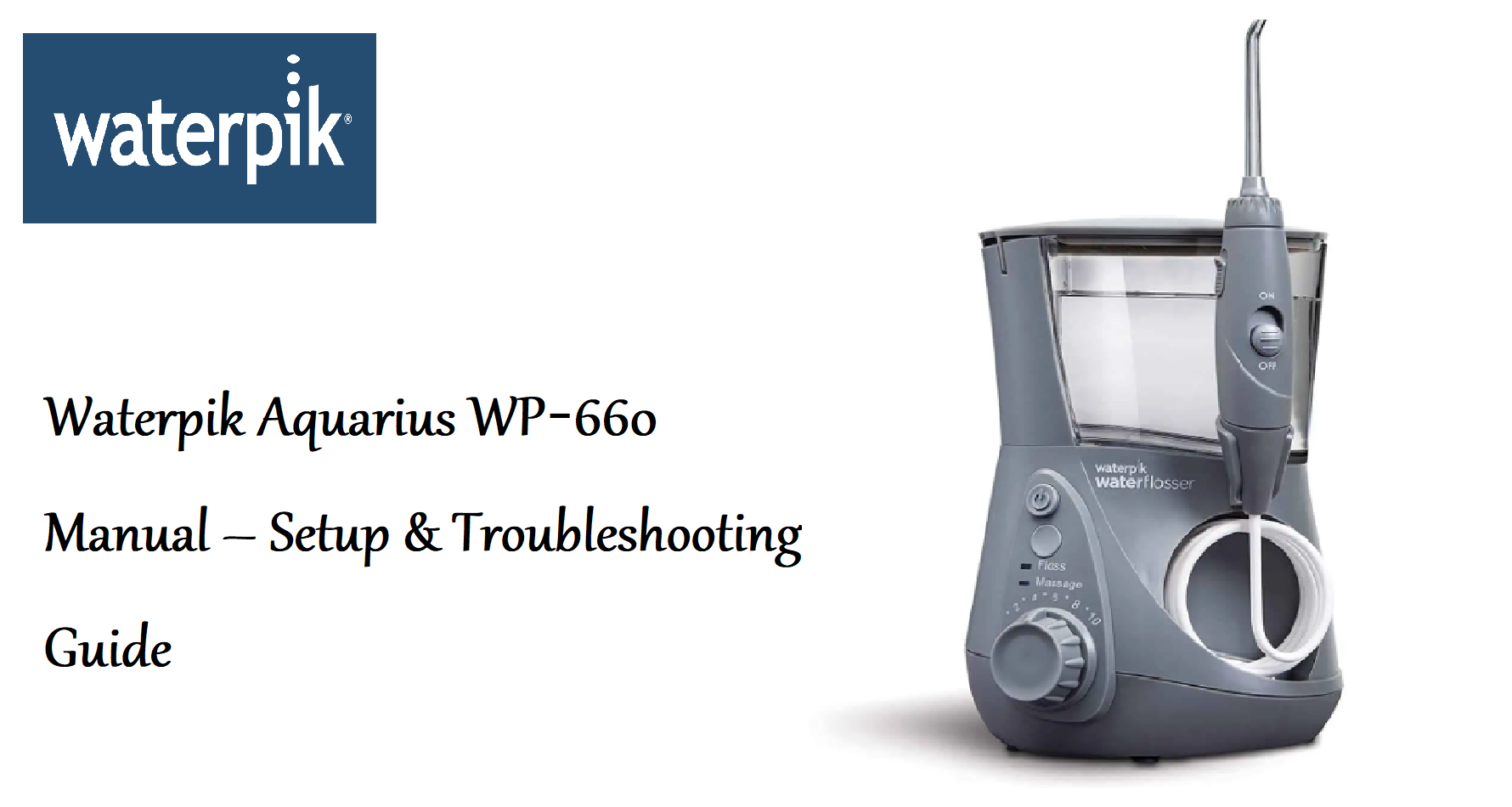
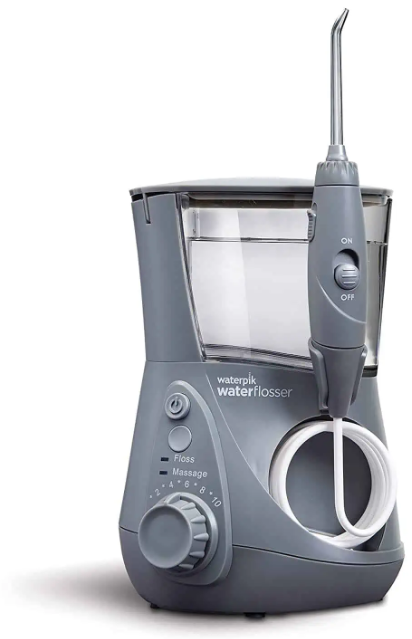
The Waterpik Aquarius WP‑660 is a countertop water flosser that uses a stream of pulsating water to remove food particles and plaque from between teeth and below the gumline. It’s clinically proven to improve gum health and is an ideal alternative or complement to string floss. This guide covers assembly, pressure settings, tip selection, and common fixes.
Product Overview
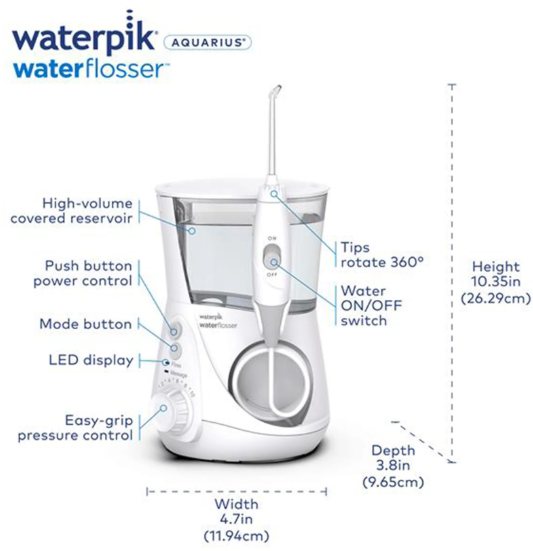
The Aquarius is Waterpik’s most popular water flosser model. It features a 22‑ounce water reservoir, ten pressure settings, a pause button on the handle, and a rotating tip for 360‑degree access. The unit includes seven interchangeable tips stored in the lid. It operates on standard AC power and has a built‑in timer that pauses the water flow every 30 seconds. The flosser is designed for daily use by adults and children (with supervision). It’s quiet, compact for a countertop unit, and backed by a 3‑year warranty.
Full Specifications
| Specification | Detail |
|---|---|
| Model | WP‑660 (Waterpik Aquarius) |
| Type | Countertop water flosser |
| Reservoir Capacity | 22 oz (650 ml) |
| Pressure Settings | 10 (from 10 to 100 PSI) |
| Pulse Rate | 1,200 pulses per minute |
| Tips Included | 3 Classic Jet tips, 1 Plaque Seeker tip, 1 Orthodontic tip, 1 Pik Pocket tip, 1 Tongue Cleaner |
| Timer | Built‑in 30‑second pause (with indicator ring) |
| On/Off & Pressure | Rotary dial on base (also controls pressure) |
| Handle | Ergonomic with pause button (stops water flow) |
| Motor | AC, quiet operation |
| Power | 120 V, 60 Hz (North America); 220‑240 V for other regions |
| Dimensions | 20.3 x 15.2 x 13.2 cm (8.0 x 6.0 x 5.2 in) |
| Weight | 1.1 kg (2.4 lbs) |
| Cord Length | 1.5 metres (5 ft) |
| Warranty | 3 years |
| Included Accessories | Base unit, reservoir with lid, handle with coil cord, 7 tips, tip storage case, user manual |
Key Features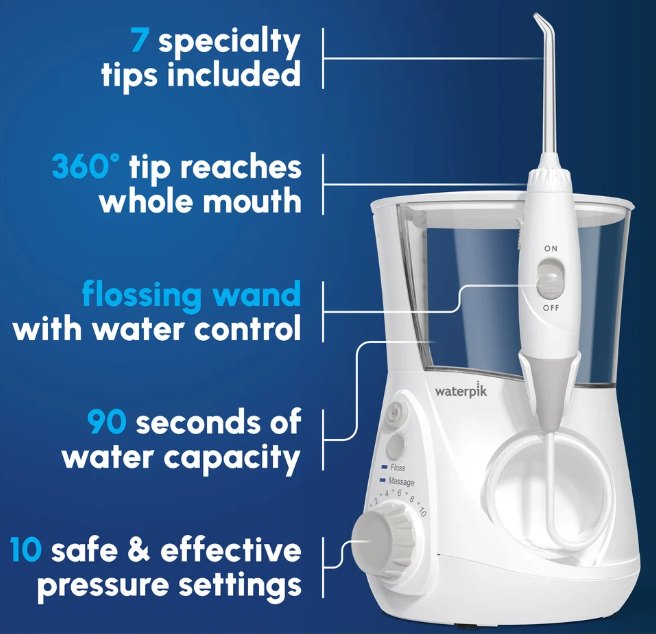
- 10 Pressure Settings: From a gentle 10 PSI for sensitive gums to a powerful 100 PSI for deep cleaning. The rotary dial adjusts pressure while running.
- Pause Button on Handle: Located on the back of the handle, it lets you temporarily stop the water flow without turning off the unit. Great for spitting or adjusting the tip.
- 360‑Degree Rotating Tip: The Classic Jet tip rotates 360° to reach all areas of the mouth, including back teeth and behind the gumline.
- Seven Interchangeable Tips: Each tip is colour‑coded for different uses: Classic Jet (everyday cleaning), Plaque Seeker (for implants, crowns, bridges), Orthodontic (for braces), Pik Pocket (for periodontal pockets), and Tongue Cleaner.
- 30‑Second Timer with Ring Indicator: The flosser pauses briefly every 30 seconds to remind you to move to another quadrant of your mouth.
- Easy‑Fill Reservoir: The reservoir lifts off for filling and is top‑rack dishwasher safe. The lid has a tip storage compartment.
- Quiet Operation: The motor is designed to run quietly, making it comfortable for morning or evening use.
How to Use
What’s in the Box
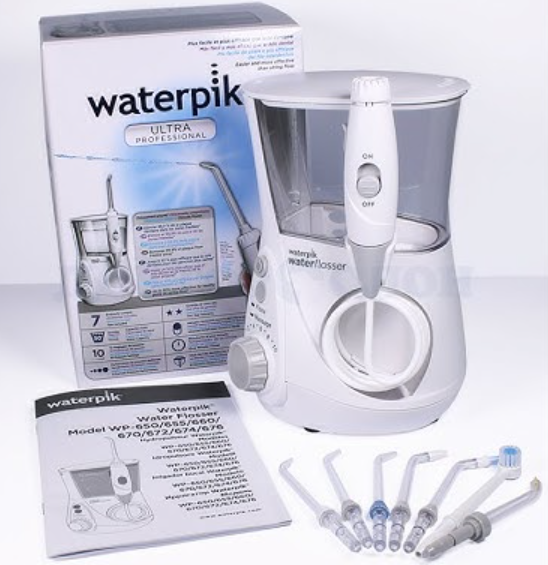
- Base unit with motor and pressure dial
- Water reservoir with lid (tip storage)
- Handle with coil cord and pause button
- Seven tips (3 Classic Jet, 1 Plaque Seeker, 1 Orthodontic, 1 Pik Pocket, 1 Tongue Cleaner)
- Tip storage case
- User manual and quick start guide
First‑Time Setup
- Place the base on a flat, stable surface near a sink. Plug the power cord into a grounded outlet.
- Fill the reservoir with lukewarm water and place it back on the base, pressing down gently to seat it.
- Select a tip (start with the Classic Jet). Insert the tip into the centre of the handle until it clicks. Press the tip eject button to remove.
- Point the tip toward the sink. Turn the pressure dial to the lowest setting (1). Press the On/Off switch to start. Gradually increase pressure to your comfort level.
Using the Water Flosser
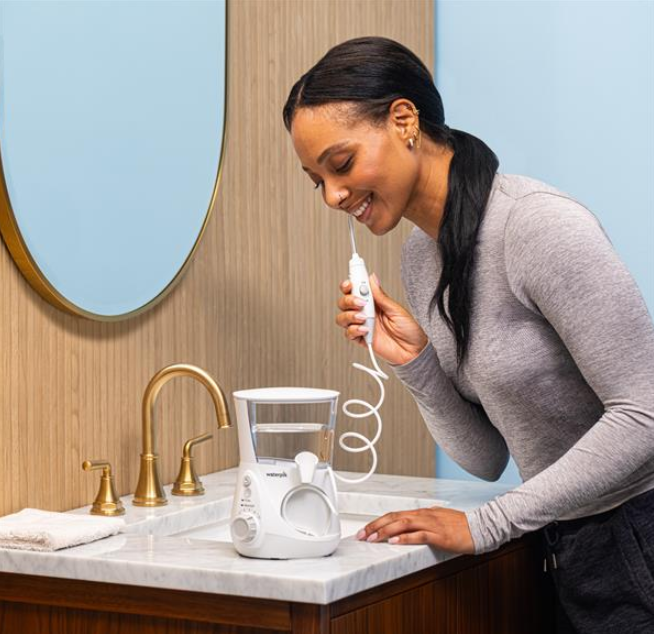
- Lean over the sink. Place the tip in your mouth before turning on the unit. Close your lips slightly to prevent splashing, but allow water to flow out.
- Turn the unit on. Start at the back teeth and work toward the front. Aim the tip at the gumline at a 90‑degree angle. Pause briefly between teeth.
- Use the pause button on the handle when you need to spit or adjust.
- The unit will pause every 30 seconds to signal you to move to another quadrant. After cleaning all four quadrants (about 1 minute), turn off the unit.
- Eject the tip and empty any remaining water from the reservoir. Wipe the unit dry.
Choosing the Right Tip
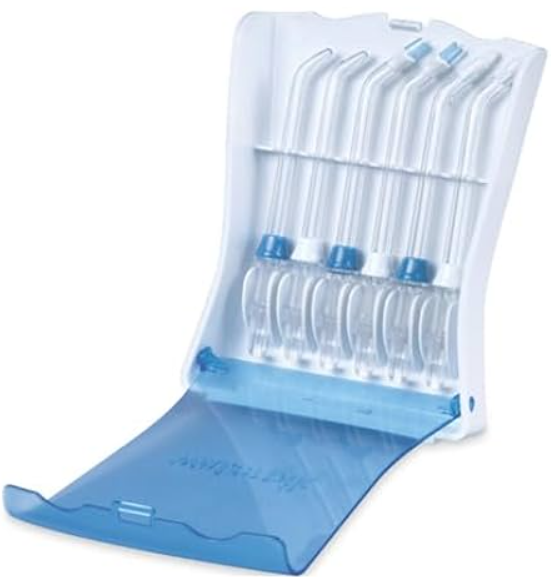
| Tip | Colour | Best For |
|---|---|---|
| Classic Jet | Blue | Everyday plaque removal and gum massage |
| Plaque Seeker | Green | Implants, crowns, bridges, veneers |
| Orthodontic | Clear with brush | Braces and orthodontic appliances |
| Pik Pocket | Purple | Periodontal pockets and furcations |
| Tongue Cleaner | White | Removing bacteria and freshening breath |
Cleaning & Storage
- After each use: Empty the reservoir. Wipe the base and handle with a dry cloth.
- Weekly: Clean the reservoir in the top rack of the dishwasher or hand wash with warm soapy water.
- Monthly: Soak the tips in a 1:1 solution of water and white vinegar for 5–10 minutes to remove mineral deposits. Rinse thoroughly.
- Long‑term storage: Empty the reservoir and dry completely before storing. Keep the unit in a cool, dry place.
Troubleshooting & Common Problems
| Problem | Likely Cause | What to Try |
|---|---|---|
| No water flow or weak flow | Clogged tip, or reservoir not seated | Soak the tip in vinegar solution. Ensure the reservoir is firmly seated. Check the inlet valve at the bottom of the reservoir for debris. |
| Water leaks from the handle | Tip not fully inserted, or damaged O‑ring | Push the tip until it clicks. Inspect the O‑ring inside the handle; replace if worn. |
| Unit makes noise but no water | Air trapped in the line | Turn the unit off, point the tip into the sink, and press the pause button. Turn on and let water flow for 10 seconds. |
| Pause button sticks | Mineral buildup | Soak the handle in a vinegar solution for 10 minutes. Rinse thoroughly. |
| Pressure too low even at setting 10 | Mineral buildup in the pump | Run a solution of 1:1 water and vinegar through the unit for 2–3 minutes. Rinse with clean water. |
| Motor hums but no pulsation | Internal blockage | Unplug, remove the reservoir, and check for debris in the intake. If problem persists, contact Waterpik. |
Frequently Asked Questions
- Can I use mouthwash in the reservoir?
Yes, you can add a small amount of mouthwash to the water. After use, run clean water through the unit to prevent buildup. Do not use pure mouthwash as it may foam excessively. - Is the Waterpik safe for braces?
Yes, the Orthodontic tip is specifically designed for braces. Use a medium pressure setting to avoid dislodging brackets. - Can children use it?
Children can use the Waterpik under adult supervision. Start with the lowest pressure setting and the Classic Jet tip. Recommended age is 6+. - How often should I replace the tips?
Replace Classic Jet tips every 3–6 months, Plaque Seeker every 3 months, Orthodontic every 3 months, and Pik Pocket every 3 months. Worn tips reduce effectiveness. - Does the Waterpik replace flossing?
The Waterpik is clinically proven to remove plaque and improve gum health, and many dental professionals recommend it as an alternative for people who find string floss difficult. However, it’s best used as a complement or replacement based on your dentist’s advice. - Is the reservoir dishwasher safe?
Yes, the reservoir and lid are top‑rack dishwasher safe. The base and handle should not be immersed.
Tips
- Start with warm water: It feels more comfortable, especially if you have sensitive gums.
- Begin at low pressure: If you’re new to water flossing, start at setting 3 or 4 and gradually increase over a week.
- Use the pause button while filling your mouth with water: It prevents splashing.
- Clean the tips regularly: Mineral deposits can clog the tips. A quick vinegar soak monthly keeps them flowing.
- Keep the unit unplugged when not in use: This prevents accidental activation and extends motor life.
Safety Information
- Electrical safety: Always unplug the unit before cleaning or when not in use. Do not use while bathing or near water.
- Pressure setting: Use the lowest comfortable setting. High pressure can injure gums, especially if you have periodontal disease.
- Supervise children: The Waterpik is not a toy. Children should be supervised.
- Do not aim at eyes or ears: The stream can cause injury.
- Use only tips provided: Third‑party tips may not fit properly and can cause leakage.
- If you have a pacemaker or other implanted medical device, consult your doctor before use (the motor produces a small magnetic field).
Related Manuals
If this guide was helpful, here are a few more popular manuals from productsmanuals.com that you might find useful:
- Samsung Galaxy Watch 7 Manual – Health Sensors, Galaxy AI & Battery Tips
Master ECG, body composition, sleep apnea detection, and more. - Oral‑B iO3 Manual – Electric Toothbrush Setup, Smart Pressure Sensor & Care
Pair the iO3 with your Waterpik for a complete oral hygiene routine. - Philips Sonicare ProtectiveClean 6100 Manual – Brushing Modes & BrushSync
Learn to use the Sonicare 6100 with pressure sensor and brush‑head reminders. - iPhone 16 Manual – Settings, Camera & Hidden Features Guide
Explore Dynamic Island, Action button, and battery‑health tricks. - Dell Inspiron 15 3520 Manual – Laptop Setup, Upgrades & Troubleshooting
Upgrade RAM and SSD, and fix common performance issues.
Browse all guides at productsmanuals.com .
Copyright 2026 productsmanuals.com All rights reserved. This Waterpik Aquarius WP‑660 manual is original content and may not be copied, republished, or redistributed without written permission. Waterpik, Aquarius, and the Waterpik logo are trademarks of Water Pik, Inc. This guide is unofficial and not affiliated with Waterpik.
