
Introduction
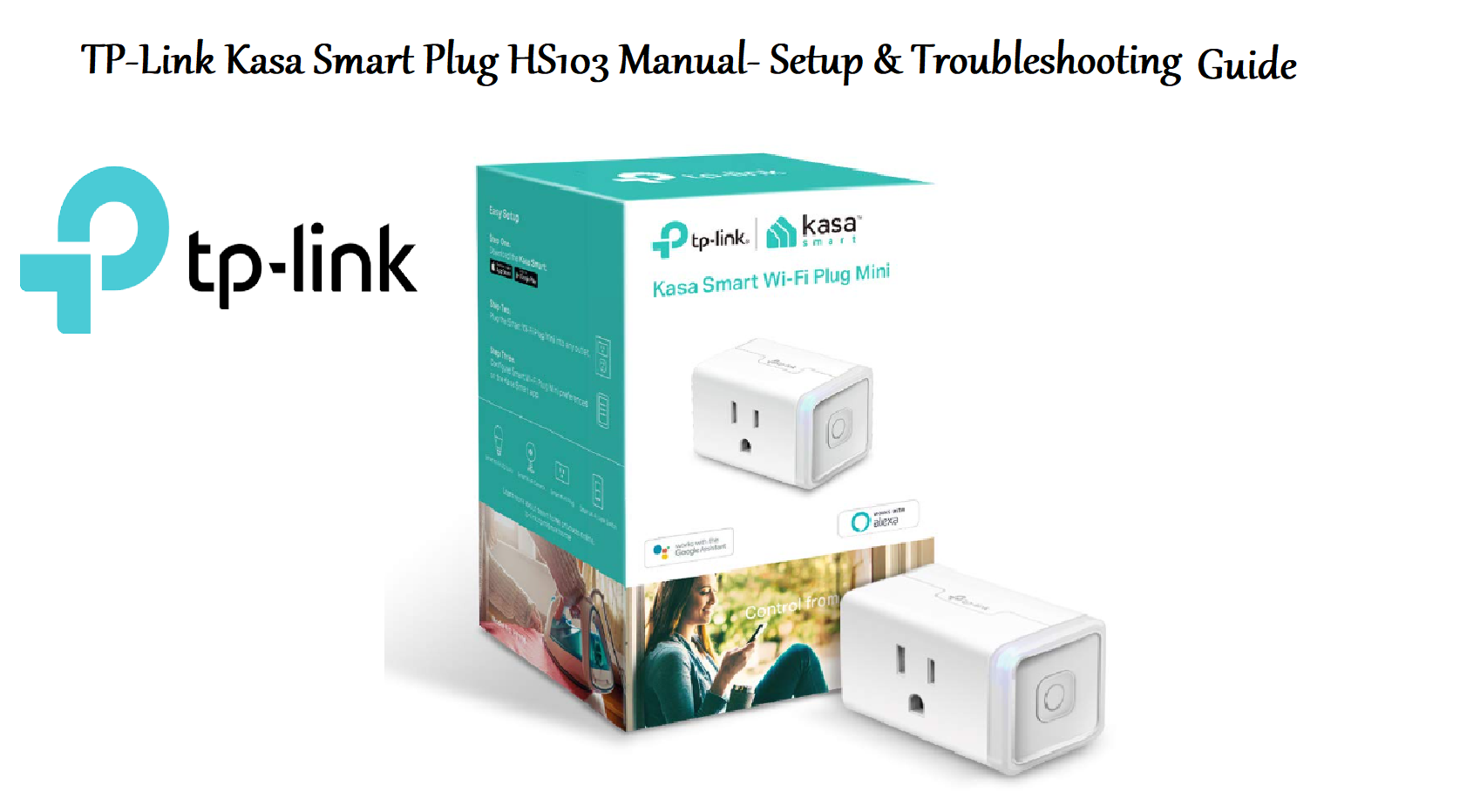
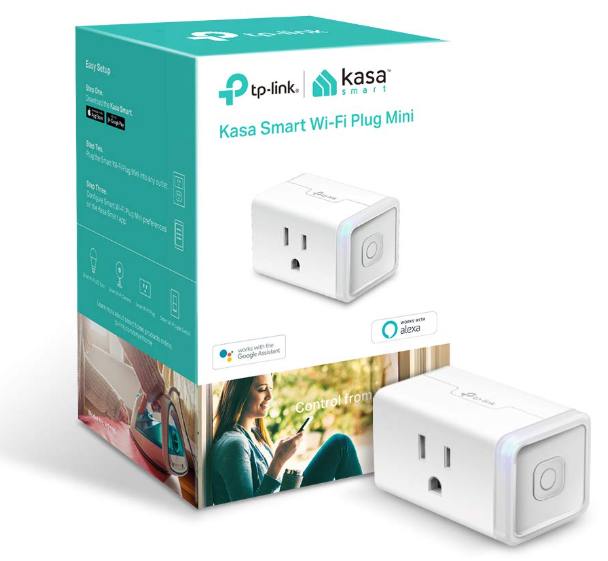
The Kasa Smart Wi-Fi Plug Mini (HS103) is a compact smart plug that lets you control lamps, fans, coffee makers, and other appliances from your phone or with voice commands. It connects directly to your 2.4 GHz Wi-Fi network – no hub required – and works with Amazon Alexa, Google Assistant, and Samsung SmartThings. This guide covers setup, app features, scheduling, and common fixes.
Product Overview
The HS103 is a square-shaped smart plug that fits into a standard 120V outlet without blocking the second socket. It supports up to 15 amps (1800W) and has a manual power button on the side. It pairs with the free Kasa Smart app over Wi-Fi, allowing remote control, schedules, timers, and away mode. The plug is UL-certified, energy-monitoring is not included (that’s the HS110 model), and it is not designed for outdoor use.
Full Specifications
| Specification | Detail |
|---|---|
| Model | HS103 (Kasa Smart Wi-Fi Plug Mini) |
| Type | Smart Wi-Fi plug (1 outlet) |
| Input Voltage | 100-120V AC, 60Hz |
| Maximum Load | 15A (resistive), 1800W |
| Wi-Fi | 2.4 GHz, IEEE 802.11 b/g/n (does NOT support 5 GHz) |
| Bluetooth | Not required for setup (uses Wi-Fi direct during initial pairing) |
| App | Kasa Smart (iOS 12+, Android 8+) |
| Voice Assistants | Amazon Alexa, Google Assistant, Samsung SmartThings |
| Dimensions | 2.6 x 2.6 x 1.6 inches (66 x 66 x 40 mm) |
| Weight | 0.26 lb (120 g) |
| Operating Temperature | 0°C to 40°C (32°F to 104°F) |
| Certification | UL Listed |
| Included Accessories | Kasa Smart Plug Mini, Quick Start Guide |
Key Features
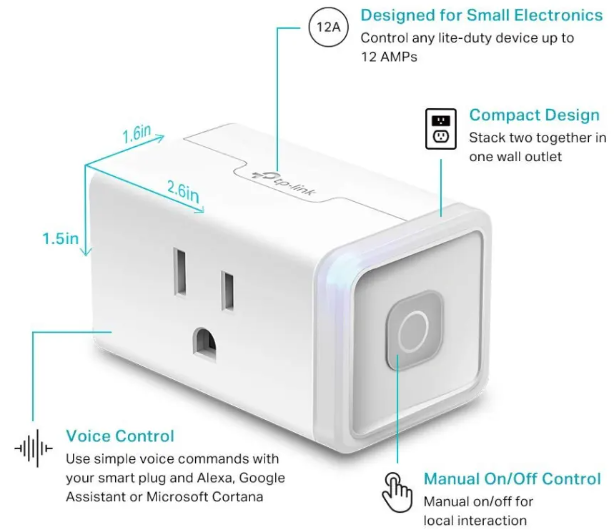
- Remote Control: Turn devices on/off from anywhere using the Kasa Smart app on your phone.
- Voice Control: Works with Alexa, Google Assistant, and SmartThings. Say “Alexa, turn on the lamp.”
- Scheduling & Timers: Set schedules for specific times and days (e.g., turn on at sunset). Use countdown timers for automatic shutoff.
- Away Mode: Randomly turns the plug on/off to simulate presence while you’re away, deterring potential intruders.
- Compact Design: Small size leaves the second outlet free. Manual power button on the side for quick control without the app.
- No Hub Required: Connects directly to your Wi-Fi router (2.4 GHz only). Simple setup via the app.
How to Use
What’s in the Box
- TP-Link Kasa Smart Wi-Fi Plug Mini (HS103)
- Quick Start Guide and warranty card
No cable or adapter needed – the plug itself is the device.
First-Time Setup
- Plug the HS103 into a standard electrical outlet near your Wi-Fi router (for initial setup). The LED indicator will blink amber/blue.
- Download the Kasa Smart app from the App Store or Google Play. Create a TP-Link ID (or sign in).
- In the app, tap the “+” icon to add a device. Select Smart Plug > Smart Plug Mini (HS103).
- The app will guide you through Wi-Fi pairing. Ensure your phone is connected to a 2.4 GHz Wi-Fi network. The HS103 does not support 5 GHz.
- Follow the in-app steps to connect the plug to your home Wi-Fi. The LED will turn solid blue when connected.
- Rename the plug (e.g., “Living Room Lamp”) and assign it a room. You can now control it remotely.
Using the App
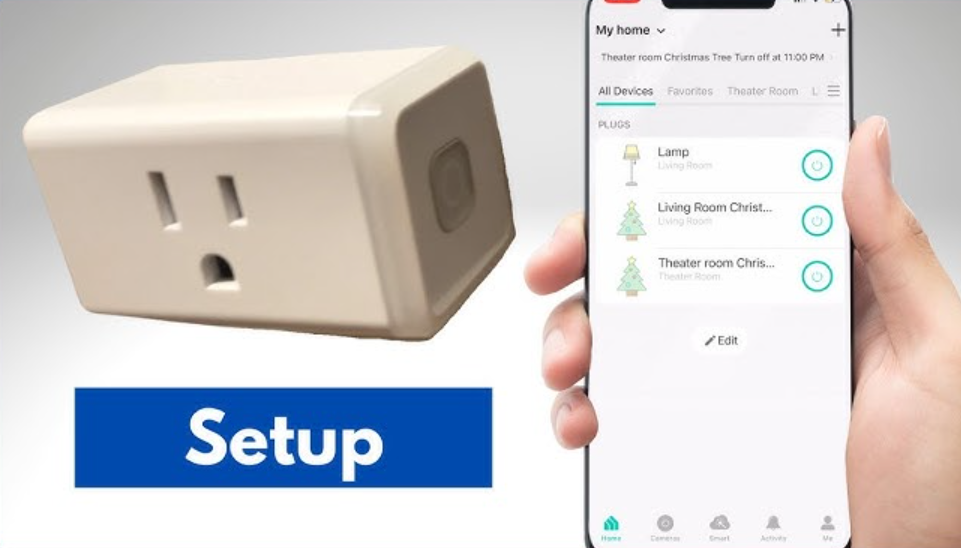
- Power button (on the app home screen): Tap to turn the plug on/off.
- Schedules: Tap the plug, then Schedule. Set a time and repeat days. You can also use Sunrise/Sunset offsets.
- Timer: Tap Timer to set a countdown after which the plug turns off.
- Away Mode: Tap Away and set a time window. The plug will randomly turn on/off during that period.
- Device Settings: Tap the gear icon to rename, update firmware, check Wi-Fi signal, and enable/disable remote control.
- Grouping: You can group multiple Kasa devices to control them together.
Voice Control Integration
Amazon Alexa:
- Open the Alexa app, go to Skills & Games, search for Kasa Smart. Enable the skill and sign in with your TP-Link ID.
- Discover devices. Then say “Alexa, turn on [device name].”
Google Assistant:
- Open the Google Home app, tap “+” > Set up device > Works with Google. Search for Kasa Smart and link your account.
- Then say “Hey Google, turn off [device name].”
Samsung SmartThings:
- In SmartThings, add device by brand (TP-Link Kasa) and sign in.
- Use SmartThings routines to include the plug.
Manual Control
-
Press the small button on the side of the HS103 to toggle power on/off. The LED will show status.
Troubleshooting & Common Problems
| Problem | Likely Cause | What to Try |
|---|---|---|
| Plug won’t connect to Wi-Fi | 5 GHz network selected, or weak signal | Ensure your phone is on a 2.4 GHz network during setup. Temporarily disable 5 GHz on your router if the SSID is the same. Move the plug closer to the router. |
| LED blinks amber/blue but app can’t find it | Plug in setup mode but phone not connecting | Close and reopen the Kasa app. Ensure Bluetooth and location services are enabled on your phone (required for initial detection). Reset the plug (hold button for 5 seconds until LED blinks rapidly). |
| Plug works manually but not in app | Wi-Fi disconnected, or app not logged in | Check that the LED is solid blue (means connected). If not, reconnect via Wi-Fi. Ensure you’re signed into the same TP-Link ID in the app. |
| Voice assistant can’t control plug | Skill/action not linked, or device name not recognized | Re-link the Kasa skill/action. Discover devices again. Use simple, unique names for devices. |
| Plug randomly turns on/off | Away Mode active, or schedule set | Check the app for active Away Mode or schedules. Disable if not needed. |
| Device not responding in app | Router changed, or plug offline | Reboot the router and the plug (unplug for 10 seconds). If the Wi-Fi password changed, re-add the plug. |
| App shows “Local only” | Remote control disabled or cloud connection issue | Go to device settings and ensure Remote Control is enabled. Check internet connection. |
Frequently Asked Questions
Does the HS103 work with 5 GHz Wi-Fi?
No, it only supports 2.4 GHz. Most routers broadcast both, so connect your phone to the 2.4 GHz SSID during setup.
Can I use the HS103 outdoors?
No, it’s for indoor use only. Do not expose to moisture or extreme temperatures.
How much power can it handle?
Up to 15 amps (1800W resistive). Do not exceed this load; it’s suitable for lamps, fans, and small appliances but not for high-power devices like space heaters or air conditioners.
Does it monitor energy usage?
No, the HS103 does not have energy monitoring. For that, consider the HS110 or HS300.
Can I control the HS103 from a computer?
The Kasa app is for smartphones/tablets. There’s a web portal (kasa.tplinkcloud.com) where you can log in and control devices from a browser, but the primary interface is the app.
What does the LED colour mean?
Amber/blinking = setup mode. Solid blue = connected and working. Rapid blinking = resetting.
How do I factory reset the HS103?
Press and hold the side button for about 5 seconds until the LED blinks rapidly amber/blue. Release. The plug is now in setup mode and all settings are cleared.
Tips
- Use unique names: Name the plug based on what it controls (“Desk Lamp,” “Coffee Maker”). This makes voice commands easier.
- Group lights: If you have multiple smart plugs for lights, create a group in the Kasa app to control them together.
- Set a schedule for holiday lights: Automate your Christmas tree or outdoor lights (if using an outdoor-rated plug) to turn on at sunset and off at bedtime.
- Combine with smart sensors: Use Kasa smart plugs with Kasa cameras or motion sensors to create automation routines (e.g., turn on lamp when motion detected).
- Keep firmware updated: The Kasa app will notify you of firmware updates. Update for security and new features.
Safety Information
- Indoor use only: The HS103 is not weatherproof. Do not use in damp locations or outdoors.
- Load rating: Do not exceed 15A/1800W. Overloading can cause overheating and fire.
- Children: Keep the plug out of reach of children when inserted in an outlet; the small parts (none) but the plug itself can be pulled out.
- Power strip: You can plug the HS103 into a power strip, but ensure the total load on the strip doesn’t exceed its rating.
- Cleaning: Unplug the HS103 before cleaning. Wipe with a dry cloth. Do not use liquids.
Related Manuals
If this guide was helpful, here are a few more popular manuals from productsmanuals.com that you might find useful:
- How to Setup MIRO W1 SE Kids Smartwatch (Complete Guide + Fixes)
Master ECG, body composition, sleep apnea detection, and more.
View the Samsung Galaxy Watch 7 Manual - Samsung Galaxy S22 SM‑S901B Manual – Features, Setup & Troubleshooting Guide
Get the most from your smart speaker with routines, privacy controls, and more. - iPhone Air A3312 Manual – Settings, Camera & Hidden Features Guide
Explore Dynamic Island, Action button, and battery-health tricks. - Gigabyte AORUS 15G User Manual & Setup Guide
Upgrade RAM and SSD, and fix common performance issues. - HP Officejet Pro 9015e Manual Setup Wireless Scan and Troubleshooting Guide
Print, scan, and solve paper jams with clear step-by-step instructions.
Browse all guides at productsmanuals.com .
Copyright 2026 productsmanuals.com All rights reserved. This TP-Link Kasa Smart Plug HS103 manual is original content and may not be copied, republished, or redistributed without written permission. TP-Link, Kasa, and the TP-Link logo are trademarks of TP-Link Technologies Co., Ltd. This guide is unofficial and not affiliated with TP-Link.
