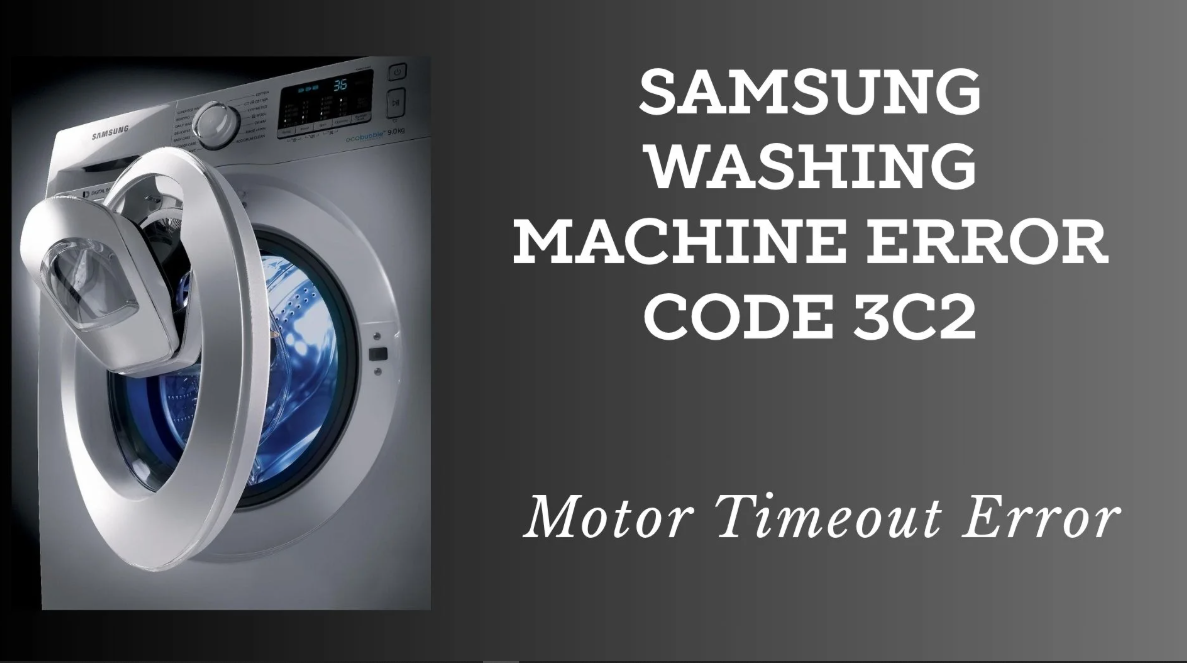

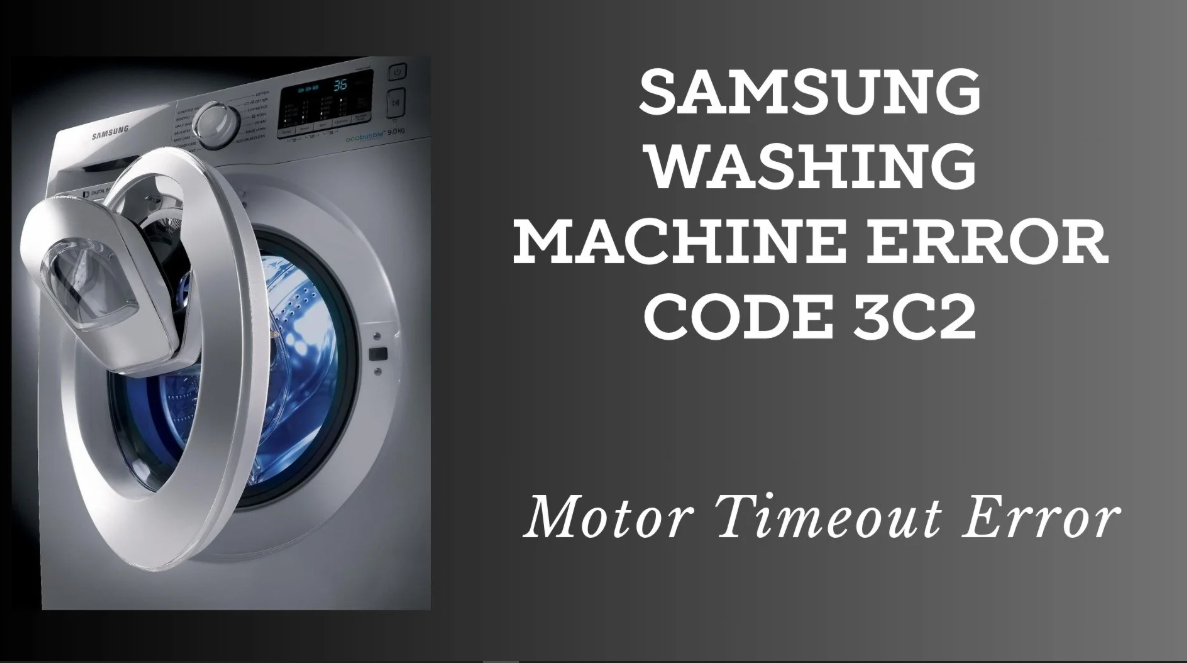
Introduction
Samsung washing machines are among the most popular in the world, known for their innovative features like EcoBubble, AI Control, and Digital Inverter motors. Whether you own a front-load or top-load model, understanding the available cycles and being able to decode error codes is essential for getting the best performance and resolving issues quickly. This manual covers the most common cycles, a comprehensive list of error codes with solutions, and practical troubleshooting steps. The information is based on official Samsung support documentation and applies to a wide range of popular models, including the WF45T6000AW, WA7455T, and similar series.
Product Overview
Samsung washing machines are designed with user-friendly controls and a range of intelligent features. Depending on your model, you may have a front-load or top-load design, with capacities ranging from 7 kg to over 11 kg. Key technologies include:
- EcoBubble: Generates air bubbles that remove 24% more dirt even at low temperatures, saving energy and improving fabric care.
- AI Control: Detects fabric type and optimizes bubble amount, wash time, temperature, and spin speed.
- Digital Inverter Motor: Quiet, durable, and backed by a long warranty.
- SmartThings Connectivity: Allows remote control and monitoring via the Samsung SmartThings app.
Key Features
- Multiple Cycle Options: Normal, Heavy Duty, Whites, Bedding, Quick Wash, Delicates, and more.
- Customizable Settings: Adjust water temperature, spin speed, soil level, and rinse count.
- My Cycle: Save your favourite settings for one-touch recall.
- Delay End: Program the wash to finish up to 24 hours later.
- Pre Soak: Adds 18 minutes of soaking for better stain removal.
- Extra Rinse: Converts to deep rinse mode and rinses again.
- Child Lock: Prevents accidental changes to the cycle.
- Self-Clean / Drum Clean: Reminder and cycle to keep the drum hygienic.
Cycle Guide
The table below describes the most common cycles available on Samsung washing machines. Cycle names and availability may vary by model.
| Cycle | Description |
|---|---|
| NORMAL | For cottons, bed linens, table linens, underwear, towels, or shirts. Washing time and number of rinses are automatically adjusted according to the load. |
| HEAVY DUTY | For sturdy, colourfast fabrics and heavily soiled items. |
| WHITES | For white items. You can add bleach for extra whitening. |
| BEDDING | For blankets, comforters, and sheets. Uses a gentle wash motion and extra rinse. |
| QUICK WASH | For lightly soiled small loads in about 30 minutes. |
| DELICATES | For lingerie, blouses, and sheer fabrics. Uses a slow spin speed and gentle agitation. |
| SANITIZE | Uses high temperatures to eliminate bacteria and allergens. |
| RINSE + SPIN | For items that only need rinsing and spinning. |
| DRUM CLEAN | Cleaning cycle for the drum. Run monthly with a cleaner or bleach. |
Adjustable Settings
- Temperature: Hot, Warm, Eco Warm, Cool, Cold, Tap Cold.
- Spin Speed: High, Medium, Low, No Spin.
- Soil Level: Heavy, Normal, Light.
- Rinse Count: 1 to 5 (model-dependent).
Error Codes & Troubleshooting
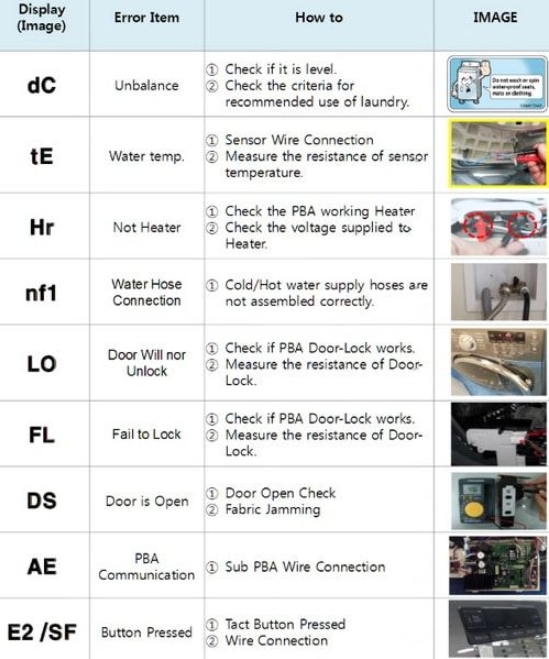
When your washer detects a problem, it displays an information code. Use the tables below to identify the cause and solution.
Common Error Codes (Front-Load & Top-Load)
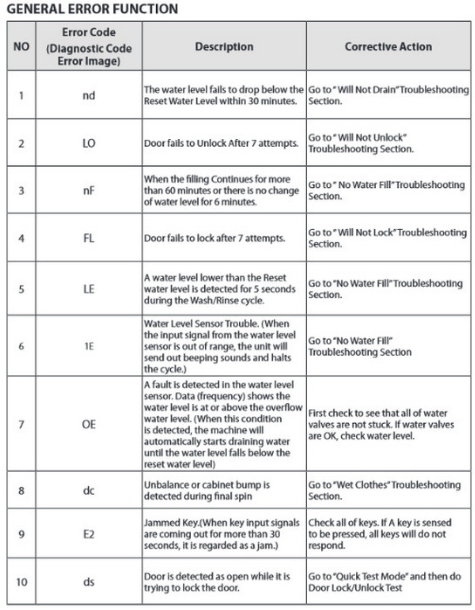
| Code | Meaning | Solution |
|---|---|---|
| 4C / 4E | Water supply issue | Ensure the water tap is fully open and water is flowing. Check that the water pressure is sufficient (0.5–8 bar). Clean the mesh filter in the water supply hose. Check that the hose is not kinked or clogged. |
| 5C / 5E | Water drainage issue | Clean the drain pump filter. Check the drain hose for kinks or blockages. Ensure the drain hose is installed at a height of at least 60 cm. |
| 1C / 1E | Water level sensor issue | Switch off the appliance at the mains, wait 1 minute, then switch it back on and start a new programme. |
| 3C / 3E | Motor issue | Switch off at the mains, wait 1 minute, then restart. If the code persists, contact Samsung service. |
| UE / Ub | Unbalanced load | Redistribute the load evenly in the drum. For a single heavy item (e.g., a blanket), add a few towels to balance the drum. |
| OC | Water overflow | Restart after spinning. If the code remains, contact Samsung service. |
| LC / LC1 | Leak detected | Make sure the drain hose end is not placed on the floor. Check that the drain hose is not clogged. If the code remains, contact service. |
| HC | High temperature heating check | Power off the washer, then contact a Samsung service centre. |
| 8C | MEMS sensor not working | Turn the machine off and restart the cycle. If the code persists, contact service. |
| DC1 | Door lock/unlock not working | Turn the machine off and restart. If the code remains, contact service. |
| 6C6 | Detergent level sensor moisture/failure | Run the Pump Clean operation. If the code persists, contact service. |
| 6C7 | Softener level sensor moisture/failure | Run the Pump Clean operation. If the code persists, contact service. |
| SUd / 5Ud | Excessive suds | The machine has detected too much detergent. Reduce the amount of detergent and run a rinse cycle. |
| nF / 7E / E1 | Not filling | Check the water supply line and connections. Power off and on after 2–3 minutes. |
| nD / E2 | Not draining | Check the drain hose for kinks or blockages. |
| OF / E3 | Overflow | Turn the washer off and check the water level. Ensure the drain hose is at the correct height. |
| LE / LE1 / E9 | Leaking | Check the drain hose angle and for foreign substances. Turn off the power, wait 2–3 minutes, then restart. |
| H1 / HE / HE2 | Water temperature error | Ensure supply hoses are attached correctly (red to hot, blue to cold). Ensure the cold water hose is tightened. |
| dC | Operating with the door open | Close the door properly. |
| dE | Door open when washer is running | Close the door. |
General Troubleshooting Steps
- Note the code: Write down the exact code displayed.
- Power cycle: Unplug the machine or switch it off at the breaker for 2–3 minutes, then restart.
- Check common causes: Water supply, drain hose, door latch, and load balance.
- Clean filters: Mesh filter (water inlet) and debris filter (drain pump).
- Consult the manual: If the code is not listed, refer to your model’s specific user manual.
- Contact service: If the code persists after basic troubleshooting, book a repair with Samsung.
Frequently Asked Questions
- What does code 4C mean?
It indicates a water supply issue. Check that the tap is open, the mesh filter is clean, and the hose is not kinked. - What does code 5E mean?
It indicates a drainage issue. Clean the debris filter, check the drain hose for blockages, and ensure it is installed at the correct height. - What does code UE mean?
It means the load is unbalanced. Pause the cycle, open the door, redistribute the clothes, and restart. - How do I run a Drum Clean cycle?
Select the DRUM CLEAN cycle on the dial (or via the app) and press Start. Run it monthly with a drum cleaner or bleach. - Can I add a forgotten item after the cycle starts?
Press Start/Pause to pause the cycle. Wait for the door to unlock (may take a minute), add the item, close the door, and press Start/Pause to resume. - What is the difference between 4C and 4E?
They both indicate water supply issues but may be used interchangeably depending on the model.
Tips
- Use the correct detergent: Use HE (High Efficiency) detergent for front-load machines to avoid excessive suds.
- Don’t overload: Fill the drum about three-quarters full for best cleaning and rinsing.
- Clean the debris filter monthly: This prevents drainage issues and odours.
- Run Drum Clean monthly: Keeps the drum hygienic and prevents mould.
- Wipe the door seal: After each wash, wipe the rubber gasket to remove moisture and debris.
- Use Delay End wisely: Schedule washes to finish when you’re home to remove clothes promptly, preventing wrinkles and odours.
Safety Information
- Electrical: Always unplug the washer before cleaning or maintenance.
- Water: Turn off the water taps when the washer is not in use for extended periods.
- Children: Keep the door closed and use Child Lock to prevent accidents. Children can climb into the drum; supervise at all times.
- Detergent: Keep detergent and bleach out of reach of children. Follow the manufacturer’s instructions for safe use.
- Flammable items: Do not wash items that have been in contact with flammable liquids (petrol, solvents).
- Ventilation: Ensure adequate airflow around the washer. Do not install in a closed closet without ventilation.
Related Manuals
If this guide was helpful, here are a few more popular manuals from productsmanuals.com that you might find useful:
- LG WM4000HWA Washer Manual – TurboWash 360, ThinQ App & Troubleshooting
Compare another top front-load washer with smart features. - Samsung Galaxy Watch 7 – Health Sensors, Galaxy AI & Battery Tips
Master ECG, body composition, sleep apnea detection, and more. - Honeywell T5 Smart Thermostat– Geofencing, App Setup & Scheduling
Automate your home’s heating and cooling for comfort and savings. - Roborock S8 MaxV Ultra– Vacuum & Mop with Auto-Emptying
Keep your floors clean with this flagship robot vacuum. - Dell Inspiron 15 3520– Laptop Setup, Upgrades & Troubleshooting
Upgrade RAM and SSD, and fix common performance issues.
Browse all guides at productsmanuals.com .
Copyright 2026 productsmanuals.com All rights reserved. This Samsung washing machine manual is original content and may not be copied, republished, or redistributed without written permission. Samsung, EcoBubble, and the Samsung logo are trademarks of Samsung Electronics. This guide is unofficial and not affiliated with Samsung.
