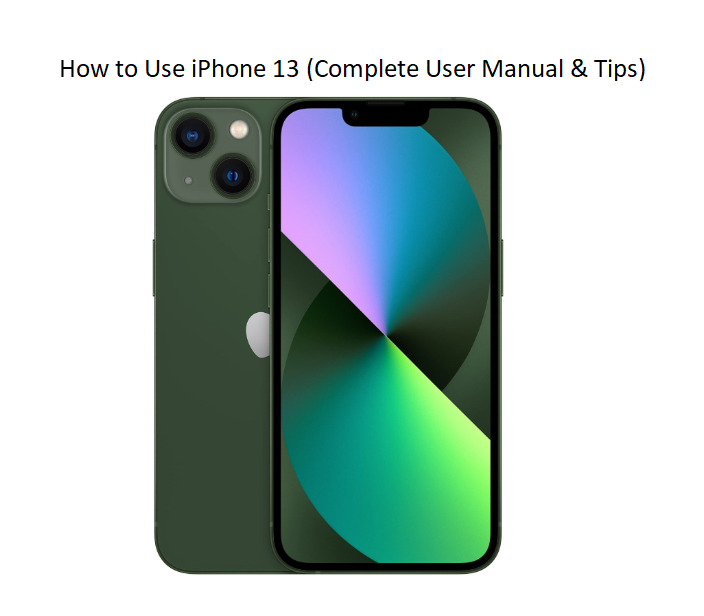

How to Use iPhone 13 (Complete User Manual & Tips)
Introduction
The iPhone 13 is one of the most popular smartphones, known for its powerful performance and user-friendly design. However, if you are new to iPhones or upgrading from an older device, it can take some time to understand all its features.
This complete beginner guide will walk you through everything you need to know — from setup to daily usage, tips, and troubleshooting.
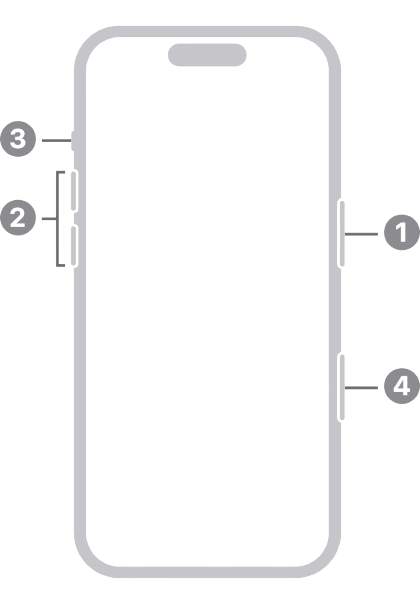
iPhone 13 Buttons & Controls
Side Button (Right) → Power on/off, lock screen
- Volume Up/Down (Left) → Adjust sound
- Mute Switch → Silent mode
- Touch Screen → Main control system
Tip: Press and hold the side button + volume up to power off.
How to Set Up iPhone 13 (Step-by-Step)
-
Turn on your iPhone (hold side button)
-
Select your language and country
-
Connect to Wi-Fi
-
Sign in with Apple ID
-
Set Face ID or passcode
-
Restore data (optional)
Your phone is now ready to use!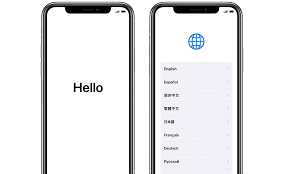
How to Navigate the iPhone 13
Apple uses gesture-based navigation instead of buttons.
- Swipe up: Return to Home screen
- Swipe down: Open notifications
- Swipe right: Access search
- Swipe left: View widgets
These gestures make navigation fast and simple.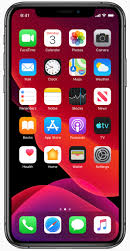
Making Calls and Sending Messages
- Open the Phone app to make calls
- Use the Messages app to send texts or iMessages
You can also use voice commands for hands-free communication.
How to Use the Camera on iPhone 13
The iPhone 13 camera is powerful and easy to use.
- Open the Camera app
- Choose modes like Photo, Video, or Portrait
- Tap the screen to focus
- Press the capture button
Pro Tip: Use Night Mode for better photos in low light.
Battery Saving Tips
To extend your battery life:
- Lower screen brightness
- Enable Low Power Mode
- Turn off background app refresh
- Disable location services when not needed
These small changes can significantly improve battery performance.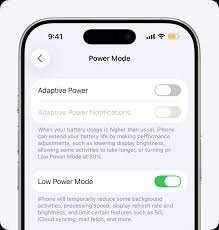
How to Reset iPhone 13
If your phone has issues, resetting may help:
- Go to Settings
- Tap General
- Select Transfer or Reset iPhone
- Tap Erase All Content and Settings
Warning: This will delete all data, so back up your device first.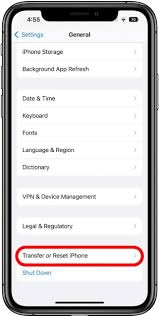
Common iPhone 13 Problems and Solutions
iPhone Not Charging
- Check your charging cable
- Clean the charging port
Phone Running Slow
- Restart your device
- Close unused apps
Wi-Fi Not Working
- Restart router
- Reset network settings
Frequently Asked Questions
Is iPhone 13 good for beginners?
Yes, it is very user-friendly and suitable for new users.
How long does the battery last?
It can last a full day with normal usage.
Can I use iPhone 13 without Apple ID?
You can, but many features will be limited.
Final Verdict
The iPhone 13 is a reliable and easy-to-use smartphone that offers excellent performance and features. By following this guide, beginners can quickly learn how to use the device and get the most out of it.
Whether you are setting it up for the first time or exploring new features, this manual covers everything you need.

[…] iPhone 13 – Settings, Camera & Hidden Features Manual Master Dynamic Island, Action button, and battery‑health tricks. […]
[…] iPhone 13 Manual – Settings, Camera & Hidden Features Guide Master Dynamic Island, Action button, and battery‑health tricks. […]
[…] iPhone 13 Manual – Settings, Camera & Hidden Features Guide Explore Dynamic Island, Action button, and battery-health tricks. […]