

Introduction
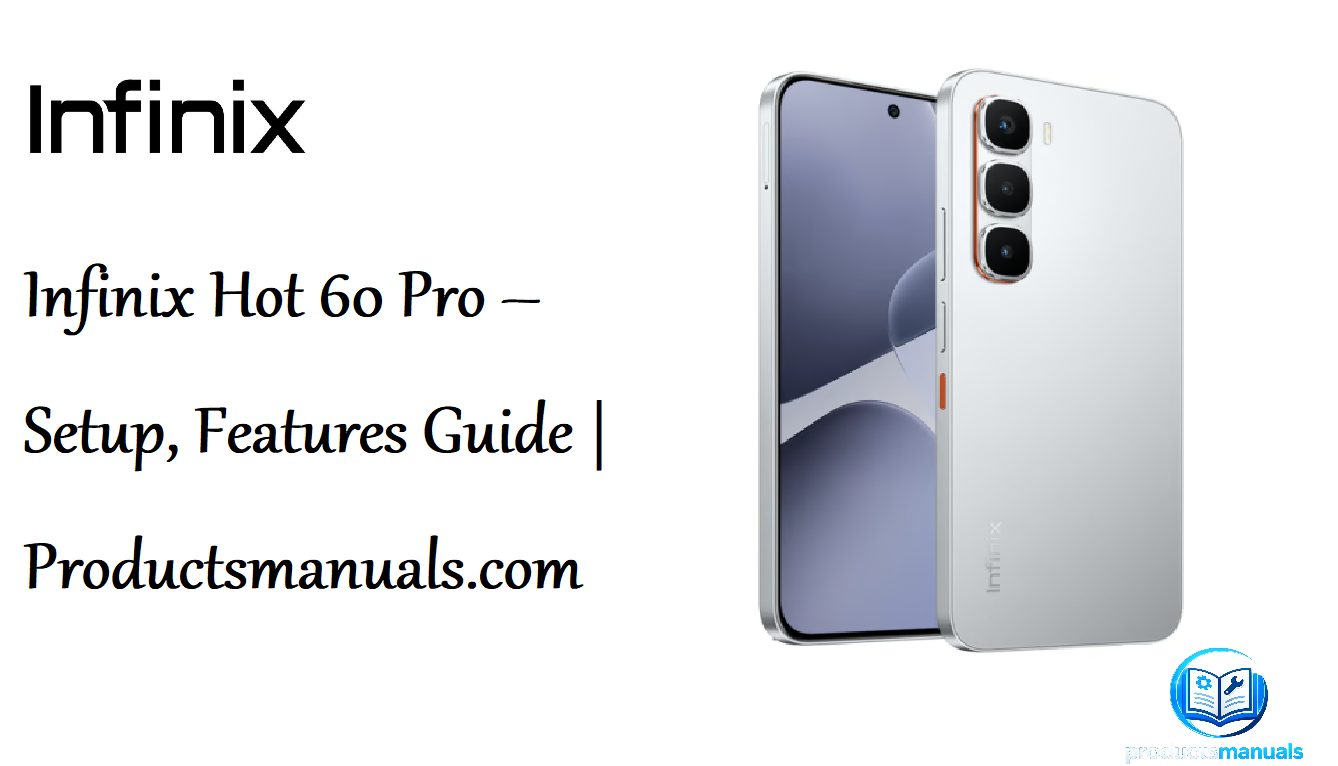
The Infinix Hot 60 Pro is one of the thinnest and most feature-packed budget smartphones on the market. At just 6.6mm thin and 170g light, it defies expectations by packing a massive 5160mAh battery, a stunning 1.5K AMOLED display with a 144Hz refresh rate, and the powerful MediaTek Helio G200 processor into a sleek frame. It runs XOS 15.1 based on Android 15 and includes a dedicated One-Tap AI button for instant access to smart features. This manual covers everything from unboxing and first-time setup to using the AI features, managing the battery, and troubleshooting common issues so you can get the most from your device.
Product Overview
The Infinix Hot 60 Pro is a 4G smartphone designed for users who want a premium look and feel without the premium price. Its aerospace-grade aluminum frame and Corning Gorilla Glass 7i protection give it durability beyond its class. The 6.78-inch AMOLED display delivers 1224 x 2720 resolution, 4500 nits peak brightness, and a 144Hz refresh rate, making it excellent for media consumption and gaming. The phone features a 50MP main camera, a 13MP selfie camera, dual stereo speakers with JBL tuning, a 3.5mm headphone jack, and an IR blaster. It is available in six colors including Sleek Black, Titanium Silver, Coral Tides, and Jungle Breath.
Full Specifications

| Specification | Detail |
|---|---|
| Model | X6885 (Infinix Hot 60 Pro) |
| Display | 6.78-inch LTPS AMOLED, 1224 x 2720 pixels, 144Hz refresh rate, 2160Hz PWM, Corning Gorilla Glass 7i |
| Brightness | 700 nits (typ), 1600 nits (HBM), 4500 nits (peak) |
| Processor | MediaTek Helio G200 (6nm), Octa-core (2×2.2 GHz Cortex-A76 & 6×2.0 GHz Cortex-A55) |
| GPU | Mali-G57 MC2 (1.1GHz) |
| RAM | 8 GB (plus 8 GB extended RAM) |
| Storage | 128GB / 256GB UFS 2.2, dedicated microSDXC slot |
| Rear Camera | 50 MP, f/1.6, 27mm (wide), 1/2.8″, PDAF; Auxiliary lens; Dual-LED flash, HDR, panorama |
| Front Camera | 13 MP, f/2.2, 24mm (wide) |
| Video | 1440p@30fps, 1080p@30/60fps |
| Battery | 5160 mAh (non-removable) |
| Charging | 45W wired (50% in 22 min), 10W reverse wired |
| Operating System | Android 15 with XOS 15.1 |
| Dimensions | 163.5 x 75.9 x 6.6 mm |
| Weight | 170 g |
| Build | Glass front (Gorilla Glass 7i), plastic back, plastic frame, aerospace-grade aluminum |
| Water Resistance | IP64 (dust tight, water splash resistant) |
| Connectivity | 4G LTE, Wi-Fi 802.11 a/b/g/n/ac (dual-band), Bluetooth 5.4, NFC (region dependent), GPS, FM radio |
| Ports | USB Type-C 2.0 (OTG), 3.5mm headphone jack |
| Sensors | In-display fingerprint (optical), accelerometer, gyro, proximity, compass |
| Colours | Sleek Black, Titanium Silver, Coral Tides, Sapphire Blue, Jungle Breath, Orange Rose Valley |
| In-the-Box | Phone, 45W charger, USB-C cable, protective case, SIM tool, documentation |
Key Features
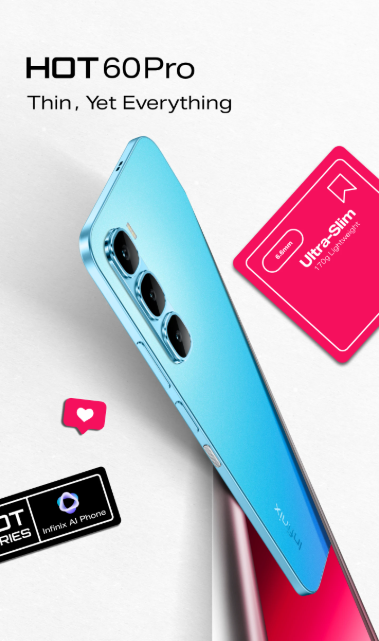
- 6.6mm Ultra-Slim Design: One of the thinnest smartphones available, weighing only 170g. The Color-Pop design with scent weave technology adds a multi-sensory experience.
- 1.5K 144Hz AMOLED Display: Stunning visuals with 4500 nits peak brightness, 2160Hz PWM dimming for eye comfort, and 94% screen-to-body ratio.
- MediaTek Helio G200: A 6nm processor with an AnTuTu score of 465,122, delivering smooth gaming and AI performance.
- 45W FastCharge: Charges the 5160mAh battery from 1% to 50% in just 22 minutes. The battery is rated for 1800 charge cycles and has a 5-year lifespan.
- One-Tap AI Button: A dedicated physical button that provides instant access to AI features like screen content analysis, note creation, and photo retrieval.
- AI-Powered Camera Suite: Includes AI Vogue Portraits, AI Image Extender, AI Eraser 2.0, and AI Sharpness Plus for professional-grade photo editing.
- IP64 Dust & Splash Resistance: Protects against dust and water splashes, with 1.5m drop resistance and four-corner reinforcement.
- Dual Stereo Speakers with JBL Tuning: Immersive audio for media consumption and gaming.
How to Use
What’s in the Box
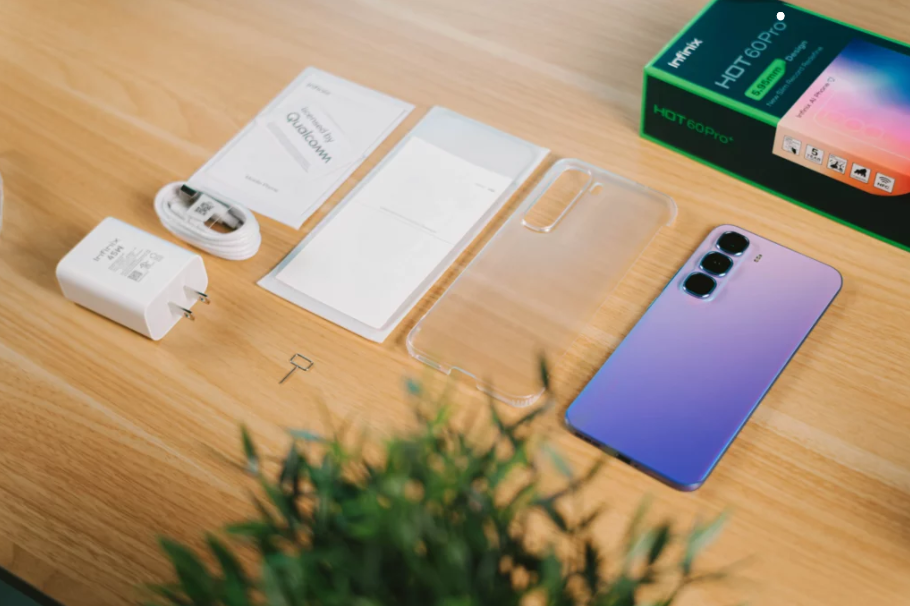
- Infinix Hot 60 Pro smartphone
- 45W fast charger
- USB-C to USB-C cable
- Protective case
- SIM card ejector tool
- Quick Start Guide and warranty card
First-Time Setup
- Insert SIM and microSD: Use the ejector tool to open the SIM tray on the left side. Insert your Nano-SIM and a microSD card if you have one. The tray has a dedicated microSD slot.
- Charge the phone: Connect the 45W charger. The 5160mAh battery charges to 50% in about 22 minutes.
- Power on: Press and hold the power button on the right side until the Infinix logo appears.
- Follow the setup wizard: Select your language, connect to Wi-Fi, and sign in with your Google account.
- Set up fingerprint: Go to Settings > Security > Fingerprint and follow the prompts. The sensor is under the display.
- Set up the One-Tap AI Button: The button on the right side can be configured for various AI functions. Tap it during setup or go to Settings > One-Tap AI to customize.
Physical Controls
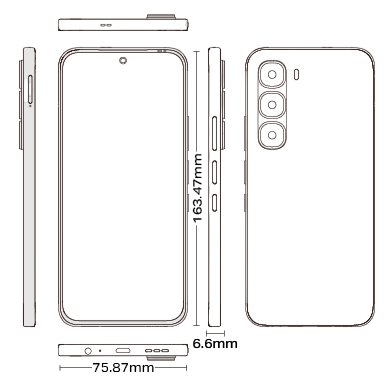
| Control | Location | Function |
|---|---|---|
| Power Button | Right side | Press to wake/sleep. Hold to power on/off. |
| Volume Rocker | Right side | Adjust media and ringer volume. |
| One-Tap AI Button | Right side | Press to activate AI features. Has a knurled pattern and orange accent. |
| In-Display Fingerprint | Under display | Place finger on the lower portion of the screen to unlock. |
| SIM Tray | Left side | Holds two Nano-SIMs and one microSD card. |
| USB-C Port | Bottom | Charging, data transfer, OTG. |
| 3.5mm Headphone Jack | Bottom | Wired headphones. |
| Speaker Grills | Top and bottom | Dual stereo speakers with JBL tuning. |
Using the One-Tap AI Button

The One-Tap AI button is the phone’s standout feature. Press it to access:
- Just Tap & Ask: Get instant answers to questions about what’s on your screen.
- Complete Tasks: Navigate, create notes, or add contacts directly from screen content.
- Lost Photos Found: Tap a keyword to rediscover forgotten photos in seconds.
- Summarize to the Point: Get smart summaries for web pages, documents, and calls.
Camera Tips
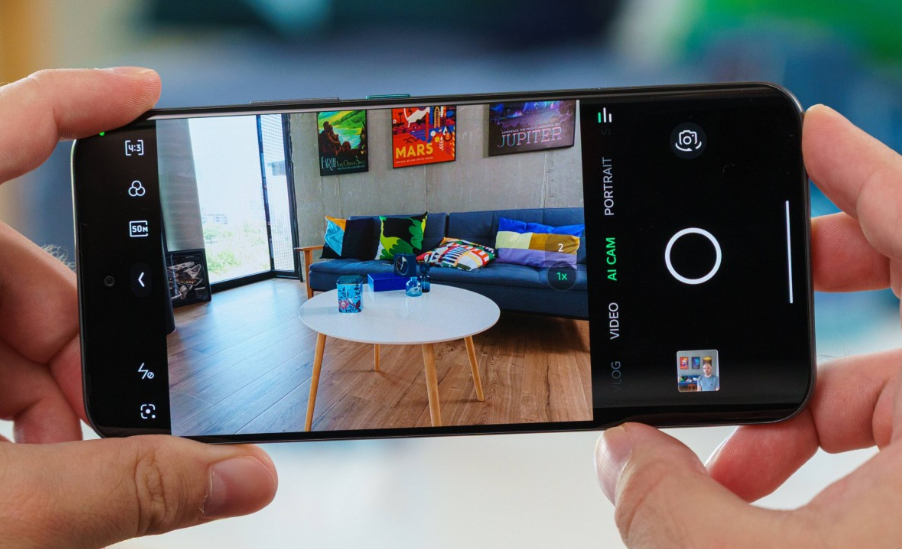
- 50MP Main Camera: Tap the resolution icon and select 50MP for maximum detail. Use in good light for best results.
- AI Vogue Portraits: Turn ordinary portraits into magazine-worthy art using AI processing.
- AI Image Extender: Expand the frame of any photo beyond its original boundaries.
- AI Eraser 2.0: Remove unwanted objects from photos with cloud-powered precision.
- AI Sharpness Plus: Enhance shadows and highlights for perfectly balanced lighting.
- Night Mode: The camera automatically enables Night mode in low light. Keep the phone steady.
- Video: Records up to 1440p@30fps. Use 1080p@60fps for smoother motion.
Using the IR Blaster
The phone includes an IR blaster on the top edge. Use the pre-installed Mi Remote or ZaZa Remote app to control TVs, air conditioners, and other appliances. Point the top of the phone at the device and follow the app’s setup instructions.
Fingerprint and Face Unlock
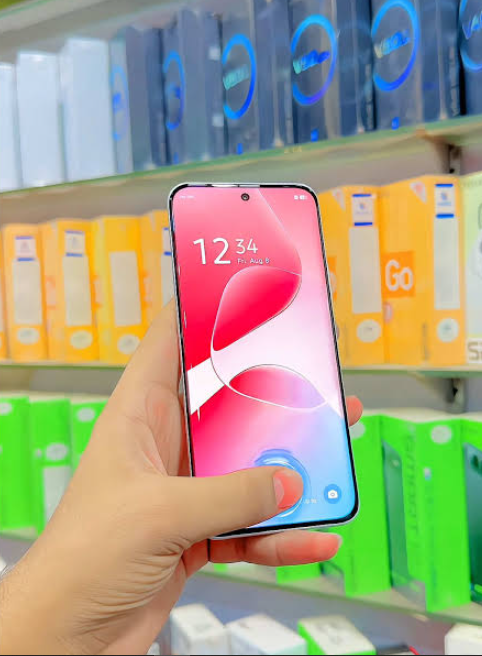
- Fingerprint: Go to Settings > Security > Fingerprint to register up to five fingerprints. The optical sensor works best when your finger is clean and dry.
- Face Unlock: Go to Settings > Security > Face Unlock to register your face. This is a less secure but convenient option. Use fingerprint for sensitive apps.
Battery & Charging

- 45W FastCharge: Use the included charger for fastest charging. A full charge takes approximately 50-60 minutes.
- Reverse Charging: The phone supports 10W reverse wired charging. Connect a USB-C cable to another device to share power.
- Battery Saver: Go to Settings > Battery > Battery Saver to enable power saving mode.
- Battery Health: XOS 15.1 includes battery health monitoring. Check in Settings > Battery > Battery Health.
Compatibility & Connectivity
| Feature | Details |
|---|---|
| Network | 4G LTE, 3G, 2G |
| SIM | Dual Nano-SIM (DSDS) |
| Wi-Fi | 802.11 a/b/g/n/ac, dual-band |
| Bluetooth | 5.4, A2DP, LE |
| NFC | Yes (data transfer only; region dependent) |
| GPS | Yes, with A-GPS |
| USB | USB Type-C 2.0, OTG support |
| Audio | 3.5mm headphone jack, Bluetooth, USB-C |
| IR Blaster | Yes |
Remote Control & App Section
The Infinix Hot 60 Pro runs XOS 15.1, which includes several built-in apps and features:
| App | Function |
|---|---|
| One-Tap AI | Dedicated AI assistant activated by the physical button |
| AI Gallery Editor | Built-in photo editing with AI Eraser, Image Extender, and Sharpness Plus |
| IR Remote | Control TVs and appliances via IR blaster |
| FM Radio | Built-in FM radio receiver |
| XOS Lab | Customization and advanced settings |
| Phone Master | System optimization and cleaning |
Internal Structure / Teardown

The Infinix Hot 60 Pro is a sealed unit and is not designed for user disassembly. The internal components include:
- 6.78-inch AMOLED display panel
- MediaTek Helio G200 processor
- 5160mAh high-density battery
- 50MP main camera module
- 13MP front camera
- Dual stereo speakers
- IR blaster module
- In-display fingerprint sensor
Do not attempt to open the phone. Doing so will void the warranty.
Maintenance Schedule
| Frequency | Task |
|---|---|
| Daily | Wipe screen with microfibre cloth |
| Weekly | Clean charging port with wooden toothpick |
| Monthly | Clean camera lens with microfibre cloth |
| Every 3 months | Check for software updates |
| Annually | Review battery health |
Firmware & Software Updates
- Via Settings: Go to Settings > System > System Update to check for updates.
- Via XOS Update: The phone will notify you when updates are available.
- Always keep updated: Infinix provides 5 years of Android updates for the Hot 60 Pro. Updates include security patches and new features.
Warranty & Support Information
- Warranty period: 1 year from date of purchase
- Covered: Manufacturing defects
- Not covered: Physical damage, water damage, normal wear and tear
- Support: Visit infixmobility.com/support or contact your local Infinix service center
Accessories & Optional Add-ons
| Accessory | Purpose |
|---|---|
| 45W Charger | Fast charging |
| Protective Case | Drop protection |
| Tempered Glass | Screen protection |
| microSD Card | Expandable storage up to 1TB |
| Wired Headphones | 3.5mm audio |
Comparison with Other Models
| Feature | Hot 60 Pro | Hot 50 Pro | Hot 70 Pro 5G |
|---|---|---|---|
| Display | 6.78″ AMOLED 144Hz | 6.78″ AMOLED 120Hz | 6.78″ AMOLED 120Hz |
| Processor | Helio G200 | Helio G99 | Dimensity 7020 |
| Battery | 5160mAh | 5000mAh | 6000mAh |
| Charging | 45W | 33W | 33W |
| Front Camera | 13MP | 8MP | 8MP |
| Weight | 170g | 190g | 205g |
| Thickness | 6.6mm | 7.4mm | 7.9mm |
Pros & Cons
Pros:
- Ultra-thin 6.6mm design
- 144Hz AMOLED display
- 45W fast charging
- Dedicated One-Tap AI button
- IR blaster
- 3.5mm headphone jack
- 5 years of updates
Cons:
- Plastic back and frame
- No 5G support
- Average low-light camera performance
- Speaker audio quality is serviceable but not exceptional
What’s New vs Previous Generation
| Feature | Hot 60 Pro | Hot 50 Pro |
|---|---|---|
| Thickness | 6.6mm | 7.4mm |
| Processor | Helio G200 | Helio G99 |
| Charging | 45W | 33W |
| Front Camera | 13MP | 8MP |
| AI Button | Yes | No |
| Weight | 170g | 190g |
Common Mistakes to Avoid
- Not using the included 45W charger: Third-party chargers may not deliver full charging speed.
- Forgetting to set up the One-Tap AI button: This is a key feature; configure it during setup.
- Using a slow microSD card: Use a Class 10 or UHS-I card for smooth performance.
- Not enabling battery saver: The 5160mAh battery is large, but power-hungry apps can drain it. Enable battery saver when needed.
- Ignoring system updates: Infinix provides 5 years of updates. Keep the phone updated for security and new features.
Quick Reference Card
| Task | How |
|---|---|
| Power on/off | Hold Power button |
| Screenshot | Press Power + Volume Down simultaneously |
| Scroll screenshot | Press Power + Volume Down, then tap “Scroll” |
| Open AI features | Press One-Tap AI button |
| Set up fingerprint | Settings > Security > Fingerprint |
| Check battery | Settings > Battery |
| Check for updates | Settings > System > System Update |
| Factory reset | Settings > System > Reset > Factory Data Reset |
Glossary of Terms
- AMOLED: Active Matrix Organic Light-Emitting Diode — a display technology with deep blacks and vivid colors.
- PWM Dimming: Pulse Width Modulation — controls brightness without flicker, easier on the eyes.
- HBM: High Brightness Mode — boosts screen brightness for outdoor readability.
- Helio G200: MediaTek’s gaming-focused processor.
- XOS: Infinix’s custom Android skin.
- One-Tap AI: Infinix’s AI assistant activated by a dedicated physical button.
- IR Blaster: Infrared transmitter for controlling appliances.
- UFS 2.2: Universal Flash Storage — fast internal storage technology.
- IP64: Dust tight and water splash resistant.
Video Tutorials & Resources
- Infinix Official YouTube: Search “Infinix Hot 60 Pro” for setup and feature guides.
- Infinix Support: infixmobility.com/support
- XDA Forums: Community discussions on the Hot 60 Pro
- Device FAQs: Guides for Bluetooth pairing, screenshots, and hard reset
User Scenarios /
- Student: Use the One-Tap AI button to summarize research and create notes.
- Gamer: Enjoy smooth 144Hz gaming with the Helio G200 and Esport Pro Engine.
- Photographer: Use AI Vogue Portraits and AI Eraser 2.0 for professional-looking photos.
- Traveler: Use the IR blaster to control hotel TVs and air conditioners.
- Commuter: Fast 45W charging tops up the phone quickly before heading out.
Storage & Transport
- Store in the included protective case.
- Avoid leaving the phone in a hot car or direct sunlight.
- Use the dedicated microSD slot for extra storage up to 1TB.
- For travel, enable Airplane Mode to save battery.
Cleaning & Care Guide
- Screen: Wipe with a microfibre cloth. Do not use paper towels.
- Body: Wipe with a soft, damp cloth. Do not use solvents.
- Charging Port: Clean with a wooden toothpick. Do not use metal objects.
- Camera Lens: Wipe gently with a microfibre cloth.
- Speaker Grills: Use a soft brush to remove dust.
Performance Benchmarks
| Test | Result |
|---|---|
| AnTuTu Score | 465,122 |
| Charging (1%-50%) | 22 minutes |
| Display Refresh Rate | 144Hz |
| Peak Brightness | 4500 nits |
| Battery Capacity | 5160mAh |
| Charge Cycles | 1800 |
System Requirements
- Android Version: Android 15 with XOS 15.1
- RAM: 8GB (plus 8GB extended)
- Storage: 128GB or 256GB
- microSD: Up to 1TB
- Charging: USB-C, 45W
Regulatory Information
- FCC ID: [Model-specific]
- CE Mark: Compliant with EU regulations
- RoHS: Compliant
- WEEE: Dispose of properly at electronics recycling centres
Disposal & Recycling
- Do not dispose of the phone or battery in household trash.
- Recycle at an electronics recycling centre.
- Battery: Lithium-ion — follow local disposal regulations.
Step-by-Step Photo Guide
Error Code Table
| Issue | Likely Cause | Solution |
|---|---|---|
| Phone won’t turn on | Battery drained | Charge for 30 minutes, then try again |
| Fingerprint not working | Dirty sensor or dry finger | Clean screen and finger. Re-register fingerprints. |
| Phone feels warm | Heavy use or charging | Normal. Let cool. Avoid direct sunlight. |
| No sound from speakers | Bluetooth connected or debris | Disconnect Bluetooth. Clean speaker grills. |
| Wi-Fi not connecting | Wrong password or weak signal | Restart router. Forget network and reconnect. |
| App crashing | Low storage or software bug | Clear cache. Update app. Restart phone. |
| Phone frozen | Software glitch | Hold Power + Volume Down for 10-15 seconds |
| Forgot pattern/PIN | Security lockout | Hard reset via Recovery Mode |
| microSD not detected | Card not formatted or faulty | Format card in phone. Try different card. |
| Slow charging | Wrong charger or cable | Use included 45W charger and cable. |
Reset & Recovery Procedures
- Soft Reset: Hold Power + Volume Down for 10-15 seconds until the screen goes black. The phone will restart.
- Factory Reset (via Settings): Go to Settings > System > Reset > Factory Data Reset. Enter your PIN and confirm.
- Factory Reset (via Recovery Mode):
- Turn off the phone completely.
- Press and hold Power + Volume Down simultaneously for a few seconds.
- Use volume keys to navigate to Wipe Data/Factory Reset.
- Confirm and select Reboot System Now.
Hard Reset (if frozen): Remove the SIM tray and press the small reset button (if accessible) or use the Recovery Mode method above.
Battery Care Deep Dive
- Charge with the 45W charger: Delivers 50% in 22 minutes.
- Avoid full discharge: Charge when battery drops to 20-30%.
- Store at 50%: If not using for extended periods.
- Avoid extreme heat: Do not leave in hot cars.
- 1800 charge cycles: Battery is rated for long life.
- 5-year lifespan: With proper care.
Seasonal / Periodic Maintenance
| Season | Task |
|---|---|
| Spring | Clean charging port and speaker grills |
| Summer | Avoid overheating. Use battery saver. |
| Autumn | Check for software updates |
| Winter | Keep phone warm. Avoid cold-induced battery drain. |
First-Time Setup Checklist
- Insert SIM and microSD
- Charge phone fully
- Power on
- Complete setup wizard
- Sign in with Google account
- Set up fingerprint
- Set up face unlock
- Configure One-Tap AI button
- Set up IR blaster
- Check for system updates
- Transfer data from old phone
- Test camera
- Test speakers
- Set up backup
Hidden Features
- Scent Weave Design: The back panel has a subtle scent.
- One-Tap AI: Dedicated AI button for instant answers and tasks.
- IR Blaster: Control TVs and appliances.
- Reverse Charging: Share power with other devices.
- 3.5mm Headphone Jack: Use wired headphones.
- Esport Pro Engine: Optimized gaming performance.
- Widevine L1: Stream HD content on Netflix.
Advanced Tips
- Use One-Tap AI for note-taking: Press the button to create notes from screen content.
- Summarize documents: Use AI to summarize web pages and documents.
- Take scroll screenshots: Press Power + Volume Down, then tap “Scroll”.
- Use the IR blaster as a universal remote: Control multiple appliances from one app.
- Enable Esport Pro Engine: Go to Settings > Esport for gaming optimization.
- Use AI Eraser for photo editing: Remove unwanted objects from photos.
- Extend storage: Use a microSD card for extra space.
- Optimize battery: Use battery saver mode for longer runtime.
Troubleshooting Flowchart
Phone won't turn on?
├── Charge for 30 min → works? Done
├── Try different charger → works? Done
└── Hold Power + Volume Down 15s → works? Done

Fingerprint not working?
├── Clean screen and finger → works? Done
├── Re-register fingerprint → works? Done
└── Restart phone → works? Done

Wi-Fi not connecting?
├── Restart router → works? Done
├── Forget network and reconnect → works? Done
└── Factory reset → works? Done

Phone frozen?
├── Hold Power + Volume Down 15s → works? Done
├── Force restart → works? Done
└── Recovery mode factory reset → works? Done
Compatibility Matrix
| Device / Accessory | Compatible? | Notes |
|---|---|---|
| 45W Charger | ✅ Yes | Included |
| microSD Card | ✅ Yes | Up to 1TB |
| 3.5mm Headphones | ✅ Yes | Wired audio |
| USB-C OTG Devices | ✅ Yes | USB drives, keyboards |
| IR Appliances | ✅ Yes | TVs, ACs |
| NFC Devices | ⚠️ Region dependent | Data transfer only |
| 5G Networks | ❌ No | 4G LTE only |
Case Quick Reference Card
| Task | How |
|---|---|
| Power on/off | Hold Power button |
| Screenshot | Power + Volume Down |
| Scroll screenshot | Power + Volume Down, tap “Scroll” |
| One-Tap AI | Press dedicated AI button |
| Fingerprint setup | Settings > Security > Fingerprint |
| Factory reset | Settings > System > Reset > Factory Data Reset |
| Recovery mode | Power + Volume Down |
| Check battery | Settings > Battery |
| Check updates | Settings > System > System Update |
| Enable battery saver | Settings > Battery > Battery Saver |
Warranty & Support
- Warranty: 1 year limited warranty
- Covered: Manufacturing defects
- Not covered: Physical damage, water damage, normal wear
- Support: infixmobility.com/support
- Replacement: Available through Infinix or authorised retailers
Where to Buy
- Infinix Official Store: infixmobility.com
- Daraz.pk: Online marketplace
- Local retailers: TechBazaar, Lahore Centre
- Price range: Rs. 45,999 – Rs. 77,999 (Pakistan)
User Scenarios
- Student: Use AI button to summarize research and create notes.
- Gamer: Enjoy 144Hz gaming with Helio G200 and Esport Pro Engine.
- Photographer: Use AI Vogue Portraits and AI Eraser 2.0 for pro photos.
- Traveler: Use IR blaster for hotel appliances and reverse charging for accessories.
- Commuter: Fast 45W charging tops up quickly.
Quick Reference Card
| Task | How |
|---|---|
| Power on/off | Hold Power button |
| Screenshot | Power + Volume Down |
| Scroll screenshot | Power + Volume Down, tap “Scroll” |
| One-Tap AI | Press dedicated AI button |
| Fingerprint setup | Settings > Security > Fingerprint |
| Factory reset | Settings > System > Reset > Factory Data Reset |
| Recovery mode | Power + Volume Down |
| Check battery | Settings > Battery |
| Check updates | Settings > System > System Update |
| Enable battery saver | Settings > Battery > Battery Saver |
PDF Resources
For the official PDF manual and additional documentation, visit:
- Infinix Hot 60 Pro User Manual: Available at infixmobility.com/support
- XOS 15.1 Guide: Available in the phone’s settings
- Safety and Warranty Guide: Included in the box
You can also save the official manual as a PDF by opening it in your browser and using File > Print > Save as PDF.
Related Manuals
If this guide was helpful, here are a few more popular manuals from productsmanuals.com that you might find useful:
- Samsung Galaxy A16 5G Manual – Budget 5G Setup, Camera Tips & Battery Care
- Xiaomi Redmi Note 13 Pro+ 5G Manual – 200MP Camera, 120W HyperCharge & MIUI
- Google Pixel 8a Manual – Tensor G3, AI Camera & 7 Years of Updates
- iPhone 17 Manual – Settings, Camera & Hidden Features Guide
- Vivo Y17 Features, Setup & Using Guide
Browse all guides at productsmanuals.com .
Copyright 2026 productsmanuals.com All rights reserved. This Infinix Hot 60 Pro manual is original content and may not be copied, republished, or redistributed without written permission. Infinix, Hot 60 Pro, XOS, and the Infinix logo are trademarks of Infinix Mobility. This guide is unofficial and not affiliated with Infinix.
