 Segway Ninebot MAX G30P Setup, Settings, Riding Modes and Troubleshooting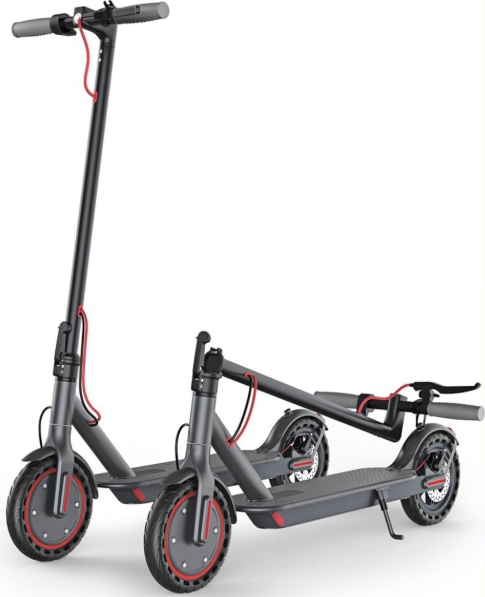
Why This Companion Exists
Segway‑Ninebot ships the MAX G30P with a charging brick, a set of hex keys, and a tiny Quick‑Start leaflet that only covers basic unfolding. The full manual is a downloadable PDF that’s heavy on safety warnings but light on real‑world answers. Every day, people search for a “Segway Ninebot MAX G30P manual” because they need to understand how to connect the app, what the blinking error codes mean, how to change riding modes, or why the rear wheel makes a grinding noise. This companion gives you all of that in clear, practical language.
What’s Inside the Box
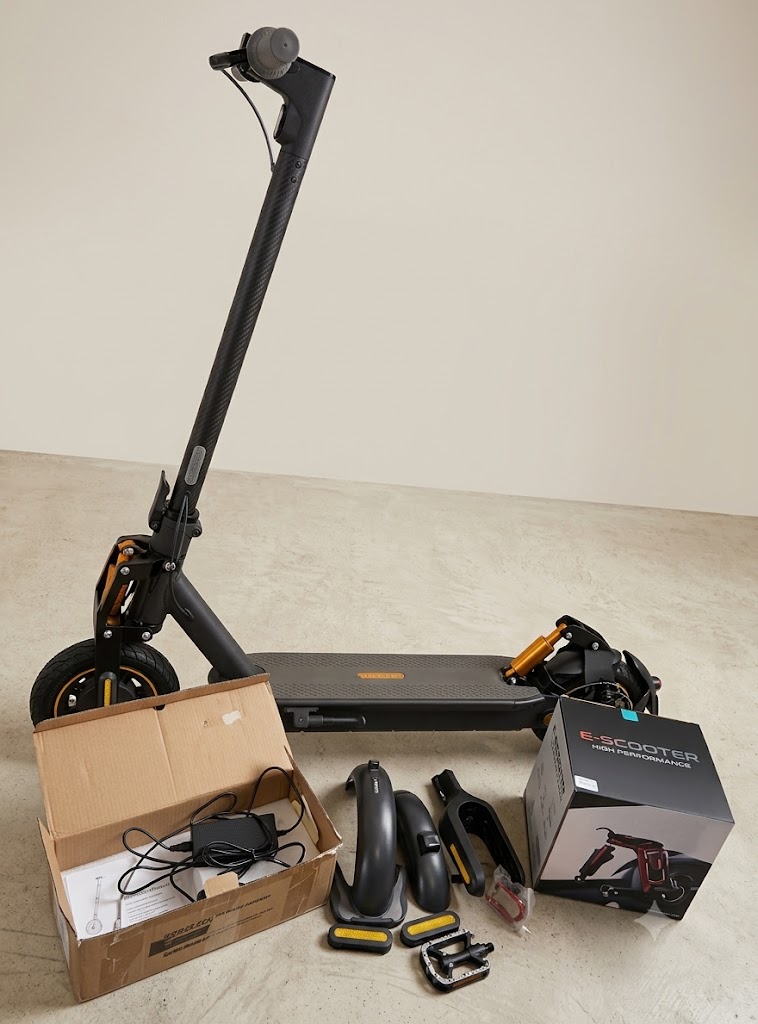
Your box includes:
- The Segway Ninebot MAX G30P electric scooter (folded, with the stem locked down)
- A DC fast charger (barrel connector, with a removable AC power cord)
- A set of hex keys (3 mm and 5 mm)
- Two spare screws (for the rear fender and handlebar)
- Allen Screws (18)
- A Quick‑Start Guide and warranty card
No bell, phone mount, or lock is included. The scooter arrives partially charged (about 40–60%). Charge it fully before your first long ride.
Features
- Max. Speed: 18.6 mph
- Lighting: Front LED Light
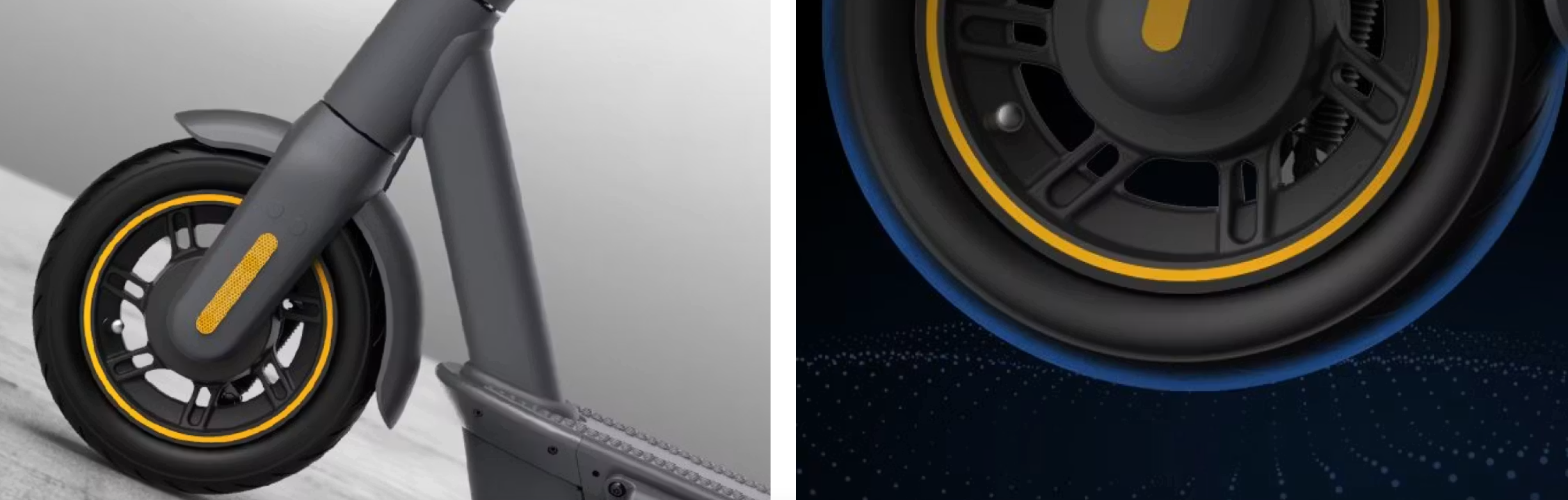
- Tubeless Self-sealing Tire: 10 inch
- Tires: 10-inch Self-Sealing
- Max. Range: 40.4 miles
- Max.Climbing Slope: 20% slope
- Water Resistance:IPX5 rated
- Charging: 6h fast charging
- Battery: 551Wh
- Range: 40.4 mi
Specifications
| Dimensions | Unfold: Length x width x height | ~45.9 x 18.6 x 47.4 in (1167 x 423 x 1203 mm) |
| Fold: Length x width x height | ~45.9 x 18.6 x 21.0 in (1167 x 423 x 534 mm) | |
| Weight | Net | Approx. 41.2 lbs (18.7 kg) |
| Rider | Payload | 66.1-220.5 lbs (30.0-100.0 kg) |
| Recommended Age | 14+ years | |
| Required Height | 3’11”-6’6″ (120-200 cm) | |
| Machine Parameters | Max. Speed | 18.6mph *Top speed may be impacted by battery level, environmental temperature and available traction. |
| Typical Range | Approx. 40.4 miles (65 km) | |
| Max. Slope | Approx. 20% | |
| Traversable Terrian | asphalt/flat pavement: obstacles < 0.4 in (1 cm); gaps < 1.2 in (3 cm) |
|
| Operating Temperature | 14-104F (-10-40C) | |
| Storage Temperature | -4-122F (-20-50C) | |
| IP Rating | IPX5 | |
| Duration of Charging | ~ 6 h | |
| Battery | Nominal Voltage | 36 VDC |
| Max. Charging Voltage | 42 VDC | |
| Charging Temperature | 32-104F (0-40C) | |
| Nominal Capacity | 551 Wh | |
| Battery Management System | Over-heating, short circuit, over-current and over-charge protection | |
| Number of Batteries | 1 | |
| Motor | Nominal Power | 350 W |
| Charger | Output Power | 121 W |
| Input Voltage | 100-240V ~ 50/60Hz | |
| Output Voltage | 42 VDC | |
| Output Current | 2.9 A | |
| Features | Brake Light | LED rear light |
| Riding Modes | Energy Saving mode, Standard mode and Sport mode |
Product Using Instructions
Unfolding, Adjusting, and Folding the Scooter
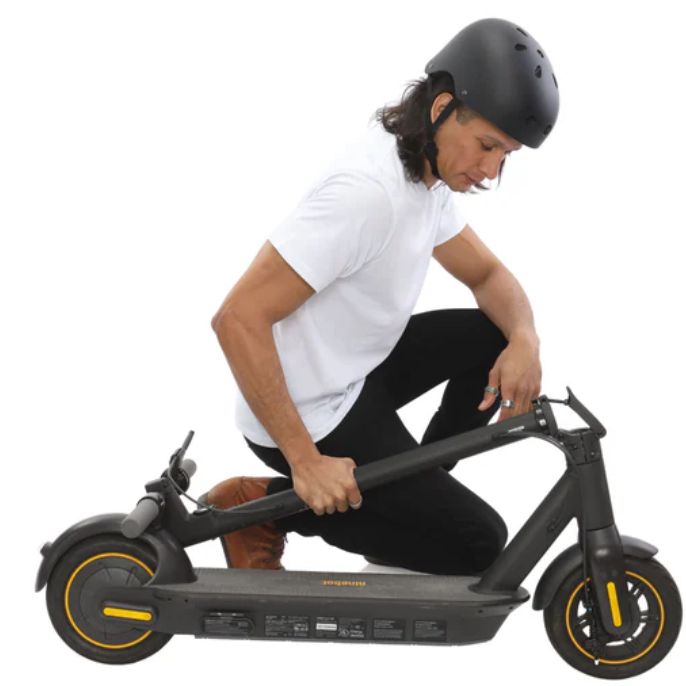
- Unfolding: Push the folding lever (below the handlebar) downward, pull the stem up until it’s vertical, and release the lever. The latch will click into place. Give the stem a firm shake to make sure it’s locked.
- Adjusting the handlebar: The T‑bar handlebar is fixed; it does not adjust in height. However, you can loosen the four bolts on the handlebar clamp (with the included 5 mm hex key) to rotate the brake lever or bell to your preference. Always retighten securely.
- Folding: Push the folding lever downward, pull the stem forward and down until the hook on the stem catches the slot on the rear fender. Press the fender down slightly; the hook clicks securely. The scooter can now be carried by the stem or rolled on its front wheel.
First‑Time Power‑On and App Connection
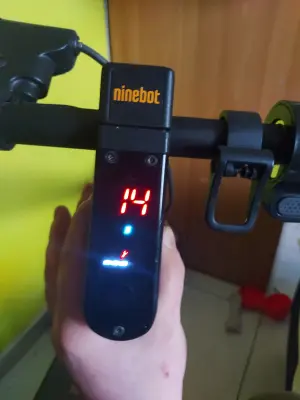
- Turn on the scooter by pressing the power button on the top of the stem (the large, illuminated button). The dashboard display lights up, showing battery level and riding mode.
- On your smartphone, download the Segway‑Ninebot app (iOS or Android). Create a Segway‑Ninebot account.
- In the app, tap “Search for vehicle” and make sure Bluetooth is on. The app will find the scooter. Tap to connect. The first connection will ask you to activate the scooter by pressing the power button to confirm.
- Once connected, the app will check for firmware updates. Install any pending updates. The scooter will restart a few times during this process — this is normal.
- After the update, the dashboard will show a solid white light on the power button and the speedometer is ready.
Understanding the Dashboard and Riding Modes
The dashboard is simple but informative.
- Speedometer: Shows current speed in km/h or mph (toggle in the app).
- Battery indicator: Five bars. Each bar represents approximately 20% capacity. When the last bar blinks, you have about 5 km of range left in ECO mode.
- Riding mode icon: Displays a letter for the current mode: ECO (E), Drive (D), or Sport (S) . Press the power button twice to cycle through modes.
- Error codes: If there’s a fault, the display shows a wrench icon and a number (e.g., “14”). See the error code section for meanings.
- Walk mode: Press and hold the throttle for 3 seconds while the scooter is stationary to activate Walk mode (max 5 km/h, for pushing alongside).
Changing riding modes (on the scooter): Double‑press the power button to cycle through ECO → Drive → Sport → back to ECO. The app lets you lock certain modes, set a top speed, or enable “Limited Mode” for beginners.
Customizing modes in the app: Go to Device Settings > Riding Mode. You can adjust the top speed for each mode, set the scooter to start in a specific mode, and enable or disable cruise control (after maintaining a steady speed for 5 seconds, cruise control engages automatically; tap the brake or throttle to cancel).
Battery Charging and Range
- Charger: The included 42V 2A DC charger plugs into the round charging port on the side of the scooter, beneath a rubber flap. Always close the flap securely after charging to keep water and dust out.
- Charging time: About 6 hours from empty to full. The charger LED is red while charging and turns green when full.
- Range: Up to 65 km (40 miles) in ECO mode, 40–50 km in Drive, and around 30 km in Sport, but these figures drop significantly with rider weight, hills, cold weather, and under‑inflated tires.
- Battery care: For the longest battery life, avoid storing the scooter fully charged in extreme heat. If you won’t ride for a month, leave the battery at about 50–60% and store in a cool, dry place. Recharge every 3 months to keep the battery management system active.
Tire Pressure and Mechanical Maintenance
The MAX G30P uses 10‑inch pneumatic tires with inner tubes. Tire pressure is the single biggest factor affecting range and ride comfort.
- Recommended pressure: 32–37 psi (2.2–2.5 bar). Check pressure weekly using a bike pump with a gauge.
- Adding air: The valve stem is a standard Schrader valve (like a car tire). Unscrew the valve cap, connect the pump, and inflate. If the tire is completely flat, inspect for punctures; the inner tube can be replaced (the scooter comes with a spare inner tube in some bundles, or you can buy one).
- Rear fender: The rear fender acts as a foot brake. Press it down firmly with your heel for a backup mechanical brake. Occasionally check the fender bolts; they can loosen over time.
- Disc brake: The front wheel has a mechanical disc brake. The brake lever is on the left handlebar. If the brake feels spongy or travels too far, adjust the cable tension using the barrel adjuster on the lever. If you hear squeaking, clean the rotor with isopropyl alcohol.
Understanding Regenerative Brake and KERS
The MAX G30P uses a Kinetic Energy Recovery System (KERS) to convert braking energy back into battery power. You can adjust the strength of the regenerative braking in the app under Device Settings > Energy Recovery. Weak is default; Strong provides more braking force but slows the scooter more aggressively. A light touch on the brake lever also engages the electronic brake first, then the mechanical brake.
Error Codes and Troubleshooting
| Code | Meaning | What to Try |
|---|---|---|
| 10 | Communication error between dashboard and controller | Turn off, wait 10 seconds, and restart. If persistent, check the cable connections inside the stem (may require opening the dashboard cover). |
| 14 | Throttle fault | The throttle lever may be stuck or faulty. Turn off, manually press the throttle a few times to free it, and restart. |
| 15 | Brake lever fault | The brake sensor may be stuck. Squeeze and release the brake lever firmly several times, then restart. |
| 18 | Motor Hall sensor fault | Turn off, rotate the wheel by hand a few times, and restart. If it persists, the motor may need servicing. |
| 21 | Battery over‑discharge | Charge the scooter immediately. If it won’t charge, leave it plugged in for 30 minutes — the BMS may need to wake up. |
| 35 | Over‑temperature | The scooter has overheated. Let it cool in the shade for 30 minutes and restart. |
| 42 | BMS communication fault | Unplug the charger, turn off the scooter, wait 10 seconds, and restart. |
When an error code appears, the scooter may limit power or refuse to accelerate. Fix the underlying cause, then restart the scooter by turning it off and on again. If the code persists, contact Segway support.
Cleaning and Water Resistance
The MAX G30P is IPX5 water‑resistant, meaning it can handle light rain and splashes, but it should never be submerged or pressure‑washed. To clean:
- Wipe the frame and stem with a damp cloth.
- Use a soft brush for dried mud around the wheels.
- Avoid spraying water directly into the charging port, dashboard, or throttle.
- Dry the scooter with a cloth after riding in the rain.
How to Factory Reset
- Turn on the scooter.
- Press and hold the brake lever, the throttle, and the power button simultaneously for about 5 seconds.
- The dashboard will beep and the scooter will restart. This clears Bluetooth pairing and resets riding mode preferences. You’ll need to re‑pair the app.
Quick Reference Card
| Task | How |
|---|---|
| Change riding mode | Double‑press the power button |
| Activate Walk mode | Hold throttle for 3 seconds while stationary |
| Check tire pressure | Use a bike pump with a gauge; target 32–37 psi |
| Factory reset | Hold brake + throttle + power button for 5 seconds |
| Store long‑term | Battery at 50–60%, cool and dry, recharge every 3 months |
Frequently Asked Questions
- Q: Can I ride the MAX G30P in the rain?
- A: Yes, it has IPX5 water resistance, so light to moderate rain is fine. Avoid deep puddles and never submerge the scooter.
- Q: How do I lock the scooter?
- A: The app has a locking feature that locks the motor electronically. The scooter will beep and resist pushing, but it doesn’t physically lock the wheel. Always use a physical U‑lock when parked in public.
- Q: How fast can the Ninebot KickScooter MAX G30P go?
- A: The Ninebot KickScooter MAX G30P has a top speed of up to 18.6 mph (30 km/h). It offers three riding modes – Eco, Standard, and Sport – accessible directly from the LED dashboard, allowing riders to balance speed and range based on their needs. Note that top speed may be affected by battery level, rider weight, road gradient, and environmental conditions.
- Q: What is the maximum weight limit?
- A: 100 kg (220 lbs). The scooter can carry slightly more, but range and hill‑climbing ability will decrease.
- Q: Can I use the scooter without the app?
- A: Yes, you can ride it straight out of the box. The app is only needed for firmware updates, mode customisation, and locking.
- Q: How do I increase the top speed?
- A: The MAX G30P has a global top speed of 30 km/h (18.6 mph) in Sport mode. In some regions, the app may limit speed. Connect the app and check Device Settings > Max Speed. Fully charging the battery also ensures maximum performance.
- Q: Why does the scooter beep continuously?
- A: A continuous beep often indicates an error code (check the display) or that the scooter is in Lock mode via the app. Unlock it in the app or restart the scooter.
- Q: My scooter feels sluggish uphill. Is that normal?
- A: Yes, especially if the battery is below 50% or you’re near the weight limit. Incline performance drops as battery voltage decreases. Use Sport mode on hills.
- Q: Can I inflate the tires with a regular bike pump?
- A: Yes, the valve is a standard Schrader type. A pump with a gauge is highly recommended.
- Q: How do I replace the inner tube if I get a flat?
- A: You’ll need to remove the wheel (rear is harder than front). Use the included hex keys, and watch a video guide. The inner tube size is 10×2.0‑2.5. Segway sells replacement tubes.
- Q: The charger light is green, but the scooter won’t turn on. Why?
- A: The battery management system may have gone into deep sleep. Plug the charger in and leave it for 30–60 minutes, even if the light is green. Then try turning on the scooter while it’s still plugged in. If it still won’t turn on, contact support.
- Q: Can I install a seat on the MAX G30P?
- A: Yes, third‑party seats are available. They clamp onto the stem and deck. However, adding a seat may void your warranty and change the scooter’s handling.
- Q: Is the scooter allowed on public roads and bike lanes?
- A: Regulations vary by city and country. Check your local laws. Many regions classify it as a personal electric vehicle (PEV) and require a helmet and adherence to speed limits.
More Information
Before You Ride
Check tire pressure, ensure the stem is locked, and make sure the brake lever feels firm. A quick squeeze of the brake and a glance at the battery gauge can prevent a long walk home. Use the app to update firmware when prompted, and don’t ignore persistent error codes.
Download the Ninebot MAX G30P Cheat Sheet
A one‑page PDF with error codes, tire pressure guide, and button shortcuts. Print it and keep it with your scooter.
“Segway Ninebot MAX G30P Quick Guide (PDF)”
Official Segway Support and Manuals
For warranty, spare parts, and the official PDF manual, visit: https://www.segway.com/support
Copyright Warnign!
Copyright 2026 productsmanals.com All rights reserved. This Segway Ninebot MAX G30P manual is original content and may not be copied, republished, or redistributed without written permission. Segway, Ninebot, and the Segway logo are trademarks of Segway Inc. This guide is unofficial and not affiliated with Segway.

[…] Segway Ninebot MAX G30P Manual – Scooter Setup, App & Riding Tips Learn to pair, maintain, and safely ride your electric scooter. […]
[…] Segway Ninebot MAX G30P Manual – Scooter Setup, App & Riding Tips Learn to pair, maintain, and safely ride your electric scooter. […]
[…] Segway Ninebot MAX G30P Manual – Scooter Setup, App & Riding Tips Learn to pair, maintain, and safely ride your electric scooter. […]
[…] Segway Ninebot MAX G30P Manual – Scooter Setup, App & Riding Tips Master your electric scooter with advanced settings and troubleshooting. […]