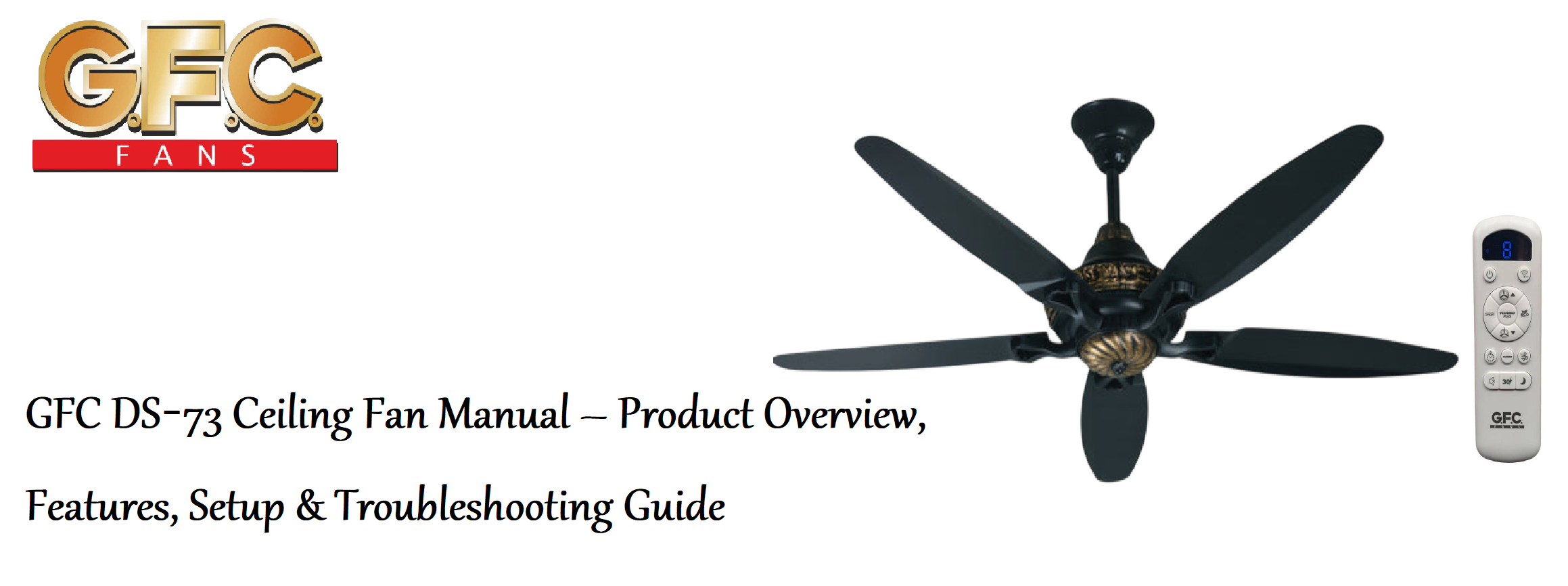

Product Overview
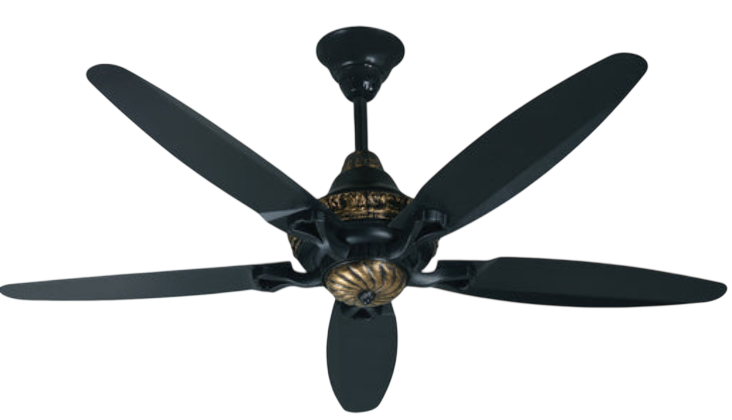
The GFC DS‑73 is a 56‑inch ceiling fan built for large living rooms, halls, and bedrooms. It uses a heavy‑duty, energy‑efficient AC motor with a 5‑speed RF remote control that lets you adjust airflow, set a timer, and control the optional light kit without pull chains. The fan has a sleek, modern design with aerodynamically curved blades that deliver high air volume with minimal noise. It comes in a variety of finishes (white, ivory, brown, and wood‑tone) to match different interiors. The motor is designed for continuous operation and includes a reverse function for summer and winter use.
Key Features
- 56‑Inch Blade Span: The wide sweep is ideal for rooms up to 20 ft × 20 ft (about 37 m²). The five blades are aerodynamically shaped for maximum airflow.
- RF Remote Control: The included radio‑frequency remote works without line‑of‑sight. It controls fan speed (1‑5), a sleep timer, and light on/off (if a light kit is installed). A wall mount bracket is included.
- 5‑Speed Quiet Motor: The permanently lubricated AC motor runs silently on all speeds. It’s energy‑efficient and built to last, with thermal overload protection.
- Reversible Airflow (Summer/Winter): Press the direction button on the remote to reverse the blade direction. In summer, run the fan counter‑clockwise for a cooling breeze. In winter, run it clockwise on low speed to push warm air down without creating a draft.
- Optional Light Kit: The fan is light‑kit adaptable. A 20 W LED panel (warm white or daylight) can be installed (often included in the box). It is controlled via the remote.
- Wide‑Angle Mounting: The included canopy and downrod allow installation on flat ceilings. An angled ceiling adapter (up to 15°) is available separately.
How to Use
What’s in the Box
- Fan motor assembly (with built‑in RF receiver and pre‑installed pull chain for backup)
- Five aerodynamic blades (colour matched)
- RF remote control (with wall mount bracket and CR2032 battery)
- Two downrods (3‑inch and 6‑inch)
- Mounting bracket, safety wire, screws, wire nuts
- Balancing kit (clip and weights)
- User manual and warranty card
Installation (Summary)
Installation should be done by a qualified electrician. Always turn off the power at the circuit breaker before starting.
- Mount the bracket: Secure the metal mounting bracket to a fan‑rated ceiling outlet box (must support at least 35 lbs).
- Assemble the downrod: Pass the motor wires through the downrod and canopy. Attach the downrod to the motor with the clevis pin and cotter pin. For low ceilings, use the shorter downrod.
- Hang the fan: Lift the fan and seat the downrod ball in the bracket. Connect the wiring: green (ground), white (neutral), black (fan motor), and blue (light kit, if present). The RF receiver is pre‑wired inside the motor housing.
- Complete assembly: Attach the canopy, then secure the blades with the supplied screws and washers. If the LED light kit is separate, connect its wires (blue and white) and attach it to the motor housing.
Using the Remote Control
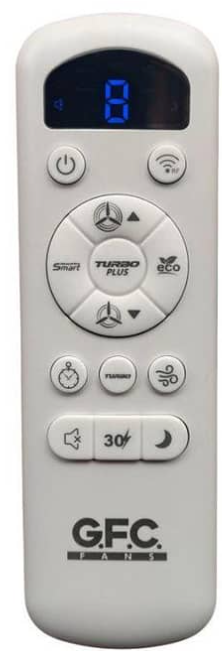
The remote uses radio frequency (RF), so you don’t need to point it at the fan. The receiver inside the motor housing is factory‑paired.
| Button | Function |
|---|---|
| Fan On/Off | Turns the fan on or off. Pressing any speed button also turns it on. |
| 1, 2, 3, 4, 5 | Speed levels: 1 is a gentle breeze, 5 is maximum airflow. |
| Light On/Off | Turns the optional LED light on or off. |
| Timer | Press repeatedly to set: 1h → 2h → 4h → 8h → Cancel. The fan turns off after the set time. |
| Direction (F/R) | Press to reverse blade direction. The fan stops briefly, then restarts. The remote display shows “F” (forward/summer) or “R” (reverse/winter). |
Battery: The remote uses a CR2032 battery (included). If the remote stops working, replace the battery.
Setting the Timer & Direction
- Timer: Press the Timer button until the desired duration appears on the remote’s LCD. The fan turns off automatically at the end of the countdown. Press Timer again until the display clears to cancel.
- Direction: Press the F/R button. The fan pauses, then slowly starts in the opposite direction. Use forward (F) in summer to blow air down; use reverse (R) in winter to circulate warm air trapped near the ceiling.
Balancing the Fan (If It Wobbles)
Use the included balancing kit:
- Turn off the fan and let it stop completely.
- Attach the small plastic clip to the middle edge of any blade. Turn on the fan.
- If wobble decreases, move the clip along that blade until you find the best spot. Then attach one of the adhesive weights to the top of the blade at that position. Remove the clip.
- Repeat for other blades if needed. Minor wobble is normal; the fan should not shake excessively.
Troubleshooting & Common Problems
| Problem | Likely Cause | What to Try |
|---|---|---|
| Fan won’t start | No power, remote battery dead, or receiver not paired | Check the circuit breaker and wall switch. Replace the CR2032 battery in the remote. Press any speed button. If still nothing, turn off the breaker for 1 minute, then turn it back on to reset the receiver. |
| Remote not working | Battery dead, or receiver unpaired | Replace the battery. If the fan was recently installed, the receiver may need re‑pairing: turn off the fan’s breaker, wait 1 minute, then restore power. Press any button on the remote within 30 seconds to pair. |
| Fan wobbles excessively | Blades unbalanced, or loose screws | Tighten all blade screws. Use the balancing kit to locate and correct the wobble. Check the mounting bracket and downrod for tightness. |
| Light not turning on (if installed) | Loose connection, or faulty LED driver | Check the blue and white wires inside the light kit. If connections are secure and the light still doesn’t work, the LED driver may need replacement. |
| Fan makes a clicking or humming sound | Loose screws, or receiver touching metal | Tighten all visible screws. Ensure the RF receiver inside the canopy is not touching the metal housing. A faint hum from the motor is normal. |
| Fan speed changes by itself | Timer active, or voltage fluctuation | Check if a timer is set on the remote. If voltage fluctuates frequently, consult an electrician. |
Frequently Asked Questions
- Can I use the fan without the remote?
The fan has a backup pull chain for basic on/off and speed control, but for full 5‑speed and timer functions, the remote is required. If you lose the remote, you can purchase a universal GFC replacement. - Is the LED light dimmable?
No, the standard LED light kit is not dimmable. It turns on/off at full brightness. - Can I install the fan on a sloped ceiling?
The included mounting bracket supports ceilings up to 15 degrees. For steeper slopes, you’ll need a slope adapter (sold separately). - How do I clean the fan?
Turn off the fan and wipe the blades and motor housing with a soft, dry cloth. Do not use water, polish, or abrasive cleaners. Dust the blades weekly to prevent buildup. - What is the warranty period?
GFC typically provides a 1‑year warranty on the motor and parts. Keep your receipt. - How do I pair a replacement remote?
Turn off the fan at the breaker, wait 1 minute, then turn it back on. Within 30 seconds, press and hold the F/R button on the new remote until the fan beeps or starts. The remote is now paired.
Tips
- Set a sleep timer: Use the 4‑hour or 8‑hour timer at night to have the fan turn off automatically while you sleep.
- Change direction seasonally: In summer, run the fan counter‑clockwise (forward) to feel cooler. In winter, run it clockwise (reverse) on speed 1 or 2 to circulate warm air without a draft.
- Keep a spare CR2032 battery: The remote uses a standard coin cell that lasts about a year. A spare saves frustration.
- Check blade screws annually: Temperature changes can loosen screws over time. A quick check once a year keeps the fan quiet and safe.
Safety Information
- Electrical: Always turn off power at the circuit breaker before working on the fan. The ceiling outlet box must be fan‑rated (support at least 35 lbs).
- Weight: The fan weighs approximately 15 lbs (6.8 kg). Ensure the mounting bracket is securely attached.
- Blades: Periodically check that all blade screws are tight. Loose blades can detach and cause injury or damage.
- Remote & battery: Keep the remote and battery out of reach of children. The coin cell battery is a swallowing hazard.
- Cleaning: Turn off the fan and allow it to stop completely before cleaning. Do not spray water directly onto the motor or electrical parts.
Related Manuals
If this guide was helpful, here are a few more popular manuals from productsmanuals.com that you might find useful:
- Samsung Galaxy Watch 7 Manual – Health Sensors, Galaxy AI & Battery Tips
Master ECG, body composition, sleep apnea detection, and more. - Hunter Dempsey 59418 Ceiling Fan Manual Setup Reverse and Troubleshooting Guide
Set up and balance your decorative wooden‑blade Hunter fan. - Hunter Builder Deluxe 53090 Manual – Pull Chain Fan Setup & Balancing Tips
Install and maintain a traditional ceiling fan with reversible blades. - LG Dual Inverter AC Manual – Remote, Self‑Clean & Error Codes
Cool efficiently and fix blinking lights with simple steps. - iPhone 17 Manual – Settings, Camera & Hidden Features Guide
Explore Dynamic Island, Action button, and battery‑health tricks.
Browse all guides at productsmanuals.com .
Copyright 2026 productsmanuals.com All rights reserved. This GFC DS‑73 ceiling fan manual is original content and may not be copied, republished, or redistributed without written permission. GFC and the GFC logo are trademarks of GFC Fans. This guide is unofficial and not affiliated with GFC.
