
Why This Companion Was Put Together
Sony packs the WF‑1000XM5 with ear tips, a USB‑C cable, and a reference guide that barely covers the basics. The full manual is an online document that reads like a technical specification sheet. Every day, thousands of owners search for a “Sony WF‑1000XM5 manual” because they want practical, human‑friendly guidance—how the touch sensors work, which noise‑cancelling mode to use, how to connect to two devices at once, and what the LED colours mean.
This companion gives you that guidance. I’ve worn these earbuds through commutes, phone calls, rain showers, and long listening sessions. I’ve tested every tap, spoken command, and hidden setting. Whether you’ve just unboxed your WF‑1000XM5 or you’ve been using them for months, you’ll find clear, actionable help here. Keep this page close—the next time the earbuds won’t connect, the sound feels off, or you need to reset them, the solution is right here.
What You’ll Find in the Box
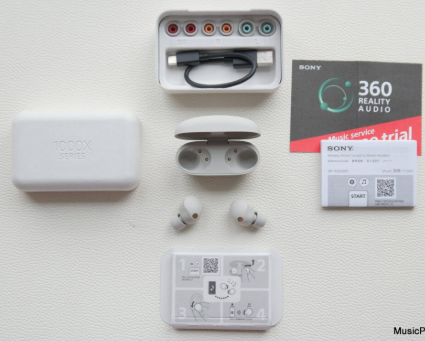
Inside the packaging, you’ll see:
- The left and right WF‑1000XM5 earbuds
- A compact wireless charging case
- Four sizes of hybrid silicone ear tips (SS, S, M, L) — M comes pre‑installed
- A short USB‑C charging cable
- A Quick Start Guide and warranty leaflet
No charger is included. Use any standard USB‑C phone charger or a Qi wireless pad.
Getting to Know the Earbuds and Case
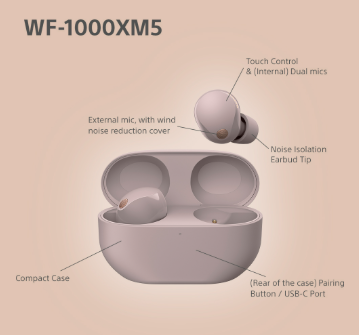
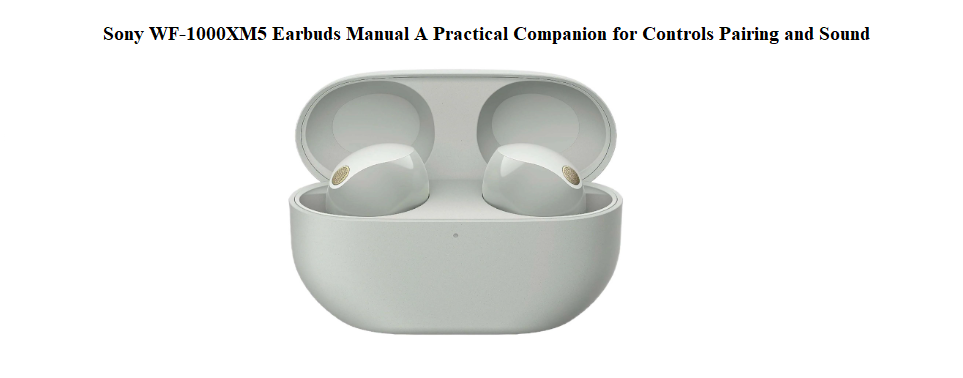
Each earbud has a flat outer surface that doubles as a touch panel. The left and right panels can be set up differently via the Sony Sound Connect app. The case has a single LED on the front that shows battery status and pairing mode, and a pairing button on the back.
Touch sensor basics
- Single tap: Play / Pause
- Double tap: Next track
- Triple tap: Previous track
- Long press: Toggle noise cancelling / ambient sound (or activate voice assistant, depending on your settings)
The volume can be controlled by swiping up or down on the right earbud (by default). All controls can be remapped in the Sound Connect app under the “Touch Sensor Function” menu.
Pairing with Your Devices
First‑time pairing with a phone
- Remove both earbuds from the case. They will enter pairing mode automatically (the case LED flashes blue twice, then the earbuds announce “Pairing”).
- On your phone, open Bluetooth settings and select “WF‑1000XM5.”
- For Android, Google Fast Pair will pop up and connect instantly.
- A voice prompt confirms the connection.
Pairing a second device (multipoint)
- Open the Sony Sound Connect app, go to System > Multipoint Connection, and enable it.
- Put the earbuds back in the case, close the lid for a few seconds, then open it again.
- Pair the second device (e.g., your laptop) using its Bluetooth menu.
- The earbuds will now stay connected to both devices and switch audio automatically.
Manual pairing mode (if auto fails)
Place both earbuds in the case, leave the lid open, and press and hold the pairing button on the back of the case for about 5 seconds. The LED will flash blue twice, then the earbuds will enter pairing mode.
Noise Cancelling, Ambient Sound, and Speak‑to‑Chat
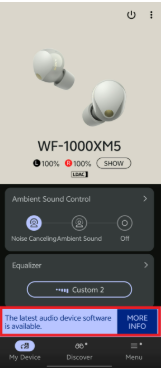
The WF‑1000XM5 features the Integrated Processor V2 and HD Noise Cancelling Processor QN2e, delivering class‑leading silence.
Switching modes
- Long press the right earbud (default) to cycle between Noise Cancelling and Ambient Sound. A voice prompt tells you which mode is active.
- In the Sound Connect app, you can fine‑tune the Ambient Sound level from 1 (barely open) to 20 (almost like not wearing earbuds).
Adaptive Sound Control
This feature uses your activity (staying, walking, running, transport) to automatically adjust the noise cancellation level. It’s enabled by default but can be turned off in the app if you prefer manual control.
Speak‑to‑Chat
When you start talking, the earbuds automatically pause music and pipe in ambient sound so you can have a conversation. Music resumes a few seconds after you stop speaking. You can toggle this on or off by tapping the left earbud four times (default) or via the app.
Focus on Voice
In the app, you can enable “Focus on Voice” while in Ambient Sound mode. This suppresses background noise while letting human voices through clearly—perfect for airport announcements or quick chats without removing the earbuds.
Battery Life, Charging, and Care
Earbud battery
- Up to 8 hours with noise cancelling on, 12 hours with it off.
- The charging case provides an additional 16‑24 hours.
- A 3‑minute quick charge gives about 60 minutes of playback.
Charging options
- USB‑C port on the back of the case. Use the included cable and a standard USB‑C power adapter.
- Qi wireless charging. Place the case on a wireless charging pad. The case LED glows orange while charging and turns off when full.
Checking battery status
- When you remove the earbuds from the case, a voice prompt announces the battery level (e.g., “Battery about 70%”).
- The Sony Sound Connect app shows the exact percentage for both earbuds and the case.
Battery care
- The earbuds and case automatically stop charging when full, so overnight charging is safe.
- Avoid exposing the case to extreme heat (e.g., on a car dashboard). If the battery swells, stop using it and contact Sony.
Customizing Controls and Using the App
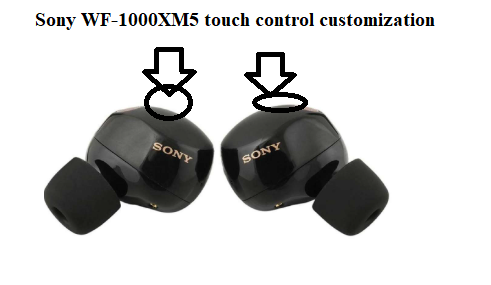
The Sony Sound Connect app (free on iOS and Android) unlocks the full power of the WF‑1000XM5.
Key settings to explore
- Equalizer: Choose from presets like Bright, Excited, Vocal, or Treble Boost. The manual 5‑band EQ with Clear Bass slider lets you tailor the sound exactly.
- DSEE Extreme: Upscales compressed audio in real time. Turn it on for streaming services.
- 360 Reality Audio: Take photos of your ears in the app to create a personalized spatial sound field. Works with Tidal, Amazon Music, and Deezer.
- Quick Access: You can assign a function (like Spotify Tap or toggling Speak‑to‑Chat) to a specific number of taps on the left earbud.
How to Reset and Re‑initialize the Earbuds
Soft reset (restart)
Place both earbuds in the charging case, close the lid, wait about 10 seconds, then open the lid and remove the earbuds. This resolves minor connection glitches without erasing settings.
Factory reset (clear pairing memory)
- Forget the earbuds from your phone’s Bluetooth list.
- Place both earbuds in the case and leave the lid open.
- Press and hold the pairing button on the back of the case for about 15 seconds. The LED will flash red, then green, then turn off.
- Release the button and close the lid.
- Re‑open the lid near your phone and pair as if new. All previous pairing info is erased.
Hardware reset (if unresponsive)
If the earbuds completely freeze and won’t respond, connect the case to a charger, then place the earbuds inside and close the lid for 30 minutes. This often revives deeply discharged units.
Common Issues and How to Solve Them
| Problem | Likely Cause | What to Try |
|---|---|---|
| One earbud not working | Dirt on charging contacts or pairing issue | Wipe the contacts on the earbud and inside the case with a dry cloth. Reset the earbuds. |
| Bluetooth stuttering or dropouts | Interference or low battery | Keep your phone within 5 metres with no walls. Switch the Sound Connect app’s Sound Quality Mode to “Priority on Stable Connection.” |
| Noise cancelling feels weak | Poor ear tip seal | Try a different ear tip size. Run the “Ear Tip Fit Test” in the Sound Connect app. |
| Touch controls not responding | Wet fingers or dirty sensor | Wipe the touch panel with a dry cloth. Ensure your fingers are dry. |
| Voice prompts too loud or soft | Volume setting | Adjust “Voice Guidance Volume” in the Sound Connect app. |
| Case not charging | Cable or pad issue | Use a different USB‑C cable and adapter. If wireless charging, reposition the case on the pad. |
Quick Reference Card
| Action | How |
|---|---|
| Play / Pause | Single tap right or left earbud |
| Next track | Double tap |
| Previous track | Triple tap |
| Toggle ANC / Ambient | Long press |
| Volume up (default right) | Swipe up on right earbud |
| Volume down (default right) | Swipe down on right earbud |
| Answer / End call | Double tap during an incoming call |
| Activate voice assistant | Triple tap (default) or set long press to assistant |
| Enter manual pairing | Place earbuds in case, lid open, hold case button 5 seconds |
| Factory reset | Hold case button 15 seconds until LED flashes red then green |
