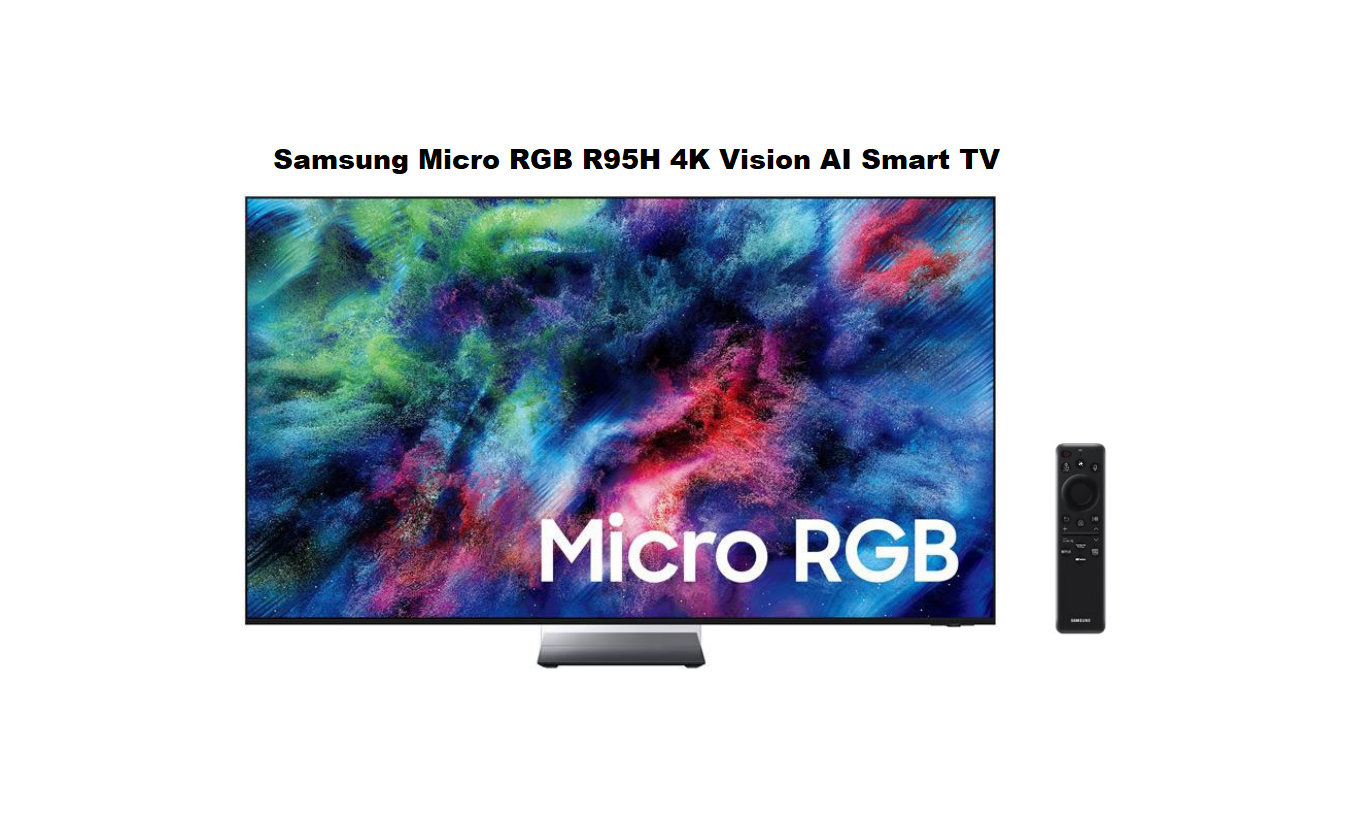

Samsung Micro RGB R95H 4K Vision AI Smart TV
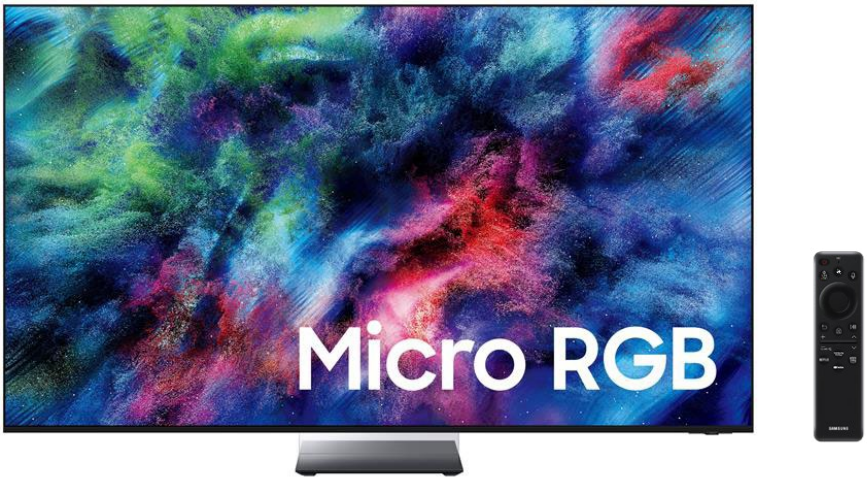
INTRODUCTION
Welcome to the complete user guide for the Samsung Micro RGB R95H 4K Vision AI Smart TV. This is not another copy of the official specification sheet. This manual walks you through every feature, from unboxing to advanced AI settings. I have organized everything in active voice so you can follow along quickly.
The Samsung R95H series introduces Micro RGB backlight technology—microscopic red, green, and blue LEDs that sit behind the LCD panel. This design delivers 100% coverage of the BT.2020 color spectrum, making it the first consumer TV to achieve this industry‑leading color standard. Whether you own the 65‑inch MRN65R95H or the 75‑inch MRN75R95H, this guide covers both models.
Let us get your TV set up and optimized for the best picture, sound, and smart features.
Available Models & Size Class
The R95H series comes in multiple screen sizes. This guide covers the two most popular models in the U.S. market.
| Model Number | Screen Size Class | Order Code | UPC Code |
|---|---|---|---|
| MRN65R95H | 65‑inch | MRN65R95HAFXZA | 198957272325 |
| MRN75R95H | 75‑inch | MRN75R95HAFXZA | 198957271243 |
Both models share identical features, including the Micro RGB AI Engine Pro, 4K resolution, 165Hz refresh rate, and Glare Free display. The only differences are screen size, weight, and VESA mount pattern. I will note those differences throughout the guide.
PRODUCT INFORMATION
CLASS HIERARCHY
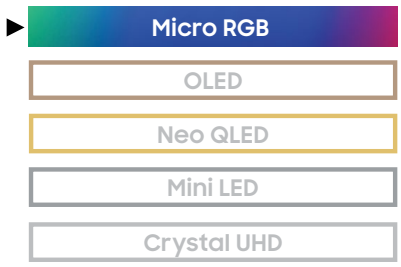
SIZE CLASS
- 75″: MRN75R95HAFXZA
- 65″: MRN65R95HAFXZA

Discover an expanded world of color’ covering 100% of the full UHD spectrum2 for vibrant picture. Our best 4K Al processor takes your shows and movies to the
next level, delivering vivid brightness and deep contrast. Plus, eliminate distracting reflections from bright rooms with Glare Free technology.
What’s in the Box
When you open your Samsung R95H package, you will find:
- Samsung Micro RGB R95H TV (main unit)
- BT SolarCell Remote Control (model TM2660H)
- Power cable
- User manual
- Slim Fit wall‑mount support brackets (wall screws not included)
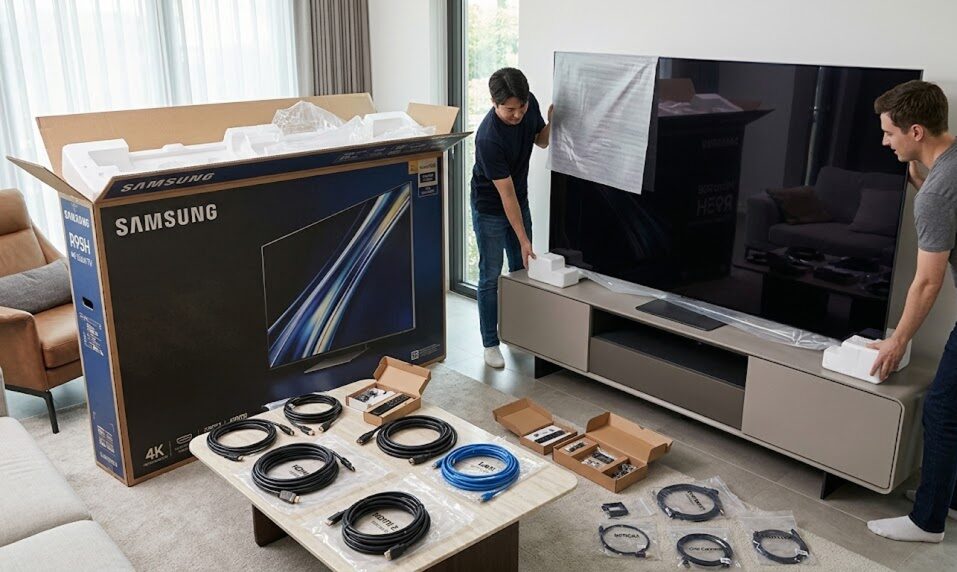
The remote control features a solar panel on the back, so you never need to replace batteries. Place it under room light or near a window to keep it charged.
If any part is missing, contact Samsung support immediately.
Optional Compatible Accessories (Not Included)
- Samsung Slim Fit Wall Mount – Provides a gap of only 0.4 inches between TV and wall
- Samsung No‑Gap Wall Mount – Flush mount, TV sits directly against the wall
- Samsung SolarCell Remote (additional) – Model TM2660H for replacement
- Samsung Q‑Series Soundbar – Enables Q‑Symphony feature
Step‑by‑Step Instructions
First‑Time Setup
Follow these steps in order. The entire setup takes about 15 minutes.
Step 1: Choose Your Placement
Place the TV on a flat, sturdy surface or mount it on the wall using the Slim Fit brackets. Maintain at least 4 inches of clearance on all sides for proper ventilation.
| Model | TV without Stand (W x H x D) | TV with Stand (W x H x D) |
|---|---|---|
| 65″ (MRN65R95H) | 56.6 x 32.5 x 1.2 inches | 56.6 x 35.0 x 11.9 inches |
| 75″ (MRN75R95H) | 65.3 x 37.5 x 1.2 inches | 65.3 x 40.1 x 13.7 inches |
The stand is called the Infinity Air Stand and comes in Space Graphite color. It is non‑adjustable, so the TV sits at a fixed height.
Step 2: Connect Power and Attach the Stand
- If using the stand, attach it to the bottom of the TV using the included screws.
- Connect the power cable to the TV and plug it into a wall outlet.
- Do not turn on the TV yet. First connect any external devices.
Step 3: Connect External Devices (Optional but Recommended)
The TV has four HDMI ports. All four HDMI ports support 4K at 165Hz, which is rare even among flagship TVs.
| Port Type | Port Number | Recommended Use |
|---|---|---|
| HDMI 2.1 (eARC) | Port 3 | Soundbar or AV receiver |
| HDMI 2.1 (165Hz) | Ports 1, 2, 4 | Gaming PC, PS6, Xbox Next‑Gen |
| USB‑A | 2 ports | External storage for recorded shows or photos |
| Ethernet (LAN) | 1 port | Wired internet connection (faster than Wi‑Fi) |
| Digital Audio Out (Optical) | 1 port | Older soundbars without HDMI |
| RF Connection | 1 port | Antenna or cable TV |
Connect your game console to HDMI 1 or 2 for the lowest latency. Connect your soundbar to HDMI 3 (eARC) for full Dolby Atmos support.
Step 4: Turn On the TV and Complete Initial Setup
- Press the Power button on the remote.
- Select your language and country.
- Connect to your home Wi‑Fi network or plug in an Ethernet cable.
- The TV automatically checks for software updates. Let it finish.
- Sign into your Samsung account. If you do not have one, create a free account. This unlocks the full smart features including the Vision AI Companion.
- Follow the on‑screen prompts to agree to the Smart Hub Terms and Privacy Policy.
Step 5: Run the Initial Picture Calibration
After signing in, the TV asks if you want to run Auto Picture Calibration. Select Yes. The TV displays a series of test patterns and uses its built‑in light sensor to adjust brightness, contrast, and color temperature for your specific room.
This step takes 90 seconds. Let it complete for the best out‑of‑box picture quality.
Step 6: Pair Bluetooth Devices (Optional)
If you want to use Bluetooth headphones, speakers, or the Samsung Galaxy Buds Auto Switch feature:
- Go to Settings → Sound → Bluetooth Audio
- Put your Bluetooth device in pairing mode.
- Select the device from the list on the screen.
Your TV remembers up to 10 paired devices.
Understanding the Core Technology
Understanding the Core Technology: What Makes R95H Different
Before I explain the settings, let me clarify the technology inside this TV. Understanding these terms helps you choose the right picture modes later.
Micro RGB Backlight Technology
Traditional LCD TVs use a white LED backlight with color filters. The R95H instead uses thousands of microscopic red, green, and blue LEDs arranged directly behind the LCD panel. Each LED measures ≤ 100 micrometers—smaller than a human hair.
This design eliminates the need for color filters. The TV generates pure red, green, and blue light directly from the backlight. The result is higher brightness, better color accuracy, and no color bleeding between adjacent pixels.
100% BT.2020 Color Gamut
The International Telecommunication Union (ITU) defines BT.2020 as the professional color standard for 4K and 8K content. Most premium TVs cover only 70‑80% of this gamut. The R95H achieves full 100% coverage, certified by VDE Germany. This means the TV reproduces every shade a filmmaker encoded into the content.
Micro RGB AI Engine Pro Processor
The processor inside the R95H is called the Micro RGB AI Engine Pro. It runs a dedicated AI chip that handles four tasks simultaneously:
- 4K AI Upscaling Pro – Converts HD or lower‑resolution content to near‑4K quality.
- Micro RGB Color Booster Pro – Detects muted or faded colors and enhances them in real time.
- Micro RGB HDR Pro – Analyzes each scene and adjusts brightness for perfect highlights and shadows.
- AI Sound Controller Pro – Separates dialogue from background music and sound effects, letting you adjust each independently.
Glare Free Technology
Samsung’s Glare Free display uses a specialized anti‑reflection coating certified by UL Solutions. Unlike older matte screens that wash out colors, this coating eliminates reflections while preserving deep blacks and vibrant colors. The certification requires three metrics:
- Reflection Glare UGR ≤ 10
- Discomfort Glare UGR ≤ 22
- Disability Glare UGR ≤ 34
This means you can place the TV opposite a sunny window and still see dark movie scenes clearly.
Picture Settings & Modes
The R95H offers several picture modes. Choose the one that matches your content.
| Picture Mode | Best For | Key Characteristics |
|---|---|---|
| AI Optimized | Everyday viewing (default) | Automatically adjusts based on room light and content type |
| Filmmaker Mode | Movies and TV dramas | Disables motion smoothing. Preserves director’s original frame rate and color. |
| Game Mode | Console and PC gaming | Enables 165Hz VRR, reduces input lag to under 6ms |
| Dynamic | Bright rooms with large windows | Max brightness, higher contrast, saturated colors |
| Standard | General cable TV and news | Balanced settings for typical broadcast content |
| Natural | Sports and live events | Enhanced motion handling, smoother fast action |
To change picture mode, press the Settings button on the remote, then navigate to Picture → Picture Mode.
Advanced Picture Settings Explained
For users who want manual control:
- Contrast Enhancer (Real Depth Enhancer) – Adds depth to mid‑tones. Leave on Low or Medium for movies. Turn off for color‑grading work.
- Contrast Booster – Increases peak brightness. Use High in bright rooms. Use Off in dark home theaters.
- Color (Micro RGB Precision Color 100) – Leave at default 25 unless colors look over‑saturated.
- Auto HDR Remastering Pro – Converts standard dynamic range (SDR) content to HDR. Keep enabled for streaming apps. Disable for older Blu‑rays.
- AI Motion Enhancer Pro – Reduces motion blur in sports and action movies. Set to Auto and forget.
Audio Settings & Sound Modes
The R95H includes a 4.2.2 channel speaker system with 70 watts of total output power. This is one of the most powerful built‑in TV audio systems available.
| Speaker Component | Count | Purpose |
|---|---|---|
| Up‑firing speakers | 2 | Create overhead effects for Dolby Atmos |
| Side‑firing speakers | 2 | Expand the soundstage horizontally |
| Down‑firing woofers | 2 | Handle bass frequencies |
| Mid‑range drivers | 2 | Reproduce dialogue and vocals |
Audio Features You Should Use
- Dolby Atmos – Go to Settings → Sound → Dolby Atmos and set to On. This unlocks overhead sound effects when watching Atmos content on Netflix, Disney+, or Apple TV.
- Object Tracking Sound Plus (OTS+) – Keeps enabled. This feature makes sound appear to come from the exact location on the screen where the action happens. For example, a car driving from left to right produces sound that moves across the speakers.
- Active Voice Amplifier Pro (AVA Pro) – Keeps enabled. The TV listens to ambient noise in your room using its built‑in microphone. When a vacuum cleaner runs or someone talks, the TV automatically raises dialogue volume without touching bass or effects.
- Q‑Symphony – If you own a compatible Samsung soundbar (2020‑2026 models), enable this setting. It makes the TV speakers and soundbar play simultaneously, not one replacing the other. This creates a wider, more immersive soundstage.
To adjust dialogue separately from background music, go to Settings → Sound → AI Sound Controller Pro. Use the sliders labeled Voice, Music, and Sound Effects.
KEY FEATURES
TOP 10 KEY FEATURES
- Micro RGB Al Engine Pro3
- Micro RGB HDR Pro3
- Glare Free
- Motion Xcelerator 165Hz3
- Micro RB Precision Color 1004
- Auto HDR Remastering Pro3
- 4K Al Upscaling Pro3
- Al Motion Enhancer Pro3
- Free sync Premium™ Pro
- Dolby Atmos and Object Tracking Sound+
PICTURE (PANEL)
- Display Type: Micro RGB
- Refresh Rate: 165Hz (VRR Support)
- Lighting Technology: Micro RGB Technology
- Display Resolution: 4K (3,840 x 2,160)
- Anti Reflection: Glare Free
- Viewing Angle: Wide Viewing Angle
- Dimming Technology: Ultimate Micro Dimming Pro
DESIGN
- TV Design: Infinity Air
- Bezel Type: 4 Bezel-less
- Front Color: Black
- Stand Type: Infinity Air Stand
- Stand Color: Space Graphite
- Adjustable Stand: N/A
CONNECTIVITY
- Wi-Fi: Yes (Wi-Fi 6E)
- Bluetooth: Yes (BT5.3)
- One Connect Box: N/A
- HDMI Inputs7: 4 Ports
- HDMI Maximum Input Rate:4K 165Hz (for HDMI 1/2/3/4)
- HDMI Audio Return Channel: eARC
- HDMI-CEC: Yes
- USB Ports: 2 x USB-A
- Ethernet (LAN): Yes
- Digital Audio Out (Optical): Yes
- RF Connection: Yes
- RS-232C Input: Yes
Samsung Vision AI
- Samsung Vision AI Companion9: Yes3
- AI Soccer Mode: Pro10
- AI Sound Controller: Pro11
- Live Translate: Yes
- Generative Wallpaper: Yes
- Multi AI Agents (Copilot & Perplexity): Yes
- Pet & Family Care: Yes
- Home Insight: Yes:
TV ART FEATURES
- Art Mode: N/A
- Art Store: Yes12
SMART TV FEATURES 13
- Operating System: One UI Tizen
- Free Ad Support TV: Samsung TV Plus
- Smart Home Connectivity: SmartThings14,Matter, IoT-Sensor Functionality, Quick Remote
- Smart Assistants (Built-In): Bixby, Alexa
- Smart Assistants (Works with): Google Assistant
- Far-Field Voice Interations: Yes
- Web Browser: Yes
- Samsung Health: Yes15
- Multi Device Experience: Mobile to TV,TV initiates mirroring, Sound Mirroring, Wireless TV On
- Multi-View: Up to 2 videos
- Buds Auto Switch: Yes
- Works with Apple Airplay: Yes
- Works with Google Cast: Yes
- Daily+: Yes
- Now Brief: Yes Voice/User Detection
- Workout Tracker: Yes
- Karaoke Mic: Yes16
- Multi-Control: Yes
- Storage Share: Yes
GAMING
- Gaming Hub: Yes17
- Cloud Gaming: Yes – Xbox, NVIDIA GeForce Now, Luna, Blacknut, Antstream, Boosteroid
- Auto Game Mode: AI Auto Game Mode
- ALLM (Auto Low Latency Mode): Yes
- Game Motion Plus: Yes
- Super Ultra Wide Game View18: Yes
- Game Bar: Yes
- Mini Map Zoom: Yes
- AMD FreeSync: Freesync Premium™ Pro
- NVIDA G-SYNC: N/A
- HGiG: Yes
- Hue Sync: Yes
SECURITY
- Knox Vault: N/A
- Knox Security: Yes
POWER
- Power Supply (V): AC110-120V~ 50/60Hz
- Stand-by Power Consumption (W): 0.5W
- Typical Power Consumption (W):
- 75″: 208W 65″: 171W
- Max Power Consumption (W):
- 75″: 370W 65″: 275W
- Eco Sensor: Yes
- Auto Power Saving: Yes
- Auto Power Off: Yes
MODELS GUIDANCE
MODEL: MRN75R95H
ORDER CODE: MRN75R95HAFXZA
- SCREEN SIZE CLASS: 75″
- SCREEN DIAGONAL MEASUREMENT: 74.5″
- UPC CODE: 198957271243
- COUNTRY OF ORIGIN: MEXICO
- DIMENSIONS (INCHES W X H X D):
- TV without Stand: 65.3 x 37.5 x 1.2
- TV with Stand (Lowest): 65.3 x 40.1 x 13.7
- TV with Stand (Highest): N/A
- Distance between stand (Default): N/A
- Distance between stand (Minimum): N/A
- Shipping: 71.5 x 44.8 x 7.8
- Stand Footprint: 14 x 9.8 x 13.7
- WEIGHT (LB):
- TV without Stand: 66.4
- TV with Stand: 70.1
- Shipping: 99.4
- VESA SUPPORT: 400X400
- ACCESSORIES INCLUDED IN BOX:
- Remote Model: BT SolarCell™ Remote TM2660H
- Power Cable
- User Manual
- WARRANTY: CLICK HERE
MODEL: MRN65R95H
ORDER CODE: MRN65R95HAFXZA
- SCREEN SIZE CLASS: 65″
- SCREEN DIAGONAL MEASUREMENT: 64.5″
- UPC CODE: 198957272325
- COUNTRY OF ORIGIN: MEXICO
- DIMENSIONS (INCHES W X H X D):
- TV without Stand: 56.6 x 32.5 x 1.2
- TV with Stand (Lowest): 56.6 x 35 x 11.9
- TV with Stand (Highest): N/A
- Distance between stand (Default): N/A
- Distance between stand (Minimum): N/A
- Shipping: 62.8 x 38.6 x 7.5
- Stand Footprint: 14 x 9 x 11.9
- WEIGHT (LB):
- TV without Stand: 49.4
- TV with Stand: 52.25
- Shipping: 70.5
- VESA SUPPORT: YES (400X300)
- ACCESSORIES INCLUDED IN BOX:
- Remote Model: BT SolarCell™ Remote TM2660H
- Power Cable
- User Manual
- WARRANTY: CLICK HERE
Maintenance & Cleaning
Keep your R95H in perfect condition with these simple steps.
Cleaning the Screen
- Turn off the TV and unplug it from power.
- Use a dry, soft microfiber cloth (the kind used for eyeglasses).
- Wipe the screen gently in circular motions. Do not press hard.
- For stubborn fingerprints, lightly dampen the cloth with distilled water only. Never use glass cleaner, alcohol, or ammonia—these destroy the Glare Free coating.
Cleaning the Glare Free Coating
The coating is delicate. Avoid:
- Paper towels (they scratch)
- T‑shirts or rough fabrics
- Any spray cleaner
- Wipes containing alcohol or bleach
If you see smudges after cleaning, buff the screen with a completely dry microfiber cloth for 30 seconds.
Ventilation Maintenance
The back panel has ventilation slots. Dust them every three months using a vacuum cleaner with a brush attachment or a can of compressed air. Blocked vents cause the TV to overheat and reduce panel lifespan.
Software Updates
The TV checks for updates automatically when connected to the internet. To manually check:
- Go to Settings → Support → Software Update → Update Now.
- If an update is available, select Yes.
- The TV restarts after installation. Do not unplug it during this process.
Troubleshooting Common Issues
| Problem | Most Likely Cause | How to Fix It |
|---|---|---|
| TV will not turn on | Remote batteries dead or power issue | Press the physical power button under the Samsung logo on the bottom of the TV. If that works, charge the remote under a lamp. If nothing happens, check the power cable. |
| Picture is too dark | Eco Sensor enabled | Go to Settings → General → Eco Solutions → Brightness Optimization. Turn this off if you want manual control. |
| Motion looks blurry in sports | AI Motion Enhancer set too high | Set Settings → Picture → Expert Settings → AI Motion Enhancer to Low or Off. |
| Sound is out of sync with picture | Bluetooth audio delay | Go to Settings → Sound → Expert Settings → Digital Output Audio Delay. Adjust until sync returns. |
| Wi‑Fi keeps disconnecting | Router interference | Switch to wired Ethernet (port on the back of the TV). If you must use Wi‑Fi, go to Settings → General → Network → Reset Network and reconnect. |
| Game Mode not activating | Input Signal Plus disabled | For the HDMI port your console is connected to: Settings → Connected Devices → Input Signal Plus → On. |
| Remote control not working | Solar cell needs light | Place the remote under a bright lamp or in direct sunlight for 2 hours. The battery charges from any light source. |
| Apps crashing or freezing | Temporary software glitch | Unplug the TV from power for 60 seconds, then plug it back in. This clears temporary memory. |
Error Code Guide
Unlike some TVs that show cryptic error codes, the R95H displays descriptive messages. Here are the most common ones:
| Display Message | Meaning | Solution |
|---|---|---|
| “Weak or No Signal” | No device detected on selected HDMI port | Turn on the connected device. Check the HDMI cable is fully inserted. |
| “Network Connection Failed” | TV cannot reach the internet | Check your router. Restart the TV. Forget the network and reconnect. |
| “Storage Space Low” | Internal storage is full (less than 500MB free) | Go to Settings → Support → Device Care → Manage Storage. Delete unused apps or old recordings. |
| “Overheating. TV will shut down.” | Ventilation blocked or ambient temperature too high | Move the TV away from heat sources. Clean the ventilation slots. Wait 30 minutes before turning on again. |
| “Update Failed” | Internet disconnected during update | Go to Settings → Support → Software Update → Update Now. Try again on a stable connection. |
Power Consumption & Energy Saving
| Model | Typical Power Consumption | Max Power Consumption | Standby Power |
|---|---|---|---|
| MRN65R95H (65‑inch) | 171W | 275W | 0.5W |
| MRN75R95H (75‑inch) | 208W | 370W | 0.5W |
The TV includes an Eco Sensor that detects room brightness. When the room darkens, the TV reduces backlight intensity to save energy. You can disable this in Settings → General → Eco Solutions if you prefer a consistent brightness day and night.
Frequently Asked Questions
Q1: What is the difference between Micro RGB and OLED?
A: Micro RGB uses thousands of tiny red, green, and blue LEDs as a backlight behind an LCD panel. OLED uses self‑emissive pixels that turn off completely for blacks. Micro RGB achieves higher peak brightness (over 2,000 nits) than OLED (typically 1,000 nits). OLED achieves perfect black levels. Both produce excellent picture quality.
Q2: How many dimming zones does the R95H have?
A: Samsung does not publish the exact zone count, but independent testing confirms it uses significantly more dimming zones than any previous Samsung LCD TV. The Micro RGB backlight controls brightness and color at the individual LED level, not in large zones.
Q3: Does the TV support 8K resolution?
A: No. The R95H is a 4K TV (3,840 x 2,160 pixels). If you need 8K, look at Samsung’s 8K Neo QLED series.
Q4: Can I mount this TV on my existing wall mount?
A: Check your mount’s VESA pattern:
- MRN65R95H (65‑inch): VESA 400×300 (four screws spaced 400mm apart horizontally, 300mm vertically)
- MRN75R95H (75‑inch): VESA 400×400
If your existing mount matches these patterns, it will work. If not, use the included Slim Fit brackets or buy a new mount.
Q5: How do I enable 165Hz on my gaming PC?
A: First, ensure your graphics card supports HDMI 2.1 (NVIDIA RTX 30‑series or newer, AMD Radeon RX 6000 or newer). Then:
- Connect the PC to HDMI port 1 or 2.
- On the TV: Settings → Connected Devices → Input Signal Plus → On (for that port).
- On Windows: Right‑click desktop → Display Settings → Advanced Display → Choose refresh rate → 165Hz.
Q6: Does the TV work with Google Assistant and Alexa?
A: Yes. The TV has Bixby and Alexa built‑in. It also works with Google Assistant via external speakers. To use Alexa, go to Settings → General → Voice → Alexa and sign into your Amazon account.
Q7: What is the warranty period?
A: Samsung provides a 1‑year limited warranty covering parts and labor for manufacturing defects. You can extend coverage through Samsung Care+ (purchased separately).
Q8: Where is the TV manufactured?
A: The R95H models sold in the United States are manufactured in Mexico.
MORE INFORMATION
*4K 165Hz is only available with PC-connected games that support such specifications (PC graphic card required). Performance may vary.
- Covers 100% of UHD color spectrum (BT.2020), as compared to DCI-P3.
- VDE’s verification evaluates products based on the test criteria established by the International Telecommunication Union (ITU) for UHD (4K) color standards, BT.2020, and certifies Micro RGB Precision Color.
- Utilizes AI-Based formulas
- Ultimate Micro Dimming Pro is Software-based (not full-array hardware-based) technology.
- DLG 240Hz can be enabled in settings and will reduce image resolution. Up to 240Hz only available with PC connected games that support such specifications (PC graphics card required). Visual quality and results vary by title and system configuration.
- Q-Symphony requires a compatible 2020-2026 Samsung TV. Please refer to samsung.com for more information.
- HDMI–CEC (Consumer Electronics Control) facilitates convenient control functions with compatible devices.
- Samsung Vision AI features vary by model; see individual model for more info.
- AI inputs and queries may be recorded and shared with 3rd party providers. Requires Samsung account and consent to Viewing Information Service; must be 18 years or older. Accuracy not guaranteed. Check results.
- AI Soccer Mode must be turned on in settings. Utilizes AI-based formulas
- Feature availability varies by input source/app. Utilizes AI-based formulas; results vary. Samsung account and internet access required.
- Fees apply to subscription service.
- Samsung Account required for network-based smart services, including streaming apps and other smart features. Separate [connected] computer, mobile or other device may be necessary to create/log into Samsung Account (free to download and create). Without Account login, only external device connections (e.g., via HDMI) and terrestrial/over-the-air TV (only for TVs with tuners) available.
- SmartThings require compatible devices only. SmartThings app download may be required.
- Subscriptions may be required for some services. Smart Trainer support devices may vary by country.
- Requires SmartThings app to be installed on the mobile device and connected via the same Wi-Fi network as the TV set. Mobile mic is compatible only with Galaxy S23 or later models and iPhone 15 & above. You must download the Karaoke app from Tizen to use the Karaoke function. An additional paid subscription is required for this service after 6 months of free use. (Users can access 5 songs per day for free without a subscription.)
- High speed internet connection, additional gaming service subscriptions and compatible controller required.
- Super Ultrawide Game View is supported for PC games only. This is feature is only available for ultra wide supported games. Some game titles may not support this function or may be limited to use this feature. Screen resolution change from external device may be required.
Download Samsung Micro RGB R95H 4K TV Manual Here!
Samsung-Micro-RGB-R95H-4K-Vision-AI-Smart-TV-productmanuals

[…] Optimize your Samsung TV for sports, movies, and console gaming. […]