
Introduction
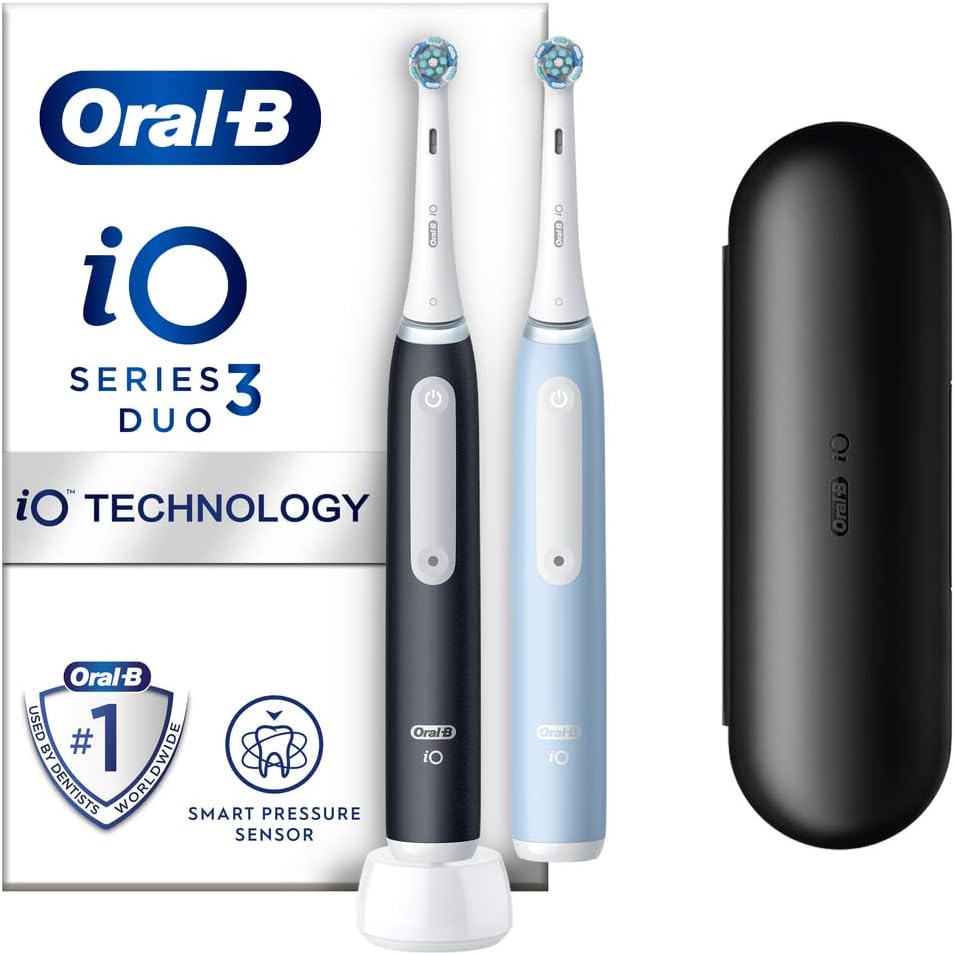
The Oral‑B iO Series 3 is an electric toothbrush that combines dentist‑inspired round brush head technology with gentle micro‑vibrations for a deep yet comfortable clean. It features a Smart Pressure Sensor that glows green, yellow, or red to guide your brushing pressure, and a built‑in 2‑minute quadrant timer to ensure you brush each section of your mouth evenly. The iO3 uses magnetic drive technology, which is quieter and transfers more energy to the bristles compared to older Oral‑B models. It comes with one brush head, a compact charger, and a travel case.
Product Overview
The iO3 uses a magnetic motor that drives the brush head with oscillating‑rotating movement plus micro‑vibrations, providing a thorough clean while being gentle on gums. It has a single brushing mode (Daily Clean) – no complex settings – just press the button and brush. The handle has a built‑in pressure sensor with an LED ring that changes colour based on pressure. The battery lasts about 2 weeks on a full charge. It is water‑resistant and can be used in the shower. It uses iO‑specific brush heads (Ultimate Clean, Gentle Care, Radiant White) and is compatible with iO refill heads only.
Full Specifications
| Specification | Detail |
|---|---|
| Model | iO3 |
| Brushing Technology | iO Magnetic Drive (oscillating‑rotating with micro‑vibrations) |
| Brushing Modes | 1 (Daily Clean) |
| Pressure Sensor | Smart Pressure Sensor (green = correct, red = too hard) |
| Timer | Quadrant timer (30‑second intervals), 2‑minute total |
| Battery | Rechargeable lithium‑ion (internal, non‑removable) |
| Battery Life | Up to 2 weeks (2 minutes, twice a day) |
| Charging | Inductive charging stand (included), 100‑240V AC adapter |
| Charging Time | Approx. 16 hours for full charge |
| Water Resistance | IPX7 (handle only, not charging base) |
| Brush Head Compatibility | iO‑specific heads: Ultimate Clean (included), Gentle Care, Radiant White |
| Dimensions | 25.6 cm (H) x 3.2 cm (D) handle only |
| Weight | 135 g (handle with brush head) |
| Included Accessories | iO3 handle, 1 iO Ultimate Clean brush head, charging base, user manual |
Key Features
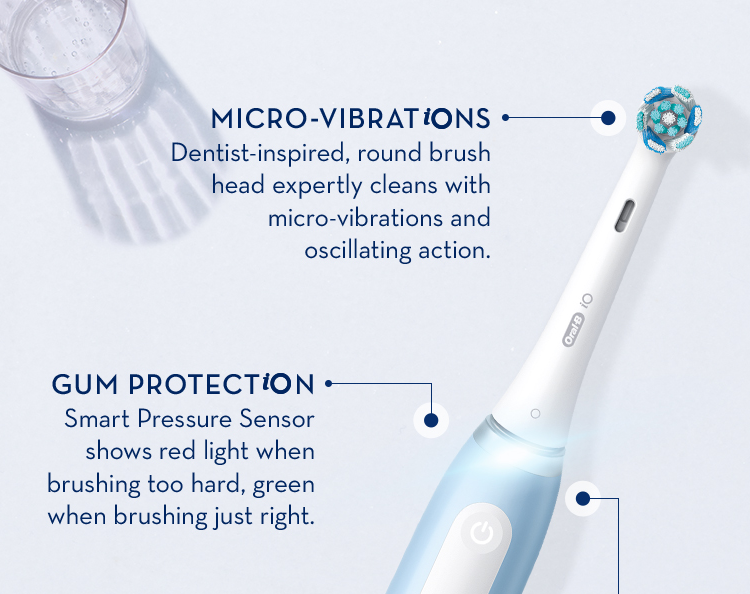
- iO Magnetic Drive: Quiet, smooth power transfer with micro‑vibrations for a clean feel. Less noisy than traditional Oral‑B brushes.
- Smart Pressure Sensor: The LED ring lights up: green (perfect), yellow (too light), red (too hard). It helps train you to brush with the right pressure to protect gums.
- Quadrant Timer: Vibrates every 30 seconds to signal you to move to the next quadrant. After 2 minutes, a longer vibration and light flash tell you the session is complete.
- Single Daily Clean Mode: No complicated settings. Ideal for users who want simplicity.
- iO Brush Head Compatibility: Uses advanced iO heads that are round and designed for the magnetic drive. Replace every 3 months.
- Long Battery Life: About 2 weeks per charge, with a charging stand that’s compact and stable.
How to Use
What’s in the Box
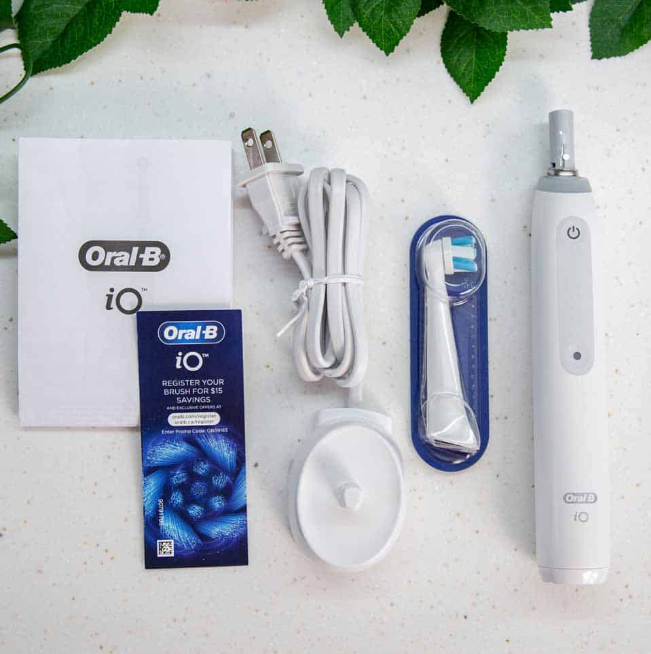
- Oral‑B iO3 handle
- 1 x iO Ultimate Clean brush head
- Charging base (with attached cable)
- User manual and warranty card
First‑Time Setup & Charging
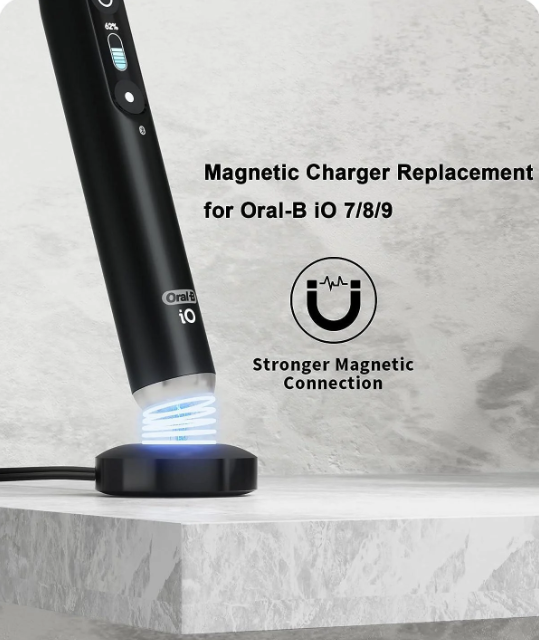
- Charge the handle fully before first use. Place the handle on the charging base and plug the base into a wall outlet. The battery indicator LED will blink white while charging and turn off when full. A full charge takes about 16 hours.
- Attach the brush head: Align the brush head with the handle and push it on until it clicks. There should be a small gap between the head and the handle – this is normal and allows the magnetic drive to function.
- Apply toothpaste: Wet the brush head, apply a pea‑sized amount of toothpaste, and you’re ready to brush.
Brushing
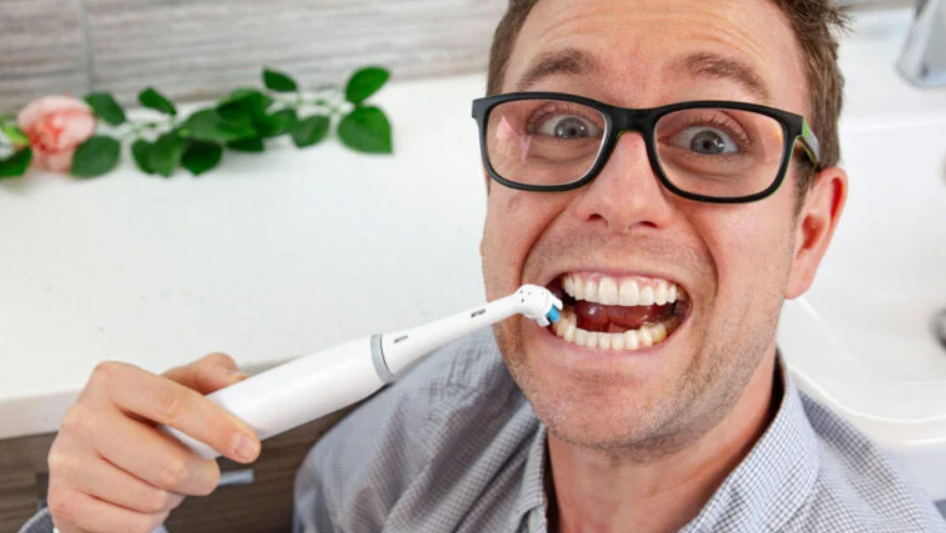
- Press the power button once to turn on the brush.
- Place the brush head on your teeth at a 45‑degree angle to the gum line. Move the brush slowly from tooth to tooth – you don’t need to scrub. The oscillating‑rotating head does the work.
- Watch the pressure sensor: The light ring on the handle glows green. If it turns yellow, press a little harder. If it turns red, ease up.
- Follow the timer: The handle vibrates briefly every 30 seconds to signal a quadrant change. After 2 minutes, it gives a longer vibration and the light flashes – your session is complete. Press the power button to turn it off (or it turns off automatically after a few moments).
Cleaning the Toothbrush
- After each use: Rinse the brush head under running water while the handle is still on for a few seconds. Then turn it off and remove the head. Rinse the metal drive shaft and wipe the handle with a damp cloth.
- Weekly: Remove the brush head and rinse both the head and the shaft thoroughly. Wipe the charging stand with a dry cloth.
- Never submerge the handle in water – it’s water‑resistant but not waterproof.
Troubleshooting & Common Problems
| Problem | Likely Cause | What to Try |
|---|---|---|
| Handle not turning on | Battery drained | Charge for at least 30 minutes. If it still doesn’t turn on, try a different outlet. |
| Brush head not moving or vibrating weakly | Brush head not seated correctly, or pressure sensor overriding | Remove and re‑attach the brush head. If the red pressure light is on, press lighter. |
| Battery drains quickly | Battery aging, or charging stand not fully connected | A typical battery lasts about 2 weeks. If it drains much faster, the battery may be aging – contact Oral‑B. Ensure the charger is plugged in and the handle sits properly on the stand. |
| Pressure sensor light not working | Sensor dirty, or software glitch | Clean the metal ring near the brush head with a dry cloth. Restart the handle by pressing and holding the power button for 10 seconds. |
| Strange noise or vibration | Brush head worn or damaged | Replace the brush head. If the noise persists without a head attached, the motor may need service. |
| Toothbrush turns on by itself | Moisture in the button, or internal fault | Dry the handle thoroughly. If the problem continues, contact Oral‑B support. |
Frequently Asked Questions
- How often should I replace the brush head?
Replace the brush head every 3 months, or when the blue indicator bristles fade to white. Worn bristles don’t clean as effectively. - Can I use the iO3 in the shower?
The handle is water‑resistant and can be used in the shower, but it should not be fully submerged. The charging stand is not waterproof. - Does the iO3 connect to the Oral‑B app?
No. The iO3 does not have Bluetooth. If you want app connectivity and brushing feedback, consider the iO4 or higher models. - Is the iO3 compatible with all Oral‑B brush heads?
It is only compatible with iO‑specific brush heads (e.g., Ultimate Clean, Gentle Care, Radiant White). Standard Oral‑B heads (like CrossAction or FlossAction) will not fit. - How do I know when the battery is full?
The battery LED stops blinking and turns off when fully charged. There is no persistent green light. - What does the red light mean?
A solid red ring while brushing means you’re pressing too hard. Lighten your grip. A blinking red battery LED means the battery is very low – charge soon. - Can I travel with the iO3?
Yes, but the charging base is not travel‑friendly. The handle can be charged with any compatible Oral‑B charger (some travel chargers sold separately). The brush head can be protected with a travel cap (not included).
Tips
- Start on the outer surfaces: Brush the outside of your teeth first, then the inside, then the chewing surfaces. The quadrant timer helps you stay organised.
- Don’t rinse after brushing: Spit out excess toothpaste, but don’t rinse with water. This leaves the fluoride on your teeth longer, improving protection.
- Charge monthly: Even if the battery still shows a charge, topping it up once a month helps maintain the battery’s health.
- Clean the charger: Dust and toothpaste residue can build up on the charging base. Wipe it with a dry cloth regularly.
- Replace the head after illness: If you’ve had a cold or flu, replace the brush head to avoid reinfection.
Safety Information
- Charger: Use the charger only with the voltage specified (100‑240V AC). Do not use an extension cord that is not rated for the charger’s power. Unplug the charger before cleaning.
- Water exposure: The handle is designed for use in wet environments but is not fully submersible. Do not place the charger in water or use it with wet hands.
- Pacemakers: Consult your doctor before using an electric toothbrush if you or a family member have a pacemaker or other implanted medical device. The magnetic drive could theoretically interfere.
- Children: The iO3 is intended for adults and children aged 12 and over. Children under 12 should use an age‑appropriate toothbrush.
- Brush head: Inspect the brush head before each use. Replace it if the bristles are splayed or the head is damaged.
Related Manuals
If this guide was helpful, here are a few more popular manuals from productsmanuals.com that you might find useful:
- How to Setup MIRO W1 SE Kids Smartwatch (Complete Guide + Fixes)
Master ECG, body composition, sleep apnea detection, and more.
View the Samsung Galaxy Watch 7 Manual - Philips Sonicare ProtectiveClean 6100 Manual – Brushing Modes & BrushSync
Learn to use the Sonicare 6100 with pressure sensor and brush‑head reminders. - Waterpik Aquarius WP‑660 Manual – Water Flosser Setup, Pressure Settings & Tip Guide
Add a water flosser to your routine for complete oral care. - iPhone 17 Manual – Settings, Camera & Hidden Features Guide
Explore Dynamic Island, Action button, and battery‑health tricks. - Gigabyte AORUS 15G User Manual & Setup Guide
Upgrade RAM and SSD, and fix common performance issues.
Browse all guides at productsmanuals.com .
Copyright 2026 productsmanuals.com All rights reserved. This Oral‑B iO3 manual is original content and may not be copied, republished, or redistributed without written permission. Oral‑B, iO, and the Oral‑B logo are trademarks of Procter & Gamble. This guide is unofficial and not affiliated with Oral‑B or P&G.
