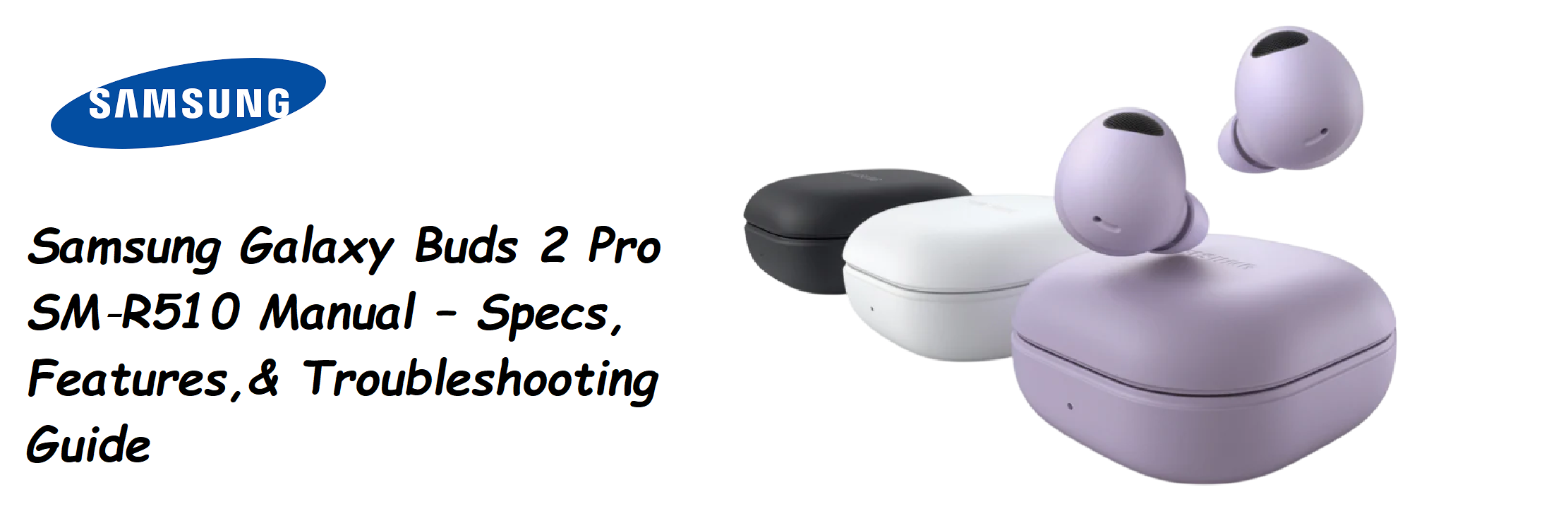

Samsung ships the Galaxy Buds 2 Pro with a USB‑C cable, extra ear tips, and a small Quick‑Start leaflet. There’s no printed manual that explains the full specifications, how to use 360 Audio with head tracking, what the touch gestures do by default, or how to fix the earbuds when one side stops charging. Thousands of people search for a “Samsung Galaxy Buds 2 Pro manual” every month because they need clear, step‑by‑step answers. This guide covers every spec, every feature, and every common problem — no fluff, just the information that gets your earbuds working perfectly.
Full Specifications
| Specification | Detail |
|---|---|
| Model | SM‑R510 (Galaxy Buds 2 Pro) |
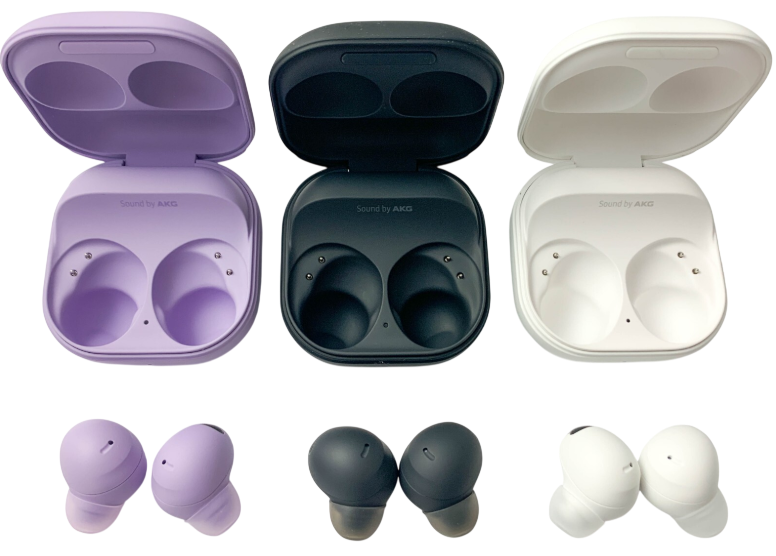
| Colour Options | Graphite, White, Bora Purple |
| Driver | 2‑way coaxial speaker: 10 mm woofer + 5.3 mm tweeter |
| Microphones | 3 per earbud (high SNR, beamforming) + VPU (Voice Pickup Unit) for clear calls |
| Active Noise Cancellation | Intelligent ANC with 3 adjustable levels (High, Medium, Low) and Ambient Sound mode |
| Audio Codecs | Samsung Seamless Codec (HiFi 24‑bit), AAC, SBC |
| 360 Audio | Direct Multi‑channel (5.1 / 7.1 / Dolby Atmos) with head tracking |
| Water Resistance | IPX7 (earbuds only, not the case) — can be submerged in up to 1 metre of fresh water for 30 minutes |
| Battery Life (Earbuds) | Up to 5 hours with ANC on, up to 8 hours with ANC off |
| Battery Life (Case) | Up to 18 hours additional (ANC on), 29 hours (ANC off) |
| Charging | USB‑C wired charging; Qi‑certified wireless charging; PowerShare (reverse wireless from a Samsung Galaxy phone) |
| Quick Charge | 5‑minute charge gives about 1 hour of playback |
| Connectivity | Bluetooth 5.3, Auto Switch (between Samsung devices), SmartThings Find |
| Sensors | Accelerometer, gyroscope, proximity sensor, hall sensor, touch sensor, bone‑conduction VPU |
| Weight (Earbuds) | 5.5 g each |
| Weight (Case) | 43.4 g |
| Compatibility | Android 8.0+, iOS 12.0+, Windows 10+ (some features require Galaxy Wearable app) |
| In‑the‑Box | Earbuds (L/R), charging case, USB‑C cable, ear tips (S/M/L), Quick‑Start Guide |
Key Features at a Glance
- 24‑bit HiFi Audio: When paired with a compatible Samsung Galaxy device running One UI 4.1 or later, the Buds 2 Pro stream 24‑bit high‑resolution audio via the Samsung Seamless Codec, delivering richer detail than standard Bluetooth codecs.
- Intelligent ANC: Automatically adjusts noise cancellation based on your environment. You can manually select High, Medium, or Low, or switch to Ambient Sound to hear traffic or conversations.
- 360 Audio with Head Tracking: Creates a spatial surround effect that follows your head movements, making movies and games feel more immersive. Works best with Dolby Atmos‑encoded content.
- Auto Switch: The earbuds can seamlessly switch between your Samsung Galaxy phone, tablet, and watch without manual disconnection. For example, if you answer a call on your phone while watching a movie on your tablet, the audio switches automatically.
- IPX7 Water Resistance: The earbuds themselves can handle rain, sweat, and even accidental submersion. The charging case is not water‑resistant.
- SmartThings Find: Locate lost earbuds using the built‑in Bluetooth proximity tracker on your Samsung phone, even if they’re offline.
- Touch Controls: Customizable single‑tap, double‑tap, triple‑tap, and touch‑and‑hold gestures, plus a neck stretch reminder to improve posture when using the buds for long periods.
What’s Inside the Box
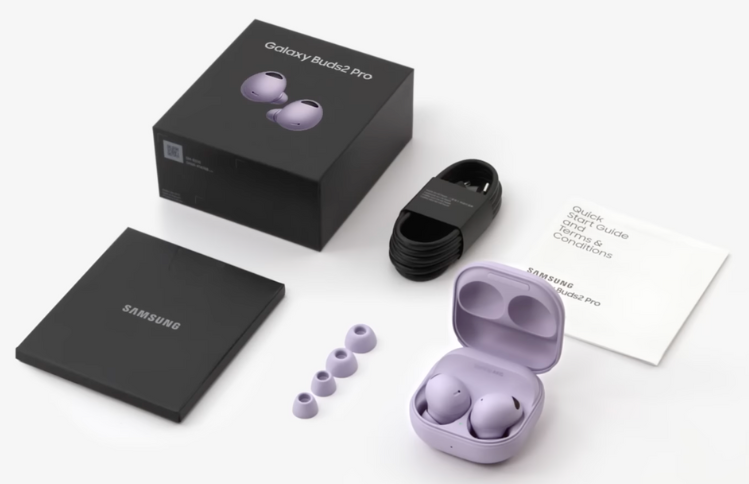
- Left and right Galaxy Buds 2 Pro earbuds (medium ear tips pre‑installed)
- Charging case (with USB‑C port on the bottom and a single LED indicator on the front)
- USB‑C to USB‑C charging cable (about 30 cm)
- Spare ear tips: small and large (medium already attached)
- Quick‑Start Guide and warranty card
No wall charger is included; you can use any standard USB‑C phone charger or a Qi wireless pad.
Pairing and First‑Time Setup
- Charge the earbuds and case fully before first use (about 1.5 hours via USB‑C).
- Open the charging case lid (earbuds inside). The LED on the case will blink blue.
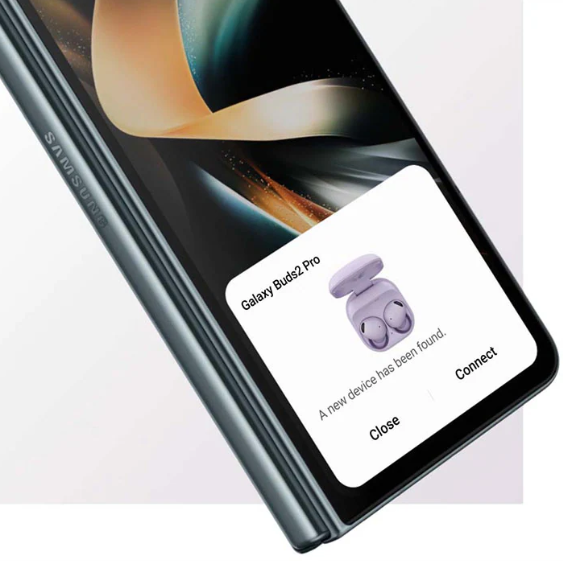
- On a Samsung Galaxy phone, a pop‑up should appear automatically — tap “Connect.” If it doesn’t pop up, open the Galaxy Wearable app (download it from the Galaxy Store or Play Store), tap “Add new device,” and select the Buds 2 Pro.
- On a non‑Samsung Android phone or iPhone, download the Galaxy Wearable app, then press and hold both earbud touchpads simultaneously for about 3 seconds until the LED blinks red‑green‑blue (pairing mode). Select “Galaxy Buds 2 Pro” from the Bluetooth list.
- For Windows or Mac: follow the manual Bluetooth pairing steps — no app is required, but you won’t get customisation features.
Touch Controls and Customization
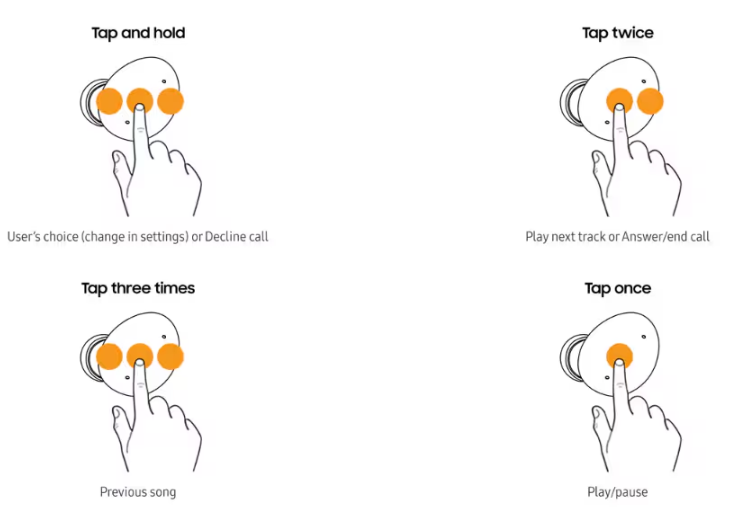
The default gestures on either earbud:
| Gesture | Action |
|---|---|
| Single tap | Play / Pause |
| Double tap | Next track / Answer call |
| Triple tap | Previous track |
| Touch and hold | Customizable: switch ANC / Ambient / Off, activate Bixby or Google Assistant, or launch Spotify |
| Double tap the edge of the earbud (while wearing) | Volume up (right) / Volume down (left) — optional, must be enabled in Labs |
You can customize the touch and hold function in the Galaxy Wearable app under Touch controls. You can also disable the touch interface entirely if you prefer physical‑only control.
ANC, Ambient Sound, and 360 Audio Settings
- ANC (Active Noise Cancellation): In the Wearable app, go to Earbud settings > Active noise cancelling. Choose from High, Medium, Low, or Adaptive. Adaptive learns your surroundings and adjusts automatically. To toggle ANC on/off quickly, use the touch‑and‑hold gesture (if set to ANC/Ambient switching).
- Ambient Sound: Lets external sound in. You can adjust the level (1‑20) and even boost specific frequencies for better speech understanding. Enable Voice Detect to automatically lower media volume and activate Ambient Sound when you speak.
- 360 Audio: Enable in the Wearable app under Earbud settings > 360 Audio. You can turn on Head tracking so the sound direction follows your head movements. This feature uses the earbuds’ gyroscopes and works best with Dolby Atmos‑encoded content from services like Amazon Music, Tidal, or Netflix.
Battery and Charging Habits
- Charging the case: Use the USB‑C cable or place the case on a Qi wireless charger. The LED on the front blinks red when low, solid red while charging, solid green when fully charged.
- Checking battery: In the Wearable app, the dashboard shows the exact percentage of each earbud and the case. Alternatively, when you open the case near a paired Samsung phone, a pop‑up displays battery levels.
- Battery care: Avoid completely draining the battery frequently. If you won’t use the earbuds for weeks, charge the case to about 50% and store at room temperature.
Troubleshooting Common Issues
| Problem | Likely Cause | What to Try |
|---|---|---|
| One earbud not working / no sound | Connection sync or dirty charging contacts | Place both earbuds in the case, close the lid for 30 seconds, then re‑open. Wipe the metal contacts on the earbuds and inside the case with a dry cotton swab. |
| ANC not working effectively | Poor ear tip seal | Run the Earbud fit test in the Wearable app. Try a different ear tip size. Ensure the earbuds are pushed in correctly — the wingtip should sit snugly in your ear’s concha. |
| Touch controls not responding | Wet fingers or dirty touch surface | Wipe the touch area with a dry cloth. Ensure your fingers are dry. Remove and re‑insert the earbud to restart the sensor. |
| Audio cuts out or stutters | Bluetooth interference | Move your phone within 5 metres with no walls in between. Avoid crowded Wi‑Fi areas. In the Wearable app, under Earbud settings > Advanced, toggle Bluetooth codec to SBC temporarily. |
| Case not charging wirelessly | Misalignment or incompatible pad | Centre the case on the Qi charger. The LED should glow red. Try a different wireless charger if needed. |
| Water damage / earbuds not working after submersion | IPX7 rating handles fresh water, but salt water or chlorinated pools can cause corrosion | Rinse the earbuds with fresh water (do not submerge the case), dry them thoroughly with a soft cloth before placing them in the case. |
How to Factory Reset and Restart
Soft restart: Place both earbuds in the case, close the lid, wait 10 seconds, and reopen. This resets the Bluetooth connection without losing any settings.
Factory reset (clear all pairings):
- Open the Galaxy Wearable app, go to Earbud settings > Reset.
- Confirm. The earbuds will forget all paired devices and return to factory state.
Factory reset without the phone:
- Place both earbuds in the charging case and close the lid.
- Wait 7 seconds, then open the lid.
- Press and hold both touchpads on the earbuds simultaneously for about 10 seconds until the LED flashes red, then green. Close the lid and re‑pair.
Quick Reference Card
| Task | How |
|---|---|
| Play / Pause | Single tap any earbud |
| Next track | Double tap |
| Previous track | Triple tap |
| Toggle ANC / Ambient | Touch and hold (if set to ANC) |
| Enter pairing mode (manual) | Hold both touchpads for 3 seconds while in case |
| Factory reset | Wearable app > Earbud settings > Reset |
| Check battery (without app) | Open case near Samsung phone; pop‑up appears |
Download the Galaxy Buds 2 Pro Cheat Sheet
A one‑page PDF with touch gesture maps, ANC settings, and reset steps. Keep it in your bag for quick reference.
“Samsung Galaxy Buds 2 Pro Quick Guide (PDF)”
Frequently Asked Questions
- Do the Galaxy Buds 2 Pro support multipoint?
Yes, with Samsung devices only. Auto Switch lets you move between a Galaxy phone, tablet, and watch. You cannot connect to two non‑Samsung devices simultaneously. - Can I use 24‑bit audio on an iPhone?
No. 24‑bit HiFi requires a Samsung Galaxy device with One UI 4.1 or later and the Samsung Seamless Codec. On iPhone, the earbuds stream via AAC only. - Are the earbuds safe for swimming?
IPX7 means they can survive accidental drops in fresh water up to 1 metre for 30 minutes. They are not designed for swimming, salt water, or high‑velocity water sports. - How do I stop the earbuds from automatically switching between devices?
In the Wearable app, under Earbud settings > Auto Switch, toggle it off for each device you don’t want to automatically switch to. - Why does the left earbud sometimes disconnect first?
When the battery level is very low, the earbuds may shut down one side to preserve power for the primary call function. Charge the case. - Can I use only one earbud?
Yes, either earbud works independently for music and calls. Remove one from the case; the other stays off. - What is the neck stretch reminder?
A feature in the Galaxy Wearable app that detects when you’ve been looking down for a while (e.g., at your phone) and suggests a gentle neck stretch. Enable it under Earbud settings > Neck stretch reminder. - How do I update the firmware?
Open the Galaxy Wearable app, go to Earbud settings > Earbud software update. Install any pending updates. Keep the earbuds in the case and the lid open during the update. - Can I use the Buds 2 Pro with a Samsung TV?
Yes, pair them via the TV’s Bluetooth settings. Audio sync is usually good, but you may need to adjust the TV’s sound delay. - Is the case waterproof?
No. Only the earbuds are IPX7. Keep the case away from water and moisture. - Why does the case LED blink red even when charging?
This can indicate a charging fault or that the case battery is critically low. Use a different cable and charger. If the LED continues blinking, the case may need service. - How do I clean the earbuds safely?
Wipe the exterior and charging contacts with a dry, soft cloth. Remove the ear tips and rinse them with water only; dry completely before reattaching. Never use alcohol or liquid cleaners.
Cleaning and Long‑Term Care
After each use, wipe the earbuds and the charging contacts dry, especially if you’ve been sweating. Ear wax can build up on the speaker grille — use a dry, soft brush to gently remove any debris. If the earbuds were exposed to salt water or chlorine, rinse them with fresh water immediately and let them air‑dry completely before charging. Replace ear tips every 3–6 months if they lose their seal or become discoloured.
Copyright Warning!
Copyright 2026 productsmanuals.com All rights reserved. This Samsung Galaxy Buds 2 Pro SM‑R510 manual is original content and may not be copied, republished, or redistributed without written permission. Samsung, Galaxy Buds, and the Samsung logo are trademarks of Samsung Electronics. This guide is unofficial and not affiliated with Samsung.

[…] ships the Galaxy Buds 3 Pro with a charging case, ear tips, a USB‑C cable, and a thin warranty booklet. The real user guide […]