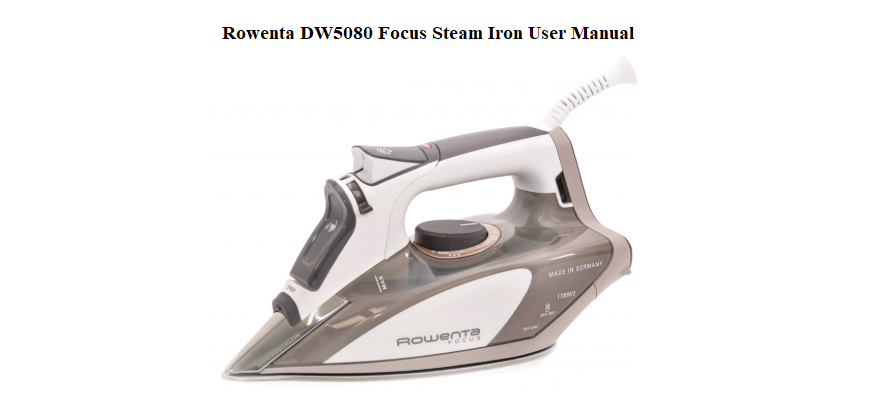

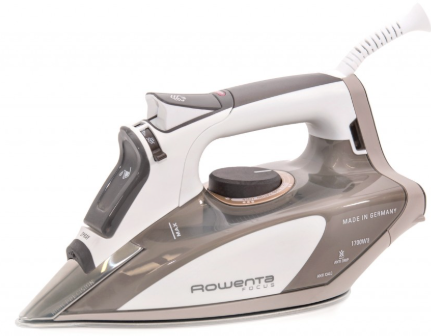
Rowenta ships the DW5080 Focus with a quick-start leaflet and a safety guide, but the full manual is often a small booklet that’s easy to lose. There’s no printed guide that plainly explains how the steam shot works, what the red and green lights mean, when to use the anti-drip function, or how to clean the soleplate without scratching it. Every day, people search for a “Rowenta DW5080 manual” because they want clear, user-friendly answers.
This companion gives you those answers. I’ve ironed shirts, drapes, and delicate fabrics with this exact model, used the precision tip for seams, and run the self-clean cycle. Whether you’re filling the water tank for the first time or trying to stop a leak, you’ll find the fix here. Bookmark this page—the next time the iron won’t heat, the steam is weak, or the auto-off kicks in unexpectedly, the solution is right here.
What’s in the Box and First-Time Setup
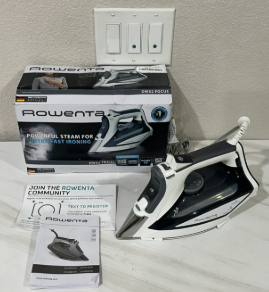
Your box includes:
- The Rowenta DW5080 Focus steam iron
- A small plastic water filling cup
- A quick-start guide and safety booklet
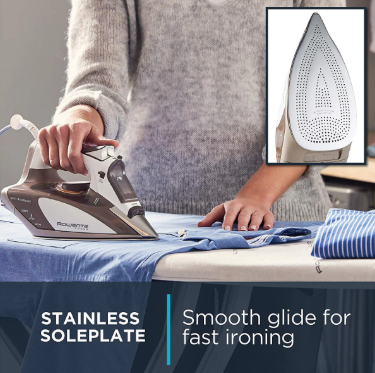
The iron has a micro steam stainless steel soleplate with 400 steam holes, a 12-ounce water tank, and a precision tip for hard-to-reach areas.
Before first use:
- Remove all plastic film from the soleplate and water tank.
- Fill the water tank to the maximum line with regular tap water (Rowenta irons are designed for tap water; distilled water is not recommended).
- Turn the thermostat dial to the highest setting (linen) and let the iron heat up. When the indicator light goes out, press the steam burst button a few times to flush out any manufacturing residue.
- Wipe the soleplate with a clean, damp cloth when cool.
Understanding the Controls and Indicators
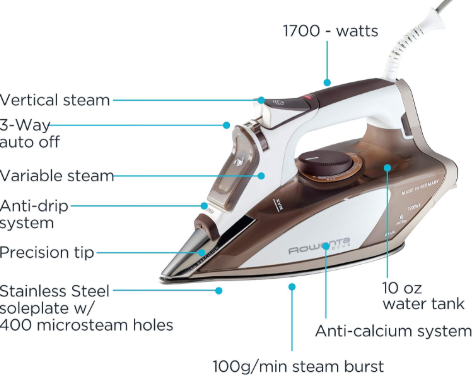
The DW5080 has all controls within finger reach.
Thermostat dial
Located under the handle. Turn it to select the fabric setting: Synthetic (low), Silk/Wool (medium), Cotton (high), and Linen (maximum). The red indicator light turns on when heating and turns off when the set temperature is reached.
Steam lever
Located on top of the handle. Slide it to control steam output: Off (no steam), Low, Medium, or High. For heavy fabrics like denim, use High. For delicate synthetics, turn steam off and use low temperature.
Spray button
Press to spray a fine mist of water onto dry fabrics. Helps with stubborn wrinkles.
Steam burst button
Press firmly to release a powerful vertical shot of steam. Great for hanging garments, drapes, and heavy creases. You can also use it horizontally for tough wrinkles.
Anti-drip system
Built-in and automatic. It prevents water from dripping out of the soleplate when the iron is too cool to generate steam. No button needed.
Auto-off indicator
The DW5080 has three-way auto-off: after 8 minutes upright, 30 seconds on its side or soleplate. A green LED near the heel blinks when the iron is in auto-off mode. To reset, simply move the iron.
Filling the Water Tank and Choosing Water Type
The large water tank holds 12 ounces and is translucent so you can see the level. Fill it before ironing or when the water runs low.
How to fill:
- Unplug the iron.
- Slide the steam lever to “Off.”
- Open the water fill cover on the front of the iron.
- Pour water slowly using the included cup. Never fill past the “Max” line.
- Close the cover firmly.
Water quality tips:
- Use regular tap water. Rowenta’s design is compatible with tap water.
- Do not use 100% distilled water; it can cause corrosion over time. If your tap water is extremely hard, mix 50% tap and 50% distilled.
- Never use water from a clothes dryer, scented water, or vinegar in the tank.
Ironing Techniques for Best Results
Setting the right temperature and steam
- Synthetics (polyester, acrylic): Low temperature, steam off.
- Silk and wool: Medium temperature, low steam.
- Cotton: High temperature, high steam.
- Linen: Maximum temperature, maximum steam.
Always check the garment’s care label. If in doubt, start on a lower setting and test on an inside seam.
Using the precision tip
The pointed tip at the front of the soleplate is designed for tight spots: collars, between buttons, pleats, and along seams. Glide the tip into these areas without the rest of the soleplate touching.
Vertical steaming
Hang the garment on a sturdy hanger. Hold the iron a few inches away and press the steam burst button. Move the iron vertically over wrinkles. The burst of steam penetrates the fabric without contact.
Avoiding shine on dark fabrics
Iron dark garments inside out, or place a pressing cloth between the iron and the fabric. This prevents heat marks.
Cleaning the Soleplate and the Self-Clean Function
Daily cleaning:
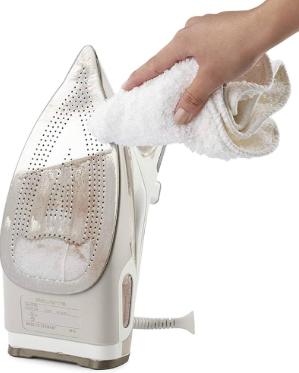
- When the iron is cool, wipe the soleplate with a soft, damp cloth.
- For stubborn starch or lint, use a Rowenta soleplate cleaning kit or a paste of baking soda and water. Apply, gently rub, and wipe clean. Never use abrasive pads, scouring powder, or chemical cleaners.
Self-clean cycle:
The self-clean function flushes out mineral deposits from the steam chamber. Run it every 2–3 months, or more often if you have hard water.
- Fill the water tank to the Max line. Plug in the iron and set the thermostat dial to the highest temperature.
- When the indicator light goes out, unplug the iron.
- Hold the iron over a sink. Press and hold the self-clean button (located on the front of the handle, near the spray button).
- Hot water and steam will surge out of the soleplate, carrying mineral particles with them. Tilt the iron forward and backward until the tank is empty.
- Release the button. Plug the iron back in and let it heat for a few minutes to dry any remaining moisture. Wipe the soleplate with a cloth when cool.
Troubleshooting Common Issues
| Problem | Likely Cause | What to Try |
|---|---|---|
| Iron won’t heat | Auto-off activated or thermostat on low | Move the iron gently to deactivate auto-off. Turn the thermostat to a higher setting. Check that the power cord is plugged in and the outlet works. |
| No steam or weak steam | Steam lever off or mineral buildup | Slide the steam lever to High. Fill the water tank. Run the self-clean cycle. |
| Water spits or leaks from soleplate | Anti-drip active because iron is too cool | Wait until the thermostat light turns off (iron is at temperature) before using steam. Avoid overusing the steam burst button on low temperatures. |
| Brown or white particles on fabric | Mineral scale from hard water | Run the self-clean cycle. Empty the water tank after each use. Use a mix of tap and distilled water if your water is hard. |
| Soleplate sticks to fabric | Temperature too high or dirty soleplate | Lower the thermostat setting. Clean the soleplate thoroughly. |
| Auto-off light blinks | Normal operation in auto-off | Move or shake the iron gently; the light stops blinking and the iron reheats. |
| Spray button doesn’t work | No water in tank or nozzle clogged | Fill the tank. If the nozzle is clogged, clean it with a needle or a small pin. |
How to Reset and Store the Iron
Soft reset (exiting auto-off)
Pick up the iron and tilt it forward. The auto-off sensor resets, the green light stops blinking, and the iron begins heating again.
Hard reset (power cycle)
If the iron is completely unresponsive, unplug it for 30 seconds, then plug it back in. Turn the thermostat to a high setting and check for heat.
No factory reset
The DW5080 is a mechanical thermostat iron with no digital circuitry. The self-clean cycle acts as a maintenance reset for the steam system.
Storage
- Turn the thermostat dial to Off.
- Empty the water tank completely after each use. Do not store water in the tank.
- Set the iron upright on its heel. Always store the iron in the heel-rest position, not on the soleplate.
- Wind the cord loosely; never wrap it tightly around the iron. Tight wrapping can damage the cord over time.
Quick Reference Card
| Task | How |
|---|---|
| Fill water tank | Unplug, steam off, open cover, pour water, close |
| Steam burst | Press steam burst button firmly |
| Spray water | Press spray button |
| Vertical steam | Hang garment, press steam burst button a few inches away |
| Run self-clean | Heat to max, unplug, hold self-clean button over sink |
| Reset auto-off | Move or shake the iron |
| Clean soleplate | Wipe with damp cloth when cool; use baking soda paste for stubborn spots |
| Store long-term | Empty tank, set upright on heel, cord loosely wound |
