
Table of Contents
ToggleNOCO Boost Plus GB40 Manual Safety Charging and Troubleshooting Guide

Why This Companion Is Here
NOCO packs the Boost Plus GB40 with the jump starter itself, heavy‑duty clamps, a USB‑C charging cable, and a small Quick‑Start card. The full manual is a short booklet that focuses on safety, but many real‑world questions — how long to charge, what the error beeps mean, how to force‑start a completely dead battery, and how to store the unit — remain unanswered. Thousands of people search for a “NOCO Boost Plus GB40 manual” every day because they want clear, practical help. This companion provides exactly that.
What Comes in the Box
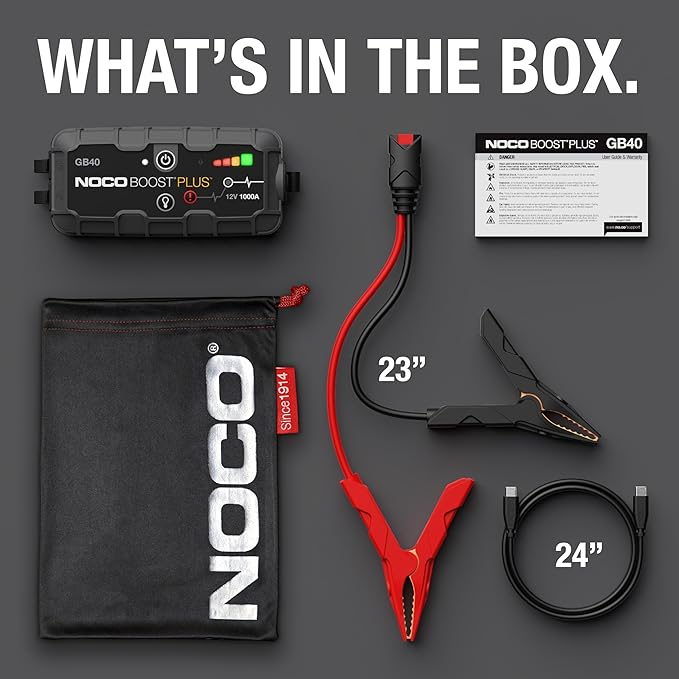
Your kit includes:
- The NOCO Boost Plus GB40 lithium jump starter (1,000‑amp peak)
- Heavy‑duty spark‑proof battery clamps with red and black cables
- A USB‑C to USB‑A charging cable
- A micro‑USB adapter (for older phones)
- A soft carrying pouch
- A Quick‑Start Guide and warranty card
No wall charger is included; you can use any standard USB‑A port (phone charger, computer, car USB) to recharge the GB40.
Understanding the Unit and Its Lights
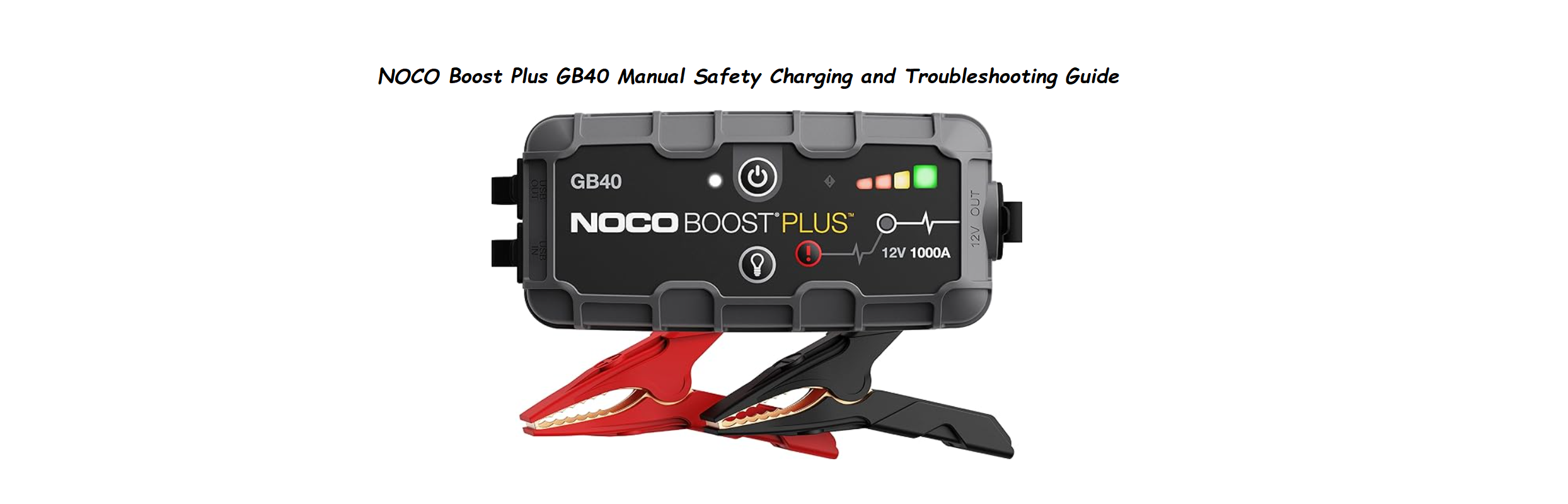
The GB40 is about the size of a small power bank. Key parts:
- Power button: Press to wake and check battery level. The LED ring around the button shows the state of charge.
- 4 solid white LEDs: 100% charge.
- 3 solid: 75%.
- 2 solid: 50%.
- 1 solid: 25%.
- 1 flashing: Less than 10%; recharge immediately.
- Error LED (red triangle): Lights up when there is a problem (reverse polarity, short circuit, overheating). See troubleshooting section.
- Flashlight button: Press and hold to activate a built‑in LED torch with multiple modes (steady, strobe, SOS).
- USB‑out port: Use to charge phones and other USB devices (5V/2.1A).
- USB‑C in port: For recharging the GB40 itself.
- Clamp connector: The large rectangular socket on the left side where you plug in the battery clamps.
Charging the GB40 Before First Use
The GB40 arrives partially charged, but NOCO recommends a full charge before first use.
- Plug the USB‑C end of the included cable into the IN port on the GB40. Connect the USB‑A end to any standard USB‑A charger (5V, 1A minimum; 2.1A or higher for faster charging).
- The LED ring will pulse white while charging. All four LEDs will turn solid when fully charged.
- A full charge takes about 3 hours with a 2.1A charger. The unit can be left plugged in; overcharge protection is built in.
- Recharge every 3–6 months if not used, even if the LEDs still show some charge. Lithium batteries degrade if left fully discharged for long periods.
How to Jump Start a Vehicle Safely
The GB40 is designed to be safe and simple, but follow these steps exactly.
- Turn off the vehicle and all accessories (lights, radio, AC).
- Plug the battery clamps firmly into the GB40’s clamp connector until they click. The Error LED will blink once and then turn off if the clamps are correctly connected and there’s no fault.
- Connect the red clamp to the positive (+) battery terminal. Connect the black clamp to the negative (−) battery terminal or to a bare metal ground on the engine block away from the battery. Do not let the clamps touch each other.
- The GB40 will automatically detect the battery. The Error LED should remain off. If it turns solid red with a beep, the clamps are reversed — disconnect immediately and swap them.
- Wait a few seconds for the unit to analyze the battery. Then press the Power button once. The LED ring will light up, and the GB40 will start supplying current.
- Start the vehicle. Do not crank for more than 5 seconds at a time. If the engine doesn’t start, wait at least 30 seconds before trying again.
- Once the engine starts, immediately disconnect the clamps in reverse order: black first, then red. Unplug the clamps from the GB40.
- Recharge the GB40 as soon as possible.
Important: If the vehicle battery is completely dead (less than 2 volts), the GB40 may not auto‑detect it. Use the Manual Override feature: with the clamps connected, press and hold the Power button for 3 seconds. The Error LED will stop flashing, and the unit will deliver power for a forced start. Use this only when necessary and never bypass safety protections unless absolutely required.
Using the Flashlight and USB Power Bank Features
- Flashlight: Press and hold the flashlight button for 2 seconds to turn on. Press again to cycle through steady → strobe → SOS → off. The SOS mode (three short, three long, three short flashes) is for emergencies.
- USB charger: Connect any standard USB cable to the USB‑out port. The GB40 charges phones, tablets, and other 5V devices at 2.1A. This function does not need the clamps to be connected.
Troubleshooting Common Issues
| Problem | Likely Cause | What to Try |
|---|---|---|
| Error LED solid red with beep | Reversed polarity (clamps swapped) | Disconnect immediately. Attach red to positive (+), black to negative (−). |
| Error LED flashing red and beeping | Clamps shorted or battery voltage too low | Check that clamps are not touching each other. If battery voltage is below 2V, use Manual Override (hold power button 3 seconds). |
| Unit won’t turn on | Fully discharged | Charge the GB40 for at least 1 hour before use. |
| Won’t jump start; vehicle clicks but won’t crank | Battery too large or GB40 charge low | Ensure GB40 is fully charged (4 solid LEDs). The GB40 is rated for gasoline engines up to 6 litres and diesel up to 3 litres. For larger engines, use a bigger NOCO model. |
| USB port not charging phone | Cable or port issue | Try a different USB cable. Check that the GB40 has enough charge (at least 1 LED solid). |
| Unit feels warm after use | Normal, especially after a jump start | Allow the unit to cool for 10–15 minutes before charging or storing. If it’s too hot to touch, let it cool longer. |
How to Reset the GB40
The GB40 does not have a dedicated reset button. If the unit locks up or shows a constant error:
- Disconnect the clamps and any USB cables.
- Press and hold the Power button for 15 seconds. The LED ring may flash.
- Release and wait 30 seconds. Then press the Power button again to turn it on.
- If the error persists, fully recharge the unit and try again.
Quick Reference Card
| Task | How |
|---|---|
| Check charge level | Press Power button once; count solid LEDs |
| Jump start | Connect clamps (red +, black –), wait for green, start engine |
| Force start (dead battery) | Hold Power button for 3 seconds when error LED is flashing |
| Turn on flashlight | Hold flashlight button 2 seconds; press to cycle modes |
| Charge phone | Plug USB cable into USB‑out port |
| Recharge GB40 | USB‑C cable into IN port, use any USB‑A charger |
Official NOCO Support and Manuals
For warranty, replacement clamps, and the full PDF manual, visit: https://no.co/support
Frequently Asked Questions
- How often should I charge the GB40?
Recharge every 3–6 months even if you haven’t used it. After every jump start, recharge as soon as possible. The LED ring gives a quick indication, but a full recharge ensures it’s ready when you need it. - Can I use the GB40 on a motorcycle or boat?
Yes, it’s safe for motorcycles, ATVs, UTVs, lawn tractors, and marine batteries (12V systems). The GB40 outputs 12V, so do not use on 6V or 24V systems. - Is it safe to leave the clamps connected after the engine starts?
No. Disconnect the clamps immediately after the engine starts. The GB40 has reverse‑charge protection, but it’s best practice to remove them right away to prevent any electrical damage. - What does the “Manual Override” do exactly?
It bypasses the low‑voltage detection. Use it only when the GB40 won’t detect the battery (under 2V) and you’re certain the connections are correct. It should only be used as a last resort, and you must disconnect the clamps immediately after starting the engine. - Can I jump start a completely dead battery with the GB40?
Yes, using Manual Override. But if the battery is physically damaged, leaking, or frozen, do not attempt to jump start it. Replace the battery instead.
A Quick Reminder Before You Pack It Away
Store the GB40 in its pouch in a cool, dry place. Avoid leaving it in direct sunlight or inside a hot car for extended periods. A little periodic charging goes a long way — treat it like a fire extinguisher: always ready, even if you rarely need it.
Copyright Warning!
Copyright 2026 productsmanuals.com All rights reserved. This NOCO Boost Plus GB40 manual is original content and may not be copied, republished, or redistributed without written permission. NOCO, Boost Plus, and the NOCO logo are trademarks of NOCO Company. This guide is unofficial and not affiliated with NOCO.
