
- Can I wash the filter instead of replacing it?
No. The TP07 uses a sealed HEPA+Carbon combination filter that cannot be washed or cleaned. Washing will damage the filter media and reduce its effectiveness. Always replace it with a genuine Dyson filter when the filter life reaches 0%. - Why does my purifier sometimes run at full speed even when the air seems clean?
The auto mode responds to real‑time sensor readings. A sudden spike in VOCs (from cooking, cleaning products, or even opening a window) or invisible fine particles can trigger the purifier to run at high speed. This is normal; it will gradually slow down as the pollutants are captured. - How do I know if the sensors are working correctly?
You can test the sensors by placing the purifier in a small, enclosed space and introducing a known pollutant (e.g., a few sprays of a mild cleaning product a safe distance away). The display should show a colour change and the airflow speed should increase. If the readings remain green and the airflow doesn’t change, try cleaning the sensor vents with a dry cloth or compressed air. - Does the TP07 use a lot of electricity?
No. At full power, it uses about 40 watts. In Sleep mode or on low speeds, it uses less than 5 watts. Leaving it in Auto mode 24/7 is energy‑efficient and ensures consistent air quality. - Can I use the purifier in a room with an open window?
It’s not recommended. The purifier works best in a closed room. An open window constantly introduces new outdoor pollutants, making it harder for the purifier to maintain clean air. Use it with windows closed for best results. - Does the TP07 work with Amazon Alexa or Google Assistant?
Yes. After connecting the purifier to the Dyson Link app, you can link your Dyson account to Amazon Alexa or Google Home. You can then use voice commands like “Alexa, turn on the purifier” or “Hey Google, set the purifier to sleep mode.” - What should I do if the purifier emits a slight chemical smell when new?
A faint smell during the first few days of use is normal. It’s caused by the carbon filter off‑gassing. Run the purifier on high speed in a well‑ventilated room for 24–48 hours, and the smell will dissipate completely. - Can I use an extension cord with the TP07?
Dyson recommends plugging the purifier directly into a wall outlet. If you must use an extension cord, ensure it is rated for at least 5 amps and is in good condition. Do not daisy‑chain multiple extension cords. - How do I move the purifier to another room?
Unplug the purifier, pick it up by the loop (the top amplifier), and carry it carefully. The base is heavy due to the filter and motor, so use two hands if needed. Do not drag it across the floor by the power cord. - What is the warranty period for the TP07?
The TP07 comes with a 2‑year warranty covering parts and labour. Registration on the Dyson website is recommended but not required; keep your proof of purchase. The warranty does not cover filters, which are consumable items. - Can I turn off the oscillation sound?
The oscillation mechanism makes a very faint humming sound as it rotates, which is normal. There is no separate mute option for the motor, but Sleep mode operates with minimal noise and no oscillation by default. - Is the TP07 safe to use around pets?
Yes. The bladeless design makes it safer than traditional fans, and the HEPA filter captures pet dander and hair. However, keep the remote out of reach of curious pets, and regularly check the air inlet for pet hair buildup.
Dyson Purifier Cool TP07 369238‑01 Setup Filter and Troubleshooting Guide
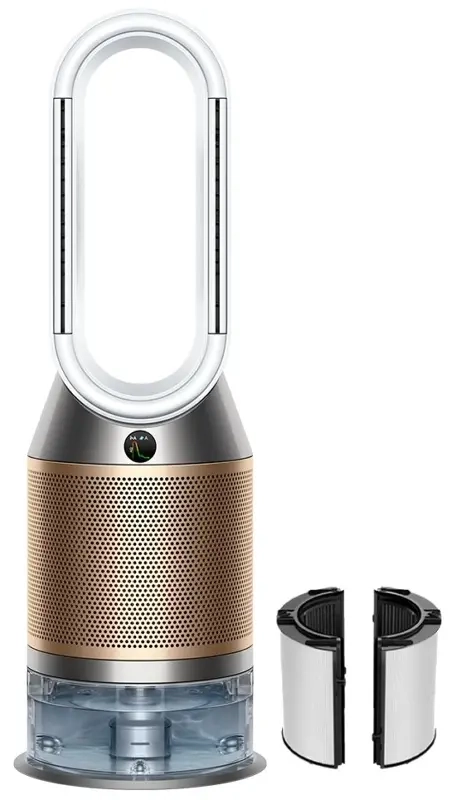
Introduction
Dyson ships the Purifier Cool TP07 with a combination filter, a remote control, a Quick‑Start leaflet, and a link to the Dyson Link app. The full manual is a digital PDF that covers multiple models, but it doesn’t always answer real‑world questions like “how often should I replace the filter,” “what does the Wi‑Fi symbol mean,” “how do I turn off the display at night,” or “why is my purifier making a strange noise.” Thousands of people search for a “Dyson TP07 manual” every day. This companion gives you all of that in plain, practical English.
What Comes in the Box
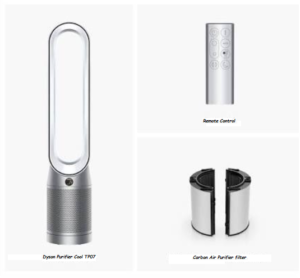
Your package includes:
- The Dyson Purifier Cool TP07 tower (loop‑shaped amplifier, white/silver or black/nickel)
- One HEPA+Carbon combination filter (pre‑installed in the base)
- A small curved magnetic remote control
- A power cord (hardwired into the base)
- A Quick‑Start Guide and warranty card
No Wi‑Fi adapter is needed; the TP07 has built‑in Wi‑Fi. No additional filters are included; replacements are sold separately.
Physical Tour and Remote Control
The TP07 has a sleek bladeless design. The top loop is the amplifier that draws in air through the base filter and projects it upward.
- Display screen: A small LCD on the front shows real‑time air quality (PM2.5, PM10, VOCs, NO2), airflow speed, selected mode, Wi‑Fi status, and filter life.
- Remote control: The magnetic remote attaches to the top of the tower. Key buttons:
-
-
Power: Press once to turn on/off.
-
Airflow speed: Press the +/– buttons to increase or decrease airflow (1–10). Holding them ramps up/down quickly.
-
Oscillation: Press to rotate the tower; choices are 0°, 45°, 90°, 180°, or 350°. It can also be set to “Breeze” mode (variable oscillation) from the app.
-
Sleep mode: Press the moon icon. The display dims, and the purifier runs at its quietest setting. Ideal for bedrooms.
-
Airflow direction: Toggle between front‑only (focused) and rear‑only (diffused) airflow. On auto, it switches between them for a natural breeze.
-
-
Filter release buttons: Located on the bottom of the base. Press both buttons simultaneously to lift off the top assembly and access the filter.
First‑Time Setup and Power‑On
- Place the TP07 on a flat, level floor. Keep at least 30 cm of clearance on all sides for proper air intake.
- Plug the power cord into a wall outlet. The display will light up briefly, then turn off.
- Press the Power button on the remote (or on the front of the base, near the display). The purifier will start in Auto mode. It will sample the air for a few seconds, then begin purifying.
- The display shows real‑time air quality: green (good), yellow (moderate), orange (unhealthy), red (very unhealthy), purple (hazardous). The machine will automatically adjust airflow speed based on detected pollutants.
Connecting to Wi‑Fi and the Dyson Link App
- Download the Dyson Link app (iOS or Android). Create a Dyson account or sign in.
- On the TP07, press and hold the Oscillation button on the remote for about 5 seconds until the Wi‑Fi symbol on the display starts blinking.
- In the app, tap “Add your machine” and follow the prompts to connect to the purifier’s temporary Wi‑Fi network. The app will then ask you to select your home Wi‑Fi and enter the password.
- Once connected, the Wi‑Fi symbol on the TP07 display will stay solid white. You can now control the purifier remotely, view air quality history, set schedules, and receive filter life alerts.
Understanding the Air Quality Display
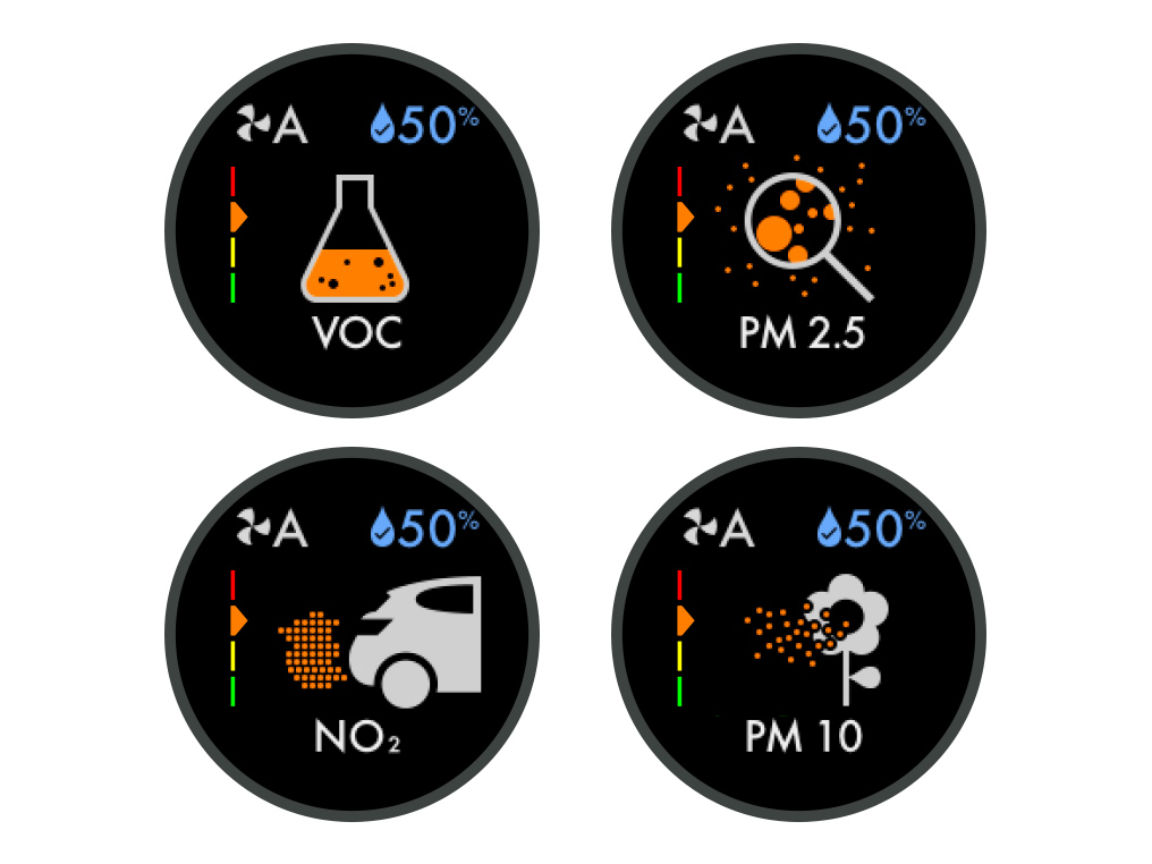
The TP07 continuously monitors four types of pollutants:
- PM2.5 (fine particles): Dust, pollen, smoke.
- PM10 (larger particles): Larger dust, mould spores.
- VOCs (volatile organic compounds): From paints, cleaning products, cooking fumes.
- NO2 (nitrogen dioxide): From traffic, gas stoves, outdoor pollution.
- Press the Info button on the remote to cycle through each pollutant graph. The current values and a 24‑hour graph are shown. The colour ring on the display summarizes overall air quality.
Filter Life and Replacement
The TP07 uses a single HEPA+Carbon combination filter that lasts about 12 months with continuous use (24/7). The machine will alert you when it’s time to replace the filter.
To check remaining filter life: Press the Info button on the remote until you see the filter icon. The display shows a percentage (e.g., 30% remaining).
To replace the filter:
- Turn off and unplug the purifier.
- Press both filter release buttons on the base simultaneously. Lift off the top loop assembly.
- Remove the old filter and dispose of it. Vacuum any dust from the base cavity.
- Unwrap the new filter and slide it into the base. The outer layer is the HEPA; the inner layer is carbon.
- Replace the top assembly. It will click into place.
- Plug in the purifier and turn it on. Press and hold the Oscillation button on the remote for 5 seconds to reset the filter life counter. The display will show “Filter Reset” briefly.
Important: Only use genuine Dyson replacement filters (part number 970341‑01 for the TP07). Third‑party filters may not seal properly and can damage the motor.
Sleep Mode and Night‑Time Use
The TP07 is designed to be quiet enough for bedrooms. Sleep mode runs the purifier at its lowest speed and dims the display completely. Press the Sleep button (moon icon) on the remote to activate. The display will fade out after a few seconds. To wake it, press any button.
In the Dyson Link app, you can schedule Sleep mode to turn on and off at specific times.
Auto Mode and Airflow Settings
- Auto mode: The purifier monitors air quality and automatically adjusts the airflow speed. It’s the best mode for everyday use.
- Manual airflow: Use the +/– buttons on the remote to set a constant fan speed (1–10). Speed 1 is whisper‑quiet; speed 10 is powerful but louder.
- Oscillation options: 0° (still), 45°, 90°, 180°, and 350° (full rotation). For larger rooms, use 350° to circulate air throughout the space.
- Breeze mode (app only): Simulates a natural breeze by varying the airflow intensity and direction. Enable it in the Dyson Link app under Machine settings.
Troubleshooting Common Issues
| Problem | Likely Cause | What to Try |
|---|---|---|
| Purifier won’t turn on | Power issue | Check the power cord is securely plugged into the base and the wall outlet. Try a different outlet. |
| Display shows a red triangle | Filter error or motor fault | Reset the filter life counter. If the error persists, unplug for 10 minutes and restart. Contact Dyson if still showing. |
| Air quality readings remain poor despite running | Sensor needs cleaning | Use a soft, dry cloth to wipe the sensor vents (small circular opening on the side of the base). Compressed air can also be used. |
| Wi‑Fi keeps disconnecting | Router issue or weak signal | Restart the router and the purifier. In the app, forget the machine and re‑pair. Ensure the 2.4 GHz Wi‑Fi is enabled. |
| Remote control not working | Low battery or lost pairing | Replace the CR2032 coin battery in the remote (slide open the back). If still unresponsive, re‑pair by holding the Oscillation button for 5 seconds while the machine is on. |
| Purifier is noisy or rattling | Loose filter or debris in the motor | Check that the filter is seated correctly. Vacuum the base and air inlet gently. If the noise is a high‑pitched whine, the motor may need service. |
How to Reset the Purifier
Soft reset: Unplug the power cord, wait 30 seconds, and plug it back in. This clears minor glitches.
Factory reset (clear Wi‑Fi and settings): Press and hold the Power button on the remote for 5 seconds while the purifier is on. The display will blink, and the machine will restart. This resets the Wi‑Fi connection and all custom settings.
Reset filter life counter: Press and hold the Oscillation button on the remote for 5 seconds until the display shows “Filter Reset.”
Quick Reference Card
| Task | How |
|---|---|
| Turn on/off | Press Power button on remote or base |
| Adjust airflow | Press +/– on remote |
| Activate Sleep mode | Press Sleep (moon) button |
| Toggle oscillation | Press Oscillation button |
| Check filter life | Press Info button until filter icon appears |
| Reset filter counter | Hold Oscillation button 5 seconds |
| Factory reset | Hold Power button on remote 5 seconds |
Download the Dyson TP07 Cheat Sheet
A one‑page PDF with remote shortcuts, filter replacement steps, and troubleshooting. Print it and keep it near the purifier.
“Dyson TP07 Quick Guide (PDF)”
Official Dyson Support and Manuals
For warranty, filter purchases, and the official PDF manual, visit: https://www.dyson.com/support
Frequently Asked Questions
- Can the TP07 heat the room?
No, the TP07 is a cooling purifier only. For heating, see the Dyson Purifier Hot+Cool (HP07). - How often should I replace the filter?
About once a year with continuous 24/7 use. The machine will alert you when the filter level reaches 0%. You can also check the filter life percentage on the display or in the app. - Is the TP07 suitable for large rooms?
Yes, it’s designed for rooms up to 27 m². For very large open spaces, you may need a second unit. - Can I turn off the display at night?
Yes, Sleep mode dims the display completely. You can also schedule it in the app. - Does it remove cooking smells?
Yes, the carbon layer in the filter adsorbs VOCs and odours from cooking, smoke, and cleaning products. - What is the difference between the TP07 and the TP09?
The TP09 adds formaldehyde sensing and destruction. The TP07 handles particles, VOCs, and NO2 but does not specifically target formaldehyde.
A Quick Note Before You Breathe Easy
Place the purifier in the room where you spend the most time, ideally near a source of pollution (like a kitchen or a window). Keep doors and windows closed when the purifier is running to maintain clean air. Replace the filter promptly when the alert appears; a clogged filter reduces both purification and airflow performance.
Copyright Warning!
Copyright 2026 productsmanuals.com All rights reserved. This Dyson Purifier Cool TP07 369238‑01 manual is original content and may not be copied, republished, or redistributed without written permission. Dyson, Purifier Cool, and the Dyson logo are trademarks of Dyson Ltd. This guide is unofficial and not affiliated with Dyson.

[…] Dyson Purifier Cool TP07 Manual – Air Quality Display, Filter & Wi‑Fi Monitor pollutants and control your purifier from the app. […]