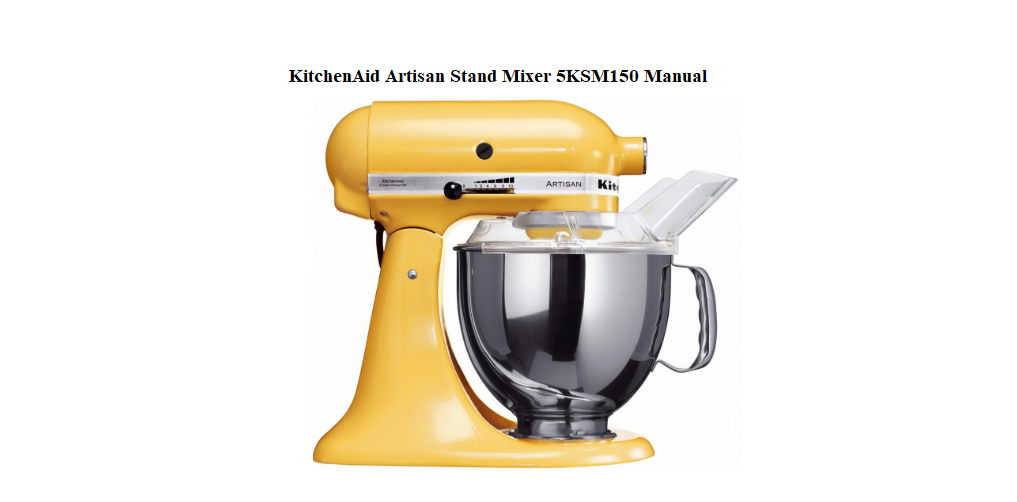

KitchenAid Artisan Stand Mixer 5KSM150 User Manual
Your Bench‑Top Baking Partner
The Artisan 5KSM150 arrives with a flat beater, a dough hook, a wire whisk, and a pouring shield. The printed booklet that comes with it is mostly safety warnings and a few recipes. What it doesn’t spell out is how to adjust the beater so it actually scrapes the bowl, what to do when the mixer suddenly won’t start, or which speed is best for creaming butter. This guide covers exactly that — no fluff, just the practical know‑how that turns a beautiful machine into a daily workhorse.
What You’ll Find in the Box

Your box contains:
- The stand mixer head and base (tilting head design)
- A 4.8‑litre stainless steel bowl with handle
- A flat beater (for cakes, cookies, mashed potatoes)
- A spiral dough hook (for bread and pizza dough)
- A wire whisk (for cream, egg whites, and light batters)
- A pouring shield with a chute (attaches to the bowl to add ingredients while mixing)
- A quick‑start leaflet and warranty registration card
No attachments beyond the three listed are included. Other accessories (pasta roller, food grinder, citrus juicer) attach to the front power hub and are sold separately.
Getting to Know Your Mixer

The Artisan mixer has a few key controls that are worth learning by feel.
- Tilt‑head lever: The silver lever on the right side of the neck unlocks the head. Push it back, and the head tilts up so you can swap beaters or scrape the bowl. To lower, push the lever back again and guide the head down until it clicks.
- Speed control knob: Sliding the silver lever on the right side selects 10 speeds. Always start on “Stir” (1) and increase gradually to avoid splashing.
- Attachment hub: The round cover on the front of the head. Twist it off to connect optional accessories like a food grinder or pasta roller.
- Beater shaft: The square shaft that the attachments fit onto. Align the hole in the attachment with the pin on the shaft and push up, then turn clockwise to lock.
Attachments and How They Work
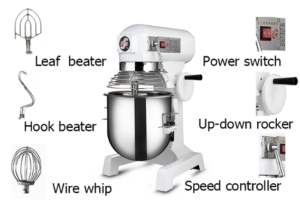
Flat beater
This is your everyday tool. Use it for creaming butter and sugar, mixing cookie dough, and mashing potatoes. It scrapes the bowl sides if the beater‑to‑bowl clearance is set correctly (see the adjustment section).
Dough hook
Shaped like a spiral, it kneads bread dough without overworking it. The hook pushes the dough down, so the mixer does the work. Use speed 2 for kneading; anything faster can cause the mixer to walk across the counter.
Wire whisk
Ideal for incorporating air — heavy cream, egg whites, and sponge batters. Use speeds 8–10. The whisk is not dishwasher safe; hand wash it to protect the wire loops.
How to attach: Push the attachment up onto the beater shaft, align the pin with the slot, and turn clockwise until it locks. To remove, push up slightly and turn counter‑clockwise.
Speed Settings and What They Mean
The 10‑speed control is designed for specific tasks. Here’s a simple guide.
| Speed | Use |
|---|---|
| Stir (1) | Combining dry ingredients, adding nuts or chocolate chips |
| 2 | Kneading dough, mixing heavy batters |
| 4 | Creaming butter and sugar, mixing cake batter |
| 6 | Mashing potatoes, mixing quick breads |
| 8 | Whipping cream, beating eggs |
| 10 | Whipping egg whites to stiff peaks, making meringue |
Always start on Stir and slowly increase. Scraping the bowl halfway through ensures even mixing.
Cleaning the Mixer and Attachments
After each use
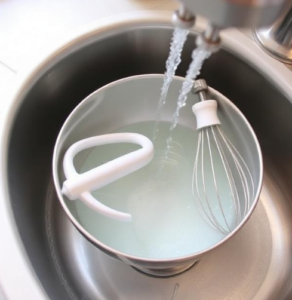
- Remove the attachment and the bowl. Wash them in warm, soapy water. The flat beater, dough hook, and bowl are dishwasher safe (top rack, avoid the heating element). The wire whisk should be hand washed to prevent corrosion.
- Wipe the mixer base with a soft, damp cloth. Never pour water over the motor head.
- The pouring shield can be washed by hand or on the top rack of the dishwasher.
Stubborn stains on the bowl
For stuck‑on dough or batter, fill the bowl with warm, soapy water and let it soak for 15 minutes. Avoid abrasive scrubbers that can scratch the stainless steel.
Cleaning the attachment hub
Occasionally, flour and dust can accumulate around the front hub cover. Twist it off and wipe both the cover and the opening with a dry cloth. Do not oil the hub.
Adjusting the Beater‑to‑Bowl Clearance
If the flat beater isn’t scraping the bowl correctly, your mixes won’t be even. The Artisan allows a simple adjustment.
- Unplug the mixer. Tilt the head back.
- Attach the flat beater. Lower the head.
- Look at the gap between the beater and the bowl. The beater should just clear the bowl without scraping hard against it.
- If adjustment is needed, tilt the head back. Find the small screw on the neck (the hinge area). Turn it slightly clockwise to lower the beater, counter‑clockwise to raise it.
- Test by placing a coin (a thin dime) between the beater and the bowl while the mixer is off. The beater should just touch the coin. Repeat the adjustment until the gap is correct.
Troubleshooting Common Problems
| Issue | What to Check |
|---|---|
| Mixer won’t start | Ensure the mixer is plugged into a working outlet and the head is locked down firmly. The motor has an overload reset: if it stopped after kneading heavy dough, unplug for 15 minutes, then try again. |
| Head won’t lock down | Make sure the attachment is pushed all the way up onto the shaft and locked in place. A loose attachment can block the head. |
| Excessive vibration or walking | Reduce speed when kneading dough. Place a damp towel under the mixer base to reduce movement. Ensure the counter is level. |
| Attachment won’t come off | Push upward on the attachment slightly, then turn counter‑clockwise. If stuck, tap it gently with a wooden spoon. |
| Motor hums but beater doesn’t spin | This often indicates a stripped gear. Unplug immediately and contact KitchenAid service. |
| Paint chipping | The mixer’s enamel finish is durable but can chip if hit hard. Touch‑up paint is available from KitchenAid. |
How to Reset the Mixer
The Artisan doesn’t have a traditional reset button, but the motor has a built‑in thermal protection. If the mixer stops during a heavy job (like kneading dough), it may have overheated.
- Turn the speed control to Off and unplug the mixer.
- Let it cool for 15–30 minutes.
- Plug it back in, turn it on, and start on a lower speed with a smaller batch. If it still doesn’t start, the gear or motor may need service.
There’s no factory reset for this mechanical machine. The beater clearance adjustment is the only physical reset you’ll need.
A Few Extra Tips for Everyday Bakers
- Chill your bowl and whisk for faster whipped cream. The stainless bowl can go in the fridge for 15 minutes before use.
- Use the pouring shield when adding flour — it keeps a cloud of dust off your counter.
- The dough hook is not for cake batter. It won’t incorporate enough air. Use the flat beater instead.
Quick Reference Card
| Task | How |
|---|---|
| Attach beater | Push onto shaft, align pin, turn clockwise until lock clicks |
| Remove bowl | Lift bowl straight up and turn slightly if it catches |
| Tilt head | Push silver lever on right side back, lift head |
| Adjust beater clearance | Tilt head, turn screw on hinge slightly, test with coin |
| Reset after overload | Turn off, unplug 15 minutes, restart on low speed |
Download the KitchenAid Artisan Cheat Sheet
A one‑page PDF with speed settings, attachment uses, cleaning reminders, and the beater adjustment trick. Pin it on your fridge — it’s ready when you’re up to your elbows in flour.
“KitchenAid Artisan 5KSM150 Quick Guide (PDF)”
Official KitchenAid Support
For warranty, replacement parts, and the official owner’s manual, visit:
https://www.kitchenaid.com/service-and-support.html
One Last Whisk
This mixer was built to handle everything from a single egg white to a triple batch of chocolate chip cookies. Treat it with care, adjust the beater once, and it will purr through every holiday baking marathon. If a friend ever unboxes the same Artisan and can’t figure out why the head won’t lock, point them here — it might just save their cake.
Copyright Warning!
Copyright 2026 productsmanuals.com All rights reserved. This KitchenAid Artisan Stand Mixer 5KSM150 manual is original content and may not be copied, republished, or redistributed without written permission. KitchenAid, Artisan, and the KitchenAid logo are trademarks of Whirlpool Corporation. This guide is unofficial and not affiliated with KitchenAid or Whirlpool.
